# Introduction

The Medable platform is designed to serve a diverse group of professionals working in healthcare, from researchers to software engineers. If you aren't certain which product is right for you, please take some time to explore our product offerings below.

## Cortex

Cortex provides tools you need to build and scale secure, compliant health apps. Cortex is designed to be used by software developers in healthcare to build engaging patient experiences without the need to write a single line of back-end code. Cortex is a full-stack solution for developing your mobile and web applications, including secure data storage, user management, notifications, custom logic, and advanced analytics. Cortex offers myriad features that you can leverage to simplify development.

We are excited to see what kind of apps you will build on our Cortex platform.

## What's Next?

For an overview of what Cortex can do, review Cortex's features.

{% content-ref url="/pages/-Mj66MZ9Lzax6ZeeUaIb" %}
[Features](/cortex-features)
{% endcontent-ref %}

Start with Organizations in the Cortex Guide if you want to start working with Cortex immediately.

{% content-ref url="/pages/-Mj66MZOwGS9BnjR4MEh" %}
[Organizations](/getting-started/cortex-user-guide/organizations)
{% endcontent-ref %}

To learn more about Cortex's architecture, start with an overview of Cortex API.

{% content-ref url="/pages/-Mj66MZvSKofX9mazbcM" %}
[Overview](/cortex-api/cortex-api)
{% endcontent-ref %}


# Features

| Feature Sets                 | Description                                                                                                                                                                                                                                                                                                                                                                                                                                                                                                                                                                                          |
| ---------------------------- | ---------------------------------------------------------------------------------------------------------------------------------------------------------------------------------------------------------------------------------------------------------------------------------------------------------------------------------------------------------------------------------------------------------------------------------------------------------------------------------------------------------------------------------------------------------------------------------------------------- |
| Account Provisioning         | Medable provides a number of standard objects, such as the Account object, which is critical to user management. When you sign up and your orgs are provisioned, an instance of the Account object is created for your initial admin user, which is what allows you to log into your org or orgs.                                                                                                                                                                                                                                                                                                    |
| Configure Custom Data Models | Medable is designed to be extensible and customizable, so extending the standard objects and creating your own objects to suit your needs is quick and easy. You can extend the API by creating new custom objects and extending the standard objects with custom properties. You can do this via the API if you have the Administrator or Developer roles, or via the Admin UI. You can create relationships between objects such as one-to-many and many-to-many.                                                                                                                                  |
| Roles and Permissions        | Access control lists (ACLs) allow you to define fine-grained access to object instances and their properties directly in your data model.                                                                                                                                                                                                                                                                                                                                                                                                                                                            |
| Authentication Methods       | <ul><li>Session-Based Authentication</li><li>Signature-Based Authentication</li><li>The Security Assertion Markup Language (SAML) module allows you to implement Single Sign-On (SSO) via SAML v2.0 protocol. Using this library, you can configure your org to act as a Service Provider.</li></ul>                                                                                                                                                                                                                                                                                                 |
| Developer Tools              | Cortex developer tools allow you to export org configurations from one org and import them to another. These tools also allow you to create a git-mergeable format for org configuration. As such, the exports are minimalistic in nature, having only the properties required to rebuild during import. The developer tools consist of Cortex routes, an npm module (which includes a command interface), and a reference implementation Atom plugin that utilizes the npm module. You can find documentation for installation and usage at the following link: <https://github.com/Medable/mdctl>. |
| Expressions                  | Expressions allow developers to execute conditional logic when running scripts or policies. These operators are available to construct logic for use in the aggregation pipeline stages.                                                                                                                                                                                                                                                                                                                                                                                                             |
| Audit Logs and Dashboards    | Some event logs, such as tracking invalid login attempts, are explicitly required by 21 CFR 11 regulations. Events that affect or are required to document compliance of 21 CFR 11, Good Clinical Practice (GCP), and other regulatory requirements are logged and visible in human-readable format in the Admin Portal.                                                                                                                                                                                                                                                                             |
| Service Accounts             | For org and study configuration to be moved between environments, the system should be able to easily map user accounts; however, this process is difficult because of passwords and unique email addresses. Roles are currently mapped but user accounts are not. Because views and scripts can be run as a user and resources created must have a creator, packages need user accounts to act on their behalf. Service accounts enable running a view or script without using a named account. Developer tools and deployments can import and export service accounts.                             |
| Notifications                | <ul><li>Support for SMS, Email, and Push Notifications</li><li>Localized Templates can be used to send formatted content to a recipient</li><li>Files can be attached to a notification</li></ul>                                                                                                                                                                                                                                                                                                                                                                                                    |
| Script Transforms            | <p>Though aggregation and projection is often much faster and less expensive that running a script transform, sometimes complex computation or data-interleaving is required that would be impractical to accomplish within a single script instance.‌</p><p>Transforms work by applying a script to an output cursor. Depending on the complexity and number of documents, a cursor transformation may be executed and re-queued multiple times before the cursor is finally exhausted.</p>                                                                                                         |
| Televisit                    | Cortex supports on platform secure video communication through Twilio Video.                                                                                                                                                                                                                                                                                                                                                                                                                                                                                                                         |
| Querying                     | Objects can be queried using the available query arguments, allowing developers to easily search large amounts using the API.                                                                                                                                                                                                                                                                                                                                                                                                                                                                        |
| Aggregating                  | Aggregation operators can be used to create expressions in the aggregation pipeline.                                                                                                                                                                                                                                                                                                                                                                                                                                                                                                                 |
| Scripting                    | <p>The Medable platform offers a JavaScript API for developers to create, read, update, and delete cortex objects; query and aggregate data; send custom notifications; perform callouts; console and debug logging; create object triggers; run scheduled jobs; create custom api routes and more.</p><p>All scripts run synchronously. There are no callbacks or timers and as such no implementation of functions such as setInterval, setTimeout or setImmediate.</p>                                                                                                                            |
| PDF Generation               | Renderer runs as a service, and will allow to convert HTML/CSS templates into PDF/CSV/HTML files, and put them into different kind of targets (FileObject, SFTP, or return as base64 result).                                                                                                                                                                                                                                                                                                                                                                                                        |
| Localization                 | Cortex supports localization through custom localized string properties. Localization for a string property can be enabled via string property options. Once enabled, you can write to and read from that property in any specified locale.                                                                                                                                                                                                                                                                                                                                                          |
| sFTP Module                  | The SFTP module allows you to transfer files over an encrypted ssh transport between a Cortex script and a remote destination                                                                                                                                                                                                                                                                                                                                                                                                                                                                        |


# Cortex User Guide


# Organizations

## What is an organization?

In Cortex, your organization (org) is your private Cortex environment. Only you and those you allow have access to this environment and the data within it.

## Organization environments

### Production

The Medable production environment has active end-users and is for storing critical and/or sensitive data.

Production environments are accessed from the following endpoints:

* **Admin UI:** `https://app.medable.com`
* **API:** `https://api.medable.com`

### Development

The Medable development environment is used for active app development and testing without impacting production environments. It's your own container to configure to your liking. Later as you progress from deployment to production, you might even request a staging or production environment to fit your development cycle.

Development environments are accessed from the following endpoints:

* **Admin UI:** `https://app.dev.medable.com`
* **API:** `https://api.dev.medable.com`

{% hint style="info" %}
**Note:** Critical or sensitive data should not be stored in development environments, as these environments do not employ all of the necessary protection safeguards.
{% endhint %}

### QA

QA environments are accessed from the following endpoints:

* **Admin UI:** `https://app.qa.medable.com`
* **API:** `https://api.qa.medable.com`


# Log in

## Log in to your Medable admin portal

Complete the following steps to log in to the Medable control panel for your org:

1. Navigate to the development or production environment using one of the following URLs. Replace `<org_code>` with the org code that was specified when signing up:
   * **Development:** `https://app.dev.medable.com/<org_code>`
   * **Production:** `https://app.medable.com/<org_code>`
2. Enter your username (the email address you specified when signing up) on the login screen.
3. Enter your password.
4. Click **Sign In**.


# Generate an API key

## Create a new app to generate an API key

By now you've created an org and have successfully logged in as an administrator. Before you can begin making API requests, you will need to first generate an API key.

{% hint style="info" %}
**Note:** For our examples in this guide, we are completing each step in a development environment.
{% endhint %}

To generate an API key, complete the following steps after logging in to your org:

1. Select **Settings** > **Apps** on the left-hand menu.
2. Click **New App**. The Create App screen is displayed.
3. Enter a name for the new app in the Label field.
4. (Optional) Check **Sessions** to create a session-based app.
5. (Optional) Uncheck **CSRF Protection**. If this is checked, you will need to send the `medable-csrf-token` header with each authenticated request.
6. Click **Create App**. The API key appears in the API Key column.

{% hint style="info" %}
**Tip:** CSRF protection is not necessary for this example, but we highly recommend enabling it for production web apps.
{% endhint %}

In our example, we created a new app called NewHealth App with the API key `mwidxhb8ShcqmV1B9iOYJh`.

![Create App](/files/-Mj66TtRCmLZavo5tpyF)


# Make your first API request

## Medable API requests

To make your first Medable API request, you need to know four things:

1. **The API endpoint:** for example, `api.<env>.medable.com/<org_code>`
2. **The API key:** for example, `mwidxhb8ShcqmV1B9iOYJh`
3. **Authentication credentials:** an email and password
4. **The API client:** a terminal, web, iOS, or Android

## The API endpoint

The endpoint for your API requests will look like the following:

{% tabs %}
{% tab title="HTTP" %}

```bash
https://api.dev.medable.com/{{your_org_code}}/v2/{{api_resource}}
```

{% endtab %}
{% endtabs %}

Where `your_org_code` is the org code you specified when signing up and `api_resource` is the resource you are trying to access, such as an account. And remember, since we're making this request to the development org, we use the api.**dev**.medable.com URL.

In our case, we'll use the example org code we used when we made the new app: `newhealthco`.

{% hint style="info" %}
**Note:** When making requests, use the plural name for `api_resource`. For example, if the resource is `account`, use `accounts` in your endpoint: `https://api.dev.medable.com/newhealthco/v2/accounts`
{% endhint %}

## The API key

Copy the API key that you generated in the previous step (see [Generate an API key](/getting-started/cortex-user-guide/gen-api-key)). In our example, the API key is `mwidxhb8ShcqmV1B9iOYJh`.

## Authentication credentials

Because we specified that our app uses sessions, a username and password is needed to authenticate and initiate a user session.

For the username, use your email address. In our case, it's `john@newhealthco.com`. For the password, use the password you set when signing up.

If you're interested in signature-based authentication, see [Authentication](/getting-started/cortex-user-guide/authentication#signature-based-authentication).

## The API client

There are a number of tools out there that make it easy to make API requests. One option is Postman and another option is the live API explorer in the API Reference page. In this guide, we'll keep it simple and make our requests from the command line using [curl](https://curl.se/).

### Make a request

{% hint style="warning" %}
**Note:** This section is written assuming the request is being made through an OSX terminal.
{% endhint %}

Now that you're ready to make a request, you simply have to issue the command in the form of `curl \[options...\] URL`. Let's give it a shot using the API endpoint:

{% tabs %}
{% tab title="Request" %}

```bash
$ curl https://api.dev.medable.com/newhealthco/v2/accounts
```

{% endtab %}

{% tab title="Response" %}

```javascript
{
    "object":"fault",
    "name":"error",
    "code":"kNotFound",
    "status":404,
    "reason":"Invalid application client api key.",
    "message":"Resource not found"
}
```

{% endtab %}
{% endtabs %}

{% hint style="info" %}
**Tip:** Add `| python -m json.tool`to the end of the curl request to pretty-print the JSON response.
{% endhint %}

We got a result back! Unfortunately, the result is a fault.

This is because we need to pass in a few more options to get the request to work. First, we need to add the API key header. We can do this using the following option:

`-H "medable-client-key: mwidxhb8ShcqmV1B9iOYJh"`

So let's give that a try:

{% tabs %}
{% tab title="Request" %}

```bash
$ curl -H "medable-client-key: mwidxhb8ShcqmV1B9iOYJh" https://api.dev.medable.com/newhealthco/v2/accounts
```

{% endtab %}

{% tab title="Response" %}

```javascript
{
   "object":"list",
   "data":[

   ],
   "hasMore":false
}
```

{% endtab %}
{% endtabs %}

The fault is gone, but now we get back an unexpected result. Rather than a list of accounts, which should at least have our own account in it, we get an empty result.

This is because the Account resource requires authentication to access. If we had tried to access a specific account using an account ID (`575f58281d0c03a53ccc3ac6` in this case), we would receive a `403` error like so:

{% tabs %}
{% tab title="Request" %}

```bash
$ curl -H "medable-client-key: mwidxhb8ShcqmV1B9iOYJh" https://api.dev.medable.com/newhealthco/v2/accounts/575f58281d0c03a53ccc3ac6
```

{% endtab %}

{% tab title="Response" %}

```javascript
{
   "object":"fault",
   "name":"error",
   "code":"kAccessDenied",
   "status":403,
   "reason":"Read access denied.",
   "message":"Access to this resource is denied"
}
```

{% endtab %}
{% endtabs %}

So let's authenticate. To log in, we need to `POST` to the login route with our username and password. For more information on the Account resource and the available routes, see the [API documentation on Accounts](https://medable.gitbook.io/cortex/-LlEM5zIUXLGk89rMHaQ/v/master/cortex-api/objects/account).

One more thing before we log in. For session-based apps, Medable uses cookies to track the session ID. So we need to enable cookie support in curl. To do this, we pass in the additional options:`-b cookies.txt -c cookies.txt`

The first option `-b` reads any existing cookies from cookies.txt and sends with the request. The second option `-c` writes any cookies coming from Medable to cookies.txt.

{% tabs %}
{% tab title="Request" %}

```bash
$ curl -b cookies.txt -c cookies.txt -H "medable-client-key: mwidxhb8ShcqmV1B9iOYJh" -d "email=john@newhealthco.com&password=This is not the password\!" https://api.dev.medable.com/newhealthco/v2/accounts/login
```

{% endtab %}

{% tab title="Response" %}

```javascript
{
    "_id":"575f58281d0c03a53ccc3ac6",
    "object":"account",
    "created":"2016-06-14T01:04:40.888Z",
    "updated":"2016-06-14T01:08:06.647Z",
    "updater":{
       "_id":"575f58281d0c03a53ccc3ac6",
       "object":"account",
       "path":"/accounts/575f58281d0c03a53ccc3ac6"
    },
    "access":6,
    "favorite":false,
    "email":"john@newhealthco.com",
    "name":{
       "first":"John",
       "last":"Smith"
    },
    "mobile":"+15555555555",
    "locale":"en_US",
    "state":"verified",
    "locked":false,
    "key":{
       "fingerprint":"73ad85a0-31cc-11e6-ba07-3f24c7443557",
       "secret":"PXXvBvG86sJC2RVk4X6K4FV0OUH7ojzp"
    },
    "roles":[
       "000000000000000000000004",
       "000000000000000000000007",
       "000000000000000000000006"
    ],
    "shared":false
}
```

{% endtab %}
{% endtabs %}

And we've successfully logged in! We know this because after a successful login, we receive our account object in the response.

If, instead of a response similar to the above, you receive a fault response that resembles this:

```javascript
{
   "object": "fault",
   "name": "location",
   "code": "kNewLocation",
   "status": 403,
   "message": "A new location has been added to the account."
}
```

This means that two-factor authentication (2FA) has been initiated. Note that the fault could be `kNewLocation`, `kUnverifiedLocation`, or `kLocationClientMismatch`.

When this happens, you will receive a verification token via SMS to your mobile number. Once you receive that token, you'll need to authenticate again as well as send along `verificationToken` like so:

```bash
curl -b cookies.txt -c cookies.txt -H "medable-client-key: mwidxhb8ShcqmV1B9iOYJh" -d 'email=john@newhealthco.com&password=NotYourPassword&location[verificationToken]=123456' https://api.medable.com/newhealthco/v2/accounts/login
```

For more information on 2FA, see [Two-factor authentication](/getting-started/cortex-user-guide/two-factor-auth).

Now that we've logged in and have an active session, let's try that account request again.

{% tabs %}
{% tab title="Request" %}

```bash
$ curl -b cookies.txt -c cookies.txt -H
"medable-client-key: mwidxhb8ShcqmV1B9iOYJh"
-d "email=john@newhealthco.com&password=This is not the password\!"
https://api.dev.medable.com/newhealthco/v2/accounts/login
```

{% endtab %}

{% tab title="Response" %}

```javascript
{
    "_id":"575f58281d0c03a53ccc3ac6",
    "object":"account",
    "created":"2016-06-14T01:04:40.888Z",
    "updated":"2016-06-14T01:08:06.647Z",
    "updater":{
       "_id":"575f58281d0c03a53ccc3ac6",
       "object":"account",
       "path":"/accounts/575f58281d0c03a53ccc3ac6"
    },
    "access":6,
    "favorite":false,
    "email":"john@newhealthco.com",
    "name":{
       "first":"John",
       "last":"Smith"
    },
    "mobile":"+15555555555",
    "locale":"en_US",
    "state":"verified",
    "locked":false,
    "key":{
       "fingerprint":"73ad85a0-31cc-11e6-ba07-3f24c7443557",
       "secret":"PXXvBvG86sJC2RVk4X6K4FV0OUH7ojzp"
    },
    "roles":[
       "000000000000000000000004",
       "000000000000000000000007",
       "000000000000000000000006"
    ],
    "shared":false
}
```

{% endtab %}
{% endtabs %}

Success! You've made your first API request!


# Configure the org settings

## Adjust your organization settings

One of the first things you'll want to do in your org is adjust the organization settings. These are settings that apply across your entire org, for all applications, users, etc. To adjust the Organization Settings, select **Settings** > **Organization** on the Cortex menu.

![Organization Options](/files/-Mj66OaFM8BWUqvSpQiF)

The Organization Options screen displays three tabs: Options, Appearance, and Maintenance Mode.

### Options

The available options under the Options tab are:

* **Organization Name:** Enter the human-readable name of your org that can be used in templates. Typically this will be your company/organization name.
* **Enable Registration:** Enable this to turn on the registration route (see Register an Account in the API documentation for more details). You would want to enable this if you intend to allow users to self-register in your apps.
* **Enable Provider Registration:** Enable this to allow users to register with the Provider role.
* **Manual Provider Verification:** Enable this to require provider accounts to be verified by an org administrator before they can collaborate with other users.
* **Invitations Required:** Enable this to require users to provide an invitation token when registering. This is useful for invite-only, controlled releases of apps.
* **Activation Required:** Enable this to require registered users to be manually activated before they can sign in. This is useful for the controlled release of apps.
* **Minimum Password Score:** Select the required password strength for org users. Medable uses the `zxcvbn` password strength estimator to evaluate password strength.
* **Simultaneous Logins:** Enable this to allow a user to have multiple simultaneous sessions. When not checked, only a single session-based login is allowed at a time for a user.
* **Login Verification Bypass:** Enter a comma-delimited list of email addresses that can skip two-factor authentication. For more information, see [Two-factor authentication](/getting-started/cortex-user-guide/two-factor-auth).
* **Unauthorized Attempts Account Lock:** Enter the number of failed authentication attempts allowed for a user before the account is locked. Enter 0 to disable locking.
* **Account Lock Duration:** Enter the number of minutes an account will be locked out after failing authentication. Enter 0 to lock indefinitely.

### Appearance

Under the Appearance tab, you can upload a custom logo and a favicon to your Medable org's control pane.

![Organization Appearance](/files/-Mj66OaHE064LXn2uH2o)

### Maintenance Mode

Under the Maintenance Mode tab, you can administratively place your org into maintenance mode. This can be useful when you need to temporarily prevent users from logging in to your apps while you are making updates.

![Organization Maintainance](/files/-Mj66OaIJrxgQDY6_NRW)


# Set up a data model

## Introduction

Medable provides a number of standard objects such as the Account object, which is critical to user management. When you sign up and your orgs are provisioned, an instance of the Account object is created for your initial admin user, enabling you to log in to your org(s).

Medable is designed to be extensible and customizable, so extending the standard objects and creating your own objects to suit your needs is quick and easy.

When extending a standard object or creating your own objects and properties, the resulting objects are considered "custom" objects and properties. To avoid any naming collisions between standard and custom objects and properties, any customizations are prefixed with `c_`.

So, for example, if you were to add a custom "address" document property to the Account object, the property would appear in the API as `c_address`. The same holds true for object names. If you were to create a custom "Prescription" object, the API name for the object would be `c_prescription`. This only impacts code and does not impact the UI for your applications. Although an object or property may have a `c_` prefix, it can still have a human-readable label.


# Create custom objects

## Create a custom object

To create a custom Medable object:

1. Log in to the admin portal.
2. Select **Settings** > **Objects** to access the Objects screen.
3. Click **New Custom Object** on the Custom Objects pane.
4. On the Create Object screen, you can fill out:
   * **Object Label:** Enter the label for your object that will be displayed in the UI.
   * **Object Name:** Enter the API name for your object.
   * **Connection Settings:** See [Connections](/getting-started/cortex-user-guide/connections) for more details.
     * **Allow Connections:** Specify whether connections can be created for this object.
     * **Require Connection Accept:** Specify whether connections to this object require acceptance.
     * **Send Connection Notifications:** Specify whether to send notifications to targets when connections to this object are created.
   * **Access Control Settings:** See [Access Control](/cortex-api/objects-definition#access-control) in the API documentation for more details.
     * **Creatable By:** Select users or roles that can create instances of this object.
     * **Object Access:** Select the access levels that users and roles have to instances of this object.
5. Click **Create Object**. Your object will be created, and its details will be displayed.

![Create Object](/files/-Mj66RJAZi0klvTpCJjK)

### Create a Prescription object

Here, we'll create a Prescription object. We'll set the object label to "Prescription" and the name to "prescription." Note that all custom objects and property names are automatically prefixed with `c_` to help prevent collisions with standard objects and properties. So although we provide the name `prescription`, it will become `c_prescription` after saving.

![Create Prescription Object](/files/-Mj66RJBZln9kPw0LpiS)

![Prescription Definition Object](/files/-Mj66RJCVhftsFhRrps-)

### The object's plural name

Now the Prescription object has been created. All of the details were provided while creating the object except for one detail: Plural Name. The plural name is generated automatically. Use the plural name when referencing your object via the API (for example, `GET /c_prescriptions`).

Now you're ready to add properties to the custom object.


# Add custom properties

## Create custom properties

Custom properties can be added to standard objects (such as the Account object) and to custom objects like the Prescription object.

You can add a custom property from an object's detail view:

1. Select **Settings** > **Objects** on the left-hand menu.
2. Select the label of an object you'd like to view.
3. Scroll down to the Custom Properties pane and click **New Property**.
4. On the Create Property screen, you can fill out:
   * **Property Label:** Enter the label for your property that will be displayed in the UI.
   * **Property Name:** Enter the API name for your property.
   * **Property Type:** Select the type of property to create. For more information on property types, see primitive types in the API documentation.
   * **Property Access:** Select the access levels that users and roles have to this property.
5. Click **Create Property**. The Create Property screen is displayed.

![Create Patient Property](/files/-Mj66O6DsfHlhGXQ-6aJ)

Since we're creating a Prescription object, we'll need to create a number of properties to represent a patient's prescription. The following table shows a few properties that we'll need to create:

| Label    | Name         | Type      | Description                       |
| -------- | ------------ | --------- | --------------------------------- |
| Date     | `c_date`     | Date      | Date of the prescription          |
| Dispense | `c_dispense` | Number    | Amount to dispense per refill     |
| Patient  | `c_patient`  | Reference | Reference to the patient account  |
| Provider | `c_provider` | Reference | Reference to the provider account |
| Refills  | `c_refills`  | Number    | Number of refills                 |
| Rx       | `c_rx`       | String    | Prescription details              |

### Create a Patient property

First, we'll create the Patient property.

1. On the Create Property screen, select **Reference** from the Property Type list. More options particular to the reference property type will be displayed.
2. For Source Object, select **Account**. We want to relate the prescription to the patient's account record.&#x20;
3. For Required Access, select **Connected**. This means that whoever is creating the prescription will need to have at least that level of access to the patient's account record.&#x20;
4. For Expandable, leave it as selected.&#x20;
5. For Grant Access, select **Read**.
6. Check **Indexed**. This will allow us to query prescriptions by `patient account \_id`.
7. Click **Create Property** once the property has been configured.

After creating the Patient property, you will see it listed under Custom Properties of the object's detail view.

![Reference Property](/files/-Mj66O6EsHvfyyF5OWdJ)

### Create a Date property

Next, we'll create the Date property.

1. On the Create Property screen, select **Date** as the property type.&#x20;
2. Check **Date Only**, as this does not need to be a date-time property.&#x20;
3. Check **Indexed** so that we can query prescriptions by date.
4. Click **Create Property** once the date property has been configured.

![](/files/-Mj66O6Fs-A7z9nHxpaJ)

### Create an Rx property

Next, we'll create the Rx property. This time we will:

1. On the Create Property screen, select **String** as the property type.&#x20;
2. Check **Indexed**.
3. Enter a value in the Max Length field that is appropriate.
4. Click **Create Property** once the property has been configured.

![](/files/-Mj66O6GO_1S6ysttrjd)

### Create additional properties

Finally, create a few more properties to complete the object.

![](/files/-Mj66O6HHHVE1XLJLqNm)


# One-to-many relationships

## Introduction

As we've seen already when creating a custom object, you can relate one object to another with a `Reference` property type. That creates just one side (the many) of the one-to-many relationship, however. From the parent object, how do we get the list of the many child objects from the relationship? In this how-to, we'll walk through modeling that out completely by adding a `List` property.

### Setup

To get a one-to-many relationship setup you just need:

1. A parent object (In this case we'll use `Account` for the patient).
2. A child object (in this case we've already created the `Prescription` object).
3. A Reference or ObjectId property on the Prescription object with its Source Object set to Account and indexed set to true
4. A List property on the Account object that provides the list of related Prescriptions when getting the Account.

Now, the Account object is already there, so there's nothing to do with it just yet. Let's start with the child object, in this case the "Prescription" object.

If you haven't already, create your Prescription object by following [these steps](https://app.gitbook.com/@medable/s/cortex/~/drafts/-MiXWFUncft4ttvEK-ld/cortex-guide/data-model-setup).

If you haven't done so already, create the `Patient` property. Just scroll down below the list of standard properties and click on the `New Property` button.
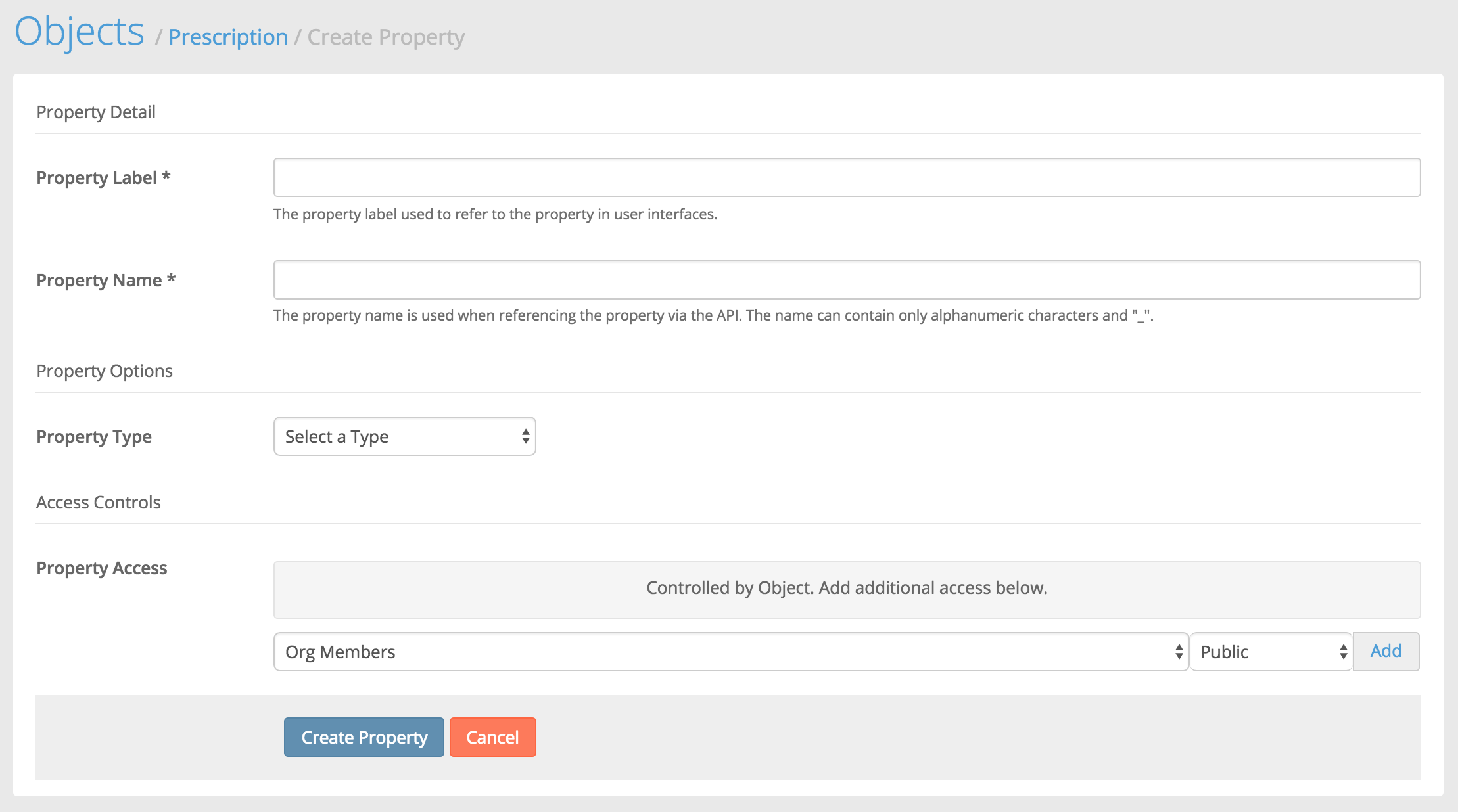
![](https://files.readme.io/2e9b7c4-new-property.png)

You'll then be presented with the new property screen.
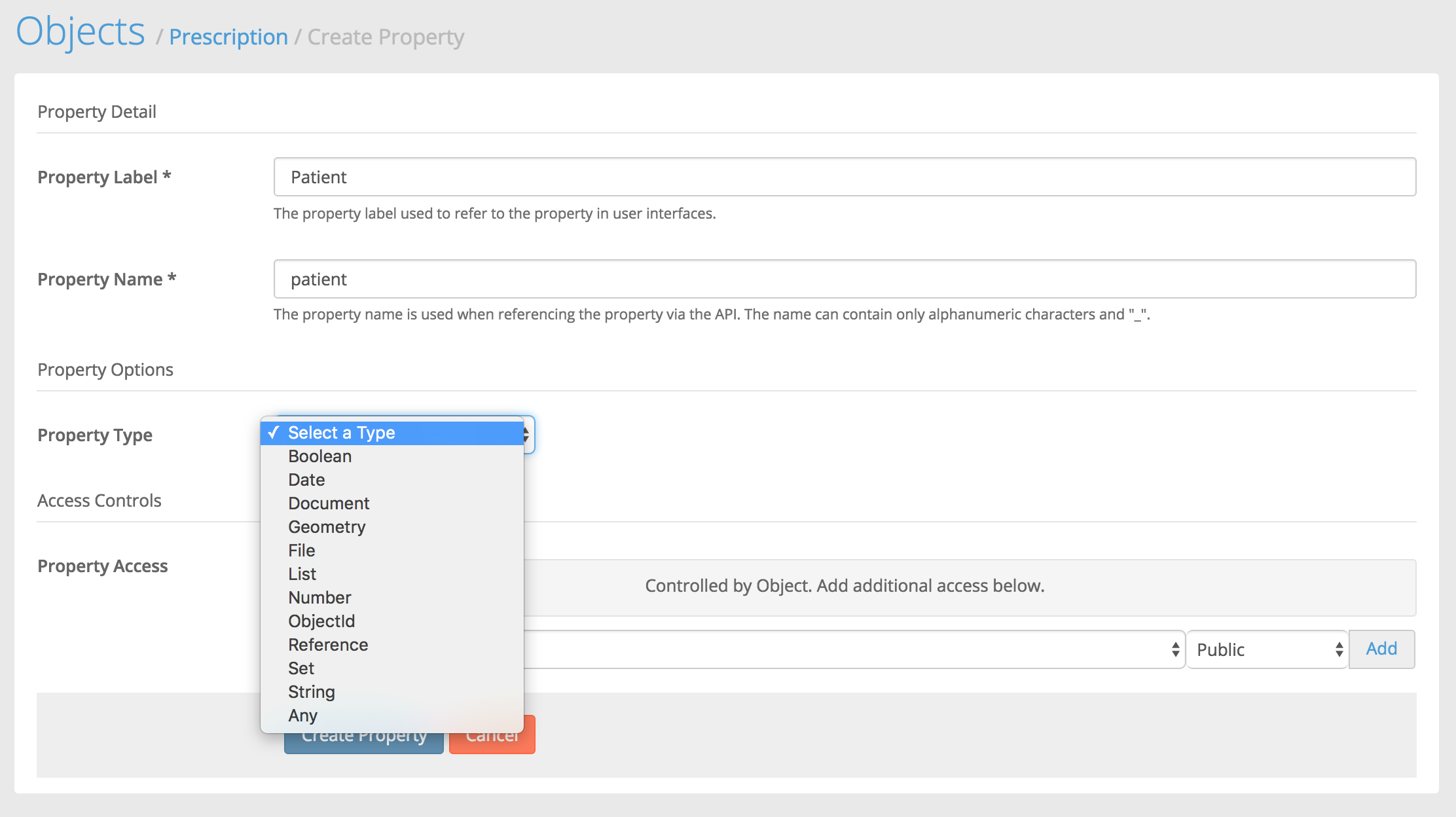
![](https://files.readme.io/9944ad8-patient-property.png)

### ObjectId

From the `Property Type` list, we'll select `ObjectId`. Then we'll be presented with more options particular to the ObjectId property.
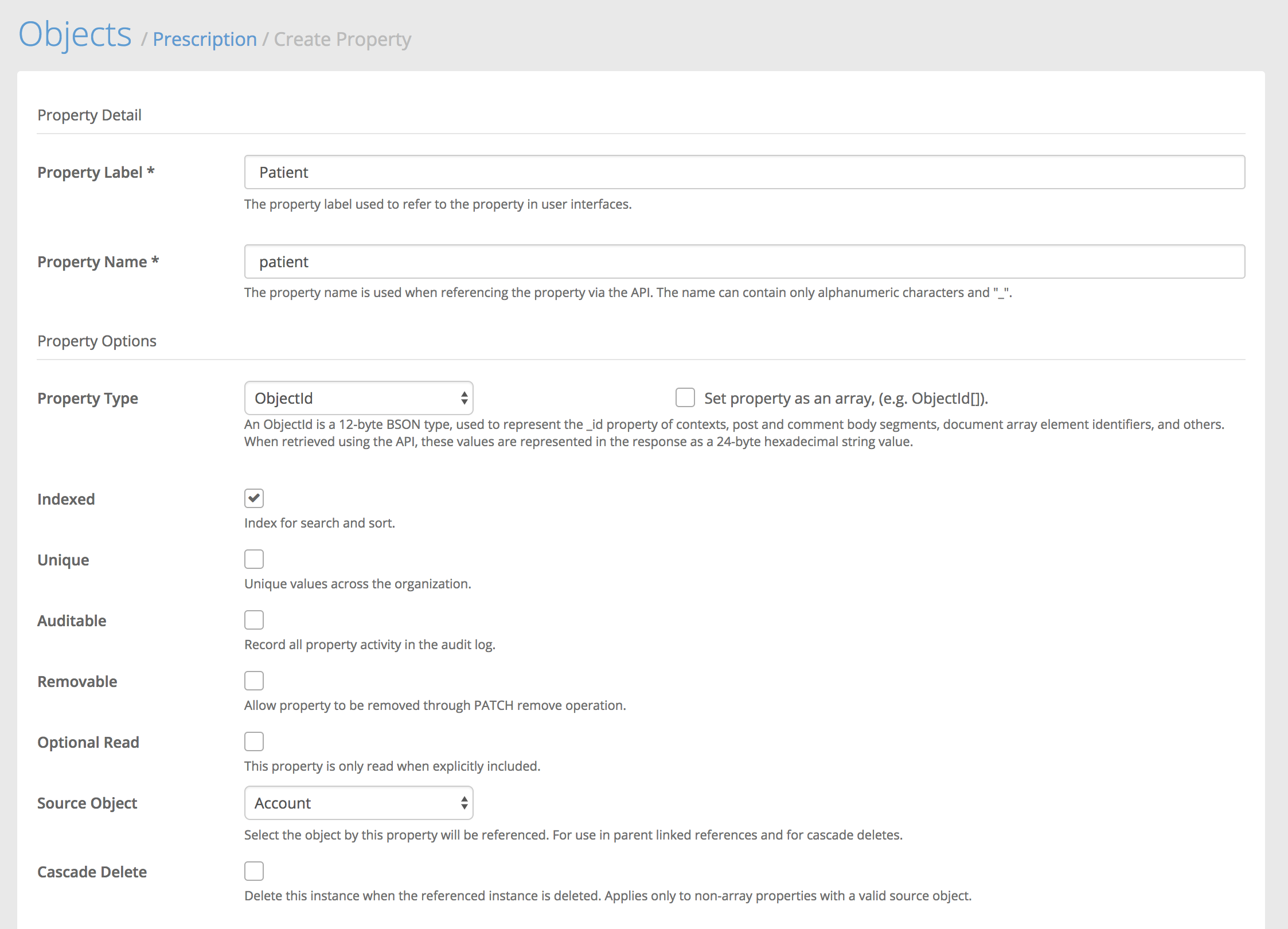
![](https://files.readme.io/2c40e1c-Screen_Shot_2018-05-16_at_7.14.34_PM.png)

1. For `Source Object`, select "Account" and we will select `Indexed`.&#x20;
2. Click `Create Property`.&#x20;

{% hint style="info" %}
You could also select Reference as the property type and set the same values for `Source Object` and `Indexed`. ObjectId properties are lighter weight, but Reference properties have the advantage of allowing expansion into the referenced object instance.
{% endhint %}

### List

After creating the Patient ObjectId property, you will see it appear in the `Custom Properties` List. Now that that is in place, we need to create the list property on the account. Head back to Settings > Objects and click on the "Account" object. Then scroll down and click "New Property".

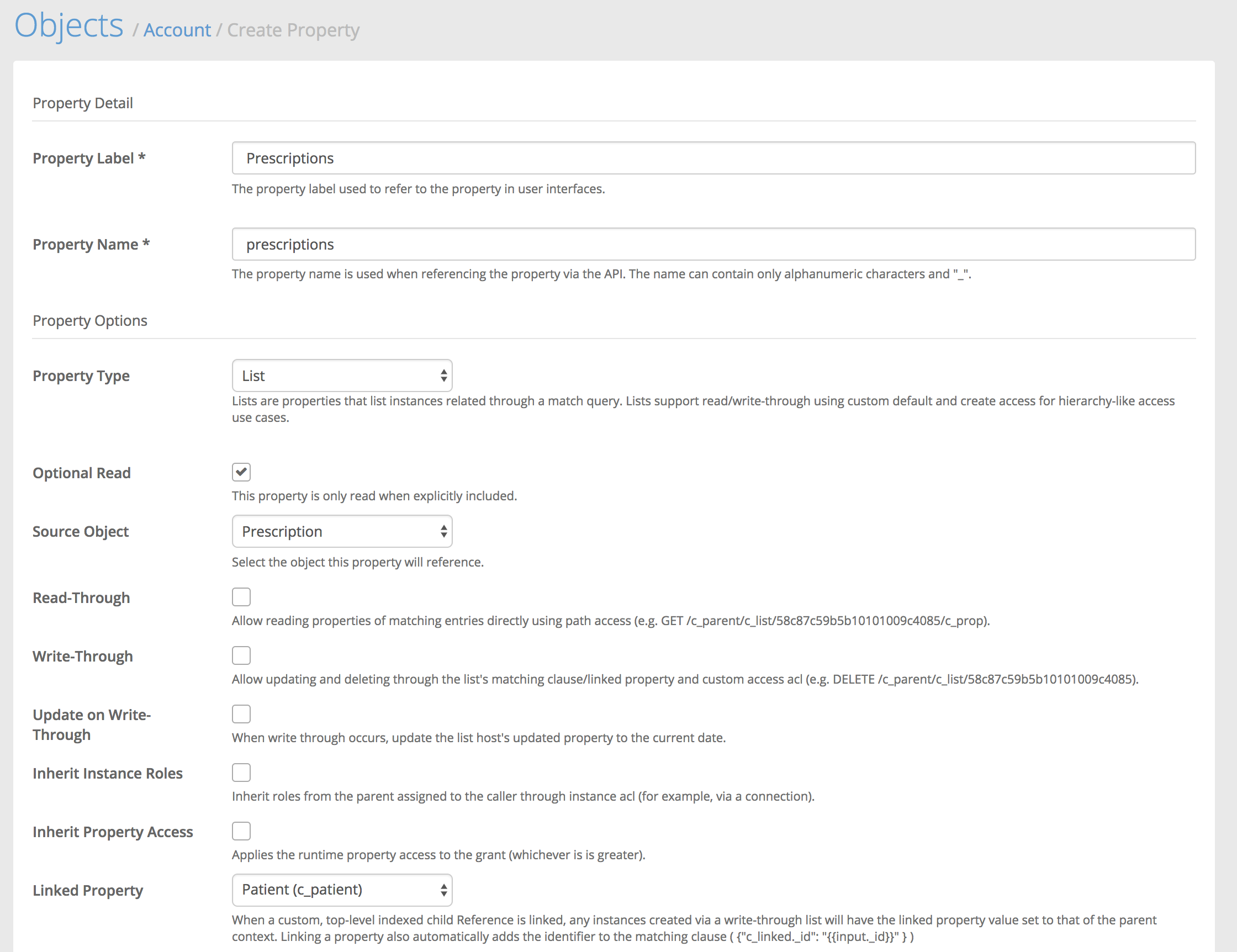
Name it "Prescriptions" and select "List" as the property type and "Prescription" as the source object. We give it a plural name because this property will return a list of Prescriptions related to this patient Account.
![](https://files.readme.io/4241a5a-Screen_Shot_2018-05-16_at_7.23.38_PM.png)

The only other option we need to set is the "Linked Property" option. In this case, set it to the Patient (c\_patient) property we created a moment ago. Then save the new list property.

Ultimately what this list equates to is something similar to the following query:

```
GET /c_prescriptions?where={"c_patient":"575f58281d0c03a53ccc3ac6"}
```

But as a list property, we don't have to make that separate request, we can just get our accounts and pass in an `?include=c_prescriptions` and we'll get the prescriptions right in the response with our accounts like so:

{% tabs %}
{% tab title="Request" %}

```
GET /accounts?include=c_prescriptions
```

{% endtab %}

{% tab title="Response" %}

```javascript
{
    "data": [
        {
            "_id": "575f58281d0c03a53ccc3ac6",
            "access": 6,
            "c_prescriptions": {
                "data": [
                    {
                        "_id": "577c883c6f3035ee08357dfa",
                        "access": 7,
                        "c_date": "2016-07-01",
                        "c_dispense": 60,
                        "c_patient": {
                            "_id": "575f58281d0c03a53ccc3ac6",
                            "object": "account",
                            "path": "/accounts/575f58281d0c03a53ccc3ac6"
                        },
                        "c_provider": {
                            "_id": "5771495a1d0c03a53ce83f1a",
                            "object": "account",
                            "path": "/accounts/5771495a1d0c03a53ce83f1a"
                        },
                        "c_refills": 3,
                        "c_rx": "Doxycycline 100mg tab. Take one PO bid.",
                        "created": "2016-07-06T04:25:32.558Z",
                        "creator": {
                            "_id": "575f58281d0c03a53ccc3ac6",
                            "object": "account",
                            "path": "/accounts/575f58281d0c03a53ccc3ac6"
                        },
                        "favorite": false,
                        "object": "c_prescription",
                        "owner": {
                            "_id": "575f58281d0c03a53ccc3ac6",
                            "object": "account",
                            "path": "/accounts/575f58281d0c03a53ccc3ac6"
                        },
                        "shared": false
                    }
                ],
                "hasMore": false,
                "object": "list"
            },
            "created": "2016-06-14T01:04:40.888Z",
            "email": "john@newhealthco.com",
            "favorite": false,
            "key": {
                "fingerprint": "73ad85a0-31cc-11e6-ba07-3f24c7443557",
                "secret": "PXXvBvG86sJC2RVk4X6K4FV0OUH7ojzp"
            },
            "locale": "en_US",
            "locked": false,
            "mobile": "+15555555555",
            "name": {
                "first": "John",
                "last": "Smith"
            },
            "object": "account",
            "roles": [
                "000000000000000000000004",
                "000000000000000000000007",
                "000000000000000000000006"
            ],
            "shared": false,
            "state": "verified",
            "updated": "2016-06-14T01:08:06.647Z",
            "updater": {
                "_id": "575f58281d0c03a53ccc3ac6",
                "object": "account",
                "path": "/accounts/575f58281d0c03a53ccc3ac6"
            }
        }
    ],
    "hasMore": false,
    "object": "list"
}
```

{% endtab %}
{% endtabs %}


# Read and write data

After we've completed setting up the object classes and their properties , we are ready to start reading and writing data in the format we just specified. More specifically, we'll create instances of the Prescription class in the Medable cloud.

The following examples use HTTP. This is most applicable for web development. You might issue these HTTP requests using a tool like Fetch or Ajax. If you're doing iOS or Android development, we wrote SDK's that make it easier for you to interact with these endpoints.

## Create

Creating prescriptions is a simple matter of a `POST` request to the object route.

{% tabs %}
{% tab title="Request" %}

```
POST https://api.dev.medable.com/{{your_org_name}}/v2/c_prescriptions
```

{% endtab %}

{% tab title="Body" %}

```javascript
{
    "c_rx":"Doxycycline 100mg tab. Take one PO bid.",
    "c_dispense": 60,
    "c_refills": 3,
    "c_date":"2016-07-01",
    "c_patient":"575f58281d0c03a53ccc3ac6",
    "c_provider":"5771495a1d0c03a53ce83f1a"
}
```

{% endtab %}

{% tab title="Response" %}

```javascript
{
    "_id": "577c883c6f3035ee08357dfa",
    "access": 7,
    "c_date": "2016-07-01",
    "c_dispense": 60,
    "c_patient": {
        "_id": "575f58281d0c03a53ccc3ac6",
        "object": "account",
        "path": "/accounts/575f58281d0c03a53ccc3ac6"
    },
    "c_provider": {
        "_id": "5771495a1d0c03a53ce83f1a",
        "object": "account",
        "path": "/accounts/5771495a1d0c03a53ce83f1a"
    },
    "c_refills": 3,
    "c_rx": "Doxycycline 100mg tab. Take one PO bid.",
    "created": "2016-07-06T04:25:32.558Z",
    "creator": {
        "_id": "575f58281d0c03a53ccc3ac6",
        "object": "account",
        "path": "/accounts/575f58281d0c03a53ccc3ac6"
    },
    "favorite": false,
    "object": "c_prescription",
    "owner": {
        "_id": "575f58281d0c03a53ccc3ac6",
        "object": "account",
        "path": "/accounts/575f58281d0c03a53ccc3ac6"
    },
    "shared": false
}
```

{% endtab %}
{% endtabs %}

Following this process using the WAPI would look like this:

{% hint style="info" %}
Change the account IDs fo&#x72;*`c_patient` and `c_provider`* to match those in your org.
{% endhint %}

![](/files/-Mj66VBo4JmXlNAtlbjd)

## Get Many

To get that prescription we just created back, we can simply do a `GET` request.

{% tabs %}
{% tab title="Request" %}

```
GET https://api.dev.medable.com/{{your_org_name}}/v2/c_prescriptions
```

{% endtab %}

{% tab title="Response" %}

```javascript
{
    "data": [
        {
            "_id": "577c883c6f3035ee08357dfa",
            "access": 7,
            "c_date": "2016-07-01",
            "c_dispense": 60,
            "c_patient": {
                "_id": "575f58281d0c03a53ccc3ac6",
                "object": "account",
                "path": "/accounts/575f58281d0c03a53ccc3ac6"
            },
            "c_provider": {
                "_id": "5771495a1d0c03a53ce83f1a",
                "object": "account",
                "path": "/accounts/5771495a1d0c03a53ce83f1a"
            },
            "c_refills": 3,
            "c_rx": "Doxycycline 100mg tab. Take one PO bid.",
            "created": "2016-07-06T04:25:32.558Z",
            "creator": {
                "_id": "575f58281d0c03a53ccc3ac6",
                "object": "account",
                "path": "/accounts/575f58281d0c03a53ccc3ac6"
            },
            "favorite": false,
            "object": "c_prescription",
            "owner": {
                "_id": "575f58281d0c03a53ccc3ac6",
                "object": "account",
                "path": "/accounts/575f58281d0c03a53ccc3ac6"
            },
            "shared": false
        }
    ],
    "hasMore": false,
    "object": "list"
}
```

{% endtab %}
{% endtabs %}

## Get One

Or to get a specific Prescription we can do the following `GET` request.

{% tabs %}
{% tab title="Request" %}

```
GET https://api.dev.medable.com/{{your_org_name}}/v2/c_prescriptions/{{object_id}}
```

{% endtab %}

{% tab title="Response" %}

```javascript
{
    "_id": "577c883c6f3035ee08357dfa",
    "access": 7,
    "c_date": "2016-07-01",
    "c_dispense": 60,
    "c_patient": {
        "_id": "575f58281d0c03a53ccc3ac6",
        "object": "account",
        "path": "/accounts/575f58281d0c03a53ccc3ac6"
    },
    "c_provider": {
        "_id": "5771495a1d0c03a53ce83f1a",
        "object": "account",
        "path": "/accounts/5771495a1d0c03a53ce83f1a"
    },
    "c_refills": 3,
    "c_rx": "Doxycycline 100mg tab. Take one PO bid.",
    "created": "2016-07-06T04:25:32.558Z",
    "creator": {
        "_id": "575f58281d0c03a53ccc3ac6",
        "object": "account",
        "path": "/accounts/575f58281d0c03a53ccc3ac6"
    },
    "favorite": false,
    "object": "c_prescription",
    "owner": {
        "_id": "575f58281d0c03a53ccc3ac6",
        "object": "account",
        "path": "/accounts/575f58281d0c03a53ccc3ac6"
    },
    "shared": false
}
```

{% endtab %}
{% endtabs %}

{% hint style="info" %}
For more on CRUD operations on objects, see [Cortex API Reference](/cortex-api/cortex-api).
{% endhint %}


# Making a Request

When making Cortex API requests, the following are required

* API Endpoint
* API Client Key

## API Endpoint

Requests must be made over https. The API endpoint takes the following form:

`https://<org_api_endpoint>/<org_name>/v2/<api_resource>`

Where:

* `org_environment_endpoint` is the proper API endpoint for your org environment
* `org_name` is the name you provided when signing up
* `api_resource` is the Cortex API resource you are accessing. This could be a Cortex object or a custom route.

For example, if your org name was newhealthco and you were accessing the Organization Object in your Cortex dev environment, your fully formed endpoint would look like:

<https://api.dev.medable.com/newhealthco/v2/orgs>

## Request Headers

All API calls require the Medable-Client-Key header, this is populated with an API Key that is generated when you create your app in Cortex. To create your API key, see `Generate API Key`. Additionally, if you configure your app with CSRF protection, a Medable-Csrf-Token will also be required. In this case, each authenticated request will return an HTTP response header of the same name, and the subsequent request must contain the value of that response header.

| Header             |                                                                                                Value                                                                                                |
| ------------------ | :-------------------------------------------------------------------------------------------------------------------------------------------------------------------------------------------------: |
| Medable-Client-Key |                                                                                    API key. See Generate API Key                                                                                    |
| Medable-Csrf-Token | When app configured with CSRF protection, authentication and request to authenticated routes will produce a "medable-csrf-token", which must be sent as a request header with each subsequent call. |

{% hint style="info" %}
You must ensure that withCredentials is set to true. Otherwise the secure cookie will not be set on your browser. If you're using one of our mobile SDK's, all of this is handled for you.
{% endhint %}

{% tabs %}
{% tab title="Example Request (AJAX)" %}

```bash
Example GET /accounts/me

$.ajax({
    url: "https://api.dev.medable.com/example/v2/accounts/me",
    type: "GET",
    contentType: "application/json; charset=UTF-8",
    dataType : "json",
    xhrFields: {
        withCredentials: true
    },
    headers: {
        "Medable-Client-Key": "GsAqlhnIMzrDeD8V2MBQWq",
        "Medable-Csrf-Token": "MvFkpcS0BCM9qpf4K0pFMyiE57e3VtI5Cb38NfQn6eWiPPp6CqZCOOrAljDZYWnU"
    }
});
```

{% endtab %}

{% tab title="Example Request (Fetch)" %}

```bash
var request = new Request('https://api.dev.medable.com/example/v2/accounts/me', {
    method: 'GET',  
    credentials: 'include',
    headers: new Headers({
    'Content-Type': 'application/json; charset=UTF-8',
    'Medable-Client-Key': 'GsAqlhnIMzrDeD8V2MBQWq',
    'Medable-Csrf-Token': 'MvFkpcS0BCM9qpf4K0pFMyiE57e3VtI5Cb38NfQn6eWiPPp6CqZCOOrAljDZYWnU'
    })
});
```

{% endtab %}
{% endtabs %}

## Request Methods

### GET

`GET` requests let you read one or many instances of a resource. They typically take one of two forms

**List (Many)**

\`GET /\`\`

**Read (One)**

`GET /<object_name>/<object_id>`

`GET /<object_name>/<object_id>/<property_path>`

### POST

`POST` requests allow you to create a new object instance from the request body. If the request is applied to an array property, the new array elements are pushed onto the existing array.

**Create**

```
POST /<object_name>

{
  c_property1: 'value',
  c_property2: true,
  c_property3: [1, 2, 3]
}
```

**Push**

```
POST /<object_name>/<object_id>

{
  c_property3: [4, 5, 6]
}
```

### PUT

`PUT` requests allow you to update an existing object instance with the contents of the request body for the provided object instance \_id. If the request is applied to an array property, the entire array is replaced with the request body.

**Update**

```
PUT /<object_name>/<object_id>

{
  c_property1: 'new value'
}
```

### PATCH

`PATCH` requests let you chain operations together on an object instance in one request. For example, if you have an object instance that you'd like to update the value of one property (ordinarily a `PUT` request), push a value into an array property (ordinarily a `POST` request on a path), and delete another property (ordinarily a `DELETE` request on a path), that would take three requests. However, with a `PATCH`, you can achieve this in one request containing three operations.

**Patch**

```
PATCH /<object_name>/<object_id>

[{
    op: 'set',
    value: { c_property1: false }
},{
    op: 'push',
    path: 'c_array',
    value: 5
},{
    op: 'unset',
    value: {
      c_property1: 1
    }
}]
```

**Patch Operations**

| Operation |                                                                                                                     Description                                                                                                                    |
| --------- | :------------------------------------------------------------------------------------------------------------------------------------------------------------------------------------------------------------------------------------------------: |
| set       |                                         Update the value of a document or property json { op: 'set', path: 'c\_property1', value: 'new value' } OR json { op: 'set', value: { c\_property1: 'new value' } }                                        |
| unset     |                                                     Delete a property or properties from the instance. json { op: 'unset', value: { 'c\_property1': 1, 'c\_property2.c\_sub\_property1': 1 } }                                                     |
| push      |                                      Push a value or array of values into an array property json { op: 'push', path: 'c\_property3', value: \[4, 5] } OR json { op: 'set', value: { c\_property3: \[4, 5] } }                                      |
| remove    | Remove a value or array of values from an array. If a value exists multiple times in the array, all values will be removed. json { op: 'remove', path: 'c\_property3', value: \[1, 3] } OR json { op: 'remove', value: { c\_property3: \[1, 3] } } |

### DELETE

`DELETE` requests allow you to delete the object instance for the provided object \_id

`DELETE /<object_name>/<object_id>` For additional examples and details on making Cortex API requests, see First API Request

Request Size Limit The default maximum request size is 1,024 Kilobytes Timestamp


# Handling responses

## Making Requests

All API calls require the `Medable-Client-Key` header. An Organization creates one or more applications, providing the public key to all its clients. Note that some web applications may employ the `Medable-Csrf-Token`. If an application is configured as such, each *authenticated* request must include HTTP response header of the same name, sent with the login response (and each subsequent authenticated response).

{% hint style="info" %}
For semantic reasons, API access to Objects is always through the use of the object plural name (e.g. /accounts).
{% endhint %}

### Example: GET/accounts/me

{% tabs %}
{% tab title="JavaScript" %}

```javascript
$.ajax({
    url: "https://api.dev.medable.com/example/accounts/me",
    type: "GET",
    contentType: "application/json; charset=UTF-8",
    dataType : "json",
    headers: {
        "Medable-Client-Key": "GsAqlhnIMzrDeD8V2MBQWq",
        "Medable-Csrf-Token": "MvFkpcS0BCM9qpf4K0pFMyiE57e3VtI5Cb38NfQn6eWiPPp6CqZCOOrAljDZYWnU"
    }
});
```

{% endtab %}

{% tab title="Objective-C" %}

```objectivec
[[MDAPIClient sharedClient]
 currentAccount:^(MDAccount* account, MDFault* fault)
 {
     if (fault)
     {
        // Fault handling
     }
     else
     {

     }
 }];
```

{% endtab %}
{% endtabs %}

## Handling Responses

API responses always consist of JSON documents with an object property, whose values will either list or the name of the object type, such as `account` or `connection`.

### Example: Single Object Response

### GET/account

```javascript
{
    "_id": "5516ee2634d8d93428169c0e",                       
    "object": "account",
    "roles": [
        "000000000000000000000007"
    ],
    ...    
}
```

When the response is an array, the `data` property contains the resulting array, and the `hasMore` property contains a boolean value that is true if there are more results that can be retrieved using Paging.

### Example: Multiple Object Response

### GET /c\_examples?limit=1

```javascript
{
    "data": [
        {
            "_id": "5519c01aae2fd2b02915c81f",                        
            "object": "c_example",
            "creator": {
                "_id": "5516ee2634d8d93428169c0e",
                "object": "Account",
                "path": "/accounts/5516ee2634d8d93428169c0e"
            },
            ...
        }
    ],
    "hasMore": true,
    "object": "list"
}
```

{% hint style="info" %}
Lists are typically sorted by `_id`, in descending order. As such, results will have the newest items at the front of the result set.
{% endhint %}

If the response is a fault, the *object* property will be *fault* (see Faults).

### GET /accounts/5516ee2634d8d93428169c0e/profile/missing

```javascript
{
    "object": "fault",
    "name": "error",
    "code": "kNotFound",
    "status": 404,
    "reason": "Property not found.",
    "message":"Resource not found.",
    "path":"profile.missing"
}
```

Some responses, such as those retrieved via direct Property Access, will have `result` as their object property, as they do not represent a concrete, registered object type. Note, however, that directly accessed array properties will always be `list` objects.

### Result Example

```javascript
GET /accounts/5516ee2634d8d93428169c0e/name

{
    "object": "result",
    "data": {
        "first": "John",
        "last": "Smith"
    }
}
```

### List Example

```javascript
{
    "object": "list",
    "data": [
        "000000000000000000000007"
    ],
    "hasMore": false
}
```


# Authentication

## Authentication

Cortex employs session-based (using cookies) and signature-based authentication. Within each org, applications can be created which provide the necessary key and secret for API access. See Generate API Key for more details.

### Session-Based Authentication

A typical use of session-based authentication would be for a client application, such as a mobile or web app, whereby individual users authenticate using their credentials to initiate a new session.

The session is unique to the authenticated user and will timeout after a period of inactivity, based on org settings. Account registration or logging in both initiate authenticated sessions.

When employing session-based authentication, Two Factor Authentication also applies.

### Signature-Based Authentication

A signing key allows a third-party to make privileged calls to the API using a secure request signing mechanism. These keys can be configured for single or multiple user accounts, timed expiry, etc. Such a mechanism can be useful for scenarios such as back-end system integrations (e.g. Integrations with an EMR, or HL7 messaging appliance).

### Signed Request Headers

| Name                     |                                                                           Value                                                                           |
| ------------------------ | :-------------------------------------------------------------------------------------------------------------------------------------------------------: |
| Medable-Client-Signature |                                                             The calculated request signature.                                                             |
| Medable-Client-Timestamp | Client Unix Timestamp in milliseconds. The server issues a Medable-Server-Time responsed header with each operation which clients can use to synchronize. |
| Medable-Client-Nonce     |                                    A client-generated nonce matching /^\[a-z\d]{16}$/i, used to prevent replay attacks.                                   |
| Medable-Client-Nonce     |                        Optionally sets the calling principal by account id (if the app is configured to allow principal override).                        |

### Example signed request

Node.js // Example signature-authenticated request using nodejs

{% tabs %}
{% tab title="node.js" %}

```javascript
'use strict';

function generateNonce() {
    var chars = 'abcdefghijklmnopqrstuvwxyzABCDEFGHIJKLMNOPQRSTUVWXYZ0123456789',
        maxC = chars.length-1,
        nonce = '',
        length = 16;

    while(length--) {
        nonce += chars[Math.round(Math.random() * maxC)];
    }
    return nonce;    
}

var crypto = require('crypto'),
    request = require('request');

var command = '/connections', // use only the path component (no query strings)
    method = 'GET', // uppercase http method
    apiKey = 'GsAqlhnIMzrDeD8V2MBQWq',
    apiSecret = 'Kzc8nwCQiKOgiwTIobaI3H6ryK4C5fC0QcYsuXCSbEMKcJPz8EU2phcj6akDB9VP',
    timestamp = Date.now(),
    hmac = crypto.createHmac('sha256', apiKey+apiSecret),
    signature;

hmac.update(command + ';' + method + ';' + timestamp);
signature = hmac.digest('hex');

var options = {
    url: 'https://api.dev.medable.com/example/v2/connections',
    headers: {
        'Medable-Client-Key': apiKey,
        'Medable-Client-Signature': signature,
        'Medable-Client-Timestamp': String(timestamp),
        'Medable-Client-Nonce': generateNonce()        
    }
};

request(options, function(error, response) {
    // ...
});
```

{% endtab %}
{% endtabs %}

## Authentication

### Token Authentication and Scoping

Applications can leverage JSON Web Tokens (JWT) to access Cortex. Once a key-pair has been generated, tokens can be generated from either session-based or signature-based apps.

* To enable token signing, Generate RSA key pairs for each app you wish to authenticate by clicking the "Generate Key Pair" link in the right-hand column of your app.
* The default limit of permanent/limited-use authentication tokens per account in the app is 10.
* Check Expose Keys to add this app's JWK to the list produced in GET /auth/certs/\[jwk/pem]. Useful if you want third-parties to validate tokens generated by your app.

To invalidate all tokens for an app you must regenerate the key pair or delete the app altogether. You can invalidate permanent/limited-use tokens per subject using Account.revokeAuthToken() and Account.revokeSubjectTokens(). Ephemeral tokens (those without a jti) can only be revoked by deleting the application or regenerating the key-pair.

The following table outlines the JWT claim set supported in Cortex.

| Claim      |                                                                  Description                                                                 |
| ---------- | :------------------------------------------------------------------------------------------------------------------------------------------: |
| aud        |                                                  The audience. This is always script.env.url                                                 |
| iss        |                                                      The issuing application's api key.                                                      |
| iat        |                                               The unix timestamp when the token was generated.                                               |
| nbf        |                                        When present, the unix timestamp when the token becomes usable.                                       |
| exp        |                                           When present, the unix timestamp when the token expires.                                           |
| sub        |          The account identifier of the token's calling principal. The token will authenticate as this account when used with Cortex.         |
| jti        |                  When present, represents the unique token identifier. This will exist for permanent and limited-use tokens.                 |
| cortex/scp |                                  The token scope. Scopes limit token access to sections listed in the claim.                                 |
| cortex/rls |                          An array of roles granted to the token, and merged with the token subject's existing roles.                         |
| cortex/skp |       When set, the token skips access controls for the purpose of limiting matches. The scripting analogue to this claim is skipAcl .       |
| cortex/skc |          When set, the token skips access controls for instance creation. The scripting analogue to this claim is bypassCreateAcl .          |
| cortex/gnt | When set, the token grants this level of access to any and objects accessible to the token. The scripting analogue to this claim is granted. |
| cortex/cnt |                       When set, represents the maximum number of times the token can authenticate before invalidating.                       |

### Scoping

Scoping allows you to limit access to a subset of functionality, like object access, deployments, script and view execution, and administration functions.

All access tokens are scoped, and adding scope is done by adding one or more scope chains to the token in the `cortex/scp` claim, or inheriting them from subject roles and those added with `cortex/rle` claims.

Valid scope examples:

* object.read.account.\*.name
* script.execute (same as script, script.execute.\*)
* view\.execute.c\_daily\_report

Invalid scope examples:

* object.read.account.name (missing identifier or \* before property)
* deployment.create (use object.create.deployment instead)

Scope Chain Level

| Claim                                                                                    |                                                                                                                                                                                                                                                                                                   Description                                                                                                                                                                                                                                                                                                   |
| ---------------------------------------------------------------------------------------- | :-------------------------------------------------------------------------------------------------------------------------------------------------------------------------------------------------------------------------------------------------------------------------------------------------------------------------------------------------------------------------------------------------------------------------------------------------------------------------------------------------------------------------------------------------------------------------------------------------------------: |
| \*                                                                                       |                                                                                                                                                                                                                                                                           The token can perform all operations as the calling subject.                                                                                                                                                                                                                                                                          |
| object \[*, create, read, update, delete] \[*, object\[#type]] \[\*, identifier] \[fqpp] | Object operations, such as reading accounts, creating connections, etc. The last element in the chain (fqpp) can be used to limit access to individual properties (e.g. c\_set\[]#c\_foo.c\_string\_arr\[]). You can see the fqpp (fully-qualified property path) in your schemas (GET /schemas). Examples:object.read.c\_step\_response#c\_boolean.  *.c\_value allows reading c\_value from all c\_step\_response objects of the c\_boolean type. object.*.c\_comments.5953f7dc749219f1a2eee1ee allows full access to a specific instance of c\_comments (assuming the subject principal already has access). |
| script \[*, execute] \[*, route, runner] \[identifier]                                   |                                                                                                                                                                                                       This scope is required if the token is used to run script routes or use the ad-hoc script\_runner system route. For routes, an Identifier can be added to the chain to limit use to a single route.                                                                                                                                                                                                       |
| view \[\*, execute] \[code, identifier]                                                  |                                                                                                                                                                                                                                     This scope is required if the token is used to run script routes. An Identifier can be added to the chain to limit use to a single view.                                                                                                                                                                                                                                    |
| deployment \[\*, execute] \[identifier]                                                  |                                                                                                                                                                                                                This scope is required if the token is used to execute deployments via scripted deployment automation.An Identifier can be added to the chain to limit use to a single deployment.                                                                                                                                                                                                               |
| admin \[\*, read, update]                                                                |                                                                                                                                                                                                                                        This scope is required if the token is used to call administrative routes, such as user provisioning, deactivating accounts, etc.                                                                                                                                                                                                                                        |

Scopes in Views

Views execute without scope; only view\.execute.\[view name] is required to run a view, supporting object.read scopes are not required.

However, any other claims (grant, skipAcl, roles, etc.) are still applied.

{% hint style="info" %}
Views execute without scope; only view\.execute.\[view name] is required to run a view, supporting object.read scopes are not required.

However, any other claims (grant, skipAcl, roles, etc.) are still applied.
{% endhint %}

Scopes have been added to custom roles. Tokens inherit the scopes from roles held by the principal, as well as any roles granted by the cortex/rls claim. In the image below, the Scoped role add the ability to execute any view and a single scripted route.

### Create Token Example

{% hint style="info" %}
When making requests using JSON Web Tokens (JWT), the Medable-Client-Key header is not required as it is embedded in the token. You may still send the client key header without issue provided it matches the client key used in the creation of the token. If it does not, a key mismatch error will be returned.
{% endhint %}

{% tabs %}
{% tab title="Server-Side Access Token Creation Example" %}

```javascript
const Account = org.objects.account;

const account_id = Account
  .find({email: 'sample@medable.com'})
  .skipAcl()
  .grant(4)
  .next()
  ._id;

// create an ephemeral token that allows the caller to act as account_id and
// read the account name and the subject of all c_message instances, skipping
// access control.
return org.objects.account.createAuthToken(
  'yk8XJmrMKWzhinCl4Ww99A',
  account_id,
  {
    scope: [
      `object.read.account.${account_id}.name`,      
      "object.read.c_messages.*.c_subject"
    ],
    skipAcl: true,
    grant: consts.accessLevels.read
  }
)
```

{% endtab %}
{% endtabs %}

{% tabs %}
{% tab title="Client-side authenticating with JWT (nodejs)" %}

```javascript
'use strict';
const request = require('request'),
      token = 'eyJhCiJSUz...c4DiCkVvNA',
      options = {
        url: 'https://api.dev.medable.com/example/v2/c_messages',
        headers: {
          Authorization: `Bearer ${token}`
        }
      };

request(options, function(error, response) {
    // ...
});
```

{% endtab %}
{% endtabs %}


# Two-factor authentication

## Authentication

Medable employs session-based (using cookies) and signature-based authentication. Within each org, applications can be created which provide the necessary key and secret for API access.

For more information on Cortex authentication, see Authentication

As one of the many technical safeguards built into Medable, two-factor authentication helps ensure security and compliance so as a user you can be sure no one can gain access to your sensitive data and as a company, you can be sure that your users are who they say they are.

### How does it work?

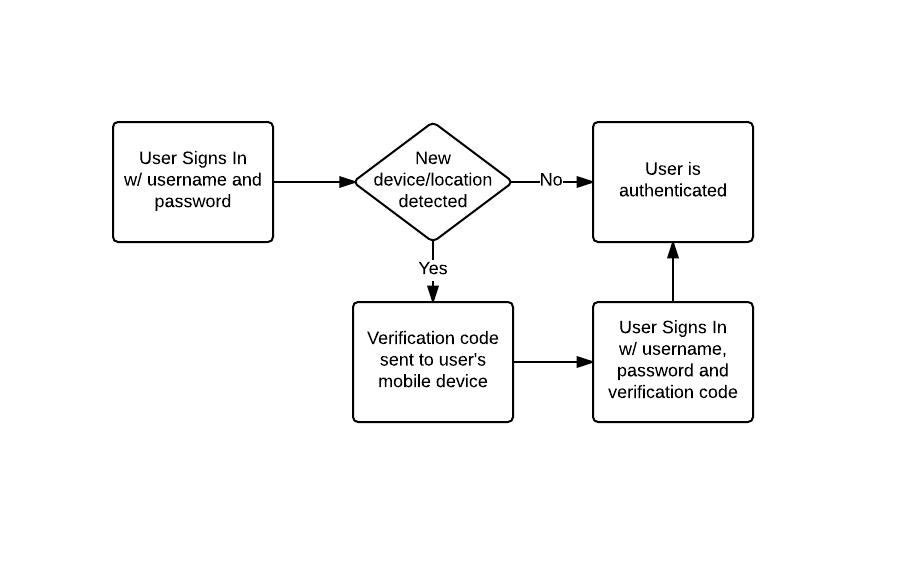
Two-factor authentication is automatic and always on. When Medable detects that a user is authenticating from a new location or device, a verification code is sent to the mobile number for that user. The user simply has to provide that authentication code to be authenticated and for the new location or device to be verified.

The process looks like this:![](https://files.readme.io/ab243a0-2fa-flow.png)
An example of this in use can be seen right from the login screen for your org's control panel. Here we'll attempt to login to the control panel from a new device.
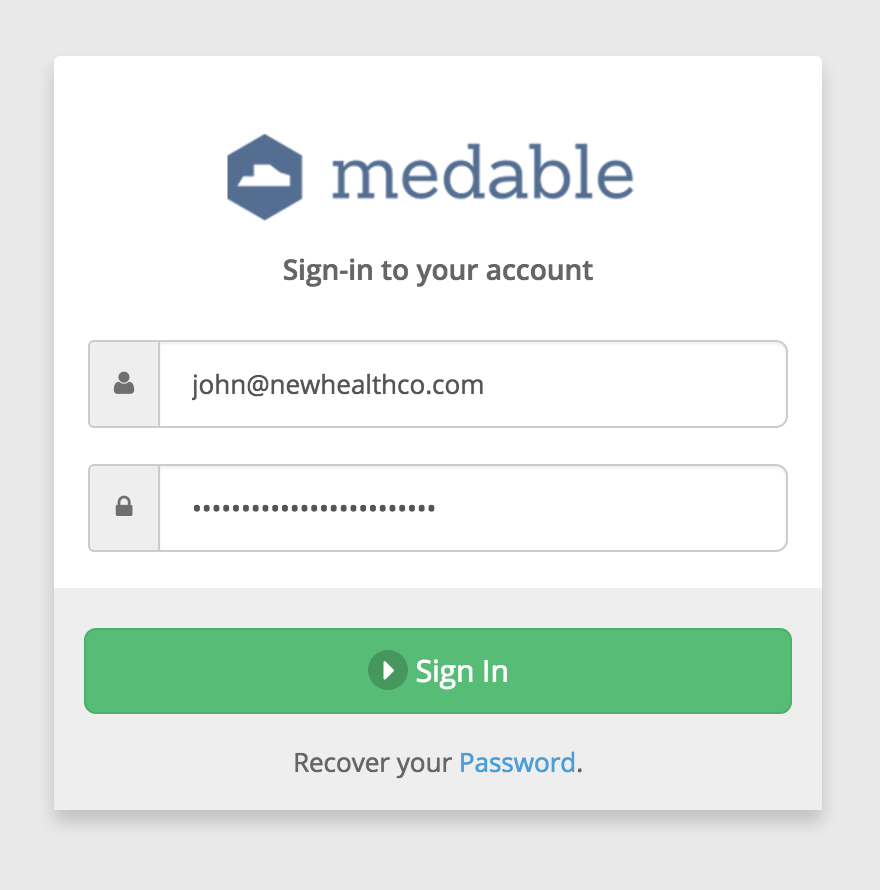
![](https://files.readme.io/410b305-login-first-time.png)

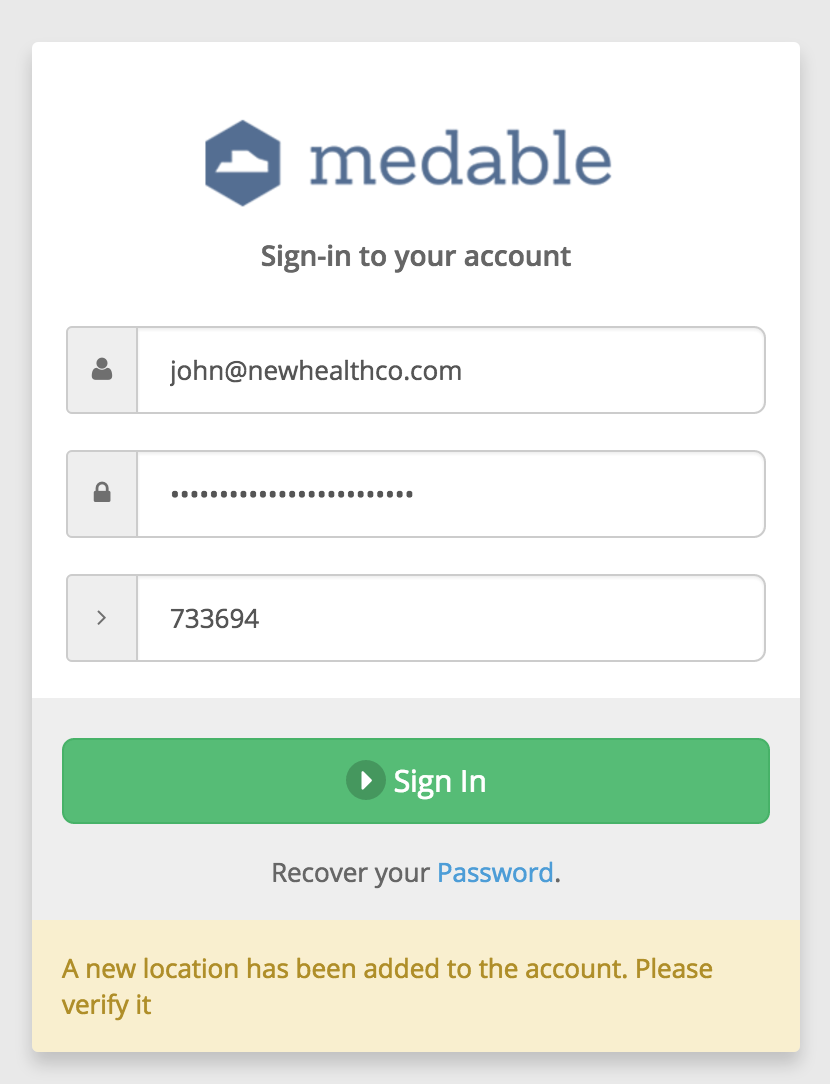
However, Medable detects that we're logging in from a new location so authentication doesn't happen. Instead we're presented with the same login form but a new field to enter in our verification code.![](https://files.readme.io/777427a-login-form-2fa.png)
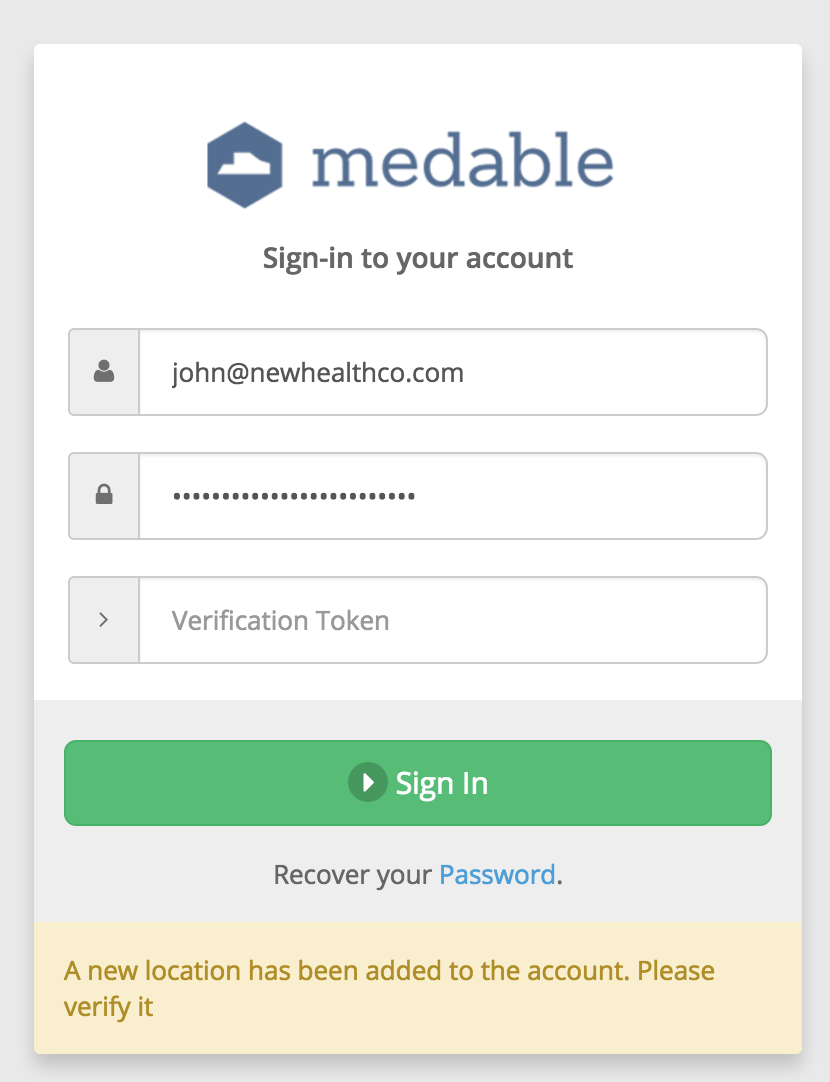
Checking our mobile device, we receive the verification code via SMS.![](https://files.readme.io/d5e558d-verification-sms.png)

We simply have to enter that code into the login form and now we're able to sign-in.![](https://files.readme.io/d6492e6-login-form-2fa-filled.png)
### As a developer, how do I enable 2FA in my app?

You don't have to do anything to enable 2FA in the API. It works automatically when a user authenticates. However, you do want to be sure to build in the right interface and user-experience in your app for 2FA exception handling.

When authenticating via the API, if 2FA is initiated, you will receive a `kNewLocation` fault in the response:

```
POST /accounts/login
```

Request Body:

```
{
  "email":"john@newhealthco.com",
  "password":"This is not the password!"
}
```

Response Body:

```
{
   "object":"fault",
   "name":"location",
   "code":"kNewLocation",
   "status":200,
   "message":"A new location has been added to the account. Please verify it"
}
```

At this point the user will be sent their verification code via SMS. You can use the `kNewLocation` fault to trigger your UI to present the user with the verification code field.

Then, the token will need to be passed in the second authentication request:

```
POST /accounts/login
```

Request Body:

```
{
  "email":"john@newhealthco.com",
  "password":"This is not the password!",
  "location": {
    "verificationToken": "638393"
  }
}
```

Response Body:

```
{
    "_id":"575f58281d0c03a53ccc3ac6",
    "object":"account",
    "created":"2016-06-14T01:04:40.888Z",
    "updated":"2016-06-14T01:08:06.647Z",
    "updater":{
       "_id":"575f58281d0c03a53ccc3ac6",
       "object":"account",
       "path":"/accounts/575f58281d0c03a53ccc3ac6"
    },
    "access":6,
    "favorite":false,
    "email":"john@newhealthco.com",
    "name":{
       "first":"John",
       "last":"Smith"
    },
    "mobile":"+15555555555",
    "locale":"en_US",
    "state":"verified",
    "locked":false,
    "key":{
       "fingerprint":"73ad85a0-31cc-11e6-ba07-3f24c7443557",
       "secret":"PXXvBvG86sJC2RVk4X6K4FV0OUH7ojzp"
    },
    "roles":[
       "000000000000000000000004",
       "000000000000000000000007",
       "000000000000000000000006"
    ],
    "shared":false
}
```

With location.verificationToken sent, the location is verified and authentication is successful. Future authentication attempts from this location will not require 2FA.

### How does this impact user experience?

Two-factor authentication does require the user to take an extra step in order to authenticate. However, most users rarely run into it in day-to-day use. This is because when a user registers their account, the device they register from is automatically verified. So if the user typically uses the app on one device, 2FA will never be initiated. Only if the user logs in from a different device or deletes and re-installs the app will the 2FA process initiate.

It's also important to note that this extra step is there to help ensure that the user's data is secure. Often when this added level of security is explained to users, it is seen as a positive.

Typically the only users that are negatively impacted by 2FA are developers since developers often need to test apps from multiple accounts and devices. Because of this, we allow for bypassing 2FA by adding email address for developers to the `Location Verification Bypass` setting under `Settings > Organization` in the control panel (see [Organization Settings](https://docs.medable.com/docs/%base_url%25/general/org_settings) for more info).


# Set third-party cookies

Medable's session authentication requires session cookies. However, for a web app such as this, these cookies are considered 3rd-party cookies and some browsers don't allow for these types of cookies to be set without modifying security settings. Primarily this applies to Safari (including mobile Safari) and IE Edge. However, there's a simple solution to this issue involving an invisible iframe.

## 1. Create a custom route

We're going to create our first custom script - a route that we navigate to from an invisible iframe in the web app to allow Medable to set an auth cookie on the browser.

1. Go to your org control panel
2. Click `Settings > Scripts` and click `New Script`
3. Match the configuration to the image below
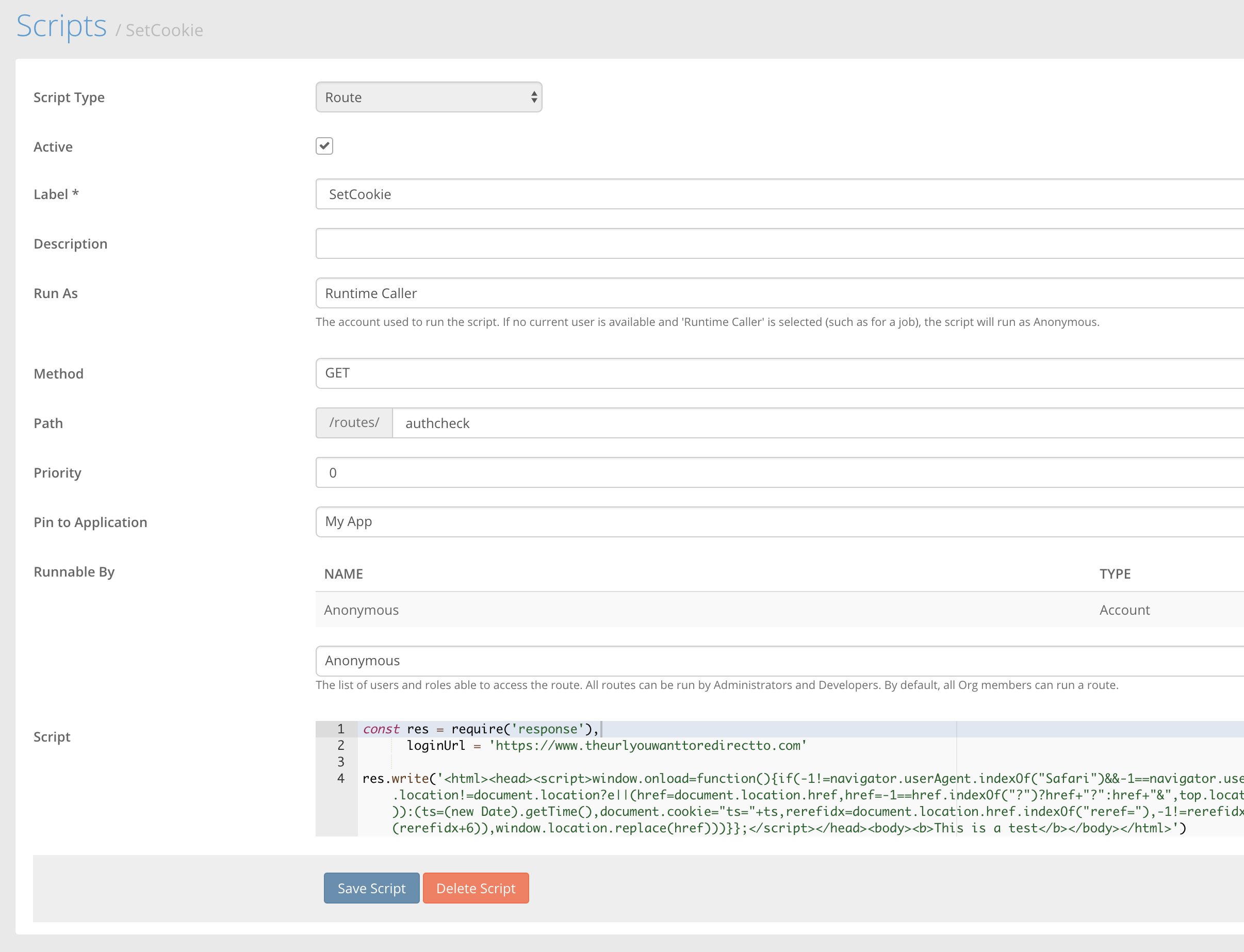
![](https://files.readme.io/0eb7b65-Screen_Shot_2018-11-13_at_9.16.26_AM.png)

The script you want included is the following. The only modification you make is the loginURL.

```
const res = require('response'),
      loginUrl = 'https://www.theurlyouwanttoredirectto.com'

res.write('<html><head><script>window.onload=function(){if(-1!=navigator.userAgent.indexOf("Safari")&&-1==navigator.userAgent.indexOf("Chrome")){var e=document.cookie;top.location!=document.location?e||(href=document.location.href,href=-1==href.indexOf("?")?href+"?":href+"&",top.location.href=href+"reref="+encodeURIComponent(\''+loginUrl+'\')):(ts=(new Date).getTime(),document.cookie="ts="+ts,rerefidx=document.location.href.indexOf("reref="),-1!=rerefidx&&(href=decodeURIComponent(document.location.href.substr(rerefidx+6)),window.location.replace(href)))}};</script></head><body><b>This is a test</b></body></html>')
```

Next, we include the invisible iframe on our login page.

```
<iframe src="https://api.dev.medable.com/*your_org_code_goes_here*/v2/routes/authcheck" height="0" frameborder="0"/>
```

Login and Registration now work on browsers like Safari that have a more restrictive 3rd-party cookie policy. Congratulations on achieving cross-browser compatibility!


# Connections

Connections allow for users of your applications to easily share data. They can be created by a user and can extend access to objects from that user to another.

For example, we have User A and User B. User A has a patient file that they'd like to share with User B. However, User B doesn't have any inherent access to this file.
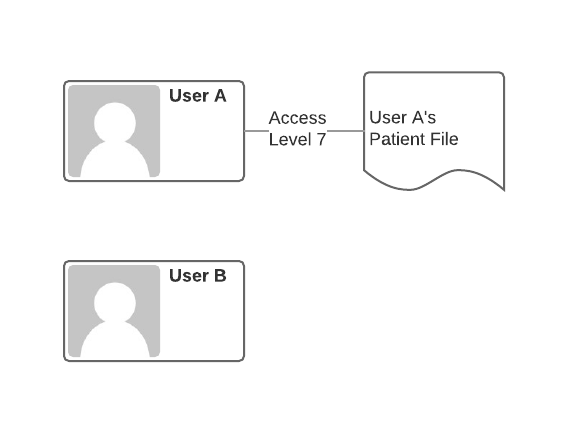
![](https://files.readme.io/88a49e7-usera-file.png)

Here User A has the highest level of access to their patient file, Delete access (level 7) because they are the owner of the file. However, User B has no access to the file.

To grant User B access to the file, User A simply needs to create a connection between the patient file and User B and specify the level of access that should be granted.
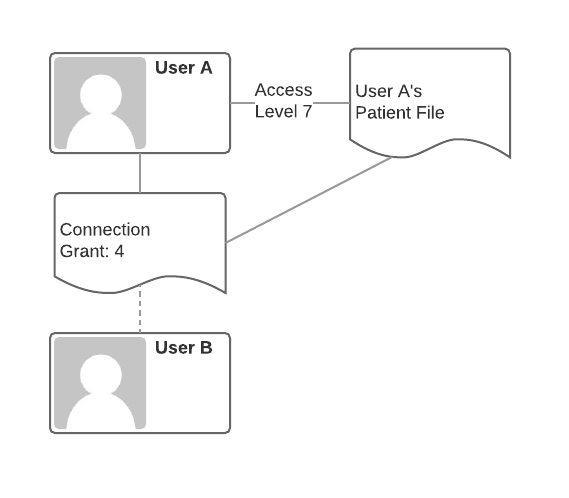
![](https://files.readme.io/ac390b7-connection-created.png)

Here the connection is created and User A specifies that Read access (level 4) should be granted to User B.

Once in place, User B now has access to the patient file and is able to read it.![](https://files.readme.io/7fab039-userb-file.png)
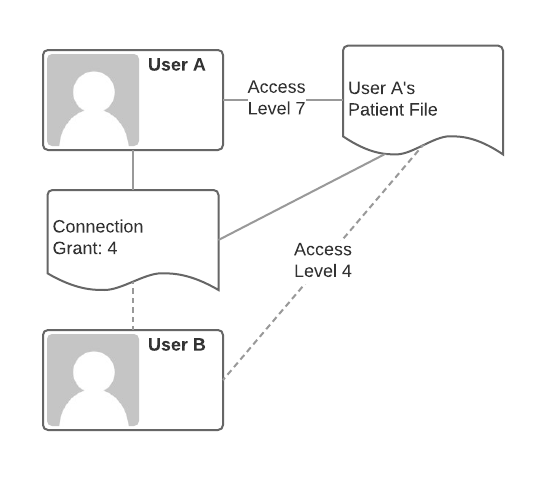
Through the connection, User B is able to access the file. However, User A has control over User B's access. If User A no longer wants user B to have access, User A simply has to delete the connection.

For all of the access levels, see [Access Control](https://docs.medable.com/reference-link/object-permissions-acl) in the API documentation.

## **Accepting a Connections**

Retrieve Connections

First find all the connections available to you

```
GET https://api.dev.medable.com/{{your_org_name}}/v2/connections
```

```
{
    "_id": "552419f585b784bc204e73aa",
    "access": 2,
    "context": {
        "_id": "5519c01aae2fd2b02915c81f",
        "object": "c_example",
        "path": "/c_examples/5519c01aae2fd2b02915c81f"
    },
    "created": "2015-04-07T17:55:01.000Z",
    "creator": {
        "_id": "5516ee2634d8d93428169c0e",
        "object": "account",
        "path": "/accounts/5516ee2634d8d93428169c0e"
    },
    "expiresAt": "2015-04-14T17:55:01.032Z",
    "isArchived": false,
    "object": "connection",
    "state": 0,
    "target": {
        "account": {
            "_id": "552417e085b784bc204e737c",
            "object": "account",
            "path": "/accounts/552417e085b784bc204e737c"
        },
        "name": {
            "first": "Charles",
            "last": "Best"
        }
    },
    "token": "u0xJRTlDQD8moTuUqeQiCAaFzU1WPdtq"
}
```

**Accept Connection**

Once that token is retrieved, you can accept the connection with a `POST` utilizing the connection token.

```
POST https://api.dev.medable.com/example/v2/connections/u0xJRTlDQD8moTuUqeQiCAaFzU1WPdtq
```

```
{
    "_id": "552427adccbc32041380264f",
    "access": 4,
    "context": {
        "_id": "5519c01aae2fd2b02915c81f",
        "object": "c_example",
        "path": "/c_examples/5519c01aae2fd2b02915c81f"
    },
    "created": "2015-04-07T18:53:33.000Z",
    "creator": {
        "_id": "5516ee2634d8d93428169c0e",
        "object": "account",
        "path": "/accounts/5516ee2634d8d93428169c0e"
    },
    "isArchived": false,
    "object": "connection",
    "state": 1,
    "target": {
        "account": {
            "_id": "552417e085b784bc204e737c",
            "object": "account",
            "path": "/accounts/552417e085b784bc204e737c"
        },
        "email": "charles+best@example.org",
        "name": {
            "first": "Charles",
            "last": "Best"
        }
    }
}
```

> ### 📘Note
>
> The state of the connection is now "1" or "Active"Auto-Accept

## Auto Accept

Automatically Applying Connections

In some scenarios, it may be necessary to create connections without the target needing to accept the connection. This is possible if the following apply:

* The context object is not an Account
* The context object does not require connection acceptance
* The target is already a registered user and the account \_id is used in the target instead of email
* `"auto":true` is sent in the connection target

To configure your object to not require connection acceptance, when creating your object or editing your object settings, be sure that `Require Connection Accept` is unchecked.![](https://files.readme.io/d4ada1a-connection-settings.png)
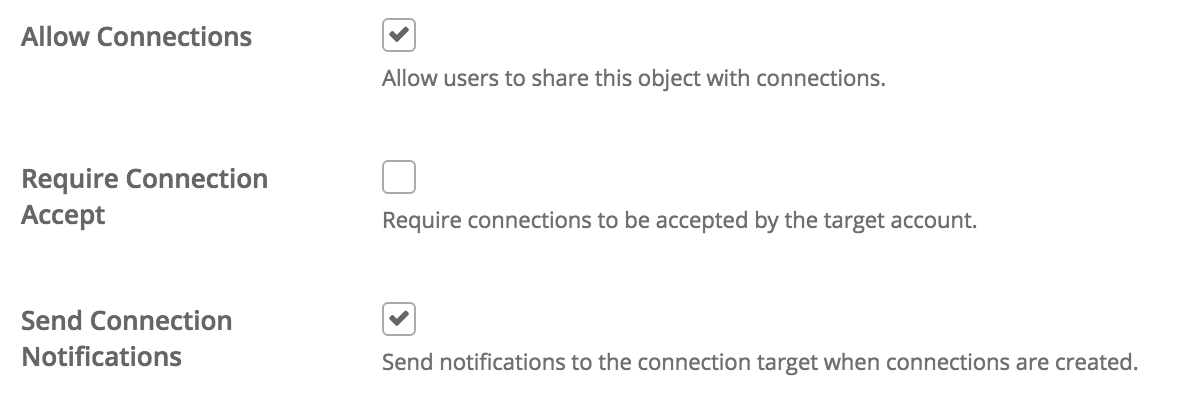
Optionally you can uncheck `Send Connection Notifications` to prevent notifications from going out when connections are created as well.

Automatically applying a connection is then very much like creating a connection like above but with `"auto":true` added to the target.HTTP

```
POST https://api.dev.medable.com/example/v2/c_prescriptions/576967021d0c03a53cd79fd7/connections
```

Request Body

```
{
   "targets":[
      {
         "object":"account",
         "_id": "552417e085b784bc204e737c",
         "access":4,
         "auto":true
      }
   ]
}
```

JSON Response

```
{
    "data": [
        {
            "_id": "576967441d0c03a53cd7a028",
            "access": 4,
            "context": {
                "_id": "576967021d0c03a53cd79fd7",
                "object": "c_prescription",
                "path": "/c_prescriptions/576967021d0c03a53cd79fd7"
            },
            "contextSource": null,
            "created": "2016-06-21T16:11:48.800Z",
            "creator": {
                "_id": "575f58281d0c03a53ccc3ac6",
                "object": "account",
                "path": "/accounts/575f58281d0c03a53ccc3ac6"
            },
            "expiresAt": "2016-06-28T16:11:48.802Z",
            "object": "connection",
            "state": 1,
            "target": {
                "account": {
                    "_id": "552417e085b784bc204e737c",
                    "object": "account",
                    "path": "/accounts/552417e085b784bc204e737c"
                }
            }
        }
    ],
    "hasMore": false,
    "object": "list"
}
```

> ### 📘Note
>
> The connection is immediately created in state "1" or "Active" without any acceptance needed.

For more details on the connection object, it's properties, and available API routes, see [Apply Connection](https://docs.medable.com/reference-link/apply-connection)

## Creating a Connection

To create a connection you need

1. **The context:** An object instance you'd like to share
2. **The targets:** A target user or team of users you'd like to extend access to

A connection can have multiple targets, so an array of targets is sent when creating the connection. A target takes the form of:JSON

```
{
    "object":"account",
    "email":"fred.banting@example.org",
    "name":{
        "first":"Frederick",
        "last":"Banting"
    },
    "access":4
}
```

For an individual target if you have only an email address. In cases when you only have the account id, you can also pass in:JSON

```
{
    "object": "account",
    "_id": "575f58281d0c03a53ccc3fd3",
    "access":4
}
```

* When inviting an individual, `object` will always be "account".
* Then, either `email` or `_id` of the account must be sent. `email` is useful for inviting individuals when the account \_id is either not known or if the individual does not yet have a user account. If a user with that username exists in the org, the user account will automatically be used. If using `email` you can optionally specify the `name` as illustrated above. This can be useful in connection notification templates. For example, you can send personalized emails with the recipient's name included in the message.
* `access` is the level of context access you are granting to the target.

Creating a connection is a matter of calling a route with the following pattern:HTTP

```
POST https://api.dev.medable.com/{{your_org_code}}/v2/{{object_name}}/{{object_id}}/connections
```

Where `your_org_code` is the org code you specified when signing up. `object_name` is the plural name of the object you are creating a connection to and `object_id` is the \_id of the object instance that you are creating a connection to.

Here's an example on a c\_prescription instance:HTTP

```
POST https://api.dev.medable.com/example/v2/c_prescriptions/576967021d0c03a53cd79fd7/connections
```

Request Body

```
{
   "targets":[
      {
         "object":"account",
         "email":"fred.banting@example.org",
         "name":{
            "first":"Frederick",
            "last":"Banting"
         },
         "access":4
      }
   ]
}
```

JSON Response

```
{
    "data": [
        {
            "_id": "576967441d0c03a53cd7a028",
            "access": 4,
            "context": {
                "_id": "576967021d0c03a53cd79fd7",
                "object": "c_prescription",
                "path": "/c_prescriptions/576967021d0c03a53cd79fd7"
            },
            "contextSource": null,
            "created": "2016-06-21T16:11:48.800Z",
            "creator": {
                "_id": "575f58281d0c03a53ccc3ac6",
                "object": "account",
                "path": "/accounts/575f58281d0c03a53ccc3ac6"
            },
            "expiresAt": "2016-06-28T16:11:48.802Z",
            "object": "connection",
            "state": 0,
            "target": {
                "email": "fred.banting@example.org",
                "name": {
                    "first": "Frederick",
                    "last": "Banting"
                }
            }
        }
    ],
    "hasMore": false,
    "object": "list"
}
```

The above created a connection with `fred.banting@example.org` to the `c_prescription` instance with \_id `5519c01aae2fd2b02915c81f`. But notice that the state of the connection is "0" of "Pending". This is because it has not yet been accepted by Mr. Banting.

Mr. Banting would then receive an email notification at `fred.banting@example.org` notifying him that John Smith at NewHealthCo would like to share a Prescription file. Once Fred registers as a user, he can then accept or decline the connection. If accepted, Mr. Banting would have Read access to the c\_prescription (level 4).


# Upload files

## Facets

Use an existing facet when you want to copy a file property. Note when creating file properties using existing facets, the source data is always copied. The following are all examples of valid content facet reference property values:

* "/accounts/5a4feb0bc4a54066c8f4c1c4/image/content"
* "accounts/5a4feb0bc4a54066c8f4c1c4/image/content"
* "facet:///accounts/5a4feb0bc4a54066c8f4c1c4/image/content"
* "facet://accounts/5a4feb0bc4a54066c8f4c1c4/image/content"
* {source: "facet", filename: "thing.png", path: "/accounts/5a4feb0bc4a54066c8f4c1c4/image/content"}

## Uploads

The following are all examples of valid content upload property values:

* "file://image.png"
* "upload://image.png"
* "image.png"
* {upload: "image.png"}
* {source: "upload", filename: "image.png"}

Uploading files is a two-stage process. Firstly, the [File](https://docs.medable.com/reference-link/files) property is written. A good example is the Account `image`, which consists of a `content` facet that expects an image. The value of the property must be an object whose properties are the configured, uploaded facet names, with their being filenames with extensions matching the content-type accepted by the facet. For example,\
updating an Account image:Example

```
// PUT accounts/5516ee2634d8d93428169c0e/image 

Request: 
    {
        "content": "IMG_1399.JPG"        
    }
Response:
{
    "creator": "5516ee2634d8d93428169c0e",
    "facets": [{
        "creator": "5516ee2634d8d93428169c0e",
        "location": 4,
        "name": "thumbnail",
        "path": "/accounts/5516ee2634d8d93428169c0e/image/thumbnail",
        "state": 0
    }],
    "location": 4,
    "name": "content",
    "path": "/accounts/5516ee2634d8d93428169c0e/image/content",
    "state": 0,
    "uploads": [{
        "fields": [{
            "key": "x-amz-credential",
            "value": "AKIAJ3Z4AWM5JO6AILYQ/20150404/us-east-1/s3/aws4_request"
        }, {
            "key": "x-amz-date",
            "value": "20150404T041333Z"
        }, {
            "key": "x-amz-server-side-encryption",
            "value": "AES256"
        }, {
            "key": "x-amz-signature",
            "value": "e78ce424cafb6ce2accbaaf49e8a2a6cc7794c79b0f7c902e1e380caf9edfefc"
        }, {
            "key": "x-amz-algorithm",
            "value": "AWS4-HMAC-SHA256"
        }, {
            "key": "success_action_status",
            "value": "201"
        }, {
            "key": "content-type",
            "value": "image/jpeg"
        }, {
            "key": "key",
            "value": "5516ee1b34d8d934281699e3/436f6e746578742041636374/5516ee2634d8d93428169c0e.image/551f64ed3f2ab234373c8465.jpeg"
        }, {
            "key": "policy",
            "value": "eyJleHBpcmF0aW9uIjoiMjAxNS0wNC0xNFQxNDoxMzozMy40MzFaIiwiY29uZGl0aW9ucyI6W3siYnVja2V0IjoibWVkYWJsZS11cGxvYWRzLXNjYXJsZXQifSx7ImtleSI6IjU1MTZlZTFiMzRkOGQ5MzQyODE2OTllMy80MzZmNmU3NDY1Nzg3NDIwNDE2MzYzNzQvNTUxNmVlMjYzNGQ4ZDkzNDI4MTY5YzBlLmltYWdlLzU1MWY2NGVkM2YyYWIyMzQzNzNjODQ2NS5qcGVnIn0sWyJjb250ZW50LWxlbmd0aC1yYW5nZSIsMCw1MTIwMDAwXSx7ImNvbnRlbnQtdHlwZSI6ImltYWdlL2pwZWcifSx7IngtYW16LWFsZ29yaXRobSI6IkFXUzQtSE1BQy1TSEEyNTYifSx7IngtYW16LWNyZWRlbnRpYWwiOiJBS0lBSjNaNEFXTTVKTzZBSUxZUS8yMDE1MDQwNC91cy1lYXN0LTEvczMvYXdzNF9yZXF1ZXN0In0seyJ4LWFtei1kYXRlIjoiMjAxNTA0MDRUMDQxMzMzWiJ9LHsieC1hbXotc2VydmVyLXNpZGUtZW5jcnlwdGlvbiI6IkFFUzI1NiJ9LHsic3VjY2Vzc19hY3Rpb25fc3RhdHVzIjoiMjAxIn1dfQ=="
        }],            
        "location": 5,
        "maxFileSize": 5120000,
        "name": "content",
        "state": 0,
        "uploadKey": "file",
        "uploadMethod": "post",
        "uploadUrl": "https://medable-v2-uploads.s3.amazonaws.com"
    }]
}
```

The response contains new facets with a state of 0 (Pending).

For uploads, the next step is to scan the `uploads` array in the response and make an HTTP multipart/form-data POST for each entry in the array. For each entry:

1. Build a form containing the fields defined in using the `fields` array **in the order they appear**.
2. The last field in the form must be the file field corresponding to the file to be uploaded, and the field name must be equal to the `uploadKey`.
3. The form `action` must be equal to the `uploadUrl`.
4. The form `method` must be equal to the `uploadMethod`.

An html form for the above example might look like this:HTML

```
<form action="https://medable-v2-uploads.s3.amazonaws.com" method="post" enctype="multipart/form-data">
    <input type="hidden" name="x-amz-credential" value="AKIAJ3Z4AWM5JO6AILYQ/20150404/us-east-1/s3/aws4_request">
    <input type="hidden" name="x-amz-date" value="20150404T041333Z">
    <input type="hidden" name="x-amz-server-side-encryption" value="AES256">
    <input type="hidden" name="x-amz-signature" value="e78ce424cafb6ce2accbaaf49e8a2a6cc7794c79b0f7c902e1e380caf9edfefc">
    <input type="hidden" name="x-amz-algorithm" value="AWS4-HMAC-SHA256">
    <input type="hidden" name="success_action_status" value="201">
    <input type="hidden" name="key" value="5516ee1b34d8d934281699e3/436f6e746578742041636374/5516ee2634d8d93428169c0e.image/551f64ed3f2ab234373c8465.jpeg">
    <input type="hidden" name="policy" value="eyJleHBpcmF0aW9uIjoiMjAxNS0wNC0xNFQxNDoxMzozMy40MzFaIiwiY29uZGl0aW9ucyI6W3siYnVja2V0IjoibWVkYWJsZS11cGxvYWRzLXNjYXJsZXQifSx7ImtleSI6IjU1MTZlZTFiMzRkOGQ5MzQyODE2OTllMy80MzZmNmU3NDY1Nzg3NDIwNDE2MzYzNzQvNTUxNmVlMjYzNGQ4ZDkzNDI4MTY5YzBlLmltYWdlLzU1MWY2NGVkM2YyYWIyMzQzNzNjODQ2NS5qcGVnIn0sWyJjb250ZW50LWxlbmd0aC1yYW5nZSIsMCw1MTIwMDAwXSx7ImNvbnRlbnQtdHlwZSI6ImltYWdlL2pwZWcifSx7IngtYW16LWFsZ29yaXRobSI6IkFXUzQtSE1BQy1TSEEyNTYifSx7IngtYW16LWNyZWRlbnRpYWwiOiJBS0lBSjNaNEFXTTVKTzZBSUxZUS8yMDE1MDQwNC91cy1lYXN0LTEvczMvYXdzNF9yZXF1ZXN0In0seyJ4LWFtei1kYXRlIjoiMjAxNTA0MDRUMDQxMzMzWiJ9LHsieC1hbXotc2VydmVyLXNpZGUtZW5jcnlwdGlvbiI6IkFFUzI1NiJ9LHsic3VjY2Vzc19hY3Rpb25fc3RhdHVzIjoiMjAxIn1dfQ==">   
    <input type="file" name="file">
</form>
```

> ## 📘Note
>
> Response codes from the AWS S3 (5) upload location are xml. See [Amazon S3 Error Responses](http://docs.aws.amazon.com/AmazonS3/latest/API/ErrorResponses.html).

If a File property has been updated, but the user logs out or cannot otherwise complete the upload within a period of time, the upload window may expire. Without having to reset the file property, facet uploads can be *refreshed*, to produce new upload information that can be used to initiate or continue an upload. To do so, update the file property **directly** with a refresh parameter. The json body must contain the facet names of the target uploads, and the response will contain an array of uploads that were refreshed.Example

```
// PUT accounts/5516ee2634d8d93428169c0e/image/refresh 

Request: 
    ["content"]        
Response:         
    {
        "data": [{
            "fields": [... /* updated form fields */ ],
            "filename": "image.jpg",
            "location": 5,
            "maxFileSize": 5120000,
            "name": "content",
            "state": 0,
            "uploadKey": "file",
            "uploadMethod": "post",
            "uploadUrl": "https://medable-v2-uploads.s3.amazonaws.com"
        }],
        "hasMore": false,
        "object": "list"
    }
```


# Cortex iOS

## About the SDK

Welcome to the iOS Client SDK for [Medable](https://www.medable.com/). This framework provides a wrapper for the [Medable API](https://docs.medable.com/docs/api-reference) as well as several helper tools to directly integrate those features to your iOS application.

For basic integration and initialization steps, check the *README.md* file in the SDK repository.

### Examples

Check out the [Code Samples](https://docs.medable.com/docs/code-samples) for a few examples on how to get some specific things done with the Medable SDK.\
This tutorial shows one way to quickly get started using a new or existing Swift iOS project. Before you begin, you should have generated an API key. If not, [do this first](https://docs.medable.com/docs/generate-an-api-key).

### Create your Swift Project

In Xcode, select `File > New Project...`

\`\`![](https://files.readme.io/18e9b77-new-swift-project.png)
Select `Single View Application` and click next.
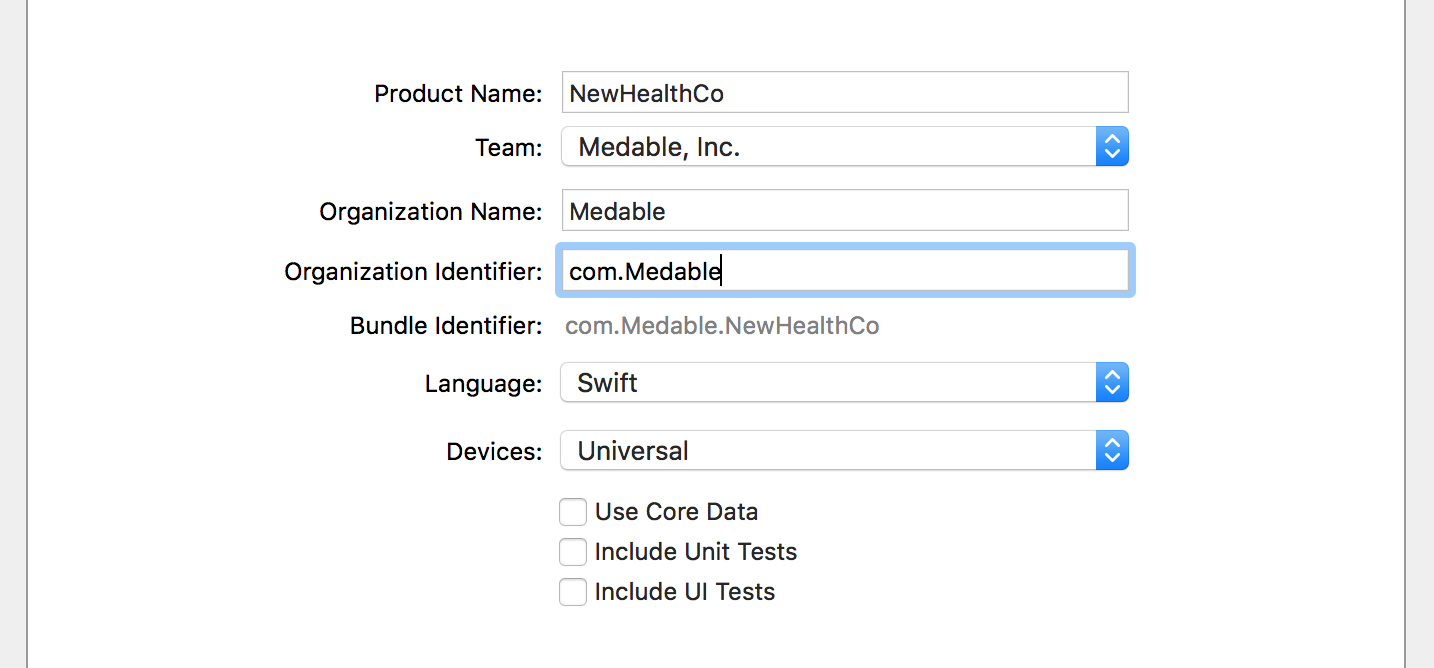
![](https://files.readme.io/2fb0196-new-swift-project-2.png)

Enter your project details. For this tutorial, we'll call the app "NewHealthCo"

### Install Medable Cortex iOS SDK

Integrate the SDK following the integration instructions from the *README.md* file in the SDK repository.

### Initialize Medable

Add the Medable start function to your AppDelegate and set the logger level to Debug so you can see more detailed network responses in the consoleSwift

```
//AppDelegate.swift

func application(_ application: UIApplication, didFinishLaunchingWithOptions launchOptions: [UIApplicationLaunchOptionsKey: Any]?) -> Bool {

    Medable.start()
    Medable.client().loggerLevel = MDAPIClientNetworkLoggerLevelDebug

    return true
}
```

Then build and run the app

The app shows a blank screen but you should see proper console outputs![](https://files.readme.io/3663424-response-200.png)

### Integration Complete

You've successfully connected to your Medable HIPAA compliant backend. You're ready to collect PHI.

## Pagination Helpers

When working with lists, it is often important to page through results. The recommended approaches to working with lists through the API are outlined [here](https://docs.medable.com/reference-link/paging).

However, the Cortex iOS SDK makes this quite simple with pagination helpers.

The following examples illustrate how to paginate through a list of `c_prescription` instances.

For information on how to create custom cortex objects such as the example `c_prescription` object, see [Data Model Setup](https://docs.medable.com/docs/data-model-setup).

For more information on working with your Cortex Objects in iOS, see [Cortex Objects](https://docs.medable.com/docs/custom-objects-context).

### 1. Using the Pagination Helper

This is how an instance of `MDPaginationHelper` is created and initialized:

Objective-C

```
MDPaginationHelper *prescriptions = [MDPaginationHelper
                                     paginatorWithContext:@"c_prescriptions"
                                     pageSize:10
                                     cacheResults:NO
                                     inverseOrder:NO];

// Optionally, custom API parameters (query parameters) can be specified; and the paginator will include those in the queries as well.
prescriptions.customParameters = [MDAPIParameterFactory parametersWithWhere:@{ @"c_refills": { @"$gt": 5 } } prefixPath:nil];

// set your class as the paginator's delegate if you use the delegate approach (see explanation below):
prescriptions.delegate = self;

// set the paginator's results callback block, if you use the callback block approach (see explanation below):
prescriptions.resultsCallback = ^(NSArray<MDObjectInstance *> * _Nullable objects, NSNumber * _Nullable hasMore, MDFault * _Nullable fault)
    {
        if (fault)
        {
            // fault handling
        }
        else
        {
            // "objects" will be instances of the Prescription class.

            // Use hasMore.boolValue to know if there are more pages to load
        }
    };

// And then you can call either `loadNextPage` or `loadAllPages` on the paginator, depending on what you need:
[prescriptions loadNextPage];

// or
[prescriptions loadAllPages];

// ----
// Note: make sure to store the instance somewhere, otherwise it will be destroyed by ARC.
```

If you use the *delegate* approach, don't forget to conform to the `MDPaginationHelperDelegate` protocol,

Objective-`C`

```
// YourClassHandlingPaginationResults.h

@interface YourClassHandlingPaginationResults <MDPaginationHelperDelegate>
  ...
@end
```

and implement the delegate methods to get the results:

Objective-C

```
// YourClassHandlingPaginationResults.m

@implementation YourClassHandlingPaginationResults

...

- (void)paginator:(MDPaginationHelper *)paginator didLoadResults:(nullable NSArray<MDObjectInstance*> *)objects hasMore:(nullable NSNumber *)hasMore fault:(nullable MDFault *)fault
{
    // handle your page results here
    if (fault)
    {
        // fault handling
    }
    else
    {
        // "objects" will be instances of the Prescription class.

        // Use hasMore.boolValue to know if there are more pages to load
    }
}

- (void)paginator:(MDPaginationHelper *)paginator didLoadAllResults:(nullable NSArray<MDObjectInstance*> *)objects fault:(nullable MDFault *)fault
{
    // handle "all the pages" results here
    if (fault)
    {
        // fault handling
    }
    else
    {
        // "objects" will be instances of the Prescription class.
    }
}

...

@end
```

Both delegate methods are marked as *optional*. If you don't implement the `didLoadAllResults`, and `loadAllPages` is called, you'll get all the results in the first method, together with the results from calling `loadNextPage`. So, if you need to get the results of both calls separately, implement both.

> #### 📘Note
>
> The *delegate approach* and the *results callback approach* can be used simultaneously.
>
> #### 📘Note
>
> You'll find documentation about `cacheResults` and `inverseOrder`, as well as for some other pagination options (e.g. list property pagination, or paging using a field other than `_id`), in the `MDPaginationHelper.h` header file.

### 2. Using the Pagination Manager

If you don't want to manage the instances of `MDPaginationHelper`, you can leave that to the `MDPaginationManager`. Just create the instances using the `MDPaginationManager` class. Let's achieve the same as before; the only difference relies in how you create the instance:

Objective-C

```
// With this identifier, you can retrieve the instance from the MDPaginationManager later...
NSString *identifier = @"someIdentifier";

MDPaginationHelper *prescriptions = [MDPaginationManager
                                     paginatorWithIdentifier:identifier
                                     context:@"c_prescriptions"
                                     pageSize:10
                                     cacheResults:NO
                                     inverseOrder:NO];

// the rest is the same, and you don't have to take care of storing the paginator
```

Later on, that paginator's instance can be retrieved by doing this:

Objective-C

```
MDPaginationHelper *prescriptions = [[MDPaginationManager sharedInstance] paginatorWithIdentifier:@"someIdentifier"];
```

If you don't need to retrieve the pagination helpers by identifier, but you still want the manager to take care of storing them; there is a function to generate random identifiers:

Objective-C

```
NSString *randomIdentifier = [MDPaginationManager randomId];
```

## Code Samples

### Login

Objective-C

```
[[Medable client]
 loginWithEmail:@"your email here"
 password:@"your password here"
 verificationToken:nil
 singleUse:NO
 callback:^(MDAccount * _Nullable localUser, MDFault * _Nullable fault)
 {
     if (fault)
     {
         // handle fault
     }
 }];
```

### Logout

Objective-C

```
[[Medable client] logout:^(MDFault * _Nullable fault)
 {
     if (fault)
     {
         // handle fault
     }
 }];
```

### Register User

Objective-C

```
[[Medable client]
 registerAccountWithFirstName:@"Charles"
 lastName:@"Best"
 email:@"charles.best@example.org"
 mobile:@"1-650-555-5555"
 password:@"Thanks for the break, Banting!"
 gender:@"m"
 dob:[MDDateUtilities dateFromString:@"1899-02-27"]
 role:nil
 profileInfo:nil
 thumbImage:nil
 timeZone:nil
 customPropValues:nil
 callback:^(MDAccount* account, MDFault *fault)
 {
     if ( fault != nil)
     {
         // Handle the error (e.g. show alert with fault.message)
     }
     else
     {
         // Check whether activation is required before authentication
         BOOL requiresActivation = [account activationRequired] ? [[account activationRequired] boolValue] : NO;

         // Handle the case when requiresActivation == YES here
     }
 }];
```

### Create Object

Let's suppose we are using a custom `Prescription` object definition that was created using the [Data Model Setup](https://docs.medable.com/docs/data-model-setup) guide.

Now, we want to create instances of those objects using Cortex from the client side.\
Objective-C

```
NSDictionary *prescriptionBody = @{
                                   @"c_date": [NSDate new],
                                   @"c_dispense": @3,
                                   @"c_patient": @"some patient Id reference",
                                   @"c_provider": @"some provider Id reference",
                                   @"c_refills": @2,
                                   @"c_rx": @"Prescription details"
                                   };

[[Medable client]
 createObjectWithContext:@"c_prescription"
 body:prescriptionBody
 callback:^(MDObjectInstance * _Nullable instance, MDFault * _Nullable fault)
 {
     if (fault)
     {
         // handle fault
     }
     else if (instance)
     {
         // newly created instance
     }
 }];
```

### Edit Object

Let's suppose we are using a custom `Prescription` object definition that was created using the [Data Model Setup](https://docs.medable.com/docs/data-model-setup) guide.

Now, we want to edit an existing instance of that type of object using Cortex from the client side.\
Objective-C

```
NSDictionary *propertiesToUpdate = @{
                                     @"c_dispense": @7,
                                     @"c_refills": @9,
                                     @"c_rx": @"Updated prescription details"
                                     };

[[Medable client]
 updateObjectWithContext:@"c_prescription"
 objectId:[MDObjectId objectIdWithString:@"the object's Id"]
 body:propertiesToUpdate
 callback:^(MDObjectInstance * _Nullable instance, MDFault * _Nullable fault)
 {
     if (fault)
     {
         // handle fault
     }
     else if (instance)
     {
         // edited instance
     }
 }];
```

### List Objects

Let's suppose we are using a custom `Prescription` object definition that was created using the [Data Model Setup](https://docs.medable.com/docs/data-model-setup) guide.

Now, we want to list existing instances of that type of object using Cortex from the client side.

> #### 📘Note
>
> For paginated listing take a look the [Pagination Helpers](https://docs.medable.com/docs/pagination-helpers) guide.

Objective-C

```
[[Medable client]
 listObjectsWithContext:@"c_prescription"
 parameters:nil
 callback:^(NSArray<MDObjectInstance *> * _Nullable objects, NSNumber * _Nullable hasMore, MDFault * _Nullable fault)
 {
     if (fault)
     {
         // handle fault
     }
     else
     {
         // hasMore is true if there are more objects to load --there's a limit in the amount of returned objects.
         // objects contains the returned object instances
     }
 }];
```

> #### 📘Note
>
> If you need to use a custom class instead of `MDObjectInstance` and want Cortex to return instances of your class instead, follow the [Cortex Objects](https://docs.medable.com/docs/custom-objects-context) guide.

### Delete Object

Objective-C

```
[[Medable client]
 deleteObjectWithContext:@"c_prescription"
 objectId:[MDObjectId objectIdWithString:@"the object's Id"]
 reason:nil
 callback:^(MDFault * _Nullable fault)
 {
     if (fault)
     {
         // handle fault
     }
 }];
```

### File Download

[File](https://docs.medable.com/reference-link/files)s can be downloaded using one of two methods.

Using a download path:\
Objective-C

```
NSString *filePath = [MDAPIClient routeWithComponents:@[ @"path", @"to", @"file" ]];

[MDAPIClient
 downloadFileAtPath:filePath
 callback:^(id  _Nullable streamData, MDFault * _Nullable fault)
 {
     if (fault)
     {
         // handle fault
     }
     else if ([streamData isKindOfClass:[UIImage class]])
     {
         // downloaded file is an instance of UIImage
     }
     else if ([streamData isKindOfClass:[NSData class]])
     {
         // downloaded file is an instance of NSData
     }
 }];
```

Or using a `MDFacet` of the [File](https://docs.medable.com/reference-link/files).\
Objective-C

```
MDFacet *aFileFacet = ...;

[aFileFacet fileDataWithCallback:^(NSData * _Nullable data, MDDataSource source, MDFault * _Nullable fault)
 {
     if (fault)
     {
         // handle fault
     }
     else if ([data isKindOfClass:[UIImage class]])
     {
         // downloaded file is an instance of UIImage
     }
     else if ([data isKindOfClass:[NSData class]])
     {
         // downloaded file is an instance of NSData

         // Use source to query the source of the data
         switch (source)
         {
             case MDDataSourceCache:
                 // data comes from local cache
                 break;
             case MDDataSourceRemote:
                 // data was just downloaded
                 break;
             default:
                 //
                 break;
         }
     }
 }];
```

### File Upload

File uploads are a two step process as described in the [File Uploads](https://docs.medable.com/docs/file-uploads) documentation.

1. In the first step, a file property name and the file name is sent to the server. This could happen when [creating an object](https://docs.medable.com/docs/code-samples-2#section-create-object) and also when [editing an object](https://docs.medable.com/docs/code-samples-2#section-edit-object).
2. In the response of the first step, that is, in the callback of whichever method was used in step 1 --create or update; is when the actual file upload takes place using upload information sent by the Cortex API.

For this sample, let's suppose we are creating an instance of a `c_anObject` object type that, has a `c_image` [File](https://docs.medable.com/reference-link/files) property. We want to upload an image to the `content` facet of that [File](https://docs.medable.com/reference-link/files).\
Objective-C

```
// STEP 1 - Create/Update the object and send a file property key/value pairs
UIImage *fileToUpload = ...;
// Note: fileToUpload can be an instance of NSData too.

// File values are always key = facet name, value = file name.
NSDictionary *filePropValue = @{ @"content": fileToUpload };

// --- Optinally the mime type can be set:
NSDictionary *filePropValue = @{ @"content": @{ @"mime": @"image/png", @"data": fileToUpload }};
// ---

// Create/Update bodies are always key = prop name, value = prop value or the right type.
NSDictionary *createBody = @{
                             @"c_aPropName": @"aPropValue",
                             @"c_image": filePropValue,
                             @"c_someOtherPropName": @55
                             };

[[Medable client]
 createObjectWithContext:@"c_anObject"
 body:createBody
 callback:^(MDObjectInstance * _Nullable instance, MDFault * _Nullable fault)
 {
     if (fault)
     {
         // handle fault
     }
     else if (instance)
     {
         // STEP 2 - File Upload - Performed internally by Cortex. Read "Managing File Uploads" to know how to keep track of file uploads. Files are also cached and encrypted locally by Cortex.
     }
 }];
```

> #### 📘File Uploads
>
> For a deeper management of file uploads take a look at the [Managing File Uploads](https://docs.medable.com/docs/managing-file-uploads) documentation.

## Managing File Uploads

The Medable Cortex iOS SDK features an upload operations manager, that takes care of the following tasks:

* Keep an up to date list of ongoing upload operations.
* Keep an up to date list of recently successfully completed operations.
* Keep an up to date list of recently failed operations.
* Keep a progress value (percentage expressed in the 0..1 range) for each operation.
* Emit notifications for every change in the manager: - Newly added upload. - Upload completed or failed. - Upload operation progress changed.

### Notifications

Every time there is a significant event in the upload operations manager, it emits a notification using the string `kOperationProgressChangedNotification`, which is declared in `MDUploadOperations.h`:\
Objective-C

```
/**
 * String used to notify that an upload operation has changed its state.
 *
 * This can happen when the upload operation is started, its progress has changed
 * or when it completes.
 */
extern NSString *const kOperationProgressChangedNotification;
```

As expressed in the comment, this notification is emitted for every change in the upload operations manager.

How to **listen** the notifications:\
Objective-C

```
[[NSNotificationCenter defaultCenter]
 addObserver:self
 selector:@selector(handleUploadNotification:)
 name:kOperationProgressChangedNotification
 object:nil];
```

How to **handle** the notifications:\
Objective-C

```
- (void)handleUploadNotification:(NSNotification *)notification
{
    if ([notification.object isKindOfClass:[MDUploadOperation class]])
    {
        MDUploadOperation *uploadOperation = (MDUploadOperation *)notification.object;

        NSString *fileName = uploadOperation.fileName;
        NSNumber *progress = uploadOperation.progressNumber;

        NSLog(@"Uploading file: %@ Progress: %f", fileName, progress.floatValue);
    }
    else if ([notification.object isKindOfClass:[MDUploadOperations class]])
    {
        // Ongoing
        NSArray<MDUploadOperation *> *ongoingUploads = [MDUploadOperations ongoingOperations];

        // Completed
        NSArray<MDUploadOperation *> *completedUploads = [MDUploadOperations completedOperations];

        // Failed - these can be retried while the upload token is still valid. Upload tokens have an expiry date.
        NSArray<MDUploadOperation *> *failedUploads = [MDUploadOperations failedOperations];
    }
}
```

Within the notification, depending on the event, two different objects could be sent:

* A `MDUploadOperation` object is delivered inside the `NSNotification.object` property if it is notifying about upload progress. See below for more info.
* A `MDUploadOperations` object is delivered inside the `NSNotification.object` property if it is notifying about the following events:
  * A new `MDUploadOperation` was added to the queue.
  * A `MDUploadOperation` succeeded.
  * A `MDUploadOperation` failed.
  * A `MDUploadOperation` was removed from completed/failed.
  * Flushing operations. Flushing ongoing, succeeded and failed queues.

### State

The state of all upload operations can be queried from the `MDUploadOperations` class by checking the the following **class methods**:\
Objective-C

```
+ (NSArray<MDUploadOperation *> *)ongoingOperations;

+ (NSArray<MDUploadOperation *> *)completedOperations;

+ (NSArray<MDUploadOperation *> *)failedOperations;
```

An ongoing operation is an upload task that is still uploading, i.e. it hasn't failed and it hasn't completed the upload yet.

Recently completed operations are short lived. After completion, the operation objects will stay in this list for at least 10 seconds. After this time, they'll be removed from the list.

Recently failed operations live a little longer. After failing, the operation objects will stay in this list for at least 1 minute. Again, after this time, they are be removed from the list.

Each operation is an instance of class `MDUploadOperation`. Here are some interesting features they provide:

* **Progress**: Use the `progressNumber` attribute to determine the progress percentage (measured in the 0..1 range) of the upload operation.
* **Data Task**: Use the `operation` property, of class `NSURLSessionDataTask` for the data task that the operation is using. You may call `cancel` on this object to cancel the upload.
* **File Name**: If you are uploading several things at once, the `fileName` property contains the name of the file being uploaded.
* **NSProgress**: Apple's `NSProgress` class allows for fine grain progress reporting, the `operationProgress` property returns the associated `NSProgress` object with this upload operations.

### Cancel an Ongoing Operation

To cancel an ongoing operation, just call `cancel` on its data task, which you get from calling `operation` on the `MDUploadOperation` instance.

Here is code to cancel an ongoing operation:\
Objective-C

```
MDUploadOperation *uploadOperation = [[MDUploadOperations ongoingOperations] firstObject];
[uploadOperation.operation cancel];
```

### Retry a Failed Operation

Any operation that has failed can be retried, it need not be in the failed operations set, but beware that the upload tokens used will eventually expire.

Here is code to retry an operation currently in the failed set:\
Objective-C

```
MDUploadOperation *failedUploadOperation = [[MDUploadOperations failedOperations] firstObject];
[MDUploadOperations retryOperation:uploadOperation];
```

## Migration Guide

If you're upgrading from a previous version to 1.10 or newer, you will need to make the following changes:

* Remove the Medable framework from the Xcode project.
* Following the [installation guide](https://docs.medable.com/docs/ios-sdk), update to the latest version.
* Replace any instance of `Medable/Medable.h` with `MedableCortex/MedableCortex.h`


# Get started with Swift

iOS SDK for Medable provides a wrapper for the Medable RESTful API as well as several helper tools to directly integrate those features to your iOS application.

The Medable iOS SDK is targeted to be used in apps that have a base SDK of iOS 7+ and the following instructions are targeted for Xcode 6+ users. Please consider updating if you have an older version.

To see the github repo for the Medable iOS SDK, click here.

The following articles how to get started quickly with Medable using Swift 3 and Xcode 8.

This tutorial shows one way to quickly get started using a new or existing Swift iOS project. Before you begin, you should have generated an API key. If not, [do this first](https://docs.medable.com/docs/generate-an-api-key).

## Create your Swift Project

In Xcode, select `File > New Project...`

![](https://files.readme.io/18e9b77-new-swift-project.png)

Select `Single View Application` and click next.

![](https://files.readme.io/2fb0196-new-swift-project-2.png)

Enter your project details. For this tutorial, we'll call the app "NewHealthCo"

## Install Medable Cortex iOS SDK

Integrate the SDK following the integration instructions from the *README.md* file in the SDK repository.

## Initialize Medable

Add the Medable start function to your AppDelegate and set the logger level to Debug so you can see more detailed network responses in the console.\
Swift

```
//AppDelegate.swift

func application(_ application: UIApplication, didFinishLaunchingWithOptions launchOptions: [UIApplicationLaunchOptionsKey: Any]?) -> Bool {

    Medable.start()
    Medable.client().loggerLevel = MDAPIClientNetworkLoggerLevelDebug

    return true
}
```

Then build and run the app

The app shows a blank screen but you should see proper console outputs![](https://files.readme.io/3663424-response-200.png)

## Integration Complete

You've successfully connected to your Medable HIPAA compliant backend. You're ready to collect PHI.

Great, we've got our [New Project](https://docs.medable.com/docs/new-project) setup and we're ready to rock and roll.

This tutorial will make use of the Account Registration route which is disabled by default in your Organization Settings. You'll want to enable registration under `Settings > Organization` in order for it to work. See [Configuring Org Settings](https://docs.medable.com/reference-link/configuring-your-org) for more details.

Account registration boils down to one function

```
Medable.client().registerAccount...
```

This function takes in a number of default parameters to initialize the Account object with. But only five of them are required

* First Name
* Last Name
* Email
* Password
* Mobile Number

Optional parameters include gender, dob, profile image, and role.

Here, we'll show you how to create a basic registration form using Swift and Interface Builder. At the end we provide a zip file containing the final result of this step-by-step tutorial.

## Create Registration Form

1. Open Interface Builder (IB) by opening `Main.storyboard`
2. Drag a Navigation Controller into IB and set it as the initial view
3. Set the table view Content setting to Static Cells
4. Drag a UITextField into a static cell with proper struts and springs
5. Replicate this static cell for each field you'd like to collect in this form
6. Associate an IBOutlet for each text field
7. Drag a UIBarButtonItem into the top bar and call it "Submit"
8. Associate an IBAction called "submitPressed" with the "Submit" button
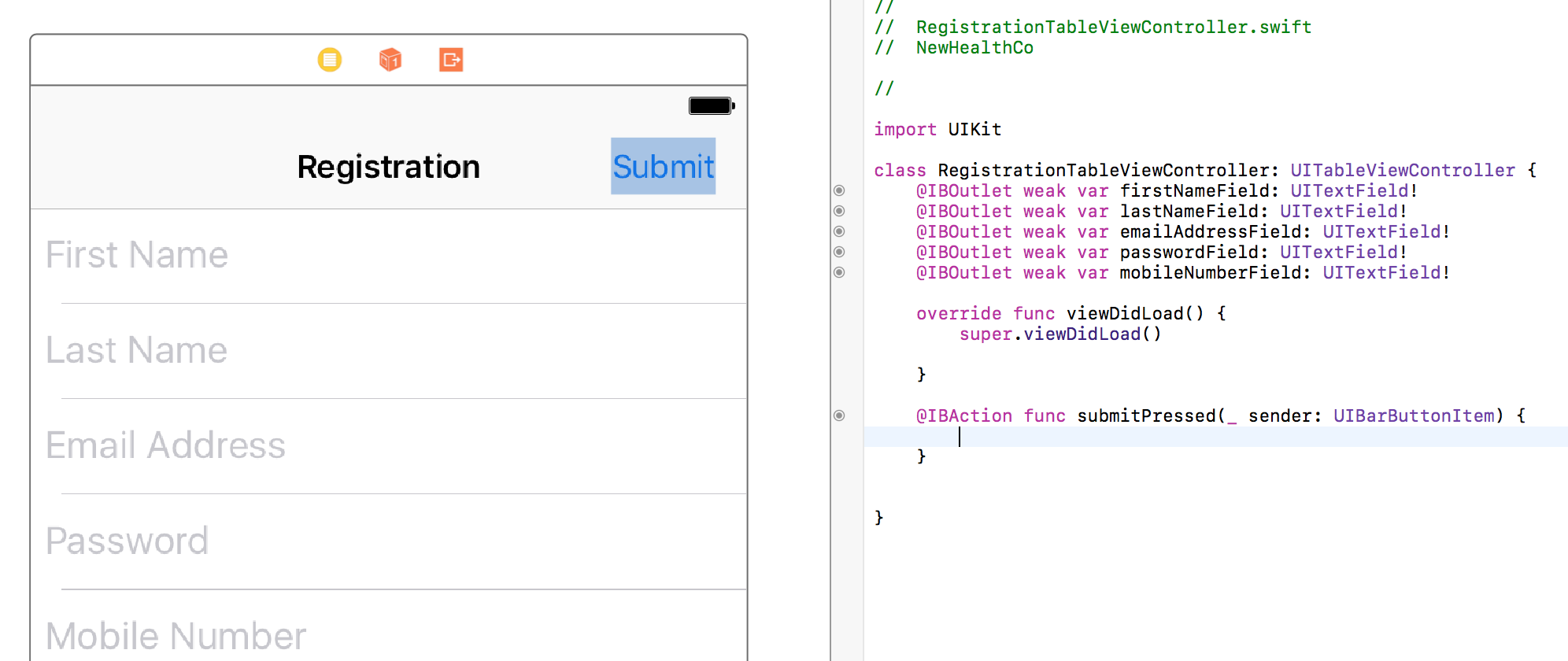

![](https://files.readme.io/b7e3c6a-registration-ib-init.png)![](https://files.readme.io/b7e3c6a-registration-ib-init.png)

Build and Run to make sure that you can see the form and all its placeholder values.

[Download Project Snapshot](https://docs.medable.com/files/Registration-Part-1.zip)

## Register Account

Add one function to the `submitPressed` function to make the form create a user in your database.

```
Medable.client().registerAccountWithFirstName(firstNameField.text!, lastName: lastNameField.text!, email: emailAddressField.text!, mobile: "1\(mobileNumberField.text!)", password: passwordField.text!, gender: nil, dob: nil, role: nil, profileInfo: nil, thumbImage: nil, customPropValues: nil) { (account:MDAccount?, error:MDFault?) in
    print("Callback returns account: \(account)")
    print("Callback returns error: \(error)")
}
```

This function simply passes in all data entered into the form as parameters for the registration function. As an example, let's suppose we input the following into our simulator:![](https://files.readme.io/0ca0ddb-registration-form-sample.png)
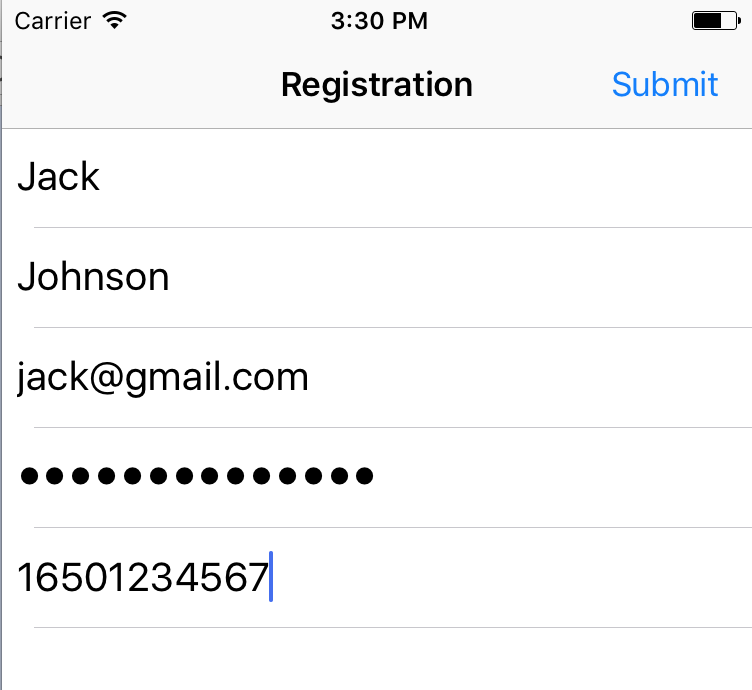
Submit the registration form and let's see what we get in the console:

```
Callback returns error: Optional(kValidationError - validation - Validation error - *Subfault: kInvalidArgument - error - Invalid Argument - The chosen password does not meet the minimum Org password strength requirement. - path: password)
```

We got a validation error because our password strength isn't high enough.

> Medable uses the [zxcvbn](https://blogs.dropbox.com/tech/2012/04/zxcvbn-realistic-password-strength-estimation/) password strength estimator to evaluate how strong a password is
>
> You set the minimum password strength in your org settings. The default minimum is `Good`, which which maps to 2 on the 0-4 on the zxcvbn scale. We strongly advise against lowering this minimum.
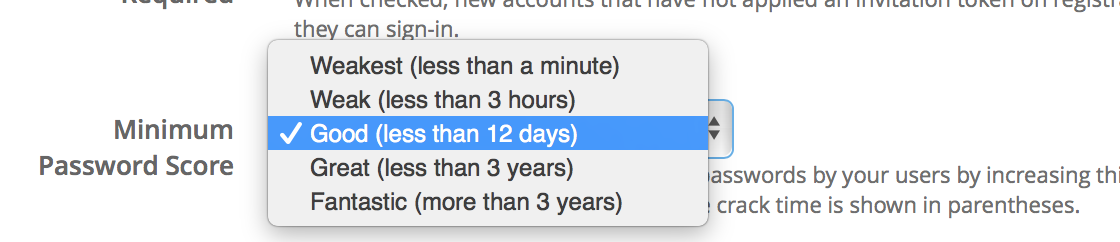
![](https://files.readme.io/2bc823c-admin-password-strength.png)

### Password Validation

It would be fantastic if we could immediately know whether a password will be strong enough before making an API call. Luckily, there's an open-source library that allows us to do just that.

```
pod 'zxcvbn-ios'
```

1. Add the zxcvbn-ios pod to your Podfile
2. Install dependencies by running `pod install` on your terminal
3. Open `RegistrationTableViewController.swift` and `import zxcvbn_ios` at the top
4. Make `RegistrationTableViewController` a delegate for the password text field
5. Drag a UIView next to the UITextField for the password
6. Set this UIView to a Custom Class called DBPasswordStrengthMeterView and drag as an IBOutlet into the controller
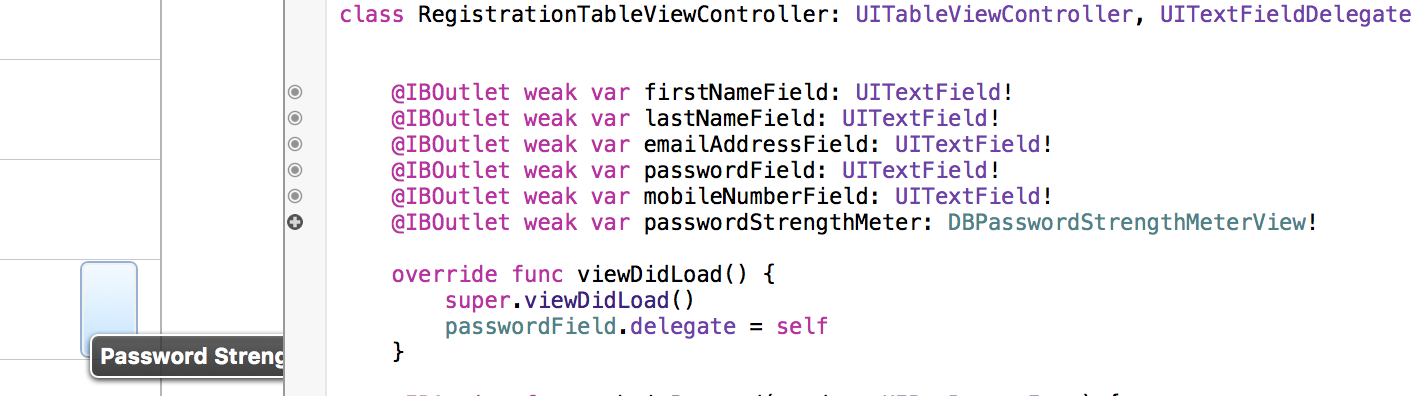
![](https://files.readme.io/799298e-password-setup-1.png)

The final step is to implement the UITextField Delegate function so that each change in the password field is given a new strength indicator

```
func textField(_ textField: UITextField, shouldChangeCharactersIn range: NSRange, replacementString string: String) -> Bool {
    let password = (textField.text! as NSString).replacingCharacters(in: range, with: string)
    passwordStrengthMeter.scorePassword(password)
    return true
}
```

Build and Run

I've turned off secure text entry to show that the meter does indeed adjust to the complexity of the password![](https://files.readme.io/8c83d0e-strong-password.png)
We want to be sure that when we submit the form, the password strength is at least as strong as our org setting minimum. The default minimum is 2 (Good). The lowest is 0 (Weakest). Add the following lines to the `submitPressed` function before calling register.

```
if DBZxcvbn().passwordStrength(passwordField.text!).score < 2 {
    print("The password is not strong enough")
    return
}
```

Now our password validation happens locally before making any network calls and our user isn't left guessing a million different passwords hoping they'd meet the minimum strength requirement!

[Download Project Snapshot](https://docs.medable.com/files/Password-Validator.zip)

### Mobile Number Validation

Another type of error you might get when trying to call register is kInvalidPhoneNumberFormat. This means the entered mobile number is probably not a real number. Medable uses [Google's phonelib](https://github.com/googlei18n/libphonenumber) to validate numbers.

Let's use the iOS version of phonelib to check that a number is valid before making an API call

```
pod 'libPhoneNumber-iOS'
```

1. Add the libPhoneNumber-iOS pod into your Podfile and `pod install` in the terminal
2. Open `RegistrationTableViewController.swift` and `import libPhoneNumber_iOS` at the top
3. Add the following lines to the `submitPressed` function before calling register.

   let phoneUtil = NBPhoneNumberUtil()\
   do {\
   let myNumber = try phoneUtil.parse(mobileNumberField.text!, defaultRegion: "US")\
   if !phoneUtil.isValidNumber(myNumber) {\
   return\
   }\
   } catch let error as NSError {\
   print(error)\
   }

We first define the util that will parse and validate the user's mobile number. To test this, run the app with an obviously invalid phone number like 12223334444 and the function should return with an error in the console without calling register.

> Note: the mobile number must be formatted with the country code included or it will be marked as invalid and registration will fail.

## Registration Complete

You now have a registration form to sign up new users!

We've finished [Registration](https://docs.medable.com/docs/registration-swift) and now it's time to allow registered users to log back in. First, add screens to the IB for login.

## Interface Builder Setup
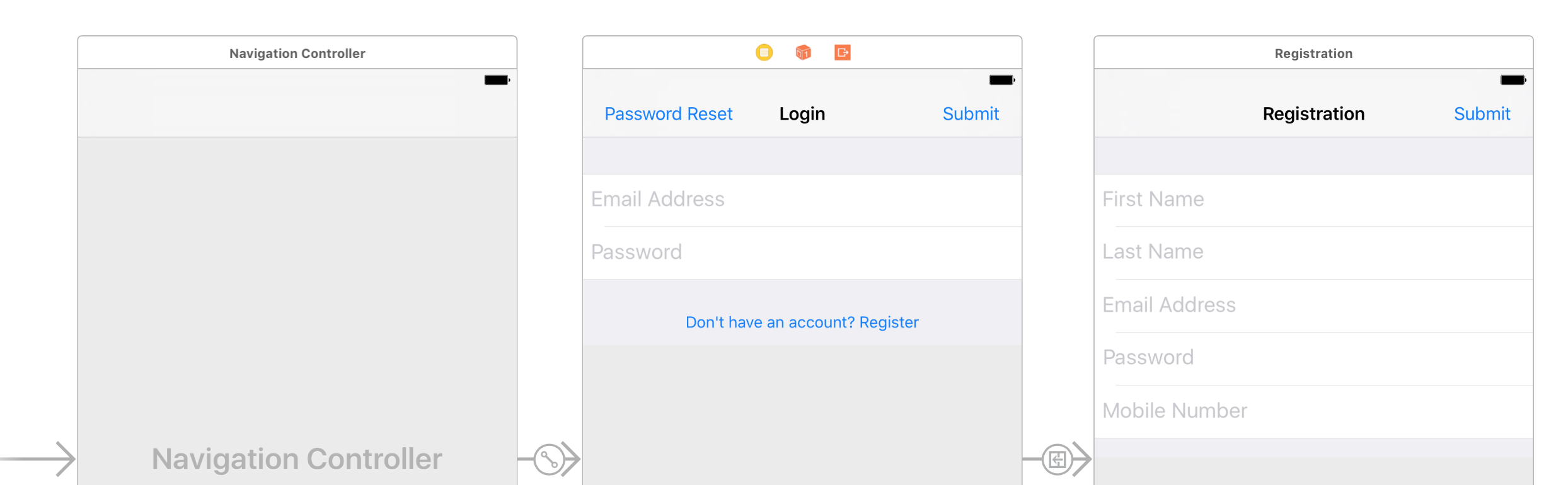
![](https://files.readme.io/31a0f7b-login-storyboard.png)

Link the form fields and submit button actions just as we did for the registration view![](https://files.readme.io/23f249a-login-ib-init.png)
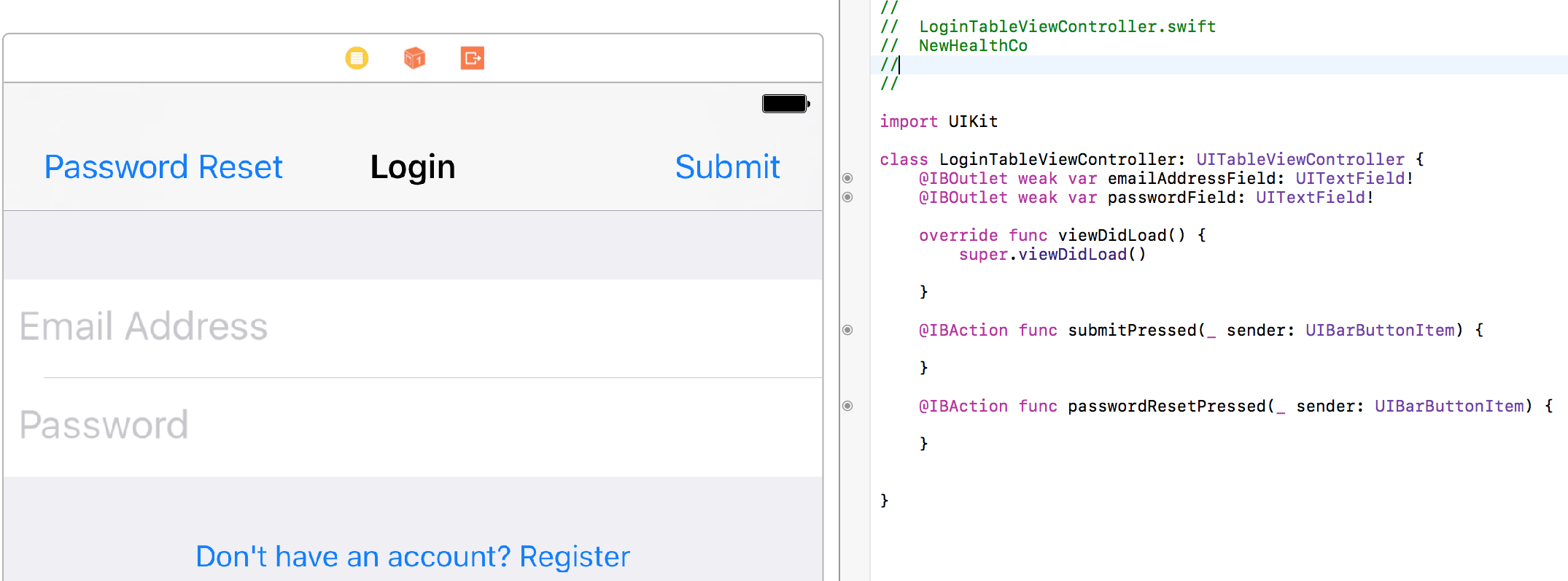
Logging in is done through the function `.authenticateSessionWithEmail...` which takes in 4 parameters

1. Email
2. Password
3. Verification Token - this is an optional parameter that you only set when the user is using 2fa to verify his/her identity
4. Single Use - having this set to `false` tells the Medable SDK to remember the current device for all future login attempts so that 2fa is no longer required for this specific account on this specific device

If you attempt to login on the same iOS simulator or device that you used for registration, the authentication should succeed without a verification token.Swift

```
Medable.client().authenticateSession(withEmail: emailAddressField.text!, password: passwordField.text!, verificationToken: nil, singleUse: false) { (account:MDAccount?, error:MDFault?) in
    print("Callback returns account: \(account)")
    print("Callback returns error: \(error)")
}
```

## Login Auth Response

Attempting to authenticate a user results in three common scenarios

### Successful Login

```
Callback returns account: Optional(Id: 5784279b46b010416570d2ac  Name: John Smith   eMail: test@extremail.ru)
```

### Two-factor Authentication Required

For security reasons, Medable enforces two-factor authentication. Learn more [here](https://docs.medable.com/reference-link/two-factor-authentication)

To test this you simply register an account on one simulator/device and try to login to that same account on a different version simulator or different device. Alternatively, you could delete the app between registration and installation.

```
Callback returns error: Optional(kNewLocation - location - A new location has been added to the account. Please verify it -)
```

Or, if the user was already sent a verification code but still tries to login without passing in a verification code

```
Callback returns error: Optional(kUnverifiedLocation - location - Access by this location is pending account holder verification -)
```

So if the callback returns either of these error messages, we prompt the user to enter the 6-digit verification code that Medable automatically sends to the mobile number associated with the account (via SMS).\
Create an instance of `UIAlertController` to collect this information and call authorize again with the code passed in as a parameter (instead of nil)

```
if let code = error?.code {
    if code == kMDAPIErrorNewLocation || code == kMDAPIErrorUnverifiedLocation {
        self.present(self.verificationCodeController, animated: true, completion: nil)
    }
}
```
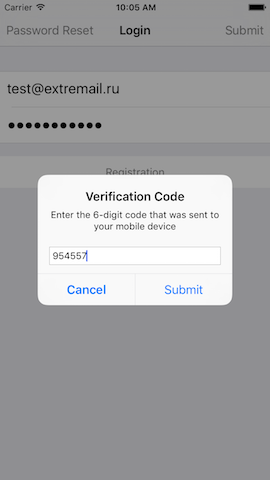
![](https://files.readme.io/4fee1c2-login-verification-code-ios.png)

### Invalid email/password combination

For security reasons, the Medable API will never indicate whether the email doesn't exist in the database or the password was incorrect for an existing email.\
Instead the API simply accepts or denies a given combination of email/password.

```
Callback returns error: Optional(kInvalidCredentials - auth - Invalid email/password combination -)
```

Add a "Reset Password" button to the tab bar and corresponding IBAction

```
@IBAction func passwordResetPressed(_ sender: UIBarButtonItem) {
    self.present(self.passwordResetController, animated: true, completion: nil)
}
```

When the button is pressed, we present a `UIAlertController` once again to collect the email address that the user is trying to login with.\
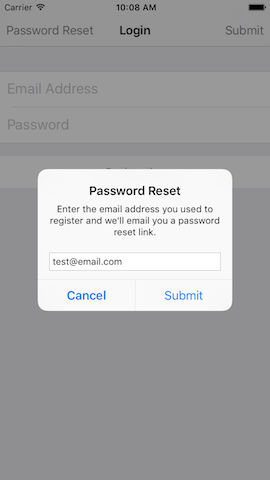
![](https://files.readme.io/0048ea3-login-password-reset-ios.png)

Here's the setup code for the two UIAlertController.

Swift

```
var verificationCodeController = UIAlertController(title: "Verification Code", message: "Enter the 6-digit code that was sent to your mobile device", preferredStyle: .alert)
var passwordResetController = UIAlertController(title: "Password Reset", message: "Enter the email address you used to register and we'll email you a password reset link.", preferredStyle: .alert)

override func viewDidLoad() {
  super.viewDidLoad()

  verificationCodeController.addTextField { (textField:UITextField) in
    textField.keyboardType = .numberPad
  }
  verificationCodeController.addAction(UIAlertAction(title: "Cancel", style: .cancel, handler: nil))
  verificationCodeController.addAction(UIAlertAction(title: "Submit", style: .default, handler: { (action:UIAlertAction) in
    if let verificationCode = self.verificationCodeController.textFields?.first?.text {
        Medable.client().authenticateSession(withEmail: self.emailAddressField.text!, password: self.passwordField.text!, verificationToken: verificationCode, singleUse: false) { (account:MDAccount?, error:MDFault?) in
            print("Callback returns account: \(account)")
            print("Callback returns error: \(error)")
        }
    }
  }))

  passwordResetController.addTextField { (textField:UITextField) in
    textField.keyboardType = .emailAddress
  }
  passwordResetController.addAction(UIAlertAction(title: "Cancel", style: .cancel, handler: nil))
  passwordResetController.addAction(UIAlertAction(title: "Submit", style: .default, handler: { (action:UIAlertAction) in
  if let email = self.passwordResetController.textFields?.first?.text {
    Medable.client().requestPasswordReset(withEmail: email, callback: { (error:MDFault) in })
  }
  }))

}
```

## Login Complete

Once login is successful, the `Medable.client().currentUser` object is defined for you to access details regarding the logged-in user from any file in the project.

In this tutorial, we'll demo the built-in push notification feature of Medable. The setup involves a 4-step configuration:

1. Generate PEM file
2. Enable Medable Push Notifications
3. Send Medable Push
4. Xcode Setup

## Generate PEM file

Start by navigating to developer.apple.com

Go to "Certificates, Identifiers & Profiles" -> "Identifiers" -> "App IDs"

Select your app ID -> Click `Edit` -> Enable `Push Notifications` -> Under `Development SSL Certificate`, Click `Create Certificate`

Follow Apple's instructions to create a certificate named `Apple Development IOS Push Services: APP ID HERE` in your Keychain Access app

Right click on this certificate and select the `export` option.\

![](https://files.readme.io/567b230-xcode-push-setup.png)

Name it something like `MedableDevPushCertificate` -> Change format to `.p12` -> Click Save

> If you don't see the .p12 option in the dropdown, navigate to the "Certificates" section in the left navigation and right click on the certificate from there
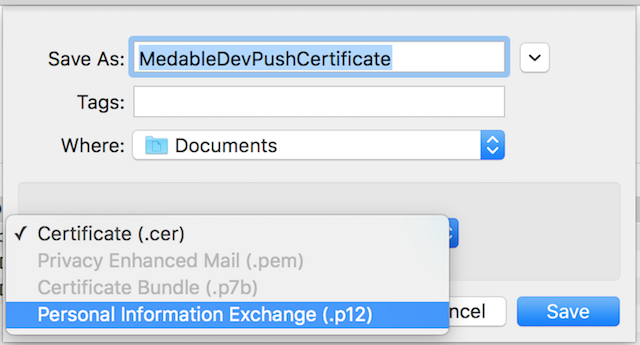
![](https://files.readme.io/031304f-ios-push-keychain-save.png)

It will prompt you to enter a password - DO NOT enter any password - simply click OK with the fields empty![](https://files.readme.io/6c09e73-ios-push-keychain-pw.png)
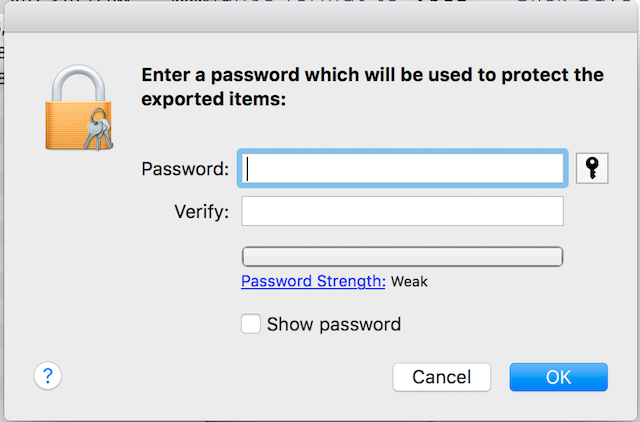
Open Terminal -> cd into the folder that contains `MedableDevPushCertificate.p12` -> copy paste the following command

```
    $ openssl pkcs12 -in MedableDevPushCertificate.p12 -out MedableDevPushCertificate.pem -nodes -clcerts
```

> ### 🚧IMPORTANT
>
> DO NOT enter a password when prompted after issuing the above command in the terminal - just press enter to continue

Open MedableDevPushCertificate.pem in the text editor of your choice, from the Terminal or Finder

You should see a bunch of mumbo jumbo clearly delineated by `-----BEGIN CERTIFICATE-----` and `-----END CERTIFICATE-----` and `-----BEGIN RSA PRIVATE KEY-----` and `-----END RSA PRIVATE KEY-----`

Congrats! Part 1 is done. But keep this .pem file open - we'll be copy pasting some of this into your Medable App Settings

> If you're having trouble getting to this point, there's a more detailed guide [here](https://www.raywenderlich.com/123862/push-notifications-tutorial) if you scroll down to "Creating an [SSL Certificate](https://cybernews.com/resources/web-hosting-glossary/#ssl-tls) and PEM file"

## Enable Medable Push Notifications

1. Go to your Medable Admin Portal- app.dev.medable.com/
2. Settings => Apps => Select your app
3. Check `APNs Debug Gateway Option` - only do this if you're inputting a *development* certificate.
4. Copy everything from begin certificate to end certificate (including markers) into the `APNs Certificate` field
5. Copy everything from begin RSA private key to end RSA private key (including markers) into the `APNs Private Key` field

## Send Medable Push

Remember that in this example, we'll be sending a push notification once a user logs in successfully. Create a trigger script to achieve this behavior.

Create a custom notification by going to Settings -> Notifications -> Custom Notifications -> New Notification
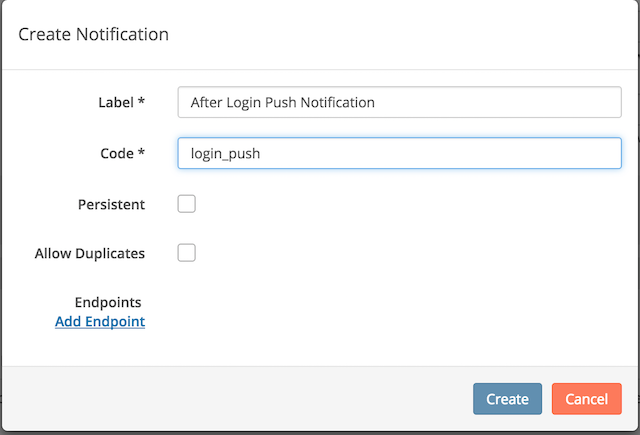
![](https://files.readme.io/9289c37-ios-push-custom-notif.png)

Click `Add Endpoint`

![](https://files.readme.io/8e4a729-ios-push-add-endpoint.png)

By the way, I selected a custom `Login Successful` template I created in the Settings -> Templates tab![](https://files.readme.io/07550f7-ios-push-custom-template.png)
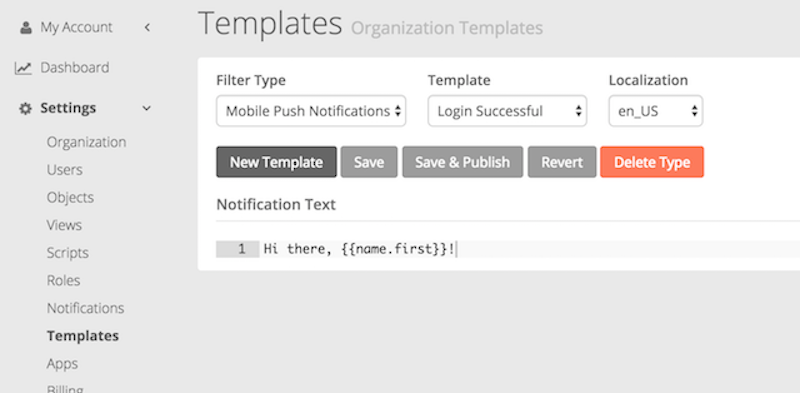
Create the custom notification with the Push Notification Endpoint and now you can send trigger this notification in your custom script.

1. Go to Settings -> Scripts -> New Script
2. Create a trigger than runs upon Account login
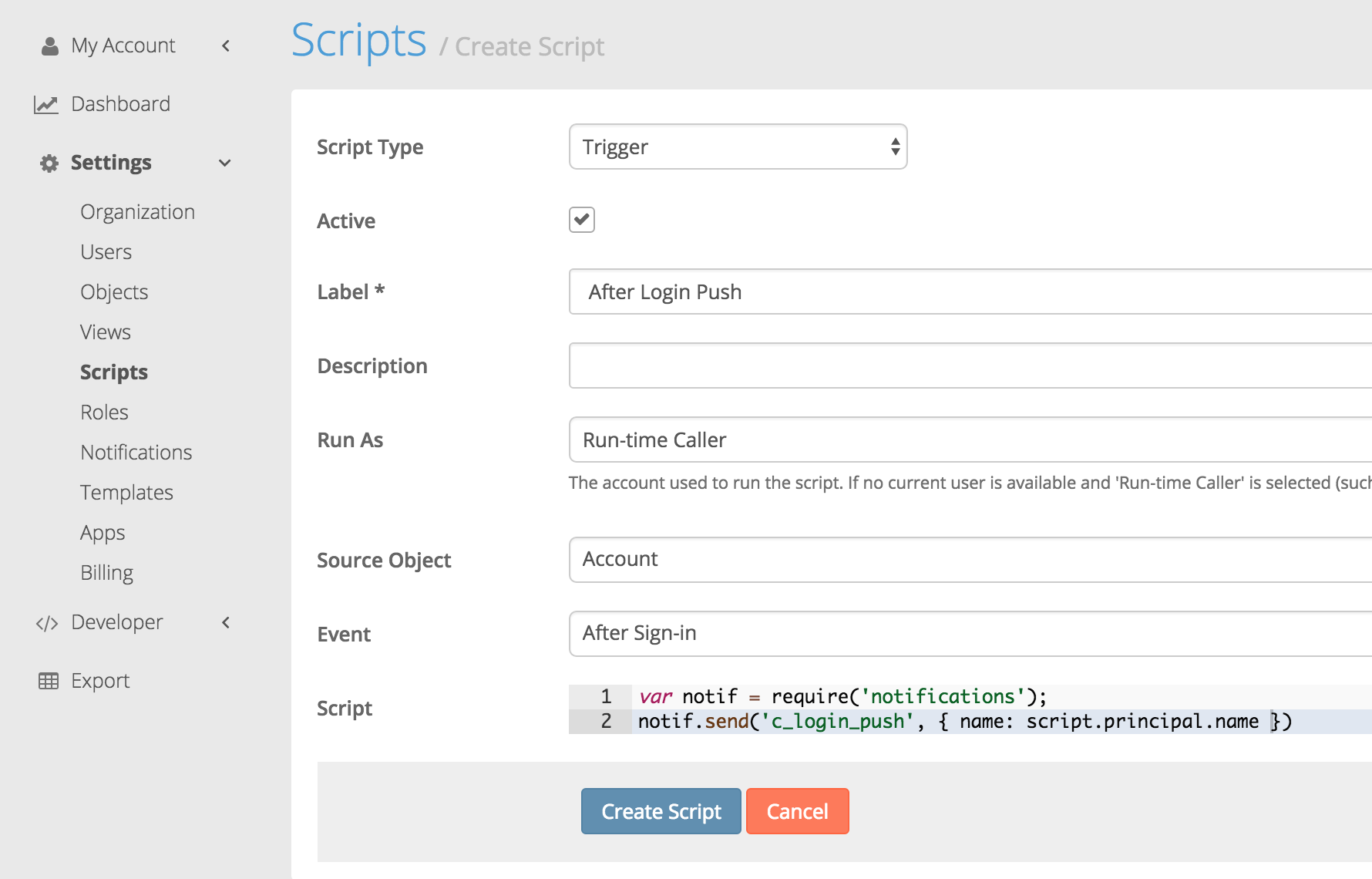
![](https://files.readme.io/f86f9da-ios-push-script-trigger.png)

> The notification code corresponds to the custom notification we created.\
> The name set to the principal's name in order to be able to use it in the notification template to personalize the message with the receiver's name.\
> A third parameter can be set in the notif.send() function to specify who gets the push notif. But if not, it will default to whoever is the run-time caller.

## Xcode Setup

Xcode 8 makes it easier than ever to enable push notifications on your project. If you followed instructions correct to this point, you shoud just be able to switch on Push Notifications in the `Capabilities` section of your project settings.\

![](https://files.readme.io/f673c20-xcode-push-setup.png)

Now navigate to your Project Settings and uncheck the `Automatically manage signing` option. We'll upload a provisioning profile specific to this app instead. We didn't cover how to get a provisioning profile from the apple dev center but you can find instructions on how to do this from other online resources.![](https://files.readme.io/54b4f2d-provisioning-manual.png)
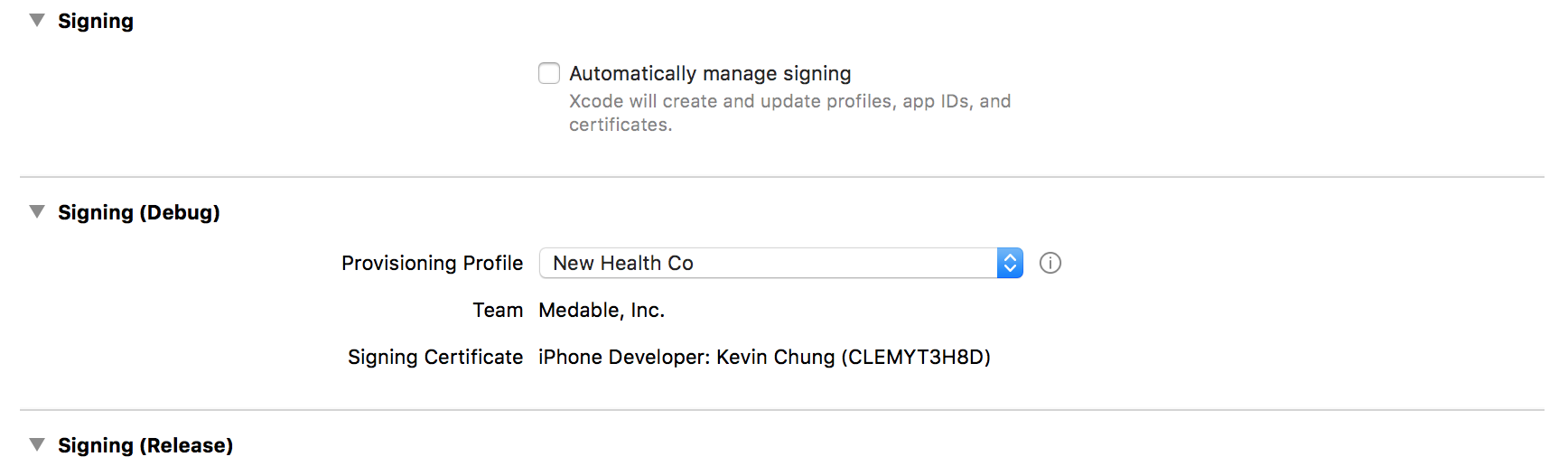
> Ensure that your device is registered under this provisioning profile. This is done by going to developer.apple.com -> Devices -> click + button -> specify name and UDID of device -> click register. Then select this device when creating your provisioning profile.

Setting up your application to receive push notifications is simple. Just a few more lines of code to our existing tutorial project that already has registration and login built in.

In the App Delegate after application has launched, let's request permission from the user to send push notifications

```
let center = UNUserNotificationCenter.current()
center.requestAuthorization(options: [.alert, .sound]) { (granted:Bool, error:Error?) in }
application.registerForRemoteNotifications()
```

> In order for UNUserNotificationCenter to function, we need to `import UserNotifications` at the top of the AppDelegate

Once permission is granted, let's send the device token to Medable so the system knows where to send the push notifications.

```
func application(_ application: UIApplication, didRegisterForRemoteNotificationsWithDeviceToken deviceToken: Data) {
    Medable.client().setPushNotificationToken(deviceToken)
}
```

If the push notification is received while the user isn't using the app, the device will show the alert text on the lock screen or as a popup banner. But if the user is in the app, a separate AppDelegate function gets called:

```
func application(_ application: UIApplication, didReceiveRemoteNotification userInfo: [AnyHashable : Any], fetchCompletionHandler completionHandler: @escaping (UIBackgroundFetchResult) -> Void) {
    print(userInfo)
}
```

Run the app and login. In seconds, you'll receive a push notification logged in your console. Lock your device, login from the web console and you'll see the push notification show up on your device's lock screen.

## First Push Notification Successful
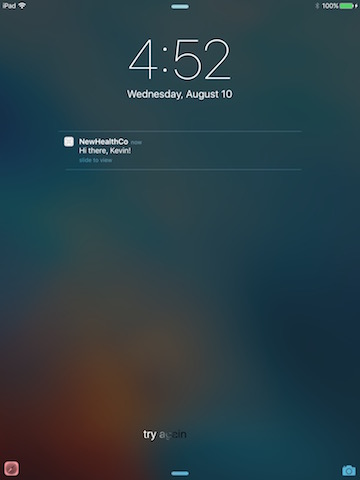
![](https://files.readme.io/57372d0-ios-push-success.jpg)

Nice job!


# Cortex service accounts

In order for org and study configuration to be moved around between environments, the system should be able to easily map user accounts. That's difficult because of passwords and unique email addresses. Roles are currently mapped but user accounts are not. Since views and scripts can be run as a user and resources created must have a creator, packages will need user accounts to act on their behalf. Service accounts enable running a view or a script without having to use a named account. Developer tools and deployments will be able to import and export service accounts.

## Create a service account

We are going to create our first service account so that you can assign this account to your custom scripts.

* Go to your org control panel
* Click on Settings > Service Account and click New Service Account
* The create service account form is displayed. Click Create

| Field  | Description                                                                                                                     |
| ------ | ------------------------------------------------------------------------------------------------------------------------------- |
| Name   | Unique name for the service account. You cannot have 2 service accounts with the same name.                                     |
| Label  | Unique label for the service account. You cannot have 2 service accounts with the same label.                                   |
| Locked | When locked, a service account cannot be authenticated (eg. via access token) but can still be used to run scripts, views, etc. |
| Roles  | Role(s) associated to the service account                                                                                       |
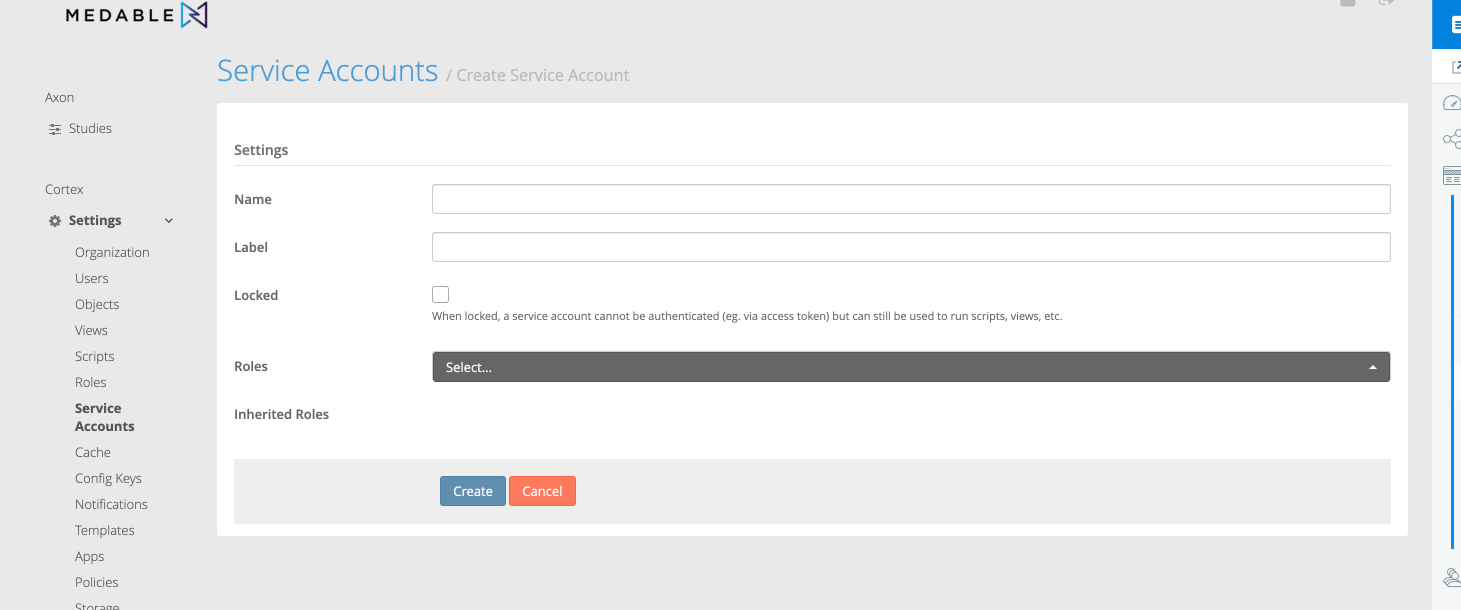
![Service Accounts are also supported for deployment using the cortex developer tools. Documentation for installation and usage for the Cortex developer tools can be found here: https://github.com/Medable/mdctl.](https://files.readme.io/652bb2a-Screen_Shot_2019-04-12_at_11.27.57_AM.png)

Service Accounts are also supported for deployment using the cortex developer tools. Documentation for installation and usage for the Cortex developer tools can be found here: <https://github.com/Medable/mdctl>.


# Cortex developer tools

Cortex developer tools allow users to export org configurations from one organization and import them to another organization. These tools will also allow you to create a git-mergeable format for org configuration. As such, the exports will be minimalistic in nature, having only the properties required to rebuild during import. The developer tools consist of cortex routes, an npm module (which includes a command interface) and a reference implementation Atom plugin that makes use of the npm module. Documentation for installation and usage can be found here: <https://github.com/Medable/mdctl>.


# Automated Account Notifications

Notifications that are automatically sent by the system for account activation, connection, and password management activities.

## **Overview**

Cortex supports the following account notification types:

* Connections
* Password reset
* Password creation
* Account activation
* Account verification

For each notification type, there is a corresponding URL setting, as shown in this table.

<table><thead><tr><th width="197.9510665057665">URLs</th><th>Description</th></tr></thead><tbody><tr><td>Connection URL</td><td>The URL displayed in connection request emails. The URL accepts a connection $token variable (for example, https://www.example.com/connections/$token).</td></tr><tr><td>Reset Password URL</td><td>The URL displayed in reset password emails. The URL accepts a reset $token variable (for example, https://www.example.com/reset-password/$token).</td></tr><tr><td>Create Password URL</td><td>The URL displayed in newly provisioned account password creation emails. The URL accepts a password create $token variable (for example, https://www.example.com/create-password/$token).</td></tr><tr><td>Activate Account URL</td><td>The URL displayed in account activation emails. The URL accepts an activation $token variable (for example, https://www.example.com/activate-account/$token).</td></tr><tr><td>Verify Account URL</td><td>The URL displayed in account verification emails. The URL accepts a verification $token variable (for example, https://www.example.com/verify-account/$token).</td></tr></tbody></table>

You can configure these notification URLs at both the org and app level.

* To configure org level settings, follow the [**Org Level**](#org-level) instructions.
* To configure app level settings, follow the [**App Level**](#app-level) instructions.

{% hint style="warning" %}
**Important:** [**App Level**](#app-level) settings override [**Org Level**](#org-level) settings
{% endhint %}

## Org Level

You configure URLs at the org level within **Notifications** settings.

Follow these steps:

1. Open Cortex Web.
2. Select **Settings** > **Notifications.**
3. Navigate to the **Email Settings and URLs** section.
4. Modify the URL settings as you like.
5. Check the [URL Syntax](#url-syntax) is correct.
6. Click the **Update** button to save.&#x20;

## App Level

You configure URLs at the app level within **App** settings.

Follow these steps:

1. Open Cortex Web.
2. Select **Settings** > **Apps.**
3. Select the **App** you wish to modify.
4. Navigate to the **URLs** section.
5. Modify the URL settings as you like.
6. Check the [URL Syntax](#url-syntax) is correct.
7. Click the **Save App** button to save.&#x20;

## URL Syntax

Notification URLs accept verification `$token` variables with this syntax:

`https://{app url}/{redirect-url-type}/$token/?org={orgname}`

* The `{app url}` is required and corresponds to the App URL that you are redirecting to.
* The `{redirect-url-type}` is required and corresponds to the notification types listed in the [Overview](#overview) section.&#x20;
* The `{orgname}` is only required for Medable web apps and corresponds to the name of the Medable organization.

### Example&#x20;

For example, to change the redirect URL for the password reset email for a Medable Web Application, enter the following into the **Reset Password URL** field:

`https://builder-dev.medable.com/reset-password/$token/?org=producttraining1`


# Overview

In this Cortex reference, you'll find information and examples on transacting with the Cortex API; creating custom objects and properties; working with standard objects such as Accounts, Connections, and Notifications; searching and aggregating your data; and creating custom scripts.

| Feature           | Description                                                                                                                           |
| ----------------- | ------------------------------------------------------------------------------------------------------------------------------------- |
| proxy service     | Deploys versioning across Medable Web Applications using haproxy instance                                                             |
| cortex screenshot | A service which communicates with a third-party mobile phone farm to run unit tests that capture screen shots of Medable applications |
| cortex-ws         | Web sockets                                                                                                                           |
| cortex-lb         | Cortex APIs load balancer service which routes traffic into available Kubernetes instances using the HAProxy                          |
| cortex renderer   | Creates CSV, HTML, and PDF files and saves them in AWS S3 or sends them via SFTP to a client's computer                               |
| cortex api        | The application programming interface that allows Medable applications to talk to Cortex                                              |
| cortex-transcoder | Makes a composition of the audio-visual Televisit recording of Televisits resulting in a single video (with audio) of the meeting     |
| cortex-transpiler | Converts Javascript es6 code to es5                                                                                                   |
| cortex-virtuscan  | Cortex's virus scanner                                                                                                                |
| cortex beam       | Replicates data from MongoDB into a Postgres database for reporting and analytics purposes                                            |
| cortex mirror     | Replicates data from MongoDB into another MongoDB located in a different regional cloud                                               |

|   |
| - |


# Objects

## Data Structure

The Cortex data structure is comprised by a series of objects and those object’s properties. Objects and properties are considered either standard or custom. Standard objects and properties are created and populated solely by the Medable application; standard objects and properties cannot be edited. Custom objects and properties begin with the prefix `c_*` and can be edited. New custom objects and properties can be created when the existing data structure does not meet the needs of a study.

## Common Data Object Definitions

Below is a list and short description for common data objects which can be found in most studies.

| Object Label           |     Object Name    | Object Description                                                                                                                                                                                                                                                                                                                                                                                   |
| ---------------------- | :----------------: | ---------------------------------------------------------------------------------------------------------------------------------------------------------------------------------------------------------------------------------------------------------------------------------------------------------------------------------------------------------------------------------------------------- |
| Account                |      `account`     | Account objects are created for every user with a login. Account records are created for participants after enrollment and for administrators through Researcher Portal. Account records do include PHI, most commonly name, date of birth and sex.                                                                                                                                                  |
| Branch                 |     `c_branch`     | Branching is a way to skip over questions depending on previous answers. Branching logic is used to create non-linear if/then logic within a task. Branch objects hold a reference to the associated c\_step objects and the logic to skip between `c_steps`.                                                                                                                                        |
| Connections            |    `connection`    | Connections allow users to share documents with another user who inherently does not have access to said document. More details on connections can be found here.                                                                                                                                                                                                                                    |
| EDI Message            |   `c_edi_message`  | The EDI Message object is only populated in organizations that have EDI integrations. The object contains references to associated objects, a record of what messages were sent, statuses and time stamps.                                                                                                                                                                                           |
| Participant Group      |      `c_group`     | The Participant Group determines a study participant’s task assignments and can be used to enforce a specific study workflow.  Tasks are assigned to these groups and you can configure Flow Rules to create scenarios where certain task responses unlock other tasks for completion.                                                                                                               |
| Participant Group Task |   `c_group_task`   | The Group Task defines the availability of tasks within a `c_group`. Details about the task’s schedule (e.g. always available, one time, or other schedule) and task reminders/notifications are detailed here.                                                                                                                                                                                      |
| Health Datum           |  `c_health_datum`  | Wearable device data is stored in the Health Datum object.                                                                                                                                                                                                                                                                                                                                           |
| HK Sample              |    `c_hksample`    | HK Sample objects contain data collected by Apple HealthKit or Google Fit in Health Data Permissions steps.                                                                                                                                                                                                                                                                                          |
| Organization           |        `org`       | An org object can contain multiple Studies. The Organization contains information about the sponsor. For example, the name and logo are stored on the org.                                                                                                                                                                                                                                           |
| Public User            |   `c_public_user`  | Every participant in a study will have a Public User object, which is created. when a patient is invited to the study. Public User records are anonymized and only contain the subject’s ID (`c_public_user.c_number`). If the participant logs in to Medable using Patient App, their user will link to an account object. Many other dynamic data objects link back to the `c_public_user` object. |
| Query                  |      `c_query`     | Query objects are created when data managers find and review unexpected or inaccurate data. Query objects can be automatically or manually created. Queries are associated with `c_step_response` and `c_task_response` objects.                                                                                                                                                                     |
| Query Note             |   `c_query_note`   | Data managers are able to add Query Notes during query resolution workflows. These are the messages that get created when a system query is triggered.                                                                                                                                                                                                                                               |
| Query Rule             |   `c_query_rule`   | Query rules are a static data set which define the conditions under which an automatic query is created.                                                                                                                                                                                                                                                                                             |
| Research Data          | `c_research_datum` | The Research Data object contains aggregated statistics for key events in the system. For example, the object contains the number of user who requested to leave the study each day.                                                                                                                                                                                                                 |
| Site                   |      `c_site`      | Site objects correspond to each of the sites in the study. The objects contain information about the PI, address, site alias and more. Note that this will only be applicable if a study uses the site app.                                                                                                                                                                                          |
| Site User              |    `c_site_user`   | Site User objects are created for each non-participant user in Medable. Access permissions and roles are assigned here. There are five standard site user roles: Site User, Site Investigator, Data Reviewer, Data Manager, and Site Monitor. The level of system access and responsibilities for each of these roles varies.                                                                        |
| Step                   |      `c_step`      | Steps correspond to questions within a questionnaire (`c_task`). The step’s type (`c_type`) property defines its functionality and appearance.                                                                                                                                                                                                                                                       |
| Step Response          |  `c_step_response` | When a participant answers a question (`c_step`) in a survey, a Step Response object is created. The Step Response references the Step, associated user (`c_public_user`), and questionnaire (`c_task`). Step responses comprise a majority of the dynamic study data.                                                                                                                               |
| Study                  |      `c_study`     | Study objects hold general information about your study: the protocol number, projected enrollment numbers, dates, etc. Items that can be configured for a site include: whether the study is available to the general public or requires an invite (enrollment type) and subject ID formats.                                                                                                        |
| Study Export           |  `c_study_export`  | Individuals with access to the Researcher Portal are able to export study data. When a user runs an export, a `c_study_export` object is created.                                                                                                                                                                                                                                                    |
| Task                   |      `c_task`      | Tasks correspond to questionnaires (or forms) in a study. A task is a grouper for `c_steps`.                                                                                                                                                                                                                                                                                                         |
| Task Response          |  `c_task_response` | Task Response objects are dynamically created when a user completes a task in Medable. Task Responses correspond to a `c_task` object but also contain contextual information about the user’s response; Task Responses act as a grouper for `c_step_responses`.                                                                                                                                     |
| Visit                  |      `c_visit`     | Visits provide a way to group and present tasks on Site App, in accordance with a study’s site visit schedule.                                                                                                                                                                                                                                                                                       |
| Visit Schedule         | `c_visit_schedule` | The Visit Schedule allows you to configure a specific study workflow in the Site App. Visits are configured within the Visit Schedule and tasks get assigned to Visits. The Visit Schedule is built in accordance with a study’s workflow.                                                                                                                                                           |


# Objects Overview

Cortex objects are containers for data and functionality. For data-modeling purposes, you can think of a Cortex object like a database table. However, Cortex objects come with many more inherited capabilities than just data storage. For example, a Cortex object lets you specify fine-grained access controls for the objects and their properties, they allow for sharing data with others using connections, you can sub-class Cortex objects into multiple types, and you can extend objects with custom logic via triggers.

Cortex provides a number of standard objects to get you going. You can also create your own objects for modeling your own data and creating your own functionality to meet your needs however you see fit.

## Standard Objects

|     Label    |      Name      |  Plural Name  |                                                                               Description                                                                              | Extensible |
| :----------: | :------------: | :-----------: | :--------------------------------------------------------------------------------------------------------------------------------------------------------------------: | :--------: |
|    Account   |    `account`   |    accounts   |                                                 $ The Account Object represents a user account within an Organization.                                                 |    true    |
| Organization |      `org`     |      orgs     |                                                           The Organization object represents the org, itself.                                                          |    true    |
|  Connection  |  `connection`  |  connections  |                                  Connections enable access to an object instance for a target. For more details, see Using Connections                                 |    false   |
| Notification | `notification` | notifications | Notifications are created when persistent notifications are sent. They contain meta-data about notifications that can facilitate notification handling in client apps. |    false   |
|    Object    |    `object`    |    objects    |                                           The Object object contains the definitions for custom and extended Cortex objects.                                           |    false   |

## Extending Standard Objects

You can extend standard objects by adding custom properties. You can do this via the admin UI and also directly via the Object API.

For example, if you'd like to track the most recent app login for a particular user, you might add a `c_last_logged_in` property that is a Date type to the Account standard object. Now, every user that registers in your app can be stored in the backend with this additional date property. You can pass in the `c_last_logged_in` parameter and the Medable API will know to store that field in a given Account.

You can add any number of custom properties of varying types to get the desired functionality for your application.

## Custom Objects

You can extend the API by creating new custom objects and with custom properties, You can do this via the admin UI and also directly via the Object API.

Custom Cortex object and property names are prefixed with `c_` to differentiate them from standard objects and properties. Additionally, custom objects are given a plural name along with the name you provide. So, for example if you create a custom objects named patient, the api name of your object will be `c_patient` and the plural name will be `c_patients`. If you were to create a custom name document property on your `c_patient` object, with sub string properties of first and last, then your `c_patient` object could look something like:

```
{
  "c_name": {
    "c_first": "Jane",
    "c_last": "Doe"
  }
}
```

Although a standard object's standard properties cannot be modified, custom properties can be added to extensible standard objects.


# Organization

Represents the Organization itself

{% hint style="info" %}
All Organization properties requiring Public access are exposed through GET to the public.
{% endhint %}

## Organization Object Data Model

| name                 | data type | description                                                                                                                                                                                                  |
| -------------------- | :-------: | ------------------------------------------------------------------------------------------------------------------------------------------------------------------------------------------------------------ |
| `id`                 |   String  | The org identifier                                                                                                                                                                                           |
| `access`             |   Number  | The current caller’s context access level.                                                                                                                                                                   |
| `apps`               |  Document | The Org’s configured applications.                                                                                                                                                                           |
| `code`               |   String  | The Org’s code, used to access the api, uniquely identifies the org.                                                                                                                                         |
| `configuration`      |   String  | Org configuration settings.                                                                                                                                                                                  |
| `connections`        | Reference | Connections associated with the Org.                                                                                                                                                                         |
| `created`            |    Date   | The date the context was created                                                                                                                                                                             |
| `deployment`         |  Document | Org deployment settings                                                                                                                                                                                      |
| `favicon`            |    File   | Organization Icon                                                                                                                                                                                            |
| `locale`             |   String  | The Org’s default locale setting.                                                                                                                                                                            |
| `logo`               |    File   | The Org logo.                                                                                                                                                                                                |
| `maintenance`        |  Boolean  | True if Org is in maintenance mode.                                                                                                                                                                          |
| `maintenanceMessage` |   String  | The message to show during maintenance mode.                                                                                                                                                                 |
| `name`               |   String  | The Org label.                                                                                                                                                                                               |
| `object`             |   String  | The context’s object name.                                                                                                                                                                                   |
| `posts`              | Reference | A list of posts made in the context of the org.                                                                                                                                                              |
| `registration`       |  Document | Org registration settings.                                                                                                                                                                                   |
| `roles`              |  Document | Org’s configured roles                                                                                                                                                                                       |
| `schemasETag`        |   String  | Org schemas ETag                                                                                                                                                                                             |
| `security`           |  Document | Org security settings                                                                                                                                                                                        |
| `shared`             |  Boolean  | True if there are any active or pending connections for this context.                                                                                                                                        |
| `state`              |   String  | The Org state.                                                                                                                                                                                               |
| `support`            |  Document | Support options.                                                                                                                                                                                             |
| `tz`                 |   String  | Default timezone for the org. This helps determine UTC offset when working in scripts when a user tz is not available. The timezone must by a unique identifier for an IANA assigned zone, e.g. "US/Pacific" |
| `updated`            |    Date   | The date the latest update was made to a context’s properties                                                                                                                                                |
| `updater`            | Reference | The account id of the context updater                                                                                                                                                                        |
| `website`            |   String  | The Org website, available for use as a variable in email templates (org.website).                                                                                                                           |

## Example Organization Object

{% tabs %}
{% tab title="" %}

```javascript
{
    "_id": "5516ee1b34d8d934281699e3",
    "access": 1,
    "code": "example",
    "favicon": {
        "ETag": "31074002db56d2d6fc8fee5b05caee1c",
        "creator": "5516ee2634d8d93428169c0e",
        "location": 4,
        "mime": "image/x-icon",
        "name": "content",
        "path": "/orgs/5516ee1b34d8d934281699e3/favicon/content",
        "size": 15086,
        "state": 2
    },
    "locale": "en_US",
    "logo": {
        "ETag": "594b69d035ac27c2e69ef053082eb6a3",
        "creator": "5516ee2634d8d93428169c0e",
        "facets": [
            {
                "ETag": "5046104d05edf82e2a2c0d72118ca15b",
                "creator": "5516ee2634d8d93428169c0e",
                "height": 241,
                "location": 4,
                "mime": "image/jpeg",
                "name": "thumbnail",
                "path": "/orgs/5516ee1b34d8d934281699e3/logo/thumbnail",
                "size": 16495,
                "state": 2,
                "width": 300
            }
        ],
        "height": 500,
        "location": 4,
        "mime": "image/jpeg",
        "name": "content",
        "path": "/orgs/5516ee1b34d8d934281699e3/logo/content",
        "size": 52586,
        "state": 2,
        "width": 622
    },
    "name": "Example",
    "object": "org",
    "schemasETag": "b7fa703927702d09ada85150f475d88c"
}
```

{% endtab %}
{% endtabs %}

## Read (Public)

<mark style="color:blue;">`GET`</mark> `https://api.dev.medable.com/{your_org_name}/v2`

#### Path Parameters

| Name            | Type   | Description |
| --------------- | ------ | ----------- |
| your\_org\_name | string | {org\_name} |

{% tabs %}
{% tab title="200 " %}

```
{
    "_id": "5516ee1b34d8d934281699e3",
    "access": 1,
    "code": "example",
    "favicon": {
        "ETag": "31074002db56d2d6fc8fee5b05caee1c",
        "creator": "5516ee2634d8d93428169c0e",
        "location": 4,
        "mime": "image/x-icon",
        "name": "content",
        "path": "/orgs/5516ee1b34d8d934281699e3/favicon/content",
        "size": 15086,
        "state": 2
    },
    "locale": "en_US",
    "logo": {
        "ETag": "594b69d035ac27c2e69ef053082eb6a3",
        "creator": "5516ee2634d8d93428169c0e",
        "facets": [
            {
                "ETag": "5046104d05edf82e2a2c0d72118ca15b",
                "creator": "5516ee2634d8d93428169c0e",
                "height": 241,
                "location": 4,
                "mime": "image/jpeg",
                "name": "thumbnail",
                "path": "/orgs/5516ee1b34d8d934281699e3/logo/thumbnail",
                "size": 16495,
                "state": 2,
                "width": 300
            }
        ],
        "height": 500,
        "location": 4,
        "mime": "image/jpeg",
        "name": "content",
        "path": "/orgs/5516ee1b34d8d934281699e3/logo/content",
        "size": 52586,
        "state": 2,
        "width": 622
    },
    "name": "Example",
    "object": "org",
    "schemasETag": "b7fa703927702d09ada85150f475d88c"
}
```

{% endtab %}

{% tab title="400 " %}

```
{}
```

{% endtab %}
{% endtabs %}

{% tabs %}
{% tab title="Javascript" %}

```javascript
$.ajax({
    url: "https://api.dev.medable.com/example/v2/",
    method: "GET",
    dataType : "json",
    xhrFields: {
        withCredentials: true
    },
    headers: {
        "Medable-Client-Key": "GsAqlhnIMzrDeD8V2MBQWq"
    }
}).done(function(data) {
    // ...
});
```

{% endtab %}

{% tab title="Objective C" %}

```c
[[MDAPIClient sharedClient] getOrgInfoWithCallback:^(MDOrg *org, MDFault *fault)
 {
    // Handle fault or process results
 }];
```

{% endtab %}

{% tab title="Java" %}

```java
APIClient.sharedInstance().getPublicOrgInfo(new ObjectFaultCallback<JsonObject>()
{
    @Override
    public void call(JsonObject object, Fault fault)
    {
        // Public org's info in Json format
    }
});
```

{% endtab %}
{% endtabs %}

\--

## Read (Full)

<mark style="color:blue;">`GET`</mark> `https://api.dev.medable.com/{your_org_name}/v2/orgs/org_id`

#### Path Parameters

| Name            | Type   | Description |
| --------------- | ------ | ----------- |
| your\_org\_name | string | {org\_name} |
| org\_id         | string | {org\_id}   |

{% tabs %}
{% tab title="200 " %}

```
{
    "_id": "5516ee1b34d8d934281699e3",
    "access": 1,
    "code": "example",
    "favicon": {
        "ETag": "31074002db56d2d6fc8fee5b05caee1c",
        "creator": "5516ee2634d8d93428169c0e",
        "location": 4,
        "mime": "image/x-icon",
        "name": "content",
        "path": "/orgs/5516ee1b34d8d934281699e3/favicon/content",
        "size": 15086,
        "state": 2
    },
    "locale": "en_US",
    "logo": {
        "ETag": "594b69d035ac27c2e69ef053082eb6a3",
        "creator": "5516ee2634d8d93428169c0e",
        "facets": [
            {
                "ETag": "5046104d05edf82e2a2c0d72118ca15b",
                "creator": "5516ee2634d8d93428169c0e",
                "height": 241,
                "location": 4,
                "mime": "image/jpeg",
                "name": "thumbnail",
                "path": "/orgs/5516ee1b34d8d934281699e3/logo/thumbnail",
                "size": 16495,
                "state": 2,
                "width": 300
            }
        ],
        "height": 500,
        "location": 4,
        "mime": "image/jpeg",
        "name": "content",
        "path": "/orgs/5516ee1b34d8d934281699e3/logo/content",
        "size": 52586,
        "state": 2,
        "width": 622
    },
    "name": "Example",
    "object": "org",
    "schemasETag": "b7fa703927702d09ada85150f475d88c"
}
```

{% endtab %}

{% tab title="400 " %}

```
{}
```

{% endtab %}
{% endtabs %}

{% tabs %}
{% tab title="Javascript" %}

```javascript
$.ajax({
    url: "https://api.dev.medable.com/example/v2/orgs/5516ee1b34d8d934281699e3",
    method: "GET",
    dataType : "json",
    xhrFields: {
        withCredentials: true
    },
    headers: {
        "Medable-Client-Key": "GsAqlhnIMzrDeD8V2MBQWq"
    }
}).done(function(data) {
    // ...
});
```

{% endtab %}

{% tab title="Objective C" %}

```c
[[MDAPIClient sharedClient]
 orgWithId:self.Id
 parameters:parameters
 callback:^(MDOrg* updatedOrg, MDFault *fault)
 {
   if ( [updatedOrg isKindOfClass:[wSelf class]] && fault == nil )
   {
     [wSelf updateWithInstance:updatedOrg];
   }

   if ( callback )
   {
     callback(updatedOrg, fault);
   }
 }];
```

{% endtab %}

{% tab title="Java" %}

```java
Org org = APIClient.sharedInstance().getCurrentOrg();

// or:

APIClient.sharedInstance().getOrg(
        new ObjectId("orgId here"),
        null,
        new ObjectFaultCallback<Org>()
        {
            @Override
            public void call(Org org, Fault fault)
            {
                // Handle fault or process results
            }
        }
);
```

{% endtab %}
{% endtabs %}

## Update

<mark style="color:orange;">`PUT`</mark> `https://api.dev.medable.com/{your_org_name}/v2`

The Organization settings can only be updated by an Administrator. Because the Org is public, it is possible to add a custom property to allow those with other roles (or no roles) to update it. To demonstrate, the following property has been added to the Organization in the example request to the right, and all Providers given access to push elements onto the c\_4providers array.

#### Path Parameters

| Name            | Type   | Description |
| --------------- | ------ | ----------- |
| your\_org\_name | string | {org\_name} |
| org\_id         | string | {org\_id}   |

{% tabs %}
{% tab title="200 " %}

```
{
    "hasMore": false,
    "object": "list",
    "data": [-4, -3, -2, -1, 0, 11, 22, 33, 44, 55]
}
```

{% endtab %}

{% tab title="400 " %}

```
{}
```

{% endtab %}
{% endtabs %}

{% tabs %}
{% tab title="Javascript" %}

```javascript
$.ajax({
    url: "https://api.dev.medable.com/example/v2/orgs/5516ee1b34d8d934281699e3/c_4providers",
    method: "PUT",
    dataType : "json",
    xhrFields: {
        withCredentials: true
    },
    headers: {
        "Medable-Client-Key": "GsAqlhnIMzrDeD8V2MBQWq"
    },
    data: [
    -5,
    -4,
    -3,
    -2,
    -1,
    0,
    11,
    22,
    33,
    44,
    55
]
}).done(function(data) {
    // ...
});
```

{% endtab %}

{% tab title="Objective C" %}

```c
NSDictionary *body = @{ @"c_providers": @{ @"data": @[ @(-5), @(-4), @(-3), @(-2), @(-1), @(0), @(11), @(22), @(33), @(44), @(55) ] } };

[[MDAPIClient sharedClient]
 updateOrgWithId:[MDObjectId objectIdWithString:@"5516ee1b34d8d934281699e3"]
 body:body
 callback:^(MDOrg * _Nullable editedObject, MDFault * _Nullable fault)
 {

 }];
```

{% endtab %}

{% tab title="Java" %}

```java
Body body = new Body();

JsonObject jsonContent = APIClient.sharedInstance().getGsonParser()
        .parse("{ \"c_providers\": { \"data\": [ -5, -4, -3, -2, -1, 0, 11, 22, 33, 44, 55 ] } }")
        .getAsJsonObject();

FastBodyProperty fastProp = new FastBodyProperty(jsonContent);
body.addProperty(fastProp);

APIClient.sharedInstance().updateOrg(
        new ObjectId("5516ee1b34d8d934281699e3"),
        body,
        new ObjectFaultCallback<Org>()
        {
            @Override
            public void call(Org editedOrg, Fault fault)
            {

            }
        }
);
```

{% endtab %}
{% endtabs %}

## Update

<mark style="color:purple;">`PATCH`</mark> `https://api.dev.medable.com/{your_org_name}/v2`

#### Path Parameters

| Name            | Type   | Description |
| --------------- | ------ | ----------- |
| your\_org\_name | string | {org\_name} |
| org\_id         | string | {org\_id}   |

#### Request Body

| Name  | Type   | Description |
| ----- | ------ | ----------- |
| op    | string | op          |
| path  | string | path        |
| value | string | value       |

{% tabs %}
{% tab title="200 " %}

```
{
    "hasMore": false,
    "object": "list",
    "data": [-4, -3, -2, -1, 0, 11, 22, 33, 44, 55]
}
```

{% endtab %}

{% tab title="400 " %}

```
{}
```

{% endtab %}
{% endtabs %}

{% tabs %}
{% tab title="JavaScript" %}

```javascript
$.ajax({
    url: "https://api.dev.medable.com/example/v2/orgs/586eb9ef64129a5f3631a0ca",
    method: "PATCH",
    dataType : "json",
    xhrFields: {
        withCredentials: true
    },
    headers: {
        "Medable-Client-Key": "GsAqlhnIMzrDeD8V2MBQWq"
    },
    data: {
          "op": "push",
          "path": "/configuration/email/locationBypass",
          "value": "john@medable.com"
    }
}).done(function(data) {
    // ...
});
```

{% endtab %}
{% endtabs %}


# Account

The Account Object represents a user account within an Organization.&#x20;

| <p><strong>\_id</strong><br>ObjectId</p>                | The account identifier.                                                                                                                                                                                                 |
| ------------------------------------------------------- | ----------------------------------------------------------------------------------------------------------------------------------------------------------------------------------------------------------------------- |
| <p><strong>access</strong><br>Number</p>                | The current caller's context access level.                                                                                                                                                                              |
| <p><strong>activationRequired</strong><br>Boolean</p>   | True if the account must be activated before use. Dependant on Org settings.                                                                                                                                            |
| <p><strong>age</strong><br>Number</p>                   | The age of the account holder (based on the dob property).                                                                                                                                                              |
| <p><strong>connections</strong><br>Reference\[]</p>     | Connections associated with the Account.                                                                                                                                                                                |
| <p><strong>created</strong><br>Date</p>                 | The date the context was created.                                                                                                                                                                                       |
| <p><strong>dob</strong><br>Date</p>                     | Account holder date of birth.                                                                                                                                                                                           |
| <p><strong>email\*</strong><br>String</p>               | The email address for the account and must be unique within the Org.                                                                                                                                                    |
| <p><strong>favorite</strong><br>Boolean</p>             | Tags the context as a favorite, which can then be filtered using the API.                                                                                                                                               |
| <p><strong>gender</strong><br>String</p>                | <p>Account holder gender. Available values are:<br><code>f</code> - Female<br><code>m</code> - Male<br><code>n</code> - Neither<br><code>o</code> - Other<br><code>t</code> - Trans<br><code>u</code> - Unspecified</p> |
| <p><strong>image</strong><br>File</p>                   | The account profile image.                                                                                                                                                                                              |
| <p><strong>inherited\_roles</strong><br>ObjectId\[]</p> | Any roles that are inherited from my current role. If my current role has no sub-roles then this is an empty array.                                                                                                     |
| <p><strong>key</strong><br>Document</p>                 | A fingerprint and secret, re-generated on password change. Useful for client-side PHI encryption/caching scenarios, it is available to the account holder for the life of an authenticated session.                     |
| <p><strong>mobile</strong><br>String</p>                | The mobile number of the account holder. This number should be capable of receiving SMS messages and must be in E.164 format.                                                                                           |
| <p><strong>name</strong><br>Document</p>                | Name of the account holder (split into first and last names as well as optional prefix, middle, suffix and additional\[]).                                                                                              |
| <p><strong>object</strong><br>String</p>                | The context’s object name.                                                                                                                                                                                              |
| <p><strong>preferences</strong><br>Document</p>         | The account preferences.                                                                                                                                                                                                |
| <p><strong>profile</strong><br>Document</p>             | The account profile.                                                                                                                                                                                                    |
| <p><strong>roles</strong><br>ObjectId\[]</p>            | Account roles (e.g. Provider, Administrator, Developer). Accounts can have more than one role.                                                                                                                          |
| <p><strong>shared</strong><br>Boolean</p>               | True if there are any active or pending connections for this context.                                                                                                                                                   |
| <p><strong>state</strong><br>String</p>                 | Current state for the account. (e.g. unverified, verified)                                                                                                                                                              |
| <p><strong>tz</strong><br>String</p>                    | Timezone for the account. This helps determine UTC offset when working in scripts. The timezone must by a unique identifier for an [IANA assigned zone](http://www.iana.org/time-zones), e.g. "US/Pacific"              |
| <p><strong>updated</strong><br>Date</p>                 | The date the latest update was made to a context’s properties                                                                                                                                                           |
| <p><strong>updater</strong><br>Reference</p>            | The account id of the context updater                                                                                                                                                                                   |

{% tabs %}
{% tab title="Example Account Object" %}

```javascript
{
    "_id": "54c66edac364f2201b78c34e",
    "access": 6,
    "dob": "1975-01-26",
    "email": "john.smith@example.com",
    "favorite": false,
    "gender": "m",
    "key": {
        "fingerprint": "094be6f0-a57b-11e4-9323-d35446f5af36",
        "secret": "P07uqKLlXDWjj3s85TGJt4BXSuSCFlpx"
    },
    "locale": "en_US",
    "locked": false,
    "mobile": "15551234567",
    "name": {
        "first": "John",
        "last": "Smith"
    },
    "object": "account",
    "preferences": {
        "notifications": [
            {
                "label": "Custom Notifier",
                "name": "c_notifier",
                "_id": "56cbfddcba9ef5257bf48513",
                "endpoints": [
                    {
                        "_id": "456e64706f696e7420536d73",
                        "enabled": false,
                        "label": "SMS",
                        "name": "sms"
                    },
                    {
                        "_id": "456e64706f696e7420456d6c",
                        "enabled": true,
                        "label": "Email",
                        "name": "email"
                    }
                ]
            }
        ]
    },
    "profile": {
        "provider": {
            "affiliation": "None",
            "license": {
                "number": "777",
                "state": "Alabama"
            },
            "npi": "798798798",
            "specialty": "Allergy and Immunology",
            "state": "processing",
            "visibility": {
                "provider": false,
                "public": false
            }
        }
    },
    "roles": [
        "000000000000000000000005"
    ],
    "shared": false,
    "state": "verified",
    "updated": "2015-03-12T18:47:34.010Z"
}
```

{% endtab %}
{% endtabs %}

## List

<mark style="color:blue;">`GET`</mark> `https://api.dev.medable.com/your_org_name/v2/accounts`

Retrieve all accounts

#### Path Parameters

| Name            | Type   | Description |
| --------------- | ------ | ----------- |
| your\_org\_name | string |             |

{% tabs %}
{% tab title="200 " %}

```
{
    "data": [
        {
            "_id": "5525fc2db7995d2c2807632a",
            "object": "account",
            "name": {
                "first": "Charles",
                "last": "Best"
            }
        },
        {
            "_id": "552352a4ea05b030066583fc",
            "object": "account",
            "name": {
                "first": "Charles",
                "last": "Best"
            }
        }
    ],
    "hasMore": false,
    "object": "list"
}
```

{% endtab %}

{% tab title="400 " %}

```
{}
```

{% endtab %}
{% endtabs %}

```javascript
$.ajax({
    url: "https://api.dev.medable.com/example/v2/accounts?paths[]=name",
    method: "GET",
    dataType : "json",
    xhrFields: {
        withCredentials: true
    },
    headers: {
        "Medable-Client-Key": "GsAqlhnIMzrDeD8V2MBQWq"
    }
}).done(function(data) {
    // ...
});
```

## Read

<mark style="color:blue;">`GET`</mark> `https://api.dev.medable.com/your_org_name/v2/accounts/account_id`

Retrieve an account

#### Path Parameters

| Name            | Type   | Description |
| --------------- | ------ | ----------- |
| account\_id     | string |             |
| your\_org\_name | string |             |

{% tabs %}
{% tab title="200 " %}

```
{
    "_id": "5525fc2db7995d2c2807632a",
    "access": 2,
    "favorite": false,
    "image": {
        "ETag": "594b69d035ac27c2e69ef053082eb6a3",
        "creator": "5525fc2db7995d2c2807632a",
        "facets": [
            {
                "ETag": "047fb43a1389f6a00d06fdbbe8780a0c",
                "creator": "5525fc2db7995d2c2807632a",
                "height": 160,
                "location": 4,
                "mime": "image/jpeg",
                "name": "thumbnail",
                "path": "/accounts/5525fc2db7995d2c2807632a/image/thumbnail",
                "size": 7823,
                "state": 2,
                "width": 160
            }
        ],
        "height": 500,
        "location": 4,
        "mime": "image/jpeg",
        "name": "content",
        "path": "/accounts/5525fc2db7995d2c2807632a/image/content",
        "size": 52586,
        "state": 2,
        "width": 622
    },
    "name": {
        "first": "Charles",
        "last": "Best"
    },
    "object": "account",
    "shared": true,
    "updated": "2015-04-15T16:56:32.052Z",
    "updater": {
        "_id": "000000000000000000000002",
        "object": "account",
        "path": "/accounts/000000000000000000000002"
    }
}
```

{% endtab %}

{% tab title="400 " %}

```
{}
```

{% endtab %}
{% endtabs %}

```javascript
$.ajax({
    url: "https://api.dev.medable.com/example/v2/accounts/5525fc2db7995d2c2807632a",
    method: "GET",
    dataType : "json",
    xhrFields: {
        withCredentials: true
    },
    headers: {
        "Medable-Client-Key": "GsAqlhnIMzrDeD8V2MBQWq"
    }
}).done(function(data) {
    // ...
});
```

## Current User

<mark style="color:blue;">`GET`</mark> `https://api.dev.medable.com/your_org_name/v2/accounts/me`

#### Path Parameters

| Name            | Type   | Description |
| --------------- | ------ | ----------- |
| your\_org\_name | string |             |

{% tabs %}
{% tab title="200 " %}

```
{
    "_id": "552352a4ea05b030066583fc",
    "access": 6,
    "dob": "1899-02-27",
    "email": "charles.best@example.org",
    "favorite": false,
    "gender": "m",
    "key": {
        "fingerprint": "69521070-dcd8-11e4-98e9-c5a28d7729c2",
        "secret": "cUdg8LCspNtSVDPCdr281oD6c2PO0EVW"
    },
    "locale": "en_US",
    "locked": false,
    "mobile": "16505555555",
    "name": {
        "first": "Charles",
        "last": "Best"
    },
    "object": "account",
    "roles": [],
    "shared": false,
    "state": "unverified"
}
```

{% endtab %}

{% tab title="400 " %}

```
{}
```

{% endtab %}
{% endtabs %}

```javascript
$.ajax({
    url: "https://api.dev.medable.com/example/v2/accounts/me",
    method: "GET",
    dataType : "json",
    xhrFields: {
        withCredentials: true
    },
    headers: {
        "Medable-Client-Key": "GsAqlhnIMzrDeD8V2MBQWq"
    }
}).done(function(data) {
    // ...
});
```

## Register

<mark style="color:green;">`POST`</mark> `https://api.dev.medable.com/your_org_name/v2/accounts/register`

Account Registration

#### Path Parameters

| Name            | Type   | Description |
| --------------- | ------ | ----------- |
| your\_org\_name | string |             |

#### Request Body

| Name     | Type   | Description                                    |
| -------- | ------ | ---------------------------------------------- |
| name     | object |                                                |
| first    | string | This is attached to the name object.           |
| last     | string | This is attached to the name object.           |
| email    | string | This is later used with the password to log in |
| mobile   | string | in E.164 format                                |
| password | string | Must meet org password strength requirements   |
| dob      | string | YYYY-MM-DD                                     |
| gender   | string | "m" or "f"                                     |
| tz       | string | The timezone for the user                      |
| token    | object | Invite/connection token (if applicable)        |

{% tabs %}
{% tab title="200 " %}

```
{
    "_id": "552352a4ea05b030066583fc",
    "access": 6,
    "dob": "1899-02-27",
    "email": "charles.best@example.org",
    "favorite": false,
    "gender": "m",
    "key": {
        "fingerprint": "69521070-dcd8-11e4-98e9-c5a28d7729c2",
        "secret": "cUdg8LCspNtSVDPCdr281oD6c2PO0EVW"
    },
    "locale": "en_US",
    "locked": false,
    "mobile": "16505555555",
    "name": {
        "first": "Charles",
        "last": "Best"
    },
    "object": "account",
    "roles": [],
    "shared": false,
    "state": "unverified"
}
```

{% endtab %}

{% tab title="400 " %}

```
{}
```

{% endtab %}
{% endtabs %}

```javascript
$.ajax({
    url: "https://api.dev.medable.com/example/v2/accounts/register",
    method: "POST",
    dataType : "json",
    xhrFields: {
        withCredentials: true
    },
    headers: {
        "Medable-Client-Key": "GsAqlhnIMzrDeD8V2MBQWq"
    },
    data: {
    "name": {
        "first": "Charles",
        "last": "Best"
    },
    "email": "charles.best@example.org",
    "gender": "m",
    "dob": "1899-02-27",
    "mobile": "1-650-555-5555",
    "password": "Thanks for the break, Banting!"
}
}).done(function(data) {
    // ...
});
```

## Login

<mark style="color:green;">`POST`</mark> `https://api.dev.medable.com/your_org_name/v2/accounts/login`

#### Path Parameters

| Name            | Type   | Description |
| --------------- | ------ | ----------- |
| your\_org\_name | string |             |

#### Request Body

| Name                 | Type    | Description                                                                                                       |
| -------------------- | ------- | ----------------------------------------------------------------------------------------------------------------- |
| email                | string  |                                                                                                                   |
| password             | string  |                                                                                                                   |
| location             | object  |                                                                                                                   |
| verificationToken    | string  | 6 digit verification token sent to user's mobile device for 2FA. Attached to location object.                     |
| locationName         | string  | if you want to associate a string with a given authorized access point. Attached to location object.              |
| singleUse            | boolean | The equivalent of "Remember Me" checkbox common in login options. Attached to location object.                    |
| iosNotificationToken | string  | The iOS notification token received from APN for push notifications (if applicable). Attached to location object. |
| gcmRegistrationId    | string  | The Android FCM/GCM push registration id (if applicable). Attached to location object.                            |

{% tabs %}
{% tab title="200 " %}

```
```

{% endtab %}
{% endtabs %}

```javascript
$.ajax({
    url: "https://api.dev.medable.com/example/v2/accounts/login",
    method: "POST",
    dataType : "json",
    xhrFields: {
        withCredentials: true
    },
    headers: {
        "Medable-Client-Key": "GsAqlhnIMzrDeD8V2MBQWq"
    },
    data: {
    "email": "james@example.com",
    "password": "this is not my passphrase",
    "location": {
        "verificationToken": "123456",
        "locationName": "New Orleans",
        "singleUse": true
    }
}
}).done(function(data) {
    // ...
});
```

## Logout

<mark style="color:green;">`POST`</mark> `https://api.dev.medable.com/your_org_name/v2/accounts/me/logout`

Invalidate the currently authenticated session

#### Path Parameters

| Name            | Type   | Description |
| --------------- | ------ | ----------- |
| your\_org\_name | string |             |

{% tabs %}
{% tab title="200 " %}

```
{
    "object": "result",
    "data": true
}
```

{% endtab %}

{% tab title="400 " %}

```
{}
```

{% endtab %}
{% endtabs %}

```javascript
$.ajax({
    url: "https://api.dev.medable.com/example/v2/accounts/me/logout",
    method: "POST",
    dataType : "json",
    xhrFields: {
        withCredentials: true
    },
    headers: {
        "Medable-Client-Key": "GsAqlhnIMzrDeD8V2MBQWq"
    }
}).done(function(data) {
    // ...
});
```

## Request Password Reset

<mark style="color:green;">`POST`</mark> `https://api.dev.medable.com/your_org_name/v2/accounts/request-password-reset`

Request a password reset via email\
\
This endpoint would typically be used when a user is trying to login but cannot remember his/her password. They can simply enter their email address associated with the account (which gets passed into this endpoint) and an email will be automatically generated by Medable with the proper link to set a new password.<br>

#### Path Parameters

| Name            | Type   | Description |
| --------------- | ------ | ----------- |
| your\_org\_name | string |             |

#### Request Body

| Name  | Type   | Description |
| ----- | ------ | ----------- |
| email | string |             |

{% tabs %}
{% tab title="200 " %}

```
{
    "object":"result",
    "data":true
}
```

{% endtab %}

{% tab title="400 " %}

```
{}
```

{% endtab %}
{% endtabs %}

```javascript
$.ajax({
    url: "https://api.dev.medable.com/example/v2/accounts/request-password-reset",
    method: "POST",
    dataType : "json",
    xhrFields: {
        withCredentials: true
    },
    headers: {
        "Medable-Client-Key": "GsAqlhnIMzrDeD8V2MBQWq"
    },
    data: {
    "email": "charles.best@medable.com"
}
}).done(function(data) {
    // ...
});
```

Example:

1. Request Password Reset gets called
2. Medable sends the email with a one-time secure reset password token (string)
3. The user opens that email and clicks a link which has this token as a url parameter
4. User gets navigated to a Medable web GUI for setting the new password

{% hint style="info" %}
You can override the destination link in part 4 to be your own page on your own domain for app look and feel consistency.
{% endhint %}

## Update My Password

<mark style="color:green;">`POST`</mark> `https://api.dev.medable.com/your_org_name/accounts/me/update-password`

Update the currently logged in user's password directly through the API\
\
This endpoint would typically be used for a currently logged in user who wants to change his/her password directly from your app without having to go through the email password reset flow.

#### Path Parameters

| Name            | Type   | Description |
| --------------- | ------ | ----------- |
| your\_org\_name | string |             |

#### Request Body

| Name     | Type   | Description                        |
| -------- | ------ | ---------------------------------- |
| current  | string | this is the old (current) password |
| password | string | this is the new password           |

{% tabs %}
{% tab title="200 " %}

```
{
    "object": "result",
    "data": {
        "fingerprint": "b8342060-e409-11e4-bcc2-c71dd7c9f996",
        "secret": "CO6PrBDwrNnXdIizD2LasmNHnpJIw8Xd"
    }
}
```

{% endtab %}

{% tab title="400 " %}

```
{}
```

{% endtab %}
{% endtabs %}

```javascript
$.ajax({
    url: "https://api.dev.medable.com/example/v2/accounts/me/update-password",
    method: "POST",
    dataType : "json",
    xhrFields: {
        withCredentials: true
    },
    headers: {
        "Medable-Client-Key": "GsAqlhnIMzrDeD8V2MBQWq"
    },
    data: {
    "current": "this is not my passphrase",
    "password": "correct horse battery staple"
}
}).done(function(data) {
    // ...
});
```

## Update Password (Token)

<mark style="color:green;">`POST`</mark> `https://api.dev.medable.com/your_org_name/accounts/reset-password`

This endpoint would typically be used if you wanted to build a custom page that is linked in the email reset.

#### Path Parameters

| Name            | Type   | Description |
| --------------- | ------ | ----------- |
| your\_org\_name | string |             |

#### Request Body

| Name     | Type   | Description |
| -------- | ------ | ----------- |
| password | string |             |
| token    | string |             |

{% tabs %}
{% tab title="200 " %}

```
{
    "object":"result",
    "data":true
}
```

{% endtab %}

{% tab title="400 " %}

```
{}
```

{% endtab %}
{% endtabs %}

```javascript
$.ajax({
    url: "https://api.dev.medable.com/example/v2/accounts/reset-password",
    method: "POST",
    dataType : "json",
    xhrFields: {
        withCredentials: true
    },
    headers: {
        "Medable-Client-Key": "GsAqlhnIMzrDeD8V2MBQWq"
    },
    data: {
    "token": "kPBg3AACpwTzhiOpUTz2i2koJqqot70M",
    "password": "here's a new passphrase!"
}
}).done(function(data) {
    // ...
});
```

## Verify Email From Token

<mark style="color:green;">`POST`</mark> `https://api.dev.medable.com/your_org_name/v2/token`

#### Path Parameters

| Name            | Type   | Description                                                                                          |
| --------------- | ------ | ---------------------------------------------------------------------------------------------------- |
| token           | string | The email verification process generates a token that can be passed in to mark an email as verified. |
| your\_org\_name | string |                                                                                                      |

{% tabs %}
{% tab title="200 " %}

```
```

{% endtab %}
{% endtabs %}

```javascript
$.ajax({
    url: "https://api.dev.medable.com/example/v2/accounts/lBMSJWtqKVdx8Z888syX6axpCk2j7eYm",
    method: "POST",
    dataType : "json",
    xhrFields: {
        withCredentials: true
    },
    headers: {
        "Medable-Client-Key": "GsAqlhnIMzrDeD8V2MBQWq"
    }
}).done(function(data) {
    // ...
});
```

## Resend Email Verification

<mark style="color:green;">`POST`</mark> `https://api.dev.medable.com/your_org_name/v2/accounts/me/resend-verification`

#### Path Parameters

| Name            | Type   | Description |
| --------------- | ------ | ----------- |
| your\_org\_name | string |             |

{% tabs %}
{% tab title="200 " %}

```
{
    "object": "result",
    "data": true
}
```

{% endtab %}

{% tab title="409 " %}

```
{
    "object":"result",
    "data": {
        "object": "fault",
        "name": "error",
        "code": "kExists",
        "status": 409,
        "reason": "Account already verified"
    }
}
```

{% endtab %}
{% endtabs %}

```javascript
$.ajax({
    url: "https://api.dev.medable.com/example/v2/accounts/me/resend-verification",
    method: "POST",
    dataType : "json",
    xhrFields: {
        withCredentials: true
    },
    headers: {
        "Medable-Client-Key": "GsAqlhnIMzrDeD8V2MBQWq"
    }
}).done(function(data) {
    // ...
});
```

## Update

<mark style="color:orange;">`PUT`</mark> `https://api.dev.medable.com/your_org_name/v2/accounts/me/resend-verification`

To modify a property on an Account object

#### Path Parameters

| Name            | Type   | Description |
| --------------- | ------ | ----------- |
| your\_org\_name | string |             |
| account\_id     | string |             |

#### Request Body

| Name                 | Type   | Description |
| -------------------- | ------ | ----------- |
| name                 | string |             |
| first                | string |             |
| last                 | string |             |
| mobile               | string |             |
| dob                  | string |             |
| gender               | string |             |
| any account property | string |             |

{% tabs %}
{% tab title="200 " %}

```
```

{% endtab %}
{% endtabs %}

```javascript
$.ajax({
    url: "https://api.dev.medable.com/example/v2/accounts/586eb9ef64129a5f3631a0ca",
    method: "PUT",
    dataType : "json",
    xhrFields: {
        withCredentials: true
    },
    headers: {
        "Medable-Client-Key": "GsAqlhnIMzrDeD8V2MBQWq"
    },
    data: {
    "name": {
        "first":"Bob",
        "last":"Dole"
    }
}
}).done(function(data) {
    // ...
});
```

{% hint style="warning" %}
Due to security reasons, we do not allow modifying of the email address of a given account.
{% endhint %}

## Update

<mark style="color:purple;">`PATCH`</mark> `https://api.dev.medable.com/your_org_name/v2/accounts/account_id`

To modify a property on an Account object via PATCH

#### Path Parameters

| Name            | Type   | Description |
| --------------- | ------ | ----------- |
| your\_org\_name | string |             |
| account\_id     | string |             |

#### Request Body

| Name  | Type   | Description |
| ----- | ------ | ----------- |
| op    | string |             |
| path  | string |             |
| value | string |             |

{% tabs %}
{% tab title="200 " %}

```javascript
{
    "_id": "586eb9ef64129a5f3631a0ca",
    "access": 6,
    "created": "2016-01-05T21:26:07.292Z",
    "email": "john@medable.com",
    "favorite": false,
    "gender": "m",
    "inherited_roles": [
        "000000000000000000000007",
        "000000000000000000000006"
    ],
    "key": {
        "fingerprint": "a15aecd0-d394-11e6-9754-5f93dce3d489",
        "secret": "fDQEdMnfqxmFvCBtHpl7FWPnxcUTaBOl"
    },
    "locale": "en_US",
    "locked": false,
    "mobile": "+12223334444",
    "name": {
        "first": "John",
        "last": "Smith"
    },
    "object": "account",
    "roles": [
        "000000000000000000000004",
        "587012227d67efea0843fa80"
    ],
    "shared": false,
    "state": "verified",
    "updated": "2016-06-06T14:01:08.699Z",
    "updater": {
        "_id": "586eb9ef64129a5f3631a0ca",
        "object": "account",
        "path": "/accounts/586eb9ef64129a5f3631a0ca"
    }
}
```

{% endtab %}

{% tab title="400 " %}

```
{}
```

{% endtab %}
{% endtabs %}

```javascript
$.ajax({
    url: "https://api.dev.medable.com/example/v2/accounts/586eb9ef64129a5f3631a0ca",
    method: "PATCH",
    dataType : "json",
    xhrFields: {
        withCredentials: true
    },
    headers: {
        "Medable-Client-Key": "GsAqlhnIMzrDeD8V2MBQWq"
    },
    data: { 
      	"op": "push", 
      	"path": "/roles", 
      	"value": "587012227d67efea0843fa80" 
    }
}).done(function(data) {
    // ...
});
```


# Connections

Connection enable access to objects. Once connected, each Object has a number of feeds that can be read and posted to, depending on configured access. Each object property has a minimum required CRUD access level. These are listed in the property table for each object.

Those with Share access to an object can invite others to connect. The level of access you can grant to those you invite depends on the type of object and the level of access you have. We call this the Share Chain.

To disconnect from an object, simply call the Delete route. To remove others from a context, the caller must have Share access to the context for which the connection was created and have more access than the user you are removing. These basic rules apply across all objects.

For more details on using connections, see Using Connections

| **\_id** String          | The connection identifier                                                                                                                                                                                                                                                                                                                                  |
| ------------------------ | ---------------------------------------------------------------------------------------------------------------------------------------------------------------------------------------------------------------------------------------------------------------------------------------------------------------------------------------------------------- |
| **access** Number        | The access level granted by the connection. In the case of an ownership transfer, the access level is the object’s default owner access. An objects share chain or share ACL defines what access levels can be granted and by whom.                                                                                                                        |
| **roles** ObjectId Array | The instance roles granted by the connection. An objects share ACL defines what roles can be granted and by whom.                                                                                                                                                                                                                                          |
| **context** Reference    | The connection context. When expanded, imparts the connection’s access level to the caller.                                                                                                                                                                                                                                                                |
| **contextSource** String | A dot syntax property path context in the invitation context. For example, when the account property of the Patient File is set, the resulting Connection “contextSource” is set to “account”. This enables clients to discern the nature of the Connection. In the case of Patient File, “account” means the target is being asked to act as the patient. |
| **created** Date         | The date the connection was initiated.                                                                                                                                                                                                                                                                                                                     |
| **creator** Reference    | The account id of the connection creator. Expansion paths are fixed at name an image; The caller can only retrieve the connection creator’s name and profile image.                                                                                                                                                                                        |
| **expiresAt** Date       | For pending connections. the time at which the connection request will expire.                                                                                                                                                                                                                                                                             |
| **object** String        | The context’s object name.                                                                                                                                                                                                                                                                                                                                 |
| **state** Number         | The connection state (Pending: 0, Active: 1).                                                                                                                                                                                                                                                                                                              |
| **target** Document      | The connection target recipient. The email property will only be present if the connection was created using an email address. Conversely, the account property will only be present if the connection was created using an account id. The name property will only be present if the connection creator added one.                                        |
| **account** Reference    | Optional account identifier. A connection can be created using the account identifier is it is known.                                                                                                                                                                                                                                                      |
| **token** String         | The connection token, only visible to the target.                                                                                                                                                                                                                                                                                                          |
| **usesRemaining** Number | Defaults to null. The number of times the connection can be loaded before it expires.                                                                                                                                                                                                                                                                      |

```javascript
"_id": "5524165d65a7158820f4c022",
"access": 4,
"context": {
  "_id": "5519c01aae2fd2b02915c81f",
  "object": "c_example",
  "path": "/c_examples/5519c01aae2fd2b02915c81f"
},
"created": "2015-04-07T17:39:41.000Z",
"creator": {
  "_id": "5516ee2634d8d93428169c0e",
  "object": "account",
  "path": "/accounts/5516ee2634d8d93428169c0e"
},
"expiresAt": "2015-04-14T17:39:41.246Z",
"object": "connection",
"state": 0,
"target": {
  "email": "fred.banting@example.org",
  "name": {
    "first": "Frederick",
    "last": "Banting"
  }
```

## List

<mark style="color:blue;">`GET`</mark> `https://api.dev.medable.com/your_org_name/v2/connections`

#### Path Parameters

| Name            | Type   | Description |
| --------------- | ------ | ----------- |
| your\_org\_name | string |             |

{% tabs %}
{% tab title="200 " %}

```
{
    "data": [
        {
            "_id": "590a1d064966420100589cb3",
            "access": 4,
            "context": {
                "_id": "5784858f46b0104165713b93",
                "object": "c_prescription",
                "path": "/c_prescriptions/5784858f46b0104165713b93"
            },
            "contextSource": null,
            "created": "2017-05-03T18:10:14.812Z",
            "creator": {
                "_id": "5771495a1d0c03a53ce83f1a",
                "object": "account",
                "path": "/accounts/5771495a1d0c03a53ce83f1a"
            },
            "expiresAt": "2017-05-10T18:10:14.813Z",
            "object": "connection",
            "state": 0,
            "target": {
                "email": "john.smith@example.org",
                "name": {
                    "first": "John",
                    "last": "Smith"
                }
            }
        }
    ],
    "hasMore": false,
    "object": "list"
}
```

{% endtab %}

{% tab title="400 " %}

```
{}
```

{% endtab %}
{% endtabs %}

| State | Meaning                                         |
| ----- | ----------------------------------------------- |
| 0     | Connection has not yet been accepted by invitee |
| 1     | Connection has been accepted by invitee         |

```javascript
$.ajax({
    url: "https://api.dev.medable.com/example/v2/connections?paths[]=state&paths[]=context",
    method: "GET",
    dataType : "json",
    xhrFields: {
        withCredentials: true
    },
    headers: {
        "Medable-Client-Key": "GsAqlhnIMzrDeD8V2MBQWq"
    }
}).done(function(data) {
    // ...
});
```

## Read

<mark style="color:blue;">`GET`</mark> `https://api.dev.medable.com/your_org_name/v2/connections/connection_id`

#### Path Parameters

| Name            | Type   | Description |
| --------------- | ------ | ----------- |
| your\_org\_name | string |             |
| connection\_id  | string |             |

{% tabs %}
{% tab title="200 " %}

```
{
    "_id": "552419f585b784bc204e73aa",
    "access": 2,
    "context": {
        "_id": "5519c01aae2fd2b02915c81f",
        "object": "c_example",
        "path": "/c_examples/5519c01aae2fd2b02915c81f"
    },
    "created": "2015-04-07T17:55:01.000Z",
    "creator": {
        "_id": "5516ee2634d8d93428169c0e",
        "object": "account",
        "path": "/accounts/5516ee2634d8d93428169c0e"
    },
    "expiresAt": "2015-04-14T17:55:01.032Z",
    "isArchived": false,
    "object": "connection",
    "state": 0,
    "target": {
        "account": {
            "_id": "552417e085b784bc204e737c",
            "object": "account",
            "path": "/accounts/552417e085b784bc204e737c"
        },
        "name": {
            "first": "Charles",
            "last": "Best"
        }
    },
    "token": "u0xJRTlDQD8moTuUqeQiCAaFzU1WPdtq"
}
```

{% endtab %}

{% tab title="400 " %}

```
{}
```

{% endtab %}
{% endtabs %}

```javascript
$.ajax({
    url: "https://api.dev.medable.com/example/v2/connections/552419f585b784bc204e73aa",
    method: "GET",
    dataType : "json",
    xhrFields: {
        withCredentials: true
    },
    headers: {
        "Medable-Client-Key": "GsAqlhnIMzrDeD8V2MBQWq"
    }
}).done(function(data) {
    // ...
});
```

## Read (Token)

<mark style="color:blue;">`GET`</mark> `https://api.dev.medable.com/your_org_name/v2/connections/token`

#### Path Parameters

| Name            | Type   | Description |
| --------------- | ------ | ----------- |
| your\_org\_name | string |             |
| token           | string |             |

{% tabs %}
{% tab title="200 " %}

```
{
    "_id": "552419f585b784bc204e73aa",
    "access": 2,
    "context": {
        "_id": "5519c01aae2fd2b02915c81f",
        "access": 2,
        "creator": {
            "_id": "5516ee2634d8d93428169c0e",
            "object": "account",
            "path": "/accounts/5516ee2634d8d93428169c0e"
        },
        "favorite": false,
        "object": "c_example",
        "owner": {
            "_id": "5516ee2634d8d93428169c0e",
            "object": "account",
            "path": "/accounts/5516ee2634d8d93428169c0e"
        },
        "shared": true
    },
    "created": "2015-04-07T17:55:01.000Z",
    "creator": {
        "_id": "5516ee2634d8d93428169c0e",
        "object": "account",
        "path": "/accounts/5516ee2634d8d93428169c0e"
    },
    "expiresAt": "2015-04-14T17:55:01.032Z",
    "isArchived": false,
    "object": "connection",
    "state": 0,
    "target": {
        "account": {
            "_id": "552417e085b784bc204e737c",
            "object": "account",
            "path": "/accounts/552417e085b784bc204e737c"
        },
        "name": {
            "first": "Charles",
            "last": "Best"
        }
    },
    "token": "u0xJRTlDQD8moTuUqeQiCAaFzU1WPdtq"
}
```

{% endtab %}

{% tab title="400 " %}

```
{}
```

{% endtab %}
{% endtabs %}

```javascript
$.ajax({
    url: "https://api.dev.medable.com/example/v2/connections/u0xJRTlDQD8moTuUqeQiCAaFzU1WPdtq?expand[]=context",
    method: "GET",
    dataType : "json",
    xhrFields: {
        withCredentials: true
    },
    headers: {
        "Medable-Client-Key": "GsAqlhnIMzrDeD8V2MBQWq"
    }
}).done(function(data) {
    // ...
});
```

## Create

<mark style="color:green;">`POST`</mark> `https://api.dev.medable.com/your_org_name/v2/object_name/object_id/connections`

#### Path Parameters

| Name            | Type   | Description |
| --------------- | ------ | ----------- |
| your\_org\_name | string |             |
| object\_name    | string |             |
| object\_id      | string |             |

#### Request Body

| Name    | Type    | Description                                                                                                                                                                               |
| ------- | ------- | ----------------------------------------------------------------------------------------------------------------------------------------------------------------------------------------- |
| targets | object  | An array of connection targets. The caller must have connected access any team targets. For teams, a role array will limit the connections to those members having the specified role(s). |
| \_id    | string  | Connection target account identifier, if known.                                                                                                                                           |
| email   | string  | Connection target email                                                                                                                                                                   |
| object  | string  | The target object type                                                                                                                                                                    |
| access  | integer | The access level to impart to the target on the connection's context.                                                                                                                     |
| roles   | string  | A set of roles to impart to the target on the connection's context.                                                                                                                       |

{% tabs %}
{% tab title="200 " %}

```
```

{% endtab %}
{% endtabs %}

```javascript
$.ajax({
    url: "https://api.dev.medable.com/example/v2/c_examples/5519c01aae2fd2b02915c81f/connections",
    method: "POST",
    dataType : "json",
    xhrFields: {
        withCredentials: true
    },
    headers: {
        "Medable-Client-Key": "GsAqlhnIMzrDeD8V2MBQWq"
    },
    data: {
    "targets": [
        {
            "object": "account",
            "email": "fred.banting@example.org",
            "access": 4
        }
    ]
}
}).done(function(data) {
    // ...
});
```

## Apply Connection

<mark style="color:green;">`POST`</mark> `https://api.dev.medable.com/your_org_name/v2/connections/token`

Accepting a connecting request

#### Path Parameters

| Name            | Type   | Description |
| --------------- | ------ | ----------- |
| your\_org\_name | string |             |
| token           | string |             |

{% tabs %}
{% tab title="200 " %}

```
{
    "_id": "552427adccbc32041380264f",
    "access": 4,
    "context": {
        "_id": "5519c01aae2fd2b02915c81f",
        "object": "c_example",
        "path": "/c_examples/5519c01aae2fd2b02915c81f"
    },
    "created": "2015-04-07T18:53:33.000Z",
    "creator": {
        "_id": "5516ee2634d8d93428169c0e",
        "object": "account",
        "path": "/accounts/5516ee2634d8d93428169c0e"
    },
    "isArchived": false,
    "object": "connection",
    "state": 1,
    "target": {
        "account": {
            "_id": "552417e085b784bc204e737c",
            "object": "account",
            "path": "/accounts/552417e085b784bc204e737c"
        },
        "email": "charles+best@example.org",
        "name": {
            "first": "Charles",
            "last": "Best"
        }
    }
}
```

{% endtab %}

{% tab title="400 " %}

```
{}
```

{% endtab %}
{% endtabs %}

```javascript
$.ajax({
    url: "https://api.dev.medable.com/example/v2/connections/GGrc5KoMMpMsEbDxh2iEsn1dcRmxnNY8",
    method: "POST",
    dataType : "json",
    xhrFields: {
        withCredentials: true
    },
    headers: {
        "Medable-Client-Key": "GsAqlhnIMzrDeD8V2MBQWq"
    }
}).done(function(data) {
    // ...
});
```

## Delete

<mark style="color:purple;">`PATCH`</mark> `https://api.dev.medable.com/your_org_name/v2/connections/connection_id`

#### Path Parameters

| Name            | Type   | Description |
| --------------- | ------ | ----------- |
| your\_org\_name | string |             |
| connection\_id  | string |             |

{% tabs %}
{% tab title="200 " %}

```
{
    "object": "result",
    "data": true
}
```

{% endtab %}

{% tab title="400 " %}

```
{}
```

{% endtab %}
{% endtabs %}

```javascript
$.ajax({
    url: "https://api.dev.medable.com/example/v2/connections/5524191c85b784bc204e739f",
    method: "DELETE",
    dataType : "json",
    xhrFields: {
        withCredentials: true
    },
    headers: {
        "Medable-Client-Key": "GsAqlhnIMzrDeD8V2MBQWq"
    }
}).done(function(data) {
    // ...
});
```

## Reject Connection

<mark style="color:purple;">`PATCH`</mark> `https://api.dev.medable.com/your_org_name/v2/connections/token`

#### Path Parameters

| Name            | Type   | Description |
| --------------- | ------ | ----------- |
| your\_org\_name | string |             |
| token           | string |             |

{% tabs %}
{% tab title="200 " %}

```
{
    "object": "result",
    "data": true
}
```

{% endtab %}

{% tab title="400 " %}

```
{}
```

{% endtab %}
{% endtabs %}

```javascript
$.ajax({
    url: "https://api.dev.medable.com/example/v2/connections/u0xJRTlDQD8moTuUqeQiCAaFzU1WPdtq",
    method: "DELETE",
    dataType : "json",
    xhrFields: {
        withCredentials: true
    },
    headers: {
        "Medable-Client-Key": "GsAqlhnIMzrDeD8V2MBQWq"
    }
}).done(function(data) {
    // ...
});
```


# Notifications

Notification objects are created either automatically as a result of connection invitations or manually in the Custom Notifications section of the administrator portal.

Through the administration interface at **<https://app.dev.medable.com/\\[your\\_org\\_name]/settings/notifications>**, notifications can be enabled, disabled, or based on organization members’ preferences.

In conjunction with the scripting application programming interface (API), custom notifications can be configured for multiple endpoints and sent via scripts, for example, require("notifications").send("c\_my\_notif");.

An organization can set up an app for Apple Push Notification Service (APNs) and Google's  Firebase Cloud Messaging (FCM), and users can set preferences for how to receive notifications: through APNs, via email, or through SMS for custom notifications.

{% hint style="info" %}
**Note:** For customers who cannot use APNs or FCM, Medable incorporates the Tencent notification system.&#x20;

For more information contact your Medable representative for more information.
{% endhint %}

Notifications are automatically cleared for connection invitations when they are retrieved using the API. Otherwise, clients should manually clear them using the notifications API.

| Name                  | Description                                                                                                                                                   |
| --------------------- | ------------------------------------------------------------------------------------------------------------------------------------------------------------- |
| **\_id** ObjectId     | The notification identifier.                                                                                                                                  |
| **context** Reference | The context for which the notification was created.                                                                                                           |
| **created** Date      | The date the notification was created. Notifications that are not acknowledged expire after 30 days.                                                          |
| **meta** Any          | An object containing notification metadata. For post updates, for example, it contains the postId and postType. For comments, it also contains the commentId. |
| **object** String     | The object name (notification).                                                                                                                               |
| **type** ObjectId     | The notification type. See [Consts](/cortex-api/scripting/modules-1/consts-module) for the standard notification type \_ids.                                  |

```javascript
{
  "_id": "55238637b9b285167a241439",
  "context": {
    "_id": "5519c01aae2fd2b02915c81f",
    "object": "c_example",
    "path": "/c_examples/5519c01aae2fd2b02915c81f"
  },
  "meta": {
    "postId": "55238637a033479c18311c6e",
    "type": "c_post"
  },
  "object": "notification",
  "type": "4e66204665656473506f7374"
}
```

## List

<mark style="color:blue;">`GET`</mark> `https://api.dev.medable.com/your_org_name/v2/notifications`

#### Path Parameters

| Name            | Type   | Description |
| --------------- | ------ | ----------- |
| your\_org\_name | string |             |

{% tabs %}
{% tab title="200 " %}

```
{
  "data": [
    {
      "_id": "55238637b9b285167a241439",
      "context": {
        "_id": "5519c01aae2fd2b02915c81f",
        "object": "c_example",
        "path": "/c_examples/5519c01aae2fd2b02915c81f"
      },
      "meta": {
        "postId": "55238637a033479c18311c6e",
        "type": "c_post"
      },
      "object": "notification",
      "type": "4e66204665656473506f7374"
    },
    {
      "_id": "5523860eb9b285167a241431",
      "context": {
        "_id": "5519c01aae2fd2b02915c81f",
        "object": "c_example",
        "path": "/c_examples/5519c01aae2fd2b02915c81f"
      },
      "meta": {
        "commentId": "5523860ea033479c18311c65",
        "postId": "55238235bb12a3841950d37e",
        "type": "c_post"
      },
      "object": "notification",
      "type": "4e66204665656473436d6e74"
    }
  ],
  "hasMore": false,
  "object": "list"
}
```

{% endtab %}

{% tab title="400 " %}

```
{}
```

{% endtab %}
{% endtabs %}

```javascript
$.ajax({
    url: "https://api.dev.medable.com/example/v2/notifications",
    method: "GET",
    dataType : "json",
    xhrFields: {
        withCredentials: true
    },
    headers: {
        "Medable-Client-Key": "GsAqlhnIMzrDeD8V2MBQWq"
    }
}).done(function(data) {
    // ...
});
```

## Read

<mark style="color:blue;">`GET`</mark> `https://api.dev.medable.com/your_org_name/v2/notifications/notification_id`

#### Path Parameters

| Name             | Type   | Description |
| ---------------- | ------ | ----------- |
| notification\_id | string |             |
| your\_org\_name  | string |             |

{% tabs %}
{% tab title="200 " %}

```
{
  "_id": "55238637b9b285167a241439",
  "context": {
    "_id": "5519c01aae2fd2b02915c81f",
    "object": "c_example",
    "path": "/c_examples/5519c01aae2fd2b02915c81f"
  },
  "meta": {
    "postId": "55238637a033479c18311c6e",
    "type": "c_post"
  },
  "object": "notification",
  "type": "4e66204665656473506f7374"
}
```

{% endtab %}

{% tab title="400 " %}

```
```

{% endtab %}
{% endtabs %}

```javascript
$.ajax({
    url: "https://api.dev.medable.com/example/v2/notifications/55238637b9b285167a241439",
    method: "GET",
    dataType : "json",
    xhrFields: {
        withCredentials: true
    },
    headers: {
        "Medable-Client-Key": "GsAqlhnIMzrDeD8V2MBQWq"
    }
}).done(function(data) {
    // ...
});
```

## Clear (one)

<mark style="color:purple;">`PATCH`</mark> `https://api.dev.medable.com/your_org_name/v2/notifications/notification_id`

#### Path Parameters

| Name             | Type   | Description |
| ---------------- | ------ | ----------- |
| your\_org\_name  | string |             |
| notification\_id | string |             |

{% tabs %}
{% tab title="200 " %}

```
{
    "object": "result",
    "data": 1
}
```

{% endtab %}

{% tab title="400 " %}

```
{}
```

{% endtab %}
{% endtabs %}

```javascript
$.ajax({
    url: "https://api.dev.medable.com/example/v2/notifications/55238af0b9b285167a2414c8",
    method: "DELETE",
    dataType : "json",
    xhrFields: {
        withCredentials: true
    },
    headers: {
        "Medable-Client-Key": "GsAqlhnIMzrDeD8V2MBQWq"
    }
}).done(function(data) {
    // ...
});
```

## Clear (many)

<mark style="color:purple;">`PATCH`</mark> `https://api.dev.medable.com/your_org_name/v2/notifications/object_name/object_id`

#### Path Parameters

| Name            | Type   | Description |
| --------------- | ------ | ----------- |
| your\_org\_name | string |             |
| object\_name    | string |             |
| object\_id      | string |             |

{% tabs %}
{% tab title="200 " %}

```
{
    "object": "result",
    "data": 1
}
```

{% endtab %}

{% tab title="400 " %}

```
{}
```

{% endtab %}
{% endtabs %}

```javascript
$.ajax({
    url: "https://api.dev.medable.com/example/v2/notifications/c_examples/5519c01aae2fd2b02915c81f?type=4e6620436e6e637443727464",
    method: "DELETE",
    dataType : "json",
    xhrFields: {
        withCredentials: true
    },
    headers: {
        "Medable-Client-Key": "GsAqlhnIMzrDeD8V2MBQWq"
    }
}).done(function(data) {
    // ...
});
```


# Stats

## Stat object

| Name                       | Description                                                                                                                                                                        |
| -------------------------- | ---------------------------------------------------------------------------------------------------------------------------------------------------------------------------------- |
| **\_id** ObjectId          | The stat object identifier                                                                                                                                                         |
| **starting** Date          | The starting time for this stat time frame.                                                                                                                                        |
| **ending** Date            | The ending time for this stat time frame.                                                                                                                                          |
| **org** ObjectId           | The org that this stat lives in                                                                                                                                                    |
| **object** String          | The object name (stat)                                                                                                                                                             |
| **code** Number            | The number that determines what kind of event this stat instance is representing. Request: 0 File Storage: 1 Document Storage: 2 Logins: 3 Accounts: 4 Scripts: 5 Notifications: 6 |
| **count** Number           | How many times this stat event has occurred in the time frame.                                                                                                                     |
| **size** Number            | The size of the file or document stored. Used for code 2 stats.                                                                                                                    |
| **total** Number           | Similar to count but used for different stat codes.                                                                                                                                |
| **s\_source** String       | Storage source name (e.g. account)                                                                                                                                                 |
| **s\_object** String       | Storage object name (e.g. account)                                                                                                                                                 |
| **s\_type** String         | Storage type name                                                                                                                                                                  |
| **s\_property** ObjectId   | Storage property name                                                                                                                                                              |
| **today** Number           |                                                                                                                                                                                    |
| **active** Number          |                                                                                                                                                                                    |
| **location** Number        | 1 if data stored to Medable 2 if stored to Amazon s3                                                                                                                               |
| **method** Number          | GET: 0 POST: 1 PUT: 2 DELETE: 3 HEAD: 4 OPTIONS: 5 PATCH: 6                                                                                                                        |
| **api** String             | The api endpoint that was called                                                                                                                                                   |
| **client** ObjectId        | The object id of the app that's issuing the request, if defined. (relevant only for request stats)                                                                                 |
| **ms** Number              | The total number of milliseconds it took to complete this task                                                                                                                     |
| **in** Number              | The total number of bytes in                                                                                                                                                       |
| **out** Number             | The total number of bytes out                                                                                                                                                      |
| **errs** Number            | The number of errors                                                                                                                                                               |
| **scriptId** ObjectId      | The script identifier                                                                                                                                                              |
| **scriptType** String      | Script type (like "route", "trigger", etc)                                                                                                                                         |
| **callouts** Number        | Total number of HTTP callouts used in the script                                                                                                                                   |
| **calloutsMs** Number      | Total milliseconds of HTTP callouts in the script                                                                                                                                  |
| **ops** Number             | Number of operations used in the script                                                                                                                                            |
| **notifType** ObjectId     | The notification object identifier. A notification might be a standard or custom one defined in the `Notifications` tab of the admin interface.                                    |
| **notifEndpoint** ObjectId | The notification endpoint identifier. Each notification might have an email, sms, or push endpoint.                                                                                |

```javascript
{
  "_id": "575f58bfa588cb8881e49833",
  "api": "",
  "client": null,
  "code": 0,
  "count": 1,
  "ending": "2016-06-14T01:59:59.999Z",
  "in": 0,
  "location": 1,
  "method": 0,
  "ms": 22,
  "object": "stat",
  "org": "575f58271d0c03a53ccc3840",
  "out": 2871,
  "starting": "2016-06-14T01:00:00.000Z"
}
```

## List

<mark style="color:blue;">`GET`</mark> `https://api.dev.medable.com/your_org_name/v2/stats`

#### Path Parameters

| Name            | Type   | Description |
| --------------- | ------ | ----------- |
| your\_org\_name | string |             |

{% tabs %}
{% tab title="200 " %}

```
{
    "data": [
        {
            "_id": "5810f6c3773c2ecc9439e34e",
            "api": "sys",
            "client": null,
            "code": 0,
            "count": 2,
            "ending": "2016-10-26T18:59:59.999Z",
            "in": 2302,
            "location": 1,
            "method": 1,
            "ms": 266,
            "object": "stat",
            "org": "5810f10e6d66738355843d7d",
            "out": 1514,
            "starting": "2016-10-26T18:00:00.000Z"
        },
        {
            "_id": "5810f6c3773c2ecc9439e350",
            "api": "",
            "client": null,
            "code": 0,
            "count": 5,
            "ending": "2016-10-26T18:59:59.999Z",
            "in": 4619,
            "location": 1,
            "method": 0,
            "ms": 222,
            "object": "stat",
            "org": "5810f10e6d66738355843d7d",
            "out": 15400,
            "starting": "2016-10-26T18:00:00.000Z"
        },
        {
            "_id": "5810f6c4773c2ecc9439e352",
            "api": "orgs",
            "client": null,
            "code": 0,
            "count": 25,
            "ending": "2016-10-26T18:59:59.999Z",
            "in": 22794,
            "location": 1,
            "method": 0,
            "ms": 1532,
            "object": "stat",
            "org": "5810f10e6d66738355843d7d",
            "out": 16325,
            "starting": "2016-10-26T18:00:00.000Z"
        },
        {
            "_id": "5810f6c4773c2ecc9439e354",
            "api": "accounts",
            "client": null,
            "code": 0,
            "count": 6,
            "ending": "2016-10-26T18:59:59.999Z",
            "in": 5419,
            "location": 1,
            "method": 0,
            "ms": 410,
            "object": "stat",
            "org": "5810f10e6d66738355843d7d",
            "out": 3786,
            "starting": "2016-10-26T18:00:00.000Z"
        }
      ],
    "hasMore": true,
    "object": "list"
}
```

{% endtab %}

{% tab title="400 " %}

```
{}
```

{% endtab %}
{% endtabs %}

```javascript
$.ajax({
    url: "https://api.dev.medable.com/example/v2/stats",
    method: "GET",
    dataType : "json",
    xhrFields: {
        withCredentials: true
    },
    headers: {
        "Medable-Client-Key": "GsAqlhnIMzrDeD8V2MBQWq"
    }
}).done(function(data) {
    // ...
});
```


# Logs

## Log object

| **\_id** ObjectId | Log object instance identifier                                                                                                                                                                                                                                               |
| ----------------- | ---------------------------------------------------------------------------------------------------------------------------------------------------------------------------------------------------------------------------------------------------------------------------- |
| **org** ObjectId  | Org identifier                                                                                                                                                                                                                                                               |
| **req** ObjectId  | Request identifier                                                                                                                                                                                                                                                           |
| **pid** ObjectId  | Principal Identifier - The principal is the authenticated entity that issued the request                                                                                                                                                                                     |
| **oid** ObjectId  | Original Principal Identifier - The original principal is the authenticated entity that issued the **first** request. The "run as" argument of scripts could make the pid different from oid.                                                                                |
| **beg** Date      | Start date of this log instance                                                                                                                                                                                                                                              |
| **end** Date      | End date of this log instance                                                                                                                                                                                                                                                |
| **sts** Number    | HTTP status code (like 2xx, 3xx, 4xx)                                                                                                                                                                                                                                        |
| **src** Number    | logger: 0 api: 1 script: 2 request: 3 audit: 4 deployment: 5 export: 6                                                                                                                                                                                                       |
| **lvl** Number    | error: 0 warn: 1 info: 2 debug: 3 trace: 4                                                                                                                                                                                                                                   |
| **trc** Document  | Stack trace (file, line number, function)                                                                                                                                                                                                                                    |
| **err** Document  | Error details (error name, message, reason, faults, etc)                                                                                                                                                                                                                     |
| **in** Number     | Total bytes in                                                                                                                                                                                                                                                               |
| **out** Number    | Total bytes out                                                                                                                                                                                                                                                              |
| **sid** ObjectId  | Script identifier                                                                                                                                                                                                                                                            |
| **stp** String    | Script type (like "route", "trigger", etc)                                                                                                                                                                                                                                   |
| **ops** Number    | Number of operations used in the script                                                                                                                                                                                                                                      |
| **ctt** Number    | Total number of HTTP callouts used in the script                                                                                                                                                                                                                             |
| **cms** Number    | Total milliseconds of HTTP callouts in the script                                                                                                                                                                                                                            |
| **adr** Number    | Source IP address                                                                                                                                                                                                                                                            |
| **mtd** Number    | Request method GET: 0 POST: 1 PUT: 2 DELETE: 3 HEAD: 4 OPTIONS: 5 PATCH: 6                                                                                                                                                                                                   |
| **url** String    | Request URL path                                                                                                                                                                                                                                                             |
| **que** Any       | Request query params                                                                                                                                                                                                                                                         |
| **rte** String    | API route                                                                                                                                                                                                                                                                    |
| **aid** ObjectId  | App ID                                                                                                                                                                                                                                                                       |
| **cid** ObjectId  | App client ID                                                                                                                                                                                                                                                                |
| **ses** String    | Session ID                                                                                                                                                                                                                                                                   |
| **lid** ObjectId  | Location ID                                                                                                                                                                                                                                                                  |
| **dat** Any       | Any data passed in via the Logger                                                                                                                                                                                                                                            |
| **op** Number     | **Operation Code** set: 1 remove: 2 // remove a property value push: 3 pull: 4 delete: 5 // delete an instance auth: 6 // authentication event transfer: 7 // ownership transfer device: 8 // new device registered for account access: 9 // instance access granted/removed |
| **ctx** ObjectId  | Context ID                                                                                                                                                                                                                                                                   |
| **obj** String    | Object Name                                                                                                                                                                                                                                                                  |
| **ads** Number    | **Audit Source** request: 1 script: 2 system: 3                                                                                                                                                                                                                              |
| **acs** Number    | Natural Access                                                                                                                                                                                                                                                               |
| **grt** Number    | Granted Access                                                                                                                                                                                                                                                               |
| **pts** String    | Updated Paths                                                                                                                                                                                                                                                                |
| **pis** ObjectId  | Updated Property Identifiers                                                                                                                                                                                                                                                 |
| **dpl** ObjectId  | Deployment Identifier                                                                                                                                                                                                                                                        |

```javascript
{
  "_id": "59433e6a8cb4760100c7216e",
  "adr": 1187315762,
  "aid": "5810f6e4cc761537539d3e2c",
  "beg": "2017-06-16T02:11:54.702Z",
  "cid": "5810f6e4cc761537539d3e2d",
  "end": "2017-06-16T02:11:55.199Z",
  "err": {
    "faults": []
  },
  "in": 417,
  "lvl": 2,
  "mtd": 0,
  "out": 525,
  "pis": [],
  "pts": [],
  "que": {
    "c_public_user": "593b2a2f9a8ca001000f0435",
    "c_study": "58faa94410cc4501001fe779"
  },
  "req": "59433e6a81ae9d0100e9fca7",
  "rte": "/routes/get_public_group*",
  "src": 3,
  "sts": 200,
  "trc": [],
  "url": "/routes/get_public_group"
}
```

## List

<mark style="color:blue;">`GET`</mark> `https://api.dev.medable.com/your_org_name/v2/logs`

#### Path Parameters

| Name            | Type   | Description |
| --------------- | ------ | ----------- |
| your\_org\_name | string |             |

{% tabs %}
{% tab title="200 " %}

```
{
    "data": [
        {
            "_id": "59433e6a7a90230100f4815f",
            "adr": 1187315762,
            "aid": "5810f6e4cc761537539d3e2c",
            "beg": "2017-06-16T02:11:54.248Z",
            "cid": "5810f6e4cc761537539d3e2d",
            "end": "2017-06-16T02:11:54.265Z",
            "err": {
                "faults": []
            },
            "in": 321,
            "lvl": 2,
            "mtd": 0,
            "out": 0,
            "pis": [],
            "pts": [],
            "req": "59433e6ab3eb3f0100ded3bd",
            "rte": "/",
            "src": 3,
            "sts": 200,
            "trc": [],
            "url": "/"
        },
        {
            "_id": "59433e6a8cb4760100c7216e",
            "adr": 1187315762,
            "aid": "5810f6e4cc761537539d3e2c",
            "beg": "2017-06-16T02:11:54.702Z",
            "cid": "5810f6e4cc761537539d3e2d",
            "end": "2017-06-16T02:11:55.199Z",
            "err": {
                "faults": []
            },
            "in": 417,
            "lvl": 2,
            "mtd": 0,
            "out": 525,
            "pis": [],
            "pts": [],
            "que": {
                "c_public_user": "593b2a2f9a8ca001000f0435",
                "c_study": "58faa94410cc4501001fe779"
            },
            "req": "59433e6a81ae9d0100e9fca7",
            "rte": "/routes/get_public_group*",
            "src": 3,
            "sts": 200,
            "trc": [],
            "url": "/routes/get_public_group"
        },
        {
            "_id": "59433e6a8cb4760100c72170",
            "beg": "2017-06-16T02:11:54.904Z",
            "cms": 0,
            "ctt": 0,
            "dat": [
                19
            ],
            "end": "2017-06-16T02:11:54.904Z",
            "err": {
                "faults": []
            },
            "in": 0,
            "lvl": 2,
            "oid": "000000000000000000000001",
            "ops": 362,
            "out": 0,
            "pid": "58e2745649b3c401002b53d7",
            "pis": [],
            "pts": [],
            "req": "59433e6a81ae9d0100e9fca7",
            "sid": "59139ef6b0cc5f01004714d8",
            "src": 0,
            "stp": "route",
            "sts": 200,
            "trc": []
        }
      ],
    "hasMore": true,
    "object": "list"
}
```

{% endtab %}

{% tab title="400 " %}

```
{}
```

{% endtab %}
{% endtabs %}

```javascript
$.ajax({
    url: "https://api.dev.medable.com/example/v2/logs",
    method: "GET",
    dataType : "json",
    xhrFields: {
        withCredentials: true
    },
    headers: {
        "Medable-Client-Key": "GsAqlhnIMzrDeD8V2MBQWq"
    }
}).done(function(data) {
    // ...
});
```


# Export

You can create data exports through the admin UI or directly through the API. Creating exports through the API is helpful when needing to automate an export process.

Export object instances define export jobs to run including details such as type of export, query and aggregation criteria, export paths to include, and more. Each export instance represents one specific export job. Export jobs are queued in the background and each org can run one job at a time. Although you can create as many export jobs as you'd like, they will run sequentially in the order they were created.

Exported data is archived in zip format and stored securely in an encrypted file store within Cortex. When the export job is complete, a secure download link will be provided in the export's `dataFile` property. This link can only be accessed by an authenticated user with administrator privileges. Exports are available for download for seven days, after which the export and archive are deleted.

{% hint style="info" %}
Export archive sizes count against file storage limits in your org.
{% endhint %}

## Export Object Properties

| Name          | Type         | Description                                                                                                                                                                                  |
| ------------- | ------------ | -------------------------------------------------------------------------------------------------------------------------------------------------------------------------------------------- |
| `label`       | String       | The label for your export. This appears in the export jobs UI                                                                                                                                |
| `description` | String       | The description of your export. If present, this appears in the export jobs UI                                                                                                               |
| `state`       | String       | The current state of the export job. Can be `pending`, `running`, `ready`, `error`                                                                                                           |
| `exportFiles` | Boolean      | When selected, if the export contains files, they will be included along-side the exported data. Note, this can cause exports to take a long time to complete if there are many large files. |
| `zipFiles`    | Boolean      | Applies with exporting files. If true, files are archived together in a zip archive within the exported archive.                                                                             |
| `format`      | MIME-type    | The format of the exported data. Valid types are: *`application/x-ndjson`: New-line delimited JSON* `application/json`: JSON format \* `text/csv`: CSV format                                |
| `objects`     | String       | The plural name of the Cortex object being exported.                                                                                                                                         |
| `paths`       | String Array | Optional array of property names to include in the export. When no paths are provided, all non-optional paths are included.                                                                  |
| `include`     | String Array | An array of optional property names to be included in the export.                                                                                                                            |
| `expand`      | String Array | An array of reference property names to be expanded in the export.                                                                                                                           |
| `where`       | String       | Optional query argument to filter the export. See the [Where](https://docs.medable.com/reference-link/where) query argument for more details.                                                |
| `afterScript` | String       | A stringified custom script that will execute after export job completion. This is helpful for logging the completion of exports or sending notifications, etc.                              |
| `principal`   | ObjectId     | When set, the export runs as this principal. This is helpful when exports need to be limited by acl and when used in conjunction with a path prefix.                                         |
| `prefix`      | String       | When a prefix is present the export can be limited to documents available in a write-through list or nested document array.                                                                  |

## List

<mark style="color:blue;">`GET`</mark> `https://api.dev.medable.com/your_org_name/v2/exports`

#### Path Parameters

| Name            | Type   | Description |
| --------------- | ------ | ----------- |
| your\_org\_name | string |             |

{% tabs %}
{% tab title="200 " %}

```javascript
{
    "data": [
        {
            "_id": "595d68f40e74ad01008c52df",
            "access": 7,
            "created": "2017-07-05T22:32:20.753Z",
            "creator": {
                "_id": "5532e499540b0183799b4ee5",
                "object": "account",
                "path": "/accounts/5532e499540b0183799b4ee5"
            },
            "dataFile": {
                "ETag": "6d3ccfae24f5128b62525f33999525e0",
                "creator": "5532e499540b0183799b4ee5",
                "filename": "export-2017-07-05T22:32:21.228Z.json",
                "location": 4,
                "mime": "application/zip",
                "name": "content",
                "path": "/exports/595d68f40e74ad01008c52df/dataFile/content",
                "size": 353,
                "state": 2
            },
            "expiresAt": "2017-07-12T22:32:20.771Z",
            "format": "application/json",
            "label": "My Export",
            "object": "export",
            "objects": "c_goals",
            "owner": {
                "_id": "5532e499540b0183799b4ee5",
                "object": "account",
                "path": "/accounts/5532e499540b0183799b4ee5"
            },
            "state": "ready",
            "stats": {
                "docs": {
                    "count": 2
                },
                "files": {
                    "count": 0,
                    "size": 0
                }
            }
        },
        {
            "_id": "595d6b5a0e74ad01008c537a",
            "access": 7,
            "created": "2017-07-05T22:42:34.614Z",
            "creator": {
                "_id": "5532e499540b0183799b4ee5",
                "object": "account",
                "path": "/accounts/5532e499540b0183799b4ee5"
            },
            "dataFile": {
                "ETag": "7afba9849047dc37047c609b48c1020a",
                "creator": "5532e499540b0183799b4ee5",
                "filename": "export-2017-07-05T22:42:35.030Z.csv",
                "location": 4,
                "mime": "application/zip",
                "name": "content",
                "path": "/exports/595d6b5a0e74ad01008c537a/dataFile/content",
                "size": 910,
                "state": 2
            },
            "expiresAt": "2017-07-12T22:42:34.624Z",
            "format": "text/csv",
            "label": "My Export 2",
            "object": "export",
            "objects": "c_patients",
            "owner": {
                "_id": "5532e499540b0183799b4ee5",
                "object": "account",
                "path": "/accounts/5532e499540b0183799b4ee5"
            },
            "paths": [
                "_id",
                "created",
                "c_birthdate",
                "c_gender",
                "c_name"
            ],
            "state": "ready",
            "stats": {
                "docs": {
                    "count": 26
                },
                "files": {
                    "count": 0,
                    "size": 0
                }
            }
        }
    ],
    "hasMore": false,
    "object": "list"
}
```

{% endtab %}
{% endtabs %}

```javascript
$.ajax({
    url: "https://api.dev.medable.com/example/v2/exports",
    method: "GET",
    dataType : "json",
    xhrFields: {
        withCredentials: true
    },
    headers: {
        "Medable-Client-Key": "GsAqlhnIMzrDeD8V2MBQWq"
    }
}).done(function(data) {
    // ...
});
```

## Read

<mark style="color:blue;">`GET`</mark> `https://api.dev.medable.com/your_org_name/v2/exports/export_id`

#### Path Parameters

| Name            | Type   | Description |
| --------------- | ------ | ----------- |
| your\_org\_name | string |             |
| export\_id      | string |             |

{% tabs %}
{% tab title="200 " %}

```
{
  "_id": "595d68f40e74ad01008c52df",
  "access": 7,
  "created": "2017-07-05T22:32:20.753Z",
  "creator": {
    "_id": "5532e499540b0183799b4ee5",
    "object": "account",
    "path": "/accounts/5532e499540b0183799b4ee5"
  },
  "dataFile": {
    "ETag": "6d3ccfae24f5128b62525f33999525e0",
    "creator": "5532e499540b0183799b4ee5",
    "filename": "export-2017-07-05T22:32:21.228Z.json",
    "location": 4,
    "mime": "application/zip",
    "name": "content",
    "path": "/exports/595d68f40e74ad01008c52df/dataFile/content",
    "size": 353,
    "state": 2
  },
  "expiresAt": "2017-07-12T22:32:20.771Z",
  "format": "application/json",
  "label": "My Export",
  "object": "export",
  "objects": "c_goals",
  "owner": {
    "_id": "5532e499540b0183799b4ee5",
    "object": "account",
    "path": "/accounts/5532e499540b0183799b4ee5"
  },
  "state": "ready",
  "stats": {
    "docs": {
      "count": 2
    },
    "files": {
      "count": 0,
      "size": 0
    }
  }
}
```

{% endtab %}
{% endtabs %}

```javascript
$.ajax({
    url: "https://api.dev.medable.com/example/v2/exports/595d68f40e74ad01008c52df",
    method: "GET",
    dataType : "json",
    xhrFields: {
        withCredentials: true
    },
    headers: {
        "Medable-Client-Key": "GsAqlhnIMzrDeD8V2MBQWq"
    }
}).done(function(data) {
    // ...
});
```

## Create

<mark style="color:green;">`POST`</mark> `https://api.dev.medable.com/your_org_name/v2/exports`

#### Path Parameters

| Name            | Type   | Description |
| --------------- | ------ | ----------- |
| your\_org\_name | string |             |

#### Request Body

| Name        | Type    | Description |
| ----------- | ------- | ----------- |
| label       | string  |             |
| objects     | string  |             |
| format      | string  |             |
| exportFiles | boolean |             |
| zipFiles    | boolean |             |

{% tabs %}
{% tab title="200 " %}

```
{
  "_id": "595d6b5a0e74ad01008c537a",
  "object": "export",
  "created": "2017-07-05T22:42:34.614Z",
  "creator": {
    "_id": "5532e499540b0183799b4ee5",
    "object": "account",
    "path": "/accounts/5532e499540b0183799b4ee5"
  },
  "owner": {
    "_id": "5532e499540b0183799b4ee5",
    "object": "account",
    "path": "/accounts/5532e499540b0183799b4ee5"
  },
  "access": 7,
  "label": "test 3",
  "state": "pending",
  "exportFiles": false,
  "zipFiles": false,
  "format": "text/csv",
  "objects": "c_patients",
  "paths": [
    "_id", "created", "c_birthdate", "c_gender", "c_name"
  ],
  "afterScript": "import logger from 'logger';\nlogger.info(script.arguments.err || script.arguments.export);\n",
  "stats": {
    "docs": {
      "count": 0
    },
    "files": {
      "count": 0,
      "size": 0
    }
  },
  "expiresAt": "2017-07-12T22:42:34.624Z"
}
```

{% endtab %}
{% endtabs %}

```javascript
$.ajax({
    url: "https://api.dev.medable.com/example/v2/exports",
    method: "POST",
    dataType : "json",
    xhrFields: {
        withCredentials: true
    },
    headers: {
        "Medable-Client-Key": "GsAqlhnIMzrDeD8V2MBQWq"
    },
    data: {
      {
        "label": "My Export",
        "format": "text/csv",
        "objects": "c_patients",
        "paths": ["_id", "created", "c_birthdate", "c_gender", "c_name"],
        "afterScript": "import logger from 'logger';\nlogger.info(script.arguments.err || script.arguments.export);\n"
      }
		}
}).done(function(data) {
    // ...
});
```

## Delete

<mark style="color:red;">`DELETE`</mark> `https://api.dev.medable.com/your_org_name/v2/exports/export_id`

#### Path Parameters

| Name            | Type   | Description |
| --------------- | ------ | ----------- |
| your\_org\_name | string |             |
| export\_id      | string |             |

{% tabs %}
{% tab title="200 " %}

```
{
    "object": "result",
    "data": true
}
```

{% endtab %}
{% endtabs %}

```javascript
$.ajax({
    url: "https://api.dev.medable.com/example/v2/connections/595d6b5a0e74ad01008c537a",
    method: "DELETE",
    dataType : "json",
    xhrFields: {
        withCredentials: true
    },
    headers: {
        "Medable-Client-Key": "GsAqlhnIMzrDeD8V2MBQWq"
    }
}).done(function(data) {
    // ...
});
```


# Events

## Event Object

Events are non-extensible, script-only accessible un-managed objects that can trigger events and notifications delayed or on a recurring schedule.

When fired, events move into the `processing` state, and then into the `completed` or `failed` state once handled.

## Object Properties

* `count` { Number *readOnly* } If recurring, this property will hold the number of times the event was triggered, whether manually or through scheduling.
* `err` { Any *readOnly* } A fault that is recorded if the event handler failed for any reason, threw an error, etc.
* `expiresAt` { Date *indexed*, *removable* } If set, the event will not trigger once expired and will eventually be garbage collected and deleted by cortex.
* `if` { Expression *removable* } An optional expression that triggers the event if it evaluates to a *truey* value (`!!if()`).
* `key` { String *indexed*, *unique*, *removable* } An optional unique key up to 512 characters to uniquely identify the event.
* `parent` { ObjectID *readOnly* } Set to the `_id` of a triggering recurring event.
* `parentKey` { String *readOnly*, *indexed* } Set to the `key` of a triggering recurring event.
* `principal` { ObjectID } An account or service account used as the calling principal. Can be set using keys and email addresses.
* `retention` { Number = *never* } The retention policy bits. Only affect non-recurring events and children of recurring events.
  * never = 0 - delete the event after it triggers.
  * failed = 1 - retain events that fail.
  * completed = 2 - retain events that complete.
  * skipped = 4 - retain events that were skipped via conditional.         &#x20;
* `schedule` { String } A cron format recurrence schedule. Once set, the `state` is set to `scheduled` and the `start` property is set to the next time in the schedule. Recurring events cannot be changed to non-recurring events and vice versa.
* `start` { Date = *new Date()* } The date to trigger the event.
* `started` { Date *readOnly* } The date the event processing was started (or last started int he case of a recurring event).
* `state` { Number *indexed*, *readOnly* } The current state
  * scheduled = 0 - event is recurring.
  * pending = 1 - event is scheduled to run.
  * processing = 2 - event is currently processing.
  * completed = 3 - event triggered successfully.
  * failed = 4 - an error occurred during processing and was stored in `err`.&#x20;
  * skipped = 5 - skipped because a condition was not met.

## Object Types

### Script

A `script` event trigger an `@on` runtime event based on the `event` and `param` properties, mirroring the `script.fire()` functionality. The `param` value becomes the `script.arguments` and is also passed as the first argument to the event handler.

* `event` { String } The event name that matches a registered runtime event (`@on`).&#x20;
* `param` { Any } An object passed to the event handler as the first argument.&#x20;

```javascript
const { on } = require('decorators')                          

class Events {           

  @on('ns__test')
  static nsTest(param, runtime) {
    // runtime.source === 'event' when fried from an event instance
  }
}
```

### Notification

A `notification` event sends a notification based on the `name`, `variables` and `options` properties, mirroring the `require('notifications').send(...)` script functionality.

Because notifications can have multiple endpoints, if more than one error is produced, any additional endpoint errors are added as child faults to the first error.

* `name` { String } Notification name. Can be null or missing for custom notifications.&#x20;
* `variables` { Any } Template variables.
* `options` { Any } Notification options.&#x20;

### Driver

A `driver` event runs a db operation based on the `options` and `privileged` properties, mirroring the `require('db.util').createOperation(options, [options]).execute()` script functionality.

Supported operations are: `deleteMany`, `deleteOne`, `insertMany`, `insertOne`, `patchMany`, `patchOne`, `updateMany`, `updateOne`.

* `options` { Object } Operation options from `operation.getOptions()`.&#x20;
* `privileged` { Boolean = *false* } If true, privileged options (those only available in-script)

  will be included (skipAcl, roles, grant, bypassCreateAcl).

### Console

For testing purposes, a `console` event outputs `param` as if `console.log(param)` were called from a script. Console logging is not available in production environments.

* `param` { Any } Max 8KB message to be output.&#x20;

## Constants

```javascript
return consts.events

/*
{
  "retention": {
    "never": 0,
    "failed": 1,
    "completed": 2,        
    "skipped": 4
  },
  "states": {
    "scheduled": 0,    
    "pending": 1,
    "processing": 2,
    "completed": 3,
    "failed": 4,
    "skipped": 5
    }
  }
*/
```

## Scheduling

To schedule a user event, simply insert an event instance.

When a recurring event - one with a `schedule` cron - is triggered, it will insert a new event with a `pending` state with a `start` date set to the current time, and tick up the `count` property of the parent.

## Error Handling

A `err.events.failed` trigger is called when an event fails. The trigger `context` is the event instance, with an additional `params` (script.arguments) object containing the `err` object.

```javascript
const { trigger } = require('decorators')

class ErrorHandling {

  @trigger('err.events.failed')
  handleError({ context, params: { err }}) {

  }

}
```

## Limits

* `configuration.events.softLimit` ( Number = *80,000*, *readOnly* ) The number of pending events that can be inserted before the `err.events.softLimitExceeded` trigger is fired. When fired, `configuration.events.triggerSoftLimit` is set to `false` and will not trigger again until reset.
* `configuration.events.hardLimit` ( Number = *100,000*, *readOnly* ) The number of pending events that can be inserted before the `err.events.hardLimitExceeded` trigger is fired. When fired, `configuration.events.triggerHardLimit` is set to `false` and will not trigger again until reset. When this threshold is reached, a `cortex.invalidArgument.maxAllowed` Fault is thrown.
* `configuration.events.triggerSoftLimit` ( Boolean = *true* ) Initially true, this is set to false if the soft limit is triggered and a script trigger exists in the environment runtime. The trigger will not fire again until the property is reset to `true`. The trigger is *always* fired inline.
* `configuration.events.triggerHardLimit` ( Boolean = *true* ) Initially true, this is set to false if the hard limit is triggered and a script trigger exists in the environment runtime. The trigger will not fire again until the property is reset to `true`. The trigger is *always* fired inline.

```javascript
// listen for limit triggers

const { trigger } = require('decorators')

class Limits {

  @trigger('err.events.softLimitExceeded')
  onSoftLimit() {
    // time to take a look.
  }

  @trigger('err.events.hardLimitExceeded')
  onHardLimit() {
    // this is an error. events won't insert or recur.    
  }
}
```

## Examples

```javascript
const { Event } = org.objects,
      { events: { retention: { failed, skipped } } } = consts

// insert a script event to trigger as soon as possible. and retain only if failed or skipped.
Event.insertOne(
  {
    type: 'script',  
    key: 'unique.key',    
    event: 'c_room_room_event',  
    param: {
      anything: 'up to 16kb'
    },
    if: {
      $eq: ['principal._id', script.principal._id]
    },
    retention: failed | skipped
  }
).grant('update').bypassCreateAcl().execute()

// insert a script event to trigger in 24 hours
Event.insertOne(
  {
    type: 'script',  
    key: 'unique.key',    
    event: 'c_room_room_event',  
    param: {
      anything: 'up to 16kb'
    },
    start: new Date(Date.now() + 86400000)
  }
).grant('update').bypassCreateAcl().execute()

// insert a custom notification to be sent once a day at 5am UTC, running as the current principal.
Event.insertOne(
  {
    type: 'notification',
    key: 'scheduled.notif.123',
    principal: script.principal,
    schedule: '0 5 * * *',
    options: {
      endpoints: {
        email: {
          recipients: [          
            'test@example.org',
            ],
          subject: 'Medable',
          message: 'Medable rocks!', // message (plain text) is currently required.
          html: '<html><p>Medable&nbsp;rocks&#33;<p></html>'
        }
      }
    }
  }
).grant('update').bypassCreateAcl().execute()     

// insert a console logger that will run every minute and expire in 5 minutes.
// then, force it to run immediately after scheduling (any recurring event can be 
// set to run manually, but this resets the next time it will run).
Event.insertOne(
  {      
    type: 'console',       
    param: 'foo',
    key: 'scheduled will expire in 5 minutes',
    schedule: '* * * * *',
    expiresAt: new Date(Date.now() + (1000 * 60 * 5))
  }
).grant('update').bypassCreateAcl().execute()


Event.updateOne(
  {
    key: 'scheduled will expire in 5 minutes'
  },
  {
    $set: {
      start: new Date()
    }
  }
).skipAcl().grant('update').execute()
```


# Room

## Televisit Room

## Configuring Room Triggers

There are three special trigger events for the room object: `room.after`, `participant.after` and `track.after`. Each occurs in response to a web hook call from the video provider. These events are also recorded in the room's `events[]` list.

Note `recording.after` and `composition.after` will be implemented in future versions.

To handle events triggered by the remote room provider, insert these Cortex script triggers.

```
org.objects.scripts.insertMany([{
  type: 'trigger',
  active: true,
  configuration: {
    event: 'room.after',
    object: 'room',
  },
  description: 'c_room_room_event',
  label: 'c_room_room_event',
  name: 'c_room_room_event',
  principal: null,
  script: `
    const { arguments: { event, old: room }, context } = script 
    require('logger').trace(event)
  `
},{
  type: 'trigger',
  active: true,
  configuration: {
    event: 'participant.after',
    object: 'room',
  },
  description: 'c_room_participant_event',
  label: 'c_room_participant_event',
  name: 'c_room_participant_event',
  principal: null,
  script: `
    const { arguments: { event, old: room }, context } = script 
    require('logger').trace(event)
  `
},{
  type: 'trigger',
  active: true,
  configuration: {
    event: 'track.after',
    object: 'room',
  },
  description: 'c_room_track_event',
  label: 'c_room_track_event',
  name: 'c_room_track_event',
  principal: null,
  script: `
    const { arguments: { event, old: room }, context } = script 
    require('logger').trace(event)
  `
}]).execute()
```

## Room Events

All room events share the following properties:

* `type` { String } Indexed room event type \[`room`, `participant`, `track`]
* `name` { String } Indexed room event name. `created`, `ended`, `connected`, etc.
* `order` { Number } Indexed integer representing the order in which the remote event was fired. It's possible that

  events are called and written out of order. The `order` property may be used to present the remote timeline.
* `roomId` { ObjectID } Indexed originating local room identifier.

### `room.after :: room.created` - Room is open and available for connection.

```
{
  type: 'room',
  name: 'created',
  order: 0,
  roomId: '5df02d890535377c38cfdeef'
}
```

### `room.after :: room.ended` - Room is closed, or ended due to a timeout (empty for 5 minutes).

* `duration` { Number } The number of seconds the room was active.

```
{
  type: 'room',
  name: 'ended',
  order: 12,
  roomId: '5df02d890535377c38cfdeef',
  duration: 156 
}
```

### `participant.after :: participant.connected` - Participant entered a room

* `status` { String } The current status of the participant generating this event - either `connected` or `disconnected`.
* `accountId` { ObjectID } The id of the account generating the event.

```
{
  type: 'participant',
  name: 'connected',
  order: 1,
  roomId: '5df02d890535377c38cfdeef',
  status: 'connected',
  accountId: '58c87b958b8f160100812b70'
}
```

### `participant.after :: participant.disconnected` - Participant left a room

* `status` { String } The current status of the participant generating this event - either `connected` or `disconnected`.
* `accountId` { ObjectID } The id of the account generating the event.
* `duration` { Number } The number of seconds the participant was connected to the room.

```
{
  type: 'participant',
  name: 'disconnected',
  order: 8,
  roomId: '5df02d890535377c38cfdeef',
  status: 'disconnected',
  accountId: '58c87b958b8f160100812b70',
  duration: 101 
}
```

### `track.after :: track.added` - Participant added a track

* `status` { String } The current status of the participant generating this event - either `connected` or `disconnected`.
* `accountId` { ObjectID } The id of the account generating the event.
* `trackKind` { String } The kind of track - `data`, `audio` or `video`.
* `trackName` { String } The track name. Currently unused and set to a uuid.

```
{
  type: 'track',
  name: 'added',
  order: 2,
  roomId: '5df02d890535377c38cfdeef',
  status: 'connected',
  accountId: '58c87b958b8f160100812b70',
  trackKind: 'audio',
  trackName: '613ef5df-cdee-4fd6-8f19-7140deb08b81'  
}
```

### `track.after :: track.removed` - Participant removed a track

* `status` { String } The current status of the participant generating this event - either `connected` or `disconnected`.
* `accountId` { ObjectID } The id of the account generating the event.
* `trackKind` { String } The kind of track - `data`, `audio` or `video`.
* `trackName` { String } The track name. Currently unused and set to a uuid.

```
{
  type: 'track',
  name: 'removed',
  order: 21,
  roomId: '5df02d890535377c38cfdeef',
  status: 'connected',
  accountId: '58c87b958b8f160100812b70',
  trackKind: 'video',
  trackName: '8bd80b33-34ab-4ac6-b2fd-23d51cfe9156'  

}
```

### `track.after :: track.enabled` - Participant un-paused a track

* `status` { String } The current status of the participant generating this event - either `connected` or `disconnected`.
* `accountId` { ObjectID } The id of the account generating the event.
* `trackKind` { String } The kind of track - `data`, `audio` or `video`.
* `trackName` { String } The track name. Currently unused and set to a uuid.

```
{
  type: 'track',
  name: 'enabled',
  order: 22,
  roomId: '5df02d890535377c38cfdeef',
  status: 'connected',
  accountId: '58c87b958b8f160100812b70',
  trackKind: 'video',
  trackName: '8bd80b33-34ab-4ac6-b2fd-23d51cfe9156'  

}
```

### `track.after :: track.disabled` - Participant paused a track

* `status` { String } The current status of the participant generating this event - either `connected` or `disconnected`.
* `accountId` { ObjectID } The id of the account generating the event.
* `trackKind` { String } The kind of track - `data`, `audio` or `video`.
* `trackName` { String } The track name. Currently unused and set to a uuid.

```
{
  type: 'track',
  name: 'enabled',
  order: 21,
  roomId: '5df02d890535377c38cfdeef',
  status: 'connected',
  accountId: '58c87b958b8f160100812b70',
  trackKind: 'video',
  trackName: '8bd80b33-34ab-4ac6-b2fd-23d51cfe9156'  

}
```

## Configuring Access

The Room definition `defaultAcl` is `owner.delete` and there is no `createAcl` defined for Rooms; Rooms must be created in-script using `bypassCreateAcl()`.

Alternatively, the Room definition may be extended with overriding `createAcl`, `defaultAcl` and - incidentally - custom properties.

```
org.objects.objects.insertOne({
  label: 'Room',
  name: 'room',
  createAcl: 'account.public', // any user can create rooms.
  properties: [{
    name: 'c_ustom',
    label: 'Custom',
    type: 'String'
  }]
})
```

Access to instances is provided using explicit `acl` writing. the shorthand import/export format can be used as well as the standard `type`, `target`, `allow` properties. Anyone with `read` access to the room instance is provided a token when reading the `token` property. For example:

```
org.objects.rooms.insertOne({  
  acl: [
    'account.public.read', // any logged in account
    'account.anonymous.read', // anyone anywhere
    'role.developer.read', // developer role
    `account.${emailToId('sample@medable.com')}.read`, // specific account (by id)           
    { type: 1, target: emailToId('sample@medable.com'), allow: 4 } // long form
  ]
})
.bypassCreateAcl()
.execute()

function emailToId(email) {
  return org.objects.accounts.readOne({ email }).skipAcl().grant('read').execute()._id
}
```

## Creating Rooms

Some environment-level options are required to create rooms.

* `org.configuration.televisit.roomsEnabled` must be true in order to create rooms in an environment.
* `org.configuration.televisit.maxConcurrentRooms` determines how many open rooms are allowed in a given environment.

To see current values for the above read current environment as an administrator (`return org.read('configuration.televisit')`)

To create a room instance, write an acl and insert a room instance:

```
return org.objects.rooms.insertOne({
  acl: [   
    `role.developer.read` // example.
  ]
}).lean(false).execute()
```

The Cortex room instance is now created and the `state` is `"new"`. The provider room to which clients connect is opened asynchronously. Once this process has completed, the room's `state` property will be set to `"open"` and fire any `room.after` script triggers (`{type: 'room', name: 'created', ...}`).

Participant may now use their tokens to connect to the remote room.

## Participant Status

Current participant status is updated in the Room instance to reflect the state of connected participants as they connect, disconnect, add and pause tracks, etc. Participant status is updated prior to script triggers so the latest is available in room event triggers.

Example participants list where both are connected and streaming audio and video.

```javascript
const doc = org.objects.room
  .readOne('5df2cb2a020fd46a6351e66b')
  .paths('participants.status', 'participants.audio', 'participants.video', 'participants.account.name')
  .execute()

let json = {
  "_id": "5df2cb2a020fd46a6351e66b",
  "object": "room",
  "participants": [
    {
      "_id": "5df2cb3d020fd46a6351e70b",
      "account": {
        "_id": "58c87b958b8f160100812b70",
        "name": {
          "additional": [],
          "first": "Jane",
          "last": "Doe"
        },
        "object": "account"       
      },
      "audio": [
        "connected"
      ],
      "status": "connected",
      "video": [
        "connected"
      ]
    },
    {
      "_id": "5df2cce5020fd46a6351ef86",
      "account": {
        "_id": "5da9ff0fff5c5eb553a557f1",
        "name": {
          "additional": [],
          "first": "John",
          "last": "Doe"
        },
        "object": "account"       
      },
      "audio": [
        "connected"
      ],
      "status": "connected",
      "video": [
        "connected"
      ]
    }
  ]
}
```

* The `status` of the participant is `connected` when they are connected to the room.
* The `audio` and `video` are arrays that contain `connected` and/or `paused`.
  * When either of these tracks are removed, `connected` will no longer appear in the array, but `paused` may linger and

    should be ignored.
* When a participant status is `disconnected`:
  * Ignore the values in`audio` and `video`.
  * The participant remains in the list.


# Object Definition

## Introduction

You can extend the API by creating new custom objects and extending the standard objects with custom properties, You can do this via the API if you have the Administrator or Developer roles, or via the admin UI. For details on how to create and extend objects using the admin UI, see Data Model Setup.

At every level, custom objects and properties are prefixed with `c_` to differentiate them from standard properties that may be placed alongside in a document. For example, retrieving a custom property from a custom object might look like `GET /c_records/551ebec0f6b25fd828742de1/c_info`

Although a **standard** object's **standard** properties cannot be modified, **custom** properties can be added to extensible standard object classes.

Also some of the standard object’s properties can either be overridden or extended, including the `createAcl`, `defaultAcl` and `shareAcl`.

#### Object Definition

| **\_id** ObjectId              | The object definition identifier.                                                                                                                     |
| ------------------------------ | ----------------------------------------------------------------------------------------------------------------------------------------------------- |
| **label** String               | The object label.                                                                                                                                     |
| **name** String                | The object name.                                                                                                                                      |
| **pluralName** String          | Based on the name, this is the name used in API routes. For example, to retrieve a list of `c_thing` objects, use `GET /c_things`                     |
| **description** String         | The object description.                                                                                                                               |
| **defaultAcl** Document        | All contexts objects of this type will have this ACL merged with their instance ACL.                                                                  |
| **createAcl** Document         | These ACL targets are able to create context objects of this type.                                                                                    |
| **shareAcl** Document          | These ACL targets are able to share context objects of this type. The entries defined which access levels and roles can be assigned by which targets. |
| **shareChain** Number          | A caller can create a connection granting any level of access in the share chain, as long as it is less than his own.                                 |
| **allowTransfers** Boolean     | Allow ownership transfer for this context's objects.                                                                                                  |
| **allowConnections** Boolean   | Set to enable/disable sharing of contexts for this object.                                                                                            |
| **connectionOptions** Document | Options around connection requests, such as whether to auto-accept and send-notification.                                                             |
| **properties** Document Array  | All of the properties defined in this object class.                                                                                                   |
| **object** String              | The context’s object name.                                                                                                                            |
| **objectTypes** Array          | The object's types. For more info, see Object Types.                                                                                                  |
| **hasETag** Boolean            | If true, an `ETag` property is made available and is (re)generated on an instance whenever it is updated.                                             |

```javascript
{
  "_id": "576870f71d0c03a53cd665cd",
  "access": 7,
  "allowConnections": true,
  "allowTransfers": true,
  "connectionOptions": {
    "requireAccept": true,
    "requiredAccess": 5,
    "sendNotifications": true
  },
  "createAcl": [
    {
      "_id": "576870f71d0c03a53cd665ce",
      "allow": 1,
      "target": "000000000000000000000003",
      "type": 1
    }
  ],
  "created": "2016-06-20T22:40:55.523Z",
  "creator": {
    "_id": "575f58281d0c03a53ccc3ac6",
    "object": "account",
    "path": "/accounts/575f58281d0c03a53ccc3ac6"
  },
  "defaultAcl": [
    {
      "_id": "57b1ebac14e8971b6add7c66",
      "allow": 7,
      "type": 4
    },
    {
      "_id": "57b1ebac14e8971b6add7c67",
      "allow": 4,
      "target": "578483dc46b010416571393d",
      "type": 3
    }
  ],
  "label": "Prescription",
  "lookup": "576870f71d0c03a53cd665cd",
  "name": "c_prescription",
  "object": "object",
  "objectTypes": [],
  "pluralName": "c_prescriptions",
  "properties": [
    {
      "_id": "576d71d01d0c03a53cde6e88",
      "acl": [],
      "auditable": false,
      "autoCreate": false,
      "cascadeDelete": false,
      "creatable": false,
      "expandable": true,
      "grant": 2,
      "indexed": true,
      "label": "Patient",
      "name": "c_patient",
      "optional": false,
      "pacl": [],
      "paths": [],
      "readAccess": 4,
      "readable": true,
      "referenceAccess": 0,
      "removable": false,
      "sourceObject": "account",
      "type": "Reference",
      "unique": false,
      "validators": [],
      "writable": true,
      "writeAccess": 6
    },
    {
      "_id": "576d72a41d0c03a53cde7144",
      "acl": [],
      "array": false,
      "auditable": false,
      "canPull": true,
      "canPush": true,
      "creatable": false,
      "indexed": true,
      "label": "Rx",
      "lowercase": false,
      "maxItems": 100,
      "maxShift": false,
      "minItems": 0,
      "name": "c_rx",
      "optional": false,
      "readAccess": 4,
      "readable": true,
      "removable": false,
      "trim": false,
      "type": "String",
      "unique": false,
      "uniqueValues": false,
      "uppercase": false,
      "validators": [
        {
          "_id": "57914b65356ff1a73d2db0cf",
          "definition": {
            "max": 10000000000,
            "min": 0
          },
          "name": "printableString"
        },
        {
          "_id": "57914b65356ff1a73d2db0d0",
          "name": "required"
        }
      ],
      "writable": true,
      "writeAccess": 6,
      "writeOnCreate": true
    }
  ],
  "shareChain": [
    5,
    4,
    2
  ],
  "updated": "2017-05-26T04:08:39.488Z",
  "updater": {
    "_id": "5771495a1d0c03a53ce83f1a",
    "object": "account",
    "path": "/accounts/5771495a1d0c03a53ce83f1a"
  }
}
```

## List

<mark style="color:blue;">`GET`</mark> `https://api.dev.medable.com/your_org_name/v2/objects`

#### Path Parameters

| Name            | Type   | Description |
| --------------- | ------ | ----------- |
| your\_org\_name | string |             |

{% tabs %}
{% tab title="200 " %}

```
{
  "data": [
    {
      "_id": "594da5c0cfc40501006d2d33",
      "access": 7,
      "allowConnections": true,
      "allowTransfers": true,
      "connectionOptions": {
        "requireAccept": true,
        "requiredAccess": 5,
        "sendNotifications": true
      },
      "createAcl": [
        {
          "_id": "594da5c011f67101005a2b12",
          "allow": 1,
          "target": "000000000000000000000003",
          "type": 1
        }
      ],
      "created": "2017-06-23T23:35:28.787Z",
      "creator": {
        "_id": "5771495a1d0c03a53ce83f1a",
        "object": "account",
        "path": "/accounts/5771495a1d0c03a53ce83f1a"
      },
      "defaultAcl": [
        {
          "_id": "594da5c011f67101005a2b11",
          "allow": 1,
          "target": "000000000000000000000003",
          "type": 1
        }
      ],
      "favorite": false,
      "feedDefinition": [],
      "label": "exam",
      "lookup": "594da5c0cfc40501006d2d33",
      "name": "c_exam",
      "object": "object",
      "objectTypes": [],
      "pluralName": "c_exams",
      "properties": [],
      "shareChain": []
    }
  ],
  "hasMore": false,
  "object": "list"
}
```

{% endtab %}

{% tab title="400 " %}

```
{}
```

{% endtab %}
{% endtabs %}

```javascript
$.ajax({
    url: "https://api.dev.medable.com/example/v2/objects",
    method: "GET",
    dataType : "json",
    xhrFields: {
        withCredentials: true
    },
    headers: {
        "Medable-Client-Key": "GsAqlhnIMzrDeD8V2MBQWq"
    }
}
}).done(function(data) {
    // ...
});
```

## Read

<mark style="color:blue;">`GET`</mark> `https://api.dev.medable.com/your_org_name/v2/objects/object_id`

#### Path Parameters

| Name            | Type   | Description |
| --------------- | ------ | ----------- |
| your\_org\_name | string |             |
| object\_id      | string |             |

{% tabs %}
{% tab title="200 " %}

```
{
  "_id": "594da5c0cfc40501006d2d33",
  "access": 7,
  "allowConnections": true,
  "allowTransfers": true,
  "connectionOptions": {
    "requireAccept": true,
    "requiredAccess": 5,
    "sendNotifications": true
  },
  "createAcl": [
    {
      "_id": "594da5c011f67101005a2b12",
      "allow": 1,
      "target": "000000000000000000000003",
      "type": 1
    }
  ],
  "created": "2017-06-23T23:35:28.787Z",
  "creator": {
    "_id": "5771495a1d0c03a53ce83f1a",
    "object": "account",
    "path": "/accounts/5771495a1d0c03a53ce83f1a"
  },
  "defaultAcl": [
    {
      "_id": "594da5c011f67101005a2b11",
      "allow": 1,
      "target": "000000000000000000000003",
      "type": 1
    }
  ],
  "favorite": false,
  "feedDefinition": [],
  "label": "exam",
  "lookup": "594da5c0cfc40501006d2d33",
  "name": "c_exam",
  "object": "object",
  "objectTypes": [],
  "pluralName": "c_exams",
  "properties": [],
  "shareChain": []
}
```

{% endtab %}

{% tab title="400 " %}

```
{}
```

{% endtab %}
{% endtabs %}

```javascript
$.ajax({
    url: "https://api.dev.medable.com/example/v2/objects/594da5c0cfc40501006d2d33",
    method: "GET",
    dataType : "json",
    xhrFields: {
        withCredentials: true
    },
    headers: {
        "Medable-Client-Key": "GsAqlhnIMzrDeD8V2MBQWq"
    }
}
}).done(function(data) {
    // ...
});
```

## Create

<mark style="color:green;">`POST`</mark> `https://api.dev.medable.com/your_org_name/v2/objects`

#### Path Parameters

| Name            | Type   | Description |
| --------------- | ------ | ----------- |
| your\_org\_name | string |             |

#### Request Body

| Name              | Type    | Description       |
| ----------------- | ------- | ----------------- |
| label             | string  |                   |
| name              | string  |                   |
| description       | string  |                   |
| defaultAcl        | string  | json              |
| createAcl         | string  | json              |
| shareChain        | array   | array of integers |
| allowConnections  | boolean |                   |
| connectionOptions | string  | json              |
| properties        | array   | array of objects  |
| objectTypes       | array   | array of objects  |

{% tabs %}
{% tab title="200 " %}

```
{
    "_id": "594da5c0cfc40501006d2d33",
    "access": 7,
    "allowConnections": true,
    "allowTransfers": true,
    "connectionOptions": {
        "requireAccept": true,
        "requiredAccess": 5,
        "sendNotifications": true
    },
    "createAcl": [
        {
            "_id": "594da5c011f67101005a2b12",
            "allow": 1,
            "target": "000000000000000000000003",
            "type": 1
        }
    ],
    "created": "2017-06-23T23:35:28.787Z",
    "creator": {
        "_id": "5771495a1d0c03a53ce83f1a",
        "object": "account",
        "path": "/accounts/5771495a1d0c03a53ce83f1a"
    },
    "defaultAcl": [
        {
            "_id": "594da5c011f67101005a2b11",
            "allow": 1,
            "target": "000000000000000000000003",
            "type": 1
        }
    ],
    "favorite": false,
    "feedDefinition": [],
    "label": "exam",
    "lookup": "594da5c0cfc40501006d2d33",
    "name": "c_exam",
    "object": "object",
    "objectTypes": [],
    "pluralName": "c_exams",
    "properties": [],
    "shareChain": []
}
```

{% endtab %}

{% tab title="400 " %}

```
{}
```

{% endtab %}
{% endtabs %}

```javascript
$.ajax({
    url: "https://api.dev.medable.com/example/v2/objects",
    method: "POST",
    dataType : "json",
    xhrFields: {
        withCredentials: true
    },
    headers: {
        "Medable-Client-Key": "GsAqlhnIMzrDeD8V2MBQWq"
    },
    data: {
    "label": "pulse",
    "name" : "pulse",
    "defaultAcl": [
        {
            "target": "000000000000000000000003",
            "type": 1
        }
    ],
    "createAcl": [
        {
            "target": "000000000000000000000003",
            "type": 1
        }
    ]
}
}).done(function(data) {
    // ...
});
```

## Update

<mark style="color:orange;">`PUT`</mark> `https://api.dev.medable.com/your_org_name/v2/objects/object_id`

#### Path Parameters

| Name            | Type   | Description |
| --------------- | ------ | ----------- |
| your\_org\_name | string |             |
| object\_id      | string |             |

#### Request Body

| Name              | Type    | Description       |
| ----------------- | ------- | ----------------- |
| label             | string  |                   |
| name              | string  |                   |
| description       | string  |                   |
| defaultAcl        | string  | json              |
| createAcl         | string  | json              |
| shareChain        | array   | array of integers |
| allowConnections  | boolean |                   |
| connectionOptions | string  | json              |
| properties        | array   | array of objects  |
| objectTypes       | array   | array of objects  |

{% tabs %}
{% tab title="200 " %}

```
{
    "_id": "594da5c0cfc40501006d2d33",
    "access": 7,
    "allowConnections": false,
    "allowTransfers": true,
    "connectionOptions": {
        "requireAccept": true,
        "requiredAccess": 5,
        "sendNotifications": true
    },
    "createAcl": [
        {
            "_id": "594da5c011f67101005a2b12",
            "allow": 1,
            "target": "000000000000000000000003",
            "type": 1
        }
    ],
    "created": "2017-06-23T23:35:28.787Z",
    "creator": {
        "_id": "5771495a1d0c03a53ce83f1a",
        "object": "account",
        "path": "/accounts/5771495a1d0c03a53ce83f1a"
    },
    "defaultAcl": [
        {
            "_id": "594da5c011f67101005a2b11",
            "allow": 1,
            "target": "000000000000000000000003",
            "type": 1
        }
    ],
    "favorite": false,
    "feedDefinition": [],
    "label": "exam",
    "lookup": "594da5c0cfc40501006d2d33",
    "name": "c_exam",
    "object": "object",
    "objectTypes": [],
    "pluralName": "c_exams",
    "properties": [],
    "shareChain": [],
    "updated": "2017-06-23T23:58:36.944Z",
    "updater": {
        "_id": "5771495a1d0c03a53ce83f1a",
        "object": "account",
        "path": "/accounts/5771495a1d0c03a53ce83f1a"
    }
}
```

{% endtab %}

{% tab title="400 " %}

```
{}
```

{% endtab %}
{% endtabs %}

```javascript
$.ajax({
    url: "https://api.dev.medable.com/example/v2/objects/594da5c0cfc40501006d2d33",
    method: "PUT",
    dataType : "json",
    xhrFields: {
        withCredentials: true
    },
    headers: {
        "Medable-Client-Key": "GsAqlhnIMzrDeD8V2MBQWq"
    },
    data: {
    "allowConnections": "false"
}
}).done(function(data) {
    // ...
});
```

## Delete

<mark style="color:red;">`DELETE`</mark> `https://api.dev.medable.com/your_org_name/v2/objects/object_class_id`

#### Path Parameters

| Name              | Type   | Description |
| ----------------- | ------ | ----------- |
| your\_org\_name   | string |             |
| object\_class\_id | string |             |

{% tabs %}
{% tab title="200 " %}

```
{
    "object": "result",
    "data": true
}
```

{% endtab %}
{% endtabs %}

```javascript
$.ajax({
    url: "https://api.dev.medable.com/example/v2/objects/594da5c0cfc40501006d2d33",
    method: "DELETE",
    dataType : "json",
    xhrFields: {
        withCredentials: true
    },
    headers: {
        "Medable-Client-Key": "GsAqlhnIMzrDeD8V2MBQWq"
    }
}).done(function(data) {
    // ...
});
```

####


# Object Properties

The following sections describe the possible types of custom properties you can add to an object definition.

### Base Property Options

The following base options are available when defining properties, unless otherwise noted. See individual properties for additional property-specific options.

**\*Bold** options are required\*

| Name          | Type           | Default | Description                                                                                                                                                                                                                                                              |
| ------------- | -------------- | ------- | ------------------------------------------------------------------------------------------------------------------------------------------------------------------------------------------------------------------------------------------------------------------------ |
| **name**      | String         |         | API name of property.                                                                                                                                                                                                                                                    |
| **label**     | String         |         | Property label that can be used in UI.                                                                                                                                                                                                                                   |
| **type**      | String         |         | The property type. See individual property type details for more info.                                                                                                                                                                                                   |
| description   | String         |         | Property description. This can be used for UI or for administrative purposes.                                                                                                                                                                                            |
| array         | Boolean        | false   | If true, this property is an array of this type rather than a single value. This option can only be set when creating the property and cannot be changed.                                                                                                                |
| uniqueValues  | Boolean        | false   | Applies only if `array: true`. If true, values in array are guaranteed to be unique.                                                                                                                                                                                     |
| minItems      | Integer        | 0       | Applies only if `array: true`. The minimum number of items required in the array. Set to `0` for no minimum.                                                                                                                                                             |
| maxItems      | Integer        | 100     | Applies only if `array: true`. The maximum number of items allowed in the array. Cannot be greater than 1000.                                                                                                                                                            |
| maxShift      | Boolean        | false   | Applies only if `array: true`. When true, shifts older items off of front of array when max items is reached rather than producing a `kMaxAllowed` fault.                                                                                                                |
| canPush       | Boolean        | true    | Applies only if `array: true`. If true, `POST` operations on the property can push values into the array.                                                                                                                                                                |
| canPull       | Boolean        | true    | Applies only if `array: true`. If true, `DELETE` operations on property can remove items from the array by value or by array element `_id`                                                                                                                               |
| writeOnCreate | Boolean        | true    | Applies only if `array: true`. Allow values to be written to property array on document create.                                                                                                                                                                          |
| readAccess    | Integer        | 4       | The access level require to read this property. See [Access Control ](https://docs.medable.com/cortex-api/access-control)for available values.                                                                                                                           |
| writeAccess   | Integer        | 6       | The access level require to write to this property. See [Access Control](#base-property-options) for available values.                                                                                                                                                   |
| acl           | Document Array |         | Allows additional ACL to be specified for property. This acl merges with runtime acl to increase access to this property. Additive only -- these acl entries cannot lessen access to this property.                                                                      |
| auditable     | Boolean        | false   | When true, changes to this property will result in a record in the audit logs.                                                                                                                                                                                           |
| readable      | Boolean        | true    | Allow this property to be read. When false, this property is not available through the API and is only available through scripts.                                                                                                                                        |
| writable      | Boolean        | true    | When true, this property is writable via the API. When false, this property is only writable through scripts.                                                                                                                                                            |
| creatable     | Boolean        | false   | When true, this property is only writable on document creation.                                                                                                                                                                                                          |
| removable     | Boolean        | false   | If true, this property can be removed from a document using `DELETE` method. Otherwise, property can only be nullified.                                                                                                                                                  |
| history       | Boolean        | false   | If true, changes to this property are recorded in a history collection and made available though an `audit.history` property on the object. Note that the `audit.history` property is optional and is not returned unless explicitly included with the `include` option. |
| optional      | Boolean        | false   | If true, this property is not included in read operations unless explicitly included with the `include` option.                                                                                                                                                          |
| indexed       | Boolean        | false   | If true, property is indexed and available for [querying](https://docs.medable.com/cortex-api/querying). There is a limit of 20 indexed properties per object.                                                                                                           |
| unique        | Boolean        | false   | If true, the property will be guaranteed unique. This option can only be set on property definition creation. There is a limit of 5 unique properties per object.                                                                                                        |
| validators    | Document Array |         | A list of validators applied to this property before writing. Failure to validate will result in a`kValidationError`. See [Property Validation Options](#base-property-options) for available validation options.                                                        |

### Property Validation Rules

When defining custom object properties, you can also specify validation rules to apply to your properties in the property definition `validators` option. You can specify multiple validation rules for a property.

When defined, these rules are evaluated prior to properties being written. Should validation fail for a property, the entire request will fail and a `kValidationError` [fault](https://docs.medable.com/reference-link/faults) will be returned for each validation error. When validations faults are returned, property paths are also returned with the faults. This is helpful when relaying validation errors to users in a client UI.

Validation rules take the form:

```
{
  "name": <validator name>,
  "description": <validator description>,
  "definition": { <validator definition> }
}
```

**\*Bold** options are required\*

| Name        | Type     | Description                                                                                                       |
| ----------- | -------- | ----------------------------------------------------------------------------------------------------------------- |
| **name**    | String   | The name of an available validator for the property. See individual property details for available validators.    |
| description | String   | A description of the validator                                                                                    |
| definition  | Document | A document specifying validator options (if available). See individual property validators for available options. |


# Any

Property Type: `any`

An `any` property can store any user-defined object data. When defined, a json schema can be attached that will validate the\
input. This is very handy for storing legacy data, rapid prototyping, and for non-access controlled adhoc data.

### Property Options

| Name          | Type    | Default | Description                                                                                                                          |
| ------------- | ------- | ------- | ------------------------------------------------------------------------------------------------------------------------------------ |
| serializeData | Boolean | true    | If true, property will be serialized and stored as a string. Note, when serialized, property cannot be used in query or aggregation. |
| maxSize       | Integer | 0       | The maximum object size in bytes. Set to 0 for no maximum size.                                                                      |

**Base property options not available:**

* array
* uniqueValues
* indexed
* unique

### Property Validators

**Required**\
name: `required`

**JSON Schema**\
name: `json`\
defintion:

| Option | Type        | Description                                                                                             |
| ------ | ----------- | ------------------------------------------------------------------------------------------------------- |
| schema | JSON Schema | A valid JSON Schema for validating the input against. See <http://json-schema.org/learn/> for examples. |


# Binary

Property Type: `binary`

A `binary` property represents a raw buffer. For uploads and data with associated mimes such as video and images, use a File property. Scripting buffer objects can be natively stored and retrieved using the `raw` outputEncoding.

### Property Options

| Name          | Type           | Default | Description                                                                                                                                |
| ------------- | -------------- | ------- | ------------------------------------------------------------------------------------------------------------------------------------------ |
| serializeData | outputEncoding | base64  | <p>The encoding used to output the buffer (into a script or out through rest api). Valid values are:<br>base64, hex, array, utf8, raw.</p> |
| maxSize       | Integer        | 1000    | The maximum buffer size in bytes, up to 1MB.                                                                                               |

**Base property options not available:**

* array
* uniqueValues
* indexed
* unique

### Property Validators

**Required**\
name: `required`


# Boolean

Property Type: `boolean`

Boolean property values are simply true or false.


# Date

Property Type: `date`

DateTime values are sent through the API as string values formatted in simplified extended ISO 8601 format, which is always 24 characters long: `YYYY-MM-DDTHH:mm:ss.sssZ` (eg. 1966-07-12T16:34:01.000Z). The timezone is always zero UTC offset, as denoted by the suffix "Z". Though the parser will attempt to make sense of any sane date value, values should be sent in the above extended ISO format.

A Date property can also be configured as "Date only" for cases where the time zone is irrelevant, such as a birth dates. For these, the caller must send a string in the `YYYY-MM-DD` format, and responses will be in the same format (eg. `1973-07-16`).

### Property Options

| Name     | Type    | Default | Description                                                                                                               |
| -------- | ------- | ------- | ------------------------------------------------------------------------------------------------------------------------- |
| dateOnly | Boolean | false   | 'If true, the input must be a string in the YYYY-MM-DD format, and responses will be in the same format (eg. 1973-07-16)' |

### Property Validators

**Required**\
name: `required`

**Date Validator**\
name: `date`\
definition:

| Option    | Type    | Default | Description         |
| --------- | ------- | ------- | ------------------- |
| allowNull | Boolean | false   | Allow null entries  |
| min       | Date    |         | Earliest valid date |
| max       | Date    |         | Latest valid date   |


# Document

Property Type: `document`

A Document can act in two ways. When configured as an array, it is a collection of documents with shared properties. When not defined as an array, the document properties are implemented as children.

Documents whose definition is configured as an array have an `_id` property which can be used to retrieve, update or remove individual documents from the array. For example, the Organization roles are defined as a document array. Retrieving the `_id` of all org roles could be done as follows:

`GET /orgs/5516ee1b34d8d934281699e3/roles?paths[]=_id`JSON

```
{
    "_id": "5516ee1b34d8d934281699e3",
    "object": "org",
    "roles": [{
        "_id": "000000000000000000000004"
    }, {
        "_id": "000000000000000000000005"
    }, {
        "_id": "000000000000000000000007"
    }]
}
```

{% hint style="info" %}
Notice the use of a relative path to the org roles identifiers in the query (paths\[]=\_id). Selection using paths, include and expand all work in this way.
{% endhint %}

An example of a non-array Document is the Account `name` property, having `first` and `last` child properties.

`GET /accounts/me`JSON

```
{
    "_id": "5516ee2634d8d93428169c0e",
    "object": "account",
    "name": {
        "first": "Jonas",
        "last": "Salk"
    }    
}
```

{% hint style="info" %}
When ACLs and filters are applied at the document level, they affect access to all its children.
{% endhint %}

#### Discriminators

Some Document arrays contain a discriminator, such as Post and Comment bodies. Because these arrays carry documents with potentially varying properties, the `name` property is used as a discriminator. When creating a Post, for example, the discriminator must be included in the json body.

`POST /c_vads/551f3515b8b206e835950b59/posts/c_heartrate`JSON

```
{
        "body": [{
            "name": "c_datapoint",
            "c_value": 65
        }] 
    }
```

When updating a document array that has a discriminator, the `_id` of the segment is sufficient:

`PUT /551f3a95b8b206e835950b6b`JSON

```
{
      "body": [{
          "_id": "551f3aa2b8b206e835950b6d",
          "c_value": 67
      }] 
  }
```

### Property Options

| Name       | Type                      | Description                                                                            |
| ---------- | ------------------------- | -------------------------------------------------------------------------------------- |
| properties | Property Definition Array | An array of property definitions. These can be properties of any type except Document. |

**Base property options not available:**

* uniqueValues
* indexed
* unique
* auditable


# File

Property Type: `file`

File types store binary data such as images or video. Each File type can be configured with multiple processors, which create streamable, named *facets*. Every File property has a default *content* facet at its root.

Streaming files is done in one of two ways, both of which begin by directly accessing a named *facet* using the path to the file property plus the facet name. For example, the Organization logo content can be accessed as follows:

```
GET /orgs/5516ee1b34d8d934281699e3/logo/content
```

The response depends on the value of the `HTTP accept` request header. If the header begins with `application/json`, the response is a json document containing a secure `url` property to the file stream:

```javascript

{
    "object": "facet",
    "ETag": "594b69d035ac27c2e69ef053082eb6a3",
    "creator": "5516ee2634d8d93428169c0e",
    "height": 500,
    "location": 4,
    "mime": "image/jpeg",
    "name": "content",    
    "size": 52586,
    "state": 2,
    "url": "https://cdn.medable.com/5516ee1b34d8d93428169/...",
    "width": 622
}
```

If the accept header does not begin with application/json, the request will result in a `302 Found`, with the `Location` response header having been set to the above `url` property.

{% hint style="info" %}
In cases where it's not possible to include HTTP request headers, such as an image tag, the Medable-Client-Key may be placed in the url as a query argument.
{% endhint %}

The Organization `logo` File property has a `thumbnail` facet, which can be accessed in much the same way, replacing *content* with *thumbnail* (`GET /orgs/5516ee1b34d8d934281699e3/logo/thumbnail`).

Reading a File without requesting a stream retrieves all of the File's facet information, which includes the root content and any available facets:

```
GET /orgs/5516ee1b34d8d934281699e3/logo
{
    "ETag": "594b69d035ac27c2e69ef053082eb6a3",
    "creator": "5516ee2634d8d93428169c0e",
    "facets": [
        {
            "ETag": "5046104d05edf82e2a2c0d72118ca15b",
            "creator": "5516ee2634d8d93428169c0e",
            "height": 241,
            "location": 4,
            "mime": "image/jpeg",
            "name": "thumbnail",
            "path": "/orgs/5516ee1b34d8d934281699e3/logo/thumbnail",
            "size": 16495,
            "state": 2,
            "width": 300
        }
    ],
    "height": 500,
    "location": 4,
    "mime": "image/jpeg",
    "name": "content",
    "path": "/orgs/5516ee1b34d8d934281699e3/logo/content",
    "size": 52586,
    "state": 2,
    "width": 622
}
```

#### File States

File content and facets can be in the following states:

| State | Name       | Description                                                                                           |
| ----- | ---------- | ----------------------------------------------------------------------------------------------------- |
| 0     | Pending    | The facet has been created, and the system is waiting for uploads.                                    |
| 1     | Processing | Sources are uploaded and are currently being processed into facets.                                   |
| 2     | Ready      | The facet is ready for streaming.                                                                     |
| 3     | Error      | There was an error processing the facet. A `fault` property is attached to the facet.                 |
| 4     | Dead       | The system will no longer attempt to process this facet. A `fault` property is attached to the facet. |

{% hint style="info" %}
Requests for facets that are still in a pending or processing will result in a `202 kMediaNotReady` fault. Clients should try again after a time. File processing time depends on the file size, type, number and type of facets, the and the facet storage location.
{% endhint %}

Private facets are only readable by the facet creator. As such, the uploaded content is completely isolated from view by other users, but can still be used as input to another process. The Conversation `attachments` File array is configured in this fashion, having a content facet that is configured to use an *overlay* png, combining it with a private *original* to produce a final image that is anonymized.

See File Uploads to find out how to upload media content.

### Property Options

| Name       | Type           | Description                                                                                                           |
| ---------- | -------------- | --------------------------------------------------------------------------------------------------------------------- |
| processors | Document Array | Processors specify how your file will be processed. Available processor types are `image`, `overlay`, and `passthru`. |

**Base property options not available:**

* indexed
* unique


# Geometry

Property Type: `geometry`

Geometry types store longitude latitude coordinates. There are two sub-types of Geo:

1. **Point** \[x, y]\
   Two floats that represent a point (on a map or otherwise)
2. **Multi-Point** \[ Point, Point, Point, ...]\
   an array of Points

Geometry types become very handy when you later want to check if a given x-y coordinate lies within the bounds of pre-defined area. For more info on this, see Geospatial Operators.

### Property Options

| Name    | Type   | Default | Description                                                                                       |
| ------- | ------ | ------- | ------------------------------------------------------------------------------------------------- |
| geoType | string | "Point" | "Point" or "MultiPoint" stringEnum that defines what kind of coordinate data this prop will hold. |


# List

Property Type: `list`

List types store an array of references. Lists are used to model One-to-Many Relationships.

### Property Options

| Name                 | Type                                     | Default | Description                                                                                                                                                                                                                                                                                                                                                                                                                                                                                                                                                                                  |
| -------------------- | ---------------------------------------- | ------- | -------------------------------------------------------------------------------------------------------------------------------------------------------------------------------------------------------------------------------------------------------------------------------------------------------------------------------------------------------------------------------------------------------------------------------------------------------------------------------------------------------------------------------------------------------------------------------------------- |
| sourceObject         | String                                   | 0       | The name of the source object for the list.                                                                                                                                                                                                                                                                                                                                                                                                                                                                                                                                                  |
| grant                | Access Level (Integer) See Access Levels |         | This defines what level of access you have to the expanded list of object instances.                                                                                                                                                                                                                                                                                                                                                                                                                                                                                                         |
| roles                | ObjectID\[]                              |         | This defines a set of roles to merge into the calling principal for access to the expanded object list.                                                                                                                                                                                                                                                                                                                                                                                                                                                                                      |
| skipAcl              | Boolean                                  | false   | Select this if you'd like the matching to disregard all ACL rules.                                                                                                                                                                                                                                                                                                                                                                                                                                                                                                                           |
| where                | String                                   |         | A stringified where clause consisting of local instance properties linking the list references. Example: "{"c\_doc\_ref": "{{input.\_id}}" }"                                                                                                                                                                                                                                                                                                                                                                                                                                                |
| linkedProperty       | String                                   |         | <p>When set, connects the property to a top-level, indexed, readable, indexed, custom Reference in the sourceObject that points back to the current object.<br><br>When using a linked property, the where condition is augmented with {c\_parent: "{{input.\_id}}"}, which in many case makes the where clause obsolete.<br><br>When using write-through, newly created children will automatically set the liked property to the identifier of the list holder.<br><br>To further secure the relationship, the child reference can be marked as cascadeDelete:true and writable:false.</p> |
| readThrough          | Boolean                                  | false   | Allows reading objects in a list using specific identifiers and overriding list rules (defaultAcl, grant, roles)                                                                                                                                                                                                                                                                                                                                                                                                                                                                             |
| writeThrough         | Boolean                                  | false   | Allows creating and updating objects in a list using specific identifiers and overriding list rules (createAcl/defaultAcl, grant, roles)                                                                                                                                                                                                                                                                                                                                                                                                                                                     |
| updateOnWriteThrough | Boolean                                  | false   | When true, write-through events bubble up to the current instance and modify the updated date, firing any triggers and updating the ETag where required.                                                                                                                                                                                                                                                                                                                                                                                                                                     |
| inheritInstanceRoles | Boolean                                  | false   | When true, instance roles held by the caller on the current instance are applied to the list instances.                                                                                                                                                                                                                                                                                                                                                                                                                                                                                      |
| createAcl            | Object\[]                                | \[]     | An overriding set of acl rules to apply to creation of child object instances when write-through is enabled.                                                                                                                                                                                                                                                                                                                                                                                                                                                                                 |
| defaultAcl           | Object\[]                                | \[]     | An overriding set of acl rules to apply to reading of child object instances when read/write-through is enabled.                                                                                                                                                                                                                                                                                                                                                                                                                                                                             |

**Base property options not available:**

* array
* indexed
* unique
* writable
* minItems
* maxItems
* canPull
* canPush
* maxShift
* writeOnCreate

##


# Number

Property Type: `number`

A Number value can be configured to hold integer or float values, with minimum and/or maximum values.

### Property Validators

**Required**\
name: `required`

**Number Validator**\
name: `number`\
definition:

| Name         | Type    | Default | Description        |
| ------------ | ------- | ------- | ------------------ |
| allowNull    | boolean | false   | Allow null entries |
| min          | integer |         | Minimum value      |
| max          | integer |         | Maximum value      |
| allowDecimal | boolean | true    | Allow float values |

**Allow Level Validator**\
name: `allowLevel`\
definition:

| Name           | Type    | Default | Description                                                                              |
| -------------- | ------- | ------- | ---------------------------------------------------------------------------------------- |
| includeNoAllow | boolean | false   | Allow acl.AccessLevels.NoAllow. If false, acl.AccessLevels.Public is the minimum allowed |
| defaultValue   | integer |         | an optional default value                                                                |

**Coordinate Validator**\
name: `coordinate`\
definition:

| Name          | Type    | Default | Description        |
| ------------- | ------- | ------- | ------------------ |
| min0          | integer |         | min value          |
| max0          | integer |         | max value          |
| min1          | integer |         | min value          |
| max1          | integer |         | max value          |
| allowDecimal0 | boolean | true    | Allow float values |
| allowDecimal1 | boolean | true    | Allow float values |

**Enum Validator**\
name: `numberEnum`\
definition:

| Name   | Type  | Default | Description                  |
| ------ | ----- | ------- | ---------------------------- |
| values | array |         | An array of possible entries |


# ObjectId

Property Type: `objectid`

An ObjectId is a 12-byte BSON type, used to represent the `_id` property of contexts, posts, body segments, document array element identifiers, and others. When retrieved using the API, these values are represented in the response as a 24-byte hexadecimal string value.

### Property Validators

**Required**\
name: `required`

**ID Enum Validator**\
name: `idEnum`\
definition:

| Name   | Type    | Default | Description                                               |
| ------ | ------- | ------- | --------------------------------------------------------- |
| idEnum | boolean | true    | true if element exists in the list of possible objectId's |


# Reference

Property Type: `reference`‌

A Reference property is a structure that exposes the object, identifier of another object instance. Some references can be expanded , allowing an object instance to be read through another.‌

Property ACLs can be attached to references in order to allow greater access to expanded properties than would normally be allowed. For example, the Patient File Object *account* property exposes the *name* property of the referenced account when expanded to anyone who is *Connected* to the Patient File.‌

Custom reference properties can be configured to allow the reference identifier to be updated, but only if the caller has the required `referenceAccess` to the instance being referenced. References can also be configured to include a static list of properties, or disallow expansion entirely.‌

### Property Options <a href="#property-options-1" id="property-options-1"></a>

| Option               | Type      | Default                  | Description                                                                                                                                                                                                              |
| -------------------- | --------- | ------------------------ | ------------------------------------------------------------------------------------------------------------------------------------------------------------------------------------------------------------------------ |
| expandable           | Boolean   | false                    | If true, this property can be expanded using "expand" options                                                                                                                                                            |
| autoCreate           | Boolean   | false                    | If true, a referenced object is auto-created, owned by the owner of the host context (in the case of account, the account holder)                                                                                        |
| grant                | Number    | acl.AccessLevels.NoAllow | Applies to expansions. The access level granted to the calling principal through expansion. Warning! This option can expose private context details. Consider using object pacls instead, and leave the grant level low. |
| sourceObject         | String    | ​Content                 | Applies to expansions. The name of the object from which to expand.                                                                                                                                                      |
| paths                | String    | ​Content                 | Applies to expansions. A list of fixed property names to load if the property is expanded. If set, access is always granted to these paths.                                                                              |
| referenceAccess      | Number    | acl.AccessLevels.Share   | The access required by the calling principal on the referenced context in order to set the reference \_id.                                                                                                               |
| pacl                 | Document  | ​Content                 | Adds augmented access to individual properties in the expanded object.                                                                                                                                                   |
| writeThrough         | Boolean   | false                    | Allows updating referenced objects, overriding access control using custom defaultAcl, gran and roles.                                                                                                                   |
| inheritInstanceRoles | Boolean   | false                    | When true, instance roles held by the caller on the current instance are applied to the reference when expanded or updated using write-through.                                                                          |
| defaultAcl           | Object\[] | \[]                      | An overriding set of acl rules to apply to referenced instances when expandable or write-through is enabled.                                                                                                             |


# String

Property Type: `string`‌

Strings represent a text value and can be configured with validators to limit input using regular expressions, and to enforce minimum and maximum lengths.‌

### Property Options <a href="#property-options-1" id="property-options-1"></a>

| Name                     | Type        | Default    | Description                                                                                                                                                                                                                                                                                                                                                                                                                                                                                    |
| ------------------------ | ----------- | ---------- | ---------------------------------------------------------------------------------------------------------------------------------------------------------------------------------------------------------------------------------------------------------------------------------------------------------------------------------------------------------------------------------------------------------------------------------------------------------------------------------------------- |
| trim                     | boolean     | false      | Trims the input string prior to validation but after writers.                                                                                                                                                                                                                                                                                                                                                                                                                                  |
| lowercase                | boolean     | false      | Lowercase the input string prior to validation but after writers.                                                                                                                                                                                                                                                                                                                                                                                                                              |
| uppercase                | boolean     | false      | Uppercase the input string prior to validation but after writers.                                                                                                                                                                                                                                                                                                                                                                                                                              |
| localization             | document    | ​Content   | String localization options. Note: Although query matching for localized string values is possible, some cases (like $elemMatch) are not supported.                                                                                                                                                                                                                                                                                                                                            |
| localization.enabled     | boolean     | false      | Enable localization for the string values. Reading and writing to the property occurs on the current locale or the options below. When any string in an object definition is localized, a `locales` property document appears in the instance. Inside it, each localized string property is represented by an array of documents containing each locale and value that have been written (`{locale: 'en_US', value: 'foo'}`). Note: Once enabled, localization on a string cannot be disabled. |
| localization.valid       | string\[]   | \[]        | Limits writing to a set of locales. Leaving this empty allows all org-level valid locales.                                                                                                                                                                                                                                                                                                                                                                                                     |
| localization.fixed       | string      | ''         | Limit the native string property to reading and writing this locale. For reading, the fallback option still applies.                                                                                                                                                                                                                                                                                                                                                                           |
| localization.strict      | boolean     | true       | For reading and writing, throw an error if the selected locale is invalid. When false, the fallback option is used to attempt to return a fallback value.                                                                                                                                                                                                                                                                                                                                      |
| localization.fallback    | boolean     | true       | For reading, fallback to any usable locale value when none exists for the requested locale.                                                                                                                                                                                                                                                                                                                                                                                                    |
| localization.acl         | document\[] | \[]        | A set of acl entries to apply to direct reading and writing of the locales-prefixed string property document array.                                                                                                                                                                                                                                                                                                                                                                            |
| localization.readAccess  | number      | 4 (read)   | The resolved access level required to read the locales-prefixed property document array.                                                                                                                                                                                                                                                                                                                                                                                                       |
| localization.writeAccess | number      | 6 (update) | The resolved access level required to update the locales-prefixed property document array.                                                                                                                                                                                                                                                                                                                                                                                                     |
| localization.aclOverride | boolean     | false      | When true, the acl entries that are applied to the locales-prefixed property document array are applied from scratch to the caller, instead of augmenting their current access level.                                                                                                                                                                                                                                                                                                          |

‌

### Property Validators <a href="#property-validators-1" id="property-validators-1"></a>

‌

**Required** name: `required`‌

**String Validator** name: `string` definition:

| Name       | Type    | Default  | Description              |
| ---------- | ------- | -------- | ------------------------ |
| min        | integer | 0        | Minimum length of string |
| max        | integer | ​Content | Maximum length of string |
| allowNull  | boolean | false    | Allow null values        |
| allowEmpty | boolean | false    | Allow 0-length strings   |

‌

**Printable String Validator** name: `printableString` definition:

| Name                     | Type    | Default  | Description                                                  |
| ------------------------ | ------- | -------- | ------------------------------------------------------------ |
| anyFirstLetter           | boolean | true     | Allow the first letter of the string to be non-alphanumeric. |
| allowNumberAsFirstLetter | boolean | true     | Allows a number as the first letter of the string.           |
| min                      | integer | 0        | min length                                                   |
| max                      | integer | ​Content | max length                                                   |

‌

**String Enum Validator** name: `stringEnum` definition:

| Name   | Type  | Default  | Description                   |
| ------ | ----- | -------- | ----------------------------- |
| values | array | ​Content | An array of possible entries. |

‌

**Email Validator** name: `email` definition:

| Name      | Type    | Default | Description                 |
| --------- | ------- | ------- | --------------------------- |
| allowNull | boolean | true    | Allow blank or null entries |

‌

**Locale Validator** name: `locale` definition:

| Name      | Type    | Default | Description                 |
| --------- | ------- | ------- | --------------------------- |
| allowNull | boolean | false   | Allow blank or null entries |

‌

**Password Strength Validator** name: `passwordStrength` definition:

| Name     | Type    | Default  | Description                                              |
| -------- | ------- | -------- | -------------------------------------------------------- |
| minScore | integer | ​Content | The minimum password score requirement (based on zxcvbn) |

‌

**Phone Number Strength Validator** name: `phoneNumber` definition:

| Name             | Type             | Default  | Description                                         |
| ---------------- | ---------------- | -------- | --------------------------------------------------- |
| allowNull        | boolean          | false    | Allow null entries.                                 |
| requireMobile    | boolean          | false    | If true, requires the number to be a mobile number. |
| allowedCountries | array or strings | ​Content | List of allowed countries                           |

‌

**URL Validator** name: `url` definition:

| Name       | Type    | Default  | Description                                                                                                                              |
| ---------- | ------- | -------- | ---------------------------------------------------------------------------------------------------------------------------------------- |
| allowNull  | boolean | false    | Allow null values                                                                                                                        |
| allowEmpty | boolean | false    | Allow 0-length strings                                                                                                                   |
| webOnly    | boolean | true     | Url must be a web url, beginning with http\:// or https\://                                                                              |
| webSecure  | boolean | ​Content | Applies when webOnly is true. If present, url must either be https\:// (true) or http\:// (false). Omitting this property allows either. |

‌

**Pattern Validator** name: `pattern` definition:

| Name       | Type    | Default  | Description                                                 |
| ---------- | ------- | -------- | ----------------------------------------------------------- |
| allowNull  | boolean | false    | Allow null values                                           |
| allowEmpty | boolean | false    | Allow 0-length strings                                      |
| pattern    | regex   | ​Content | The regex pattern to test against the incoming string value |


# Object Types

Sub-classing objects&#x20;

In your data modeling, you may find that you want to define an object class that inherits all properties from another. For example, you might have a generic `c_assessment` class with properties like `c_patient` and more specific classes like `c_blood_test` that has all the properties of `c_assessment` but also a set of more specific properties like `c_blood_type`.

To create an object type, you simply add the object type definitions into the `objectTypes` array of an object's definition. These types will inherit all the properties from the super-class (or super-type).

The properties that define an object type are as follows:

### Object Type Properties

| Name       | Type                      | Description                                                                   |
| ---------- | ------------------------- | ----------------------------------------------------------------------------- |
| name       | String                    | The API name for the object type                                              |
| label      | String                    | The human readable label for the object type                                  |
| properties | Property Definition Array | The array of property definitions for properties specific to this object type |

{% hint style="info" %}
Once an object type is defined, the `type` property becomes required when creating instances of the object. The `type` property is populated with the name of the object type you are creating.
{% endhint %}

### Examples

In this example, we've created the object class `c_assessment` and set the proper ACL's. We've also added a property to this object that all of this object's types will share: `c_patient`. This is because all assessments will be made on a particular patient, no matter what kind of assessment it is.

{% tabs %}
{% tab title="Request" %}

```
GET /objects/5951719d514ef101000216cf
```

{% endtab %}

{% tab title="Assessment Object Definition" %}

```javascript
{
    "_id": "5951719d514ef101000216cf",
    "access": 7,
    "allowConnections": true,
    "allowTransfers": true,
    "connectionOptions": {
        "requireAccept": true,
        "requiredAccess": 5,
        "sendNotifications": true
    },
    "createAcl": [
        {
            "_id": "5951719dfc65ed0100e62068",
            "allow": 1,
            "target": "000000000000000000000003",
            "type": 1
        }
    ],
    "created": "2017-06-26T20:42:05.183Z",
    "creator": {
        "_id": "5771495a1d0c03a53ce83f1a",
        "object": "account",
        "path": "/accounts/5771495a1d0c03a53ce83f1a"
    },
    "defaultAcl": [
        {
            "_id": "5951719dfc65ed0100e62069",
            "allow": 7,
            "target": null,
            "type": 4
        }
    ],
    "favorite": false,
    "feedDefinition": [],
    "label": "Assessment",
    "lookup": "5951719d514ef101000216cf",
    "name": "c_assessment",
    "object": "object",
    "objectTypes": [],
    "pluralName": "c_assessments",
    "properties": [
        {
            "_id": "595171e811f6710100683480",
            "acl": [],
            "auditable": false,
            "autoCreate": false,
            "cascadeDelete": true,
            "creatable": false,
            "expandable": true,
            "grant": 0,
            "indexed": true,
            "label": "Patient",
            "name": "c_patient",
            "optional": false,
            "pacl": [],
            "paths": [],
            "readAccess": 4,
            "readable": true,
            "referenceAccess": 5,
            "removable": false,
            "sourceObject": "account",
            "type": "Reference",
            "unique": false,
            "validators": [
                {
                    "_id": "595171e811f6710100683481",
                    "name": "required"
                }
            ],
            "writable": true,
            "writeAccess": 6
        }
    ],
    "shareChain": [
        5,
        4,
        2
    ],
    "updated": "2017-06-26T20:43:21.022Z",
    "updater": {
        "_id": "5771495a1d0c03a53ce83f1a",
        "object": "account",
        "path": "/accounts/5771495a1d0c03a53ce83f1a"
    }
}
```

{% endtab %}
{% endtabs %}

You'll notice that the `objectTypes` value in the JSON result above is an empty array. We're going to add a `c_blood_test` object type to this array.

{% tabs %}
{% tab title="Request" %}

```
POST /objects/5951719d514ef101000216cf/objectTypes
```

{% endtab %}

{% tab title="Object Type Request Body" %}

```javascript
{
    "label":"Blood Test",
    "name":"c_blood_test",
    "properties": [
        {
            "label":"Blood Type",
            "name":"c_blood_type",
            "type": "String",
            "validators": [
                {
                    "name": "required"
                }
            ]
        }
    ]
}
```

{% endtab %}
{% endtabs %}

Now, the objectTypes array contains the `c_blood_test` definition we just created.

{% tabs %}
{% tab title="Request" %}

```
GET /objects/5951719d514ef101000216cf/objectTypes
```

{% endtab %}

{% tab title="objectTypes array" %}

```javascript
{
    "data": [
        {
            "_id": "5951751611f6710100683fdc",
            "label": "Blood Test",
            "name": "c_blood_test",
            "properties": [
                {
                    "_id": "5951751611f6710100683fdd",
                    "acl": [],
                    "array": false,
                    "auditable": false,
                    "canPull": true,
                    "canPush": true,
                    "creatable": false,
                    "indexed": false,
                    "label": "Blood Type",
                    "lowercase": false,
                    "maxItems": 100,
                    "maxShift": false,
                    "minItems": 0,
                    "name": "c_blood_type",
                    "optional": false,
                    "readAccess": 4,
                    "readable": true,
                    "removable": false,
                    "trim": false,
                    "type": "String",
                    "unique": false,
                    "uniqueValues": false,
                    "uppercase": false,
                    "validators": [
                        {
                            "_id": "5951751611f6710100683fde",
                            "name": "required"
                        }
                    ],
                    "writable": true,
                    "writeAccess": 6,
                    "writeOnCreate": true
                }
            ]
        }
    ],
    "hasMore": false,
    "object": "list"
}
```

{% endtab %}
{% endtabs %}

We can now create a `c_assessment` object instance of type `c_blood_test`:

{% tabs %}
{% tab title="Request" %}

```
POST /c_assessments
```

{% endtab %}

{% tab title="Request Body" %}

```
{
    "c_patient":"5771495a1d0c03a53ce83f1a",
    "type":"c_blood_test",
    "c_blood_type":"Type A"
}
```

{% endtab %}
{% endtabs %}

The resulting instance of `c_assessment` is of `type: c_blood_test` and contains both the base property of `c_patient` and the `c_blood_test` type property `c_blood_type`.Request&#x20;

{% tabs %}
{% tab title="Result" %}

```javascript
{
    "_id": "59517718cfc40501006da501",
    "access": 7,
    "c_blood_type": "Type A",
    "c_patient": {
        "_id": "5771495a1d0c03a53ce83f1a",
        "object": "account",
        "path": "/accounts/5771495a1d0c03a53ce83f1a"
    },
    "created": "2017-06-26T21:05:28.068Z",
    "creator": {
        "_id": "5771495a1d0c03a53ce83f1a",
        "object": "account",
        "path": "/accounts/5771495a1d0c03a53ce83f1a"
    },
    "favorite": false,
    "object": "c_assessment",
    "owner": {
        "_id": "5771495a1d0c03a53ce83f1a",
        "object": "account",
        "path": "/accounts/5771495a1d0c03a53ce83f1a"
    },
    "shared": false,
    "type": "c_blood_test"
}
```

{% endtab %}
{% endtabs %}


# Access Control

Access control lists (ACLs) allow you to define fine-grained access to object instances and their properties directly in your data model.

ACLs are composed of access control definitions. These definitions take the following forms:

```
{
  "type": <access target type>,
  "target": <access target identifier>,
  "allow": <access level>
}
```

These definitions are evaluated and applied to the specified targets at runtime.

### Access Control Definition Properties

| Name     | Type     | Description                                                                                          |
| -------- | -------- | ---------------------------------------------------------------------------------------------------- |
| **type** | Integer  | Integer representing the type of entity this ACL applies to at runtime. See Access Types             |
| target   | ObjectId | The \_id of the role or account that of the ACL target. Not used when type is Self or Owner.         |
| allow    | Integer  | Integer representing access level being granted to target. Not used in create ACL. See Access Levels |

### Access Types

| Type | Name    | Description                                                                                                                                |
| ---- | ------- | ------------------------------------------------------------------------------------------------------------------------------------------ |
| `1`  | Account | Target type of Account -- includes anonymous and public principals.                                                                        |
| `2`  | Self    | Applies to ACL on Account object only. Access principal is the same as the Account instance being accessed.                                |
| `3`  | Role    | Target type of org role                                                                                                                    |
| `4`  | Owner   | Access principal is the object instance owner.                                                                                             |
| `5`  | Access  | For share ACL only, allows the access target to be an access level. This overrides the share chain behaviour and enables more fine-tuning. |

### Access Levels

| Level | Name      | Description                                                                                                   |
| ----- | --------- | ------------------------------------------------------------------------------------------------------------- |
| `1`   | Public    | A principal with this access can read public data (eg, Org details).                                          |
| `2`   | Connected | Granted when making Connections and typically provides read access to context properties.                     |
| `3`   | Reserved  | Reserved for a future use                                                                                     |
| `4`   | Read      | Grants access to private context properties. This is default access level required for new custom properties. |
| `5`   | Share     | Those with share access can create connections to a context using object’s Share Chain                        |
| `6`   | Update    | Update access typically provides write access to context properties.                                          |
| `7`   | Delete    | Grants access to delete delete/archive a context.                                                             |
| `8`   | Script    | The highest assignable access level, it can only be granted at runtime in a script.                           |

### Defining ACL

By default, Cortex enforces a no-access sharing model. This means that without defined ACL, users cannot create, read, update, or delete any data through the API. That is, until the ability to do so is granted through ACL definitions in custom objects and in extensible standard objects.

Standard objects such as the Account Object come pre-defined with Create ACL and Default ACL that enforce a private sharing model.

In a private-sharing model, data is only available to the creator/owner and no one else. In this model, there are only two ways for a user to gain access to another user's data:

1. The owner of the data shares that data with another user directly using Connections.
2. Access to the data is granted to a subset of users (such as through ACLs)

The following ACL definitions make up a typical private-sharing implementation for an object.

**Create ACL**

```
createAcl: [{
  "target": "000000000000000000000003",
  "type": 1
}]
```

Here, the `type: 1` specifies the target is an Account, and the `target: "000000000000000000000003"` is the system identifier for any user in the org. So this ACL is specifying that any authenticated user can create instances of this object.

**Default ACL**

```
defaultAcl: [{
  "allow": 7,
  "type": 4
}]
```

Here, the `type: 4` is specifying that the target is the instance Owner, and the `allow: 7` specifies that the Owner is granted Delete access.

**Share Chain**

```
shareChain: [6, 5, 4, 2]
```

This share chain specifies that access levels of update (6), share (5), read (4), and connected (2) can be used in connections. Because it is a share chain, a user can create a connection with one of these allow levels as long as it is less than his/her own.

### Create ACL

Create ACLs determine who in an Organization can create new object instances. Conversations, for example, can only be created by accounts with the Provider role. An object's create acl can be defined in custom objects and augmented or even overwritten in extensible standard objects.

In the case of Create ACL, `allow` is not provided in the definition since create access is already implied.

### Default ACL

Each Object has it's own set of default rules that determine the level of access users get to object instances. For example, the Account Object default acl allows the account holder Update access to themselves. These defaults can be defined in custom objects and augmented or even overwritten in extensible standard objects.

### Share ACL

Share ACLs define how an object instance can be shared. The target in a share ACL entry can be an account, role, owner, or another access level. The allow in a share ACL entry then specifies what role or access level that target is allowed to grant when sharing an object instance via a connection. When share ACL rules are defined, share chains no longer apply.

**Example Share ACL**

```
shareAcl:[{
    "type": 5,
    "target": 7,
    "allow": 6
}]
```

Here, the `type: 5` is specifying the target is an access level. This means that a user with an access level of `7` (Delete) to the instance can grant up to access level `6` (Update) to another user via a connection.

```
shareAcl: [{
  "type": 4,
  "allow": "000000000000000000000005"
}]
```

Here, the `type: 4` is specifying the target is the instance owner and that the owner can grant the provider role (role \_id "000000000000000000000005") via a connection. This means that any defaultAcl defined for the provider role in the object definition will be granted to the connected user for that object instance even though they may not have the provider role assigned to their user account.

```
shareAcl: [{
  "type": 3,
  "target": "5532e499540b0183799b4ee5"
  "allow": "58e96eb0105ddf010067046b"
}]
```

Here, the `type: 3` is specifying the target is a role. We've created some custom roles of Manager (role \_id "5532e499540b0183799b4ee5") and Reporter (role \_id "58e96eb0105ddf010067046b"). In the share ACL rule, we are specifying that the Manager role can grant the Reporter role to another user for an object instance via a connection.

### Share Chains

The share chain for each Object controls the access level that can be granted to a user through a Connection. A user with enough access to create a Connection can grant any level of access in the object's Share Chain as long as it is lesser than their own.

For example, a user who creates a Patient File is granted Delete access through the object's default ACL. That use can then grant others Share or Connected access to the context. Subsequently, a connected invitee with Share access could re-share the context with others, but only grant Connected access.

The share chains for each object are listed in their descriptions.

### User Roles

There are three standard roles: Admin, Provider and Developer. An Organization can create custom roles, and assign access controls to these. Custom roles can be also be includes within each other. All accounts holder a role are also assumed to hold the included roles.

Creating custom roles can easily be done under Settings > Roles. Creating a new custom role simply requires providing a role name.

![](/files/-MjFQHxm1XslfdBZgz0i)

Custom roles can also be hierarchical. For example you can create a custom role and specify that it includes other roles.

![](/files/-MjFQMIfg-EPF5KFc18H)

Once your custom role is created, it's available to be used in Access Controls as well as in scripts via the Consts Module

### Property ACLs

Object properties have ACLs that determine the access required to create, read, update and delete properties. An Organization can also augment read and update access settings for individual properties with custom ACLs. Commonly, properties required with connected access to read and Update access to update.


# Querying

## Query Arguments

Objects can be queried using the available query arguments, allowing developers to easily search large amounts using the API.

Query arguments are applied in the following order: where, sort, skip, limit

| Name  | Description                                                                                                                                                                                                                      | Example                                                                                                               |
| ----- | -------------------------------------------------------------------------------------------------------------------------------------------------------------------------------------------------------------------------------- | --------------------------------------------------------------------------------------------------------------------- |
| where | Accepts A JSON object containing operators and expressions used to limit the search results.                                                                                                                                     | where={“$and”: \[{“created”: {“$gt”: “2015-01-01T00:00:00.000Z”}}, {“created”: {“$lt”: “2015-06-01T00:00:00.000Z”}}]} |
| sort  | Used to sort results, can be an indexed property name or a named grouping (when group is used). Also accepts a JSON object containing one or more properties, the values of which must be 1 for ascending and -1 for descending. | sort=posts or sort={“posts”: 1, “\_id”: 1}                                                                            |
| skip  | An integer representing the number of results to skip. Useful for paging where mapping or groupings have been applied, or where search the search criteria cannot be paged using unique fields.                                  | skip=100                                                                                                              |
| limit | An integer representing the number of results to return.                                                                                                                                                                         | limit=20                                                                                                              |

### Where

The `where` argument limits the resulting document list using search criteria applied against indexed properties.

```
?where={<query conditions>}
```

See Query Operators for more details and examples of available conditions.

#### Examples

For example, the following call finds all accounts where the last name starts with the letter s (case-insensitive) and sorts by last name, then by first name.Example

{% tabs %}
{% tab title="Example Request" %}

```javascript
GET /accounts?where={"name.last": {"$regex": "/^s/i"}}
```

{% endtab %}

{% tab title="Result" %}

```javascript
{
    "data": [
        {
            "_id": "5888b91d35f8c91536c6ddea",
            "access": 6,
            "c_enrollments": [],
            "c_study_groups": [],
            "created": "2017-01-25T14:41:33.297Z",
            "email": "john@medable.com",
            "favorite": false,
            "gender": "m",
            "inherited_roles": [
                "000000000000000000000007",
                "000000000000000000000006"
            ],
            "key": {
                "fingerprint": "8e53d430-e30c-11e6-aaeb-99172490c13b",
                "secret": "heBcf2Wgh6hjezADTAc88wHJNGcJgwUd"
            },
            "locale": "en_US",
            "locked": false,
            "mobile": "+12223334449",
            "name": {
                "first": "John",
                "last": "Silver"
            },
            "object": "account",
            "roles": [
                "000000000000000000000004"
            ],
            "shared": false,
            "state": "verified",
            "updated": "2017-01-25T14:42:54.970Z",
            "updater": {
                "_id": "5888b91d35f8c91536c6ddea",
                "object": "account",
                "path": "/accounts/5888b91d35f8c91536c6ddea"
            }
        }
    ],
    "hasMore": false,
    "object": "list"
}
```

{% endtab %}
{% endtabs %}

### Sort

Sorting can be applied to indexed properties, or to any named property when a grouping is applied. The value can be a single property name `sort=total`, or a JSON object containing\
one or more property names with either 1 (ascending) or -1 (descending) as the value.

```
?where={<query conditions>}&sort=<property>
```

Or when specifying the sort order:

```
?where={<query conditions>}&sort={<property>: <sort order>}
```

Or sorting by multiple properties:

```
?where={<query conditions>}&sort={<property1>: <sort order>, <property2>: <sort order>, ...}
```

#### Examples

The following shows an example of sorting a list of accounts by last name then by first name.

{% tabs %}
{% tab title="Example Request" %}

```
GET /accounts/?paths[]=name&sort={"name.last": 1, "name.first": 1}
```

{% endtab %}

{% tab title="Result" %}

```javascript
{                
    "data": [
        {
            "_id": "507f1f77bcf86cd799439011",
            "name": {
                "first": "John",
                "last": "Smith"
            },
            "object": "account"
        },
        {
            "_id": "55ff9db67a00a89c14aa31a6",
            "name": {
                "first": "Stan",
                "last": "Smith"
            },
            "object": "account"
        },
        {
            "_id": "507f191e810c19729de860ea",
            "name": {
                "first": "Jane",
                "last": "Svenson"
            },
            "object": "account"
        },                        
        ...  
  ],
  "hasMore": true,
  "object": "list"
}
```

{% endtab %}
{% endtabs %}

### Skip

The skip argument lets you specify a number of results to skip in your result set.

```
?where={<query conditions>}&skip=<positive integer>
```

#### Examples

For example, if you have a result set of 200, and you specify `skip=100`, you would receive results 101-200.skip

```javascript
GET /accounts/?paths[]=name&skip=2

{                
    "data": [
        {
            "_id": "507f191e810c19729de860ea",
            "name": {
                "first": "Jane",
                "last": "Svenson"
            },
            "object": "account"
        }                       
  ],
  "hasMore": false,
  "object": "list"
}

/* if the full result set was
[
  {
    "_id": "507f1f77bcf86cd799439011",
    "name": {
      "first": "John",
      "last": "Smith"
    },
    "object": "account"
  },
  {
    "_id": "55ff9db67a00a89c14aa31a6",
    "name": {
      "first": "Stan",
      "last": "Smith"
    },
    "object": "account"
  },
  {
    "_id": "507f191e810c19729de860ea",
    "name": {
      "first": "Jane",
      "last": "Svenson"
    },
    "object": "account"
  }                       
]
*/
```

{% hint style="info" %}
Limitations of paging with skip

Paging using `skip` should only be used for small result sets of a few hundred or less. For paging larger result sets, see Paging.
{% endhint %}

### Limit

The limit argument allows you to specify a number of results to return, e.g. `limit=2`. The default limit for an API request is 100. The max limit is 1000.

```
?where={<query conditions>}&limit=<positive integer>
```

If you are dealing with a result set larger than 1000, you should either narrow your result set with a more specific where clause or use pagination to page through your full result set.

#### Examples

```javascript
GET /accounts/?paths[]=name&limit=2

{                
    "data": [
        {
            "_id": "507f1f77bcf86cd799439011",
            "name": {
                "first": "John",
                "last": "Smith"
            },
            "object": "account"
        },
        {
            "_id": "55ff9db67a00a89c14aa31a6",
            "name": {
                "first": "Stan",
                "last": "Smith"
            },
            "object": "account"
        }
  ],
  "hasMore": true,
  "object": "list"
}
```

### Paging

Most API calls that result in a list response can be paged by using the `hasMore` property when it is `true`. Paging results can be accomplished using `limit` and `where` query arguments or a combination of `where`, `limit` and `skip` query arguments.

The recommended method for paging is using indexed, unique identifiers such as `_id`, sorting by the identifier and applying a where argument. For example:

```
?where={"_id": {"$gt": "561b5a700000000000000000"}}&sort={"_id": 1}
```

If forced to sort by non-unique fields, like `name.last`, it is possible to fall back on using the `skip` argument for paging, though it is not as efficient as using a unique indexed field. Additionally, paging using `skip` is only effective for small result sets (e.g. less than a few hundred records).

In the below example, we have a custom "Conversation" object. Suppose there are 20 conversations available to a user. An initial call to `GET /conversations?paths[]=_id&limit=2&sort={"_id": 1}` results in the following response:

```javascript
GET /c_conversations?paths[]=_id&limit=2&sort={"_id": 1}

{
    "data": [
        {
            "_id": "551c76c3bad12f302b343481",
            "object": "c_conversation"
        },        
        {
            "_id": "551c76c4bad12f302b343489",
            "object": "c_conversation"
        }
    ],
    "hasMore": true,
    "object": "list"
}
```

The response's `hasMore` property is true, so the caller knows there are more results. The last `_id` in the list is used in the next `where` argument like this:

```javascript
GET /conversations?paths[]=_id&limit=2&where={"_id": {"$gt": "551c76c4bad12f302b343489"}}&sort={"_id": 1}

{
    "data": [
        {
            "_id": "551c76c3bad12f302b343492",
            "object": "c_conversation"
        },        
        {
            "_id": "551c76c4bad12f302b343511",
            "object": "c_conversation"
        }
    ],
    "hasMore": true,
    "object": "list"
}
```

#### List Property Paging

\
Lists of contexts can be paged by prefixing query arguments with the property name. For example:

```javascript
GET /c_patientfiles/550891732390ac1832f3317f/?paths[]=connections.access&connections.where={"_id":{"$gt":"550b9a25c59c1ef032ab641c"}}

{
    "_id": "550891732390ac1832f3317f",
    "object": "c_patientfile",
    "connections": {
        "object": "list",
        "hasMore": "false",
        "data: [{
             "_id": "551ce5dfcd3227a41dfa7e9d",
             "object": "connection",
             "access": 2            
         }]
     }     
 }
```


# Query Operators

Query operators can be used to construct query conditions in order to find data. Query operators are typically applied to a property and take a value or a document defining the conditions of the operation.

For example:

```
{<property>: {<operator>: value}}
```

Or:

```
{<property>: {<operator>: {<option>: <value>, <option>: value, ...}}}
```

Or, in the case of logical operators (e.g. `$and`, `$or`), the operator takes an array of expressions:

```
{<operator>: [{<expression>}, {<expression>}, ...]}
```

### Usage

Query operators can be used in a `where` query argument or in a `$match` pipeline stage .

When used in a `where` query argument, the request looks similar to the following:

```
GET /<object>?where={<query conditions>}
```

When used in a `$match` pipeline stage, the request looks similar to the following:

```
GET /<object>?pipeline=[{"$match":{<query conditions>}}]
```

### Query Operator Types

| Type                 | Description                                                             |
| -------------------- | ----------------------------------------------------------------------- |
| Comparison Operators | For filtering results based on value comparisons.                       |
| Logical Operators    | Join query clauses together or invert the meaning of a query expression |
| Evaluation Operators | Filter results based on the result of a regular expression              |
| Geospatial Operators | Find locations within a distance of a central location.                 |
| Array Operators      | Match on arrays, elements in an array, or size of arrays.               |

### Comparison Operators

| Operator | Description                                                                                        | Example                                         |
| -------- | -------------------------------------------------------------------------------------------------- | ----------------------------------------------- |
| $eq      | Selects documents where the value of the property is equal to the passed in value.                 | {“c\_bpm”: {“$eq”: 70}}                         |
| $gt      | Selects documents where the value of the property is greater than the passed in value.             | {“c\_bpm”: {“$gt”: 70}}                         |
| $gte     | Selects documents where the value of the property is greater than or equal to the passed in value. | {“c\_bpm”: {“$gte”: 70}}                        |
| $lt      | Selects documents where the value of the property is lesser than the passed in value.              | {“c\_bpm”: {“$lt”: 70}}                         |
| $lte     | Selects documents where the value of the property is lesser than or equal to the passed in value.  | {“c\_bpm”: {“$lte”: 70}}                        |
| $ne      | Selects documents where the value of the property is not equal to the passed in value.             | {“c\_bpm”: {“$ne”: 70}}                         |
| $in      | Selects documents where the property matches **any** of the passed in values.                      | {“c\_bpm”: {“$in”: \[65, 66, 67, 68, 69, 70]}}  |
| $nin     | Selects documents where the property matches **none** of the passed in values.                     | {“c\_bpm”: {“$nin”: \[65, 66, 67, 68, 69, 70]}} |

### Logical Operators

| Operator | Description                                                         | Example                                                          |
| -------- | ------------------------------------------------------------------- | ---------------------------------------------------------------- |
| $and     | Selects documents where all passed in conditions are met.           | {“$and”: \[{“c\_bpm”: {“$gt”: 70}}, {“c\_bpm”: {“$lt”: 100}}] }  |
| $or      | Selects documents where any passed in conditions are met.           | {“$or”: \[{“c\_bpm”: {“$gt”: 70}}, {“c\_bmi”: {“$gt”: 24.9}}] }  |
| $not     | Evaluates to true if the property or expression evaluates to false. | {“$not”: “c\_active”}                                            |
| $nor     | Selects documents where none of the passed in conditions are met.   | {“$nor”: \[{“c\_bpm”: {“$gt”: 70}}, {“c\_bmi”: {“$gt”: 24.9}}] } |

### Evaluation Operators

| Operator | Description                                                                           | Example                                      |
| -------- | ------------------------------------------------------------------------------------- | -------------------------------------------- |
| $regex   | Selects documents where the string property matches the passed in regular expression. | {“name.first”: {“$regex”: “/^samplename/i”}} |

### Geospatial Operators

| Operator | Description                                                                           | Example                                                                             |
| -------- | ------------------------------------------------------------------------------------- | ----------------------------------------------------------------------------------- |
| $within  | Selects documents with geospatial data that exists entirely within a specified shape. | {"c\_location": {"$within": {"$center": \[-122.143019, 37.441883], "$radius": 10}}} |

### Array Operators

| Operator   | Description                                                                                                                                                                                                              | Example                                                                        |
| ---------- | ------------------------------------------------------------------------------------------------------------------------------------------------------------------------------------------------------------------------ | ------------------------------------------------------------------------------ |
| $all       | Selects documents where the array property contains all of the passed in values.                                                                                                                                         | {“roles”: {“$all”: \[“000000000000000000000007”, “0123456789ab0123456789ab”]}} |
| $elemMatch | Selects documents where all properties of an array of document properties match the passed in expression. $elemMatch does not limit the results within the array, but filters the entire document for contained entries. | {“c\_docs”: {“$elemMatch”: {“c\_foo”: “yes”, “c\_bar”: true}}}                 |
| $size      | Selects documents where the size of the array property matches the passed in values.                                                                                                                                     | {“c\_arr”: {“$size”: 20}}                                                      |


# Property Selection

Selecting context response properties using the API is accomplished using paths, include and expand query arguments.

| paths   | string\[] | An array of properties to which the response should be limited.                    |
| ------- | --------- | ---------------------------------------------------------------------------------- |
| include | string\[] | An array of properties marked as optional that should be included in the response. |
| expand  | string\[] | An array of expandable reference that should be expanded in the response.          |

You can specify any of the above query arguments multiple times. For example, if you need to expand multiple properties, you can do so with the following query string.

```
?expand[]=account&expand[]=c_customProperty1&expand[]=c_customProperty2
```

### Examples

The example below shows:

* A reference automatically expanded by selecting a path in the referenced context (creator.name.first).
* A response limited to the paths specified by the paths\[] query arguments.
* An explicit reference expansion using expand\[]=account.
* An optional path included with include\[]=connections.
* An implicitly included optional path through the use of paths\[]=posts;

{% tabs %}
{% tab title="Example" %}

```javascript
$.ajax({
    url: "https://api.dev.medable.com/example/patientfiles/550891732390ac1832f3317f?expand[]=account&include[]=connections&paths[]=posts&paths[]=age&paths[]=name.first",
    type: "GET",
    contentType: "application/json; charset=UTF-8",
    dataType : "json",
    headers: {
        "Medable-Client-Key": "GsAqlhnIMzrDeD8V2MBQWq"      
    }
});
```

{% endtab %}

{% tab title="Response" %}

```javascript
{
    "_id": "550891732390ac1832f3317f",
    "object": "patientfile",
    "account": {
        "_id": "550b82336390d9cc34fdd1f0",
        "access": 1,
        "name": {
            "first": "Phineas",
            "last": "Gage"
        },
        "object": "account",
        "roles": []
    },
    "age": 25,    
    "connections": [
        {
            "_id": "550b9a25c59c1ef032ab641c",
            "object": "connection",
            "access": 2,
            "context": {
                "_id": "550891732390ac1832f3317f",
                "object": "patientfile",
                "path": "/patientfiles/550891732390ac1832f3317f"
            },
            "created": "2015-03-20T03:55:17.000Z",
            "creator": {
                "_id": "4578616d706c652055736572",
                "object": "Account",
                "path": "/accounts/4578616d706c652055736572"
            },            
            "state": 1,
            "target": {
                "email": "patient@example.com"                
            }
        }
    ],
    "creator": {
        "_id": "4578616d706c652055736572",
        "name": {
            "first": "Developer"
        },
        "object": "account"
    },
    "name": {
        "first": "Phineas"
    }      
    "posts": []
}
```

{% endtab %}
{% endtabs %}

Another example would be to automatically expand into the account reference and limit the properties to first name of the referenced account. The account name may not be accessible to the caller, but the Patient File account property reference has an ACL that allows the name to be read by caller with a Connection to the patient file:&#x20;

Expand Account Reference

```javascript
// GET /patientfiles/550891732390ac1832f3317f?paths[]=account.name.first

{
    "_id": "550891732390ac1832f3317f",
    "account": {
        "_id": "550b82336390d9cc34fdd1f0",
        "name": {
            "first": "Phineas"
        },
        "object": "account"
    },
    "object": "patientfile"
}
```

**Limiting Response Properties**

Clients can shrink responses by limiting the properties returned by an API request using the `paths` query argument. Sub paths\
must be in dot syntax (eg. `name.first`) and must exist in the object definition.

* Object responses always include the `_id` and `object` properties.
* Selecting an optional property using `paths` automatically includes it.
* Selecting a path in a reference is possible (eg `creator.name.first`), automatically expanding the referenced context.

**Expanding References**

References marked as *expandable* can be expanded into full objects. This can result in less API calls when the client\
wants to access information in the referenced object.

Depending on the reference property definition, using `expand[]` may limit the resulting expansion to a set of paths, may grant greater context access than the caller would normally have or allow greater access to a set of properties.

For more information about configuration options, see the section about References.

**Optional Properties**

Some object properties are marked as optional. Typically, these are non-critical properties that would be expensive to include\
in every set of responses. For example, the *connections* and *posts* properties of objects are optional so wouldn't be\
included in the result of a call to `GET /patientfiles`. To retrieve properties marked as optional, use the `include[]`\
query argument.

When using `paths[]`, included optional properties will be part of the response.

**List Property Selections**

Properties that return a list of contexts, such as *posts* and *connections* can have selection arguments passed by prefixing\
them with the property name. For example:

```javascript
// GET /patientfiles/550891732390ac1832f3317f/connections?paths[]=access

{
    "_id": "550891732390ac1832f3317f",
    "object": "patientfile",
    "connections": {
        "object": "list",
        "hasMore": "false",
        "data: [{
             "_id": "550b9a25c59c1ef032ab641c",
             "object": "connection",
             "access": 2            
         }]
     }         
}
```


# Property Access

The Medable API affords developers the ability to access and update property data in flexible and convenient ways.

Although Property Selection can reduce the number of paths returned while maintaining the structure of the document. One way to do it

```javascript
// GET /accounts/5516ee2634d8d93428169c0e?paths[]=name.first

{
    "_id": "5516ee2634d8d93428169c0e",
    "name": {
        "first": "Jonas"
    },
    "object": "account"
}
```

A single property can also be directly accessed, resulting in a *result* response.

Even Simpler

```javascript
// GET /accounts/5516ee2634d8d93428169c0e/name/first

{
    "object": "result",
    "data": "Sarah Jones"
}
```

A property within a document array can be directly accessed, using its `_id` (`"551f34c8b8b206e835950b57"`). For example, retrieving the name of a custom role:

{% tabs %}
{% tab title="Custom Role" %}

```javascript
// GET /orgs/5516ee1b34d8d934281699e3/roles/551f34c8b8b206e835950b57/name

{
    "object": "result",
    "data": "Care Giver"
}
```

{% endtab %}
{% endtabs %}

Properties may be updated in the same way. The following are both valid ways to update the name of the above role:

{% tabs %}
{% tab title="PUT Example" %}

```javascript
// PUT /orgs/5516ee1b34d8d934281699e3

Request:
    {
        "roles": [{
            "_id": "551f34c8b8b206e835950b57",
            "name": "Third Party"
        }]
    }
Response:
    {
        "_id": "5516ee1b34d8d934281699e3",
        "object": "org",        
        "code": "example",        
        "roles": [{
            "_id": "551f3515b8b206e835950b59",
            "name": "Care Giver",
            "all": [],
            "include": []            
            },
            ...
        ],
        ...                
    }
```

{% endtab %}
{% endtabs %}

The above response includes the entire updated context.

{% tabs %}
{% tab title="PUT Example" %}

```javascript
// PUT /orgs/5516ee1b34d8d934281699e3/roles/551f34c8b8b206e835950b57/name

Request:
    "Third Party"
Response:
    {
        "object": "result",
        "data": "Third Party"
    }
```

{% endtab %}
{% endtabs %}

Property and Document arrays can be configured to allow overwrite, append-only, and/or pull. Arrays can also be configured to ensure unique values within the array, or in the case of a Document array, a property can have a validator that ensures it is unique within the rest of the parent array's documents.

* Appending items to an array using the API must be done using the `POST` method.
* Overwriting an array is done using `PUT`.
* Array elements can be directly access by index (`GET /orgs/5516ee1b34d8d934281699e3/roles/0`).
* Array elements cannot be updated by index.
* When removing elements from a document array, use the `_id` (`DELETE /orgs/5516ee1b34d8d934281699e3/roles/551f34c8b8b206e835950b57`)
* When removing elements from a primitive array, all matching values are removed (`DELETE /c_custom/c_tags/MyTag`)


# Aggregating

Pipeline aggregation allows for querying, aggregating, and transforming data in multiple stages in real-time through a single API request. While query arguments allow for making simple, single-stage queries through the API, pipelines allow for more complex searches, aggregations and transformations.

To leverage pipeline aggregation via the API, simply pass a `pipeline` query argument with the request. The pipeline query argument is an array of pipeline stages that execute in order. Each stage transforms the result set and passes it on to the next stage in the pipeline.

```
?pipeline=[{ stage1 },{ stage2 }, { stage3 }, ...]
```

In the below example, the pipeline contains two stages. The first is a `$match` stage. This filters the result set to all accounts create on or after `2015-01-01T00:00:00.000Z`. Then that set of results is passed onto the `$group` stage which counts all of the accounts in the result set and finally returns a `count` result. For all available stages, see Pipeline Stages

{% tabs %}
{% tab title="Pipeline Request" %}

```javascript
GET /accounts?pipeline=[{"$match": {"created": {"$gte": "2015-01-01T00:00:00.000Z"}}}, {"$group": {"_id": null, "count": {"$count": "_id"}}}]
```

{% endtab %}

{% tab title="Pipeline Result" %}

```javascript
{
    "data": [
        {
            "count": 24
        }
    ],
    "hasMore": false,
    "object": "list"
}
```

{% endtab %}
{% endtabs %}

## Pipeline Stages

| Name     | Description                                                                                                                                                                                     | Example                                                                                                                     |
| -------- | ----------------------------------------------------------------------------------------------------------------------------------------------------------------------------------------------- | --------------------------------------------------------------------------------------------------------------------------- |
| $group   | A JSON object containing an \_id property (required) and 0 or more property groupings.                                                                                                          | {"$group": {"\_id": null, "count": {"$count": "\_id"}}}                                                                     |
| $limit   | An integer representing the number of results to return.                                                                                                                                        | {"$limit": 100}                                                                                                             |
| $match   | A JSON object containing operators and expressions used to limit the search results.                                                                                                            | {"$match": {“$and”: \[{“created”: {“$gt”: “2015-01-01T00:00:00.000Z”}}, {“created”: {“$lt”: “2015-06-01T00:00:00.000Z”}}]}} |
| $project | A JSON object that specifies existing properties or new properties to pass along to the next stage in the pipeline.                                                                             | {"$project",{"\_id": 1, "name": 1}}                                                                                         |
| $skip    | An integer representing the number of results to skip. Useful for paging where mapping or groupings have been applied, or where search the search criteria cannot be paged using unique fields. | {"$skip": 10}                                                                                                               |
| $sort    | A JSON object containing one or more properties, the values of which must be 1 for ascending and -1 for descending.                                                                             | {"$sort": {"\_id": -1}}                                                                                                     |
| $unwind  | Accepts a property name and deconstructs an array into a single property in multiple documents.                                                                                                 | {"$unwind": roles}                                                                                                          |

## $group

Result sets can be grouped in order to apply accumulators and aggregate data from accessible documents.

The $group stage takes the following form:

```
{"$group": {"_id": <expression>, <property>: { <accumulator1> : <expression> }, <property>: { <accumulator2> : <expression> },... }}
```

For available accumulators, see Accumulator Operators.

The `_id` property is your grouping expression and is required. The `_id` can be null, it can be a single property or a combination of properties and group expressions. When you specify an `_id` of `null`, you will group together all of the documents in the result set. This is helpful for calculating accumulated values for all of the documents, for example when calculating a cont of the total number of documents in your result. When the `_id` is null, it is not included in the result set.

#### Examples

In the following example, we aggregate a custom `c_patient` object with a two-stage pipeline. The first stage is a `$match` that filters the documents down to patients with a `gender: 'f'`. Those documents are then passed into the `$group` stage where we count all of the documents in the result set and return a `count` property. Because we pass `null` for the grouping `_id`, we can calculate an accumulation for the entire result set.

{% tabs %}
{% tab title="Request" %}

```javascript
GET /c_patients?pipeline=[{"$match": {"gender": "f"}},{"$group": {"_id": null, "count": {"$count": "_id"}}}]
```

{% endtab %}

{% tab title="Response" %}

```javascript
{
    "data": [
        {
            "count": 359
        }
    ],
    "hasMore": false,
    "object": "list"
}
```

{% endtab %}
{% endtabs %}

The following example is a single-stage `$group` on the `connections` object. The grouping is by the connections' `context._id`. Then, a count is calculated for each context grouping and returned in `total` properties.

{% tabs %}
{% tab title="Request" %}

```javascript
GET /connections?pipeline=[{"$group": {"_id": "context._id", "total": {"$count": "_id"}}}, {"$sort": {"total": 1}}]
```

{% endtab %}

{% tab title="Response" %}

```javascript
{
    "data": [
        {
            "_id": "507f1f77bcf86cd799439011",
            "total": 2
        },
        {
            "_id": "55ff9db67a00a89c14aa31a6",
            "total": 4
        },
        {
            "_id": "4d656461626c6552756c656b",
            "total": 12
        },
        {
            "_id": "507f191e810c19729de860ea",
            "total": 52
        }
    ],
    "hasMore": false,
    "object": "list"
}
```

{% endtab %}
{% endtabs %}

## $limit

The limit stage limits the number of documents passed onto the next stage in the pipeline.

```
{"$limit": <integer>}
```

#### Example

{% tabs %}
{% tab title="Request" %}

```javascript
GET /c_patients?pipeline=[{"$match": {"c_gender": "f"}},{"$project": {"c_name": 1}},{"$limit":2}]
```

{% endtab %}

{% tab title="Response" %}

```javascript
{
    "data": [
        {
            "_id": "59495fc1514ef1010000598d",
            "c_name": {
                "c_first": "Jane",
                "c_last": "Smith"
            }
        },
        {
            "_id": "59496035bfd25d0100661faf",
            "c_name": {
                "c_first": "Holly",
                "c_last": "Forrester"
            }
        }
    ],
    "hasMore": false,
    "object": "list"
}
```

{% endtab %}
{% endtabs %}

## $match

The `$match` stage accepts a JSON document that specifies query conditions on indexed properties to filter the resulting document list. This document list is then passed onto the next stage of the pipeline or returned as the response if it is the last stage of the pipeline.

```
{"$match": {<query conditions>}}
```

See Query Operators for more details and examples of available conditions.

#### Examples

In this example, we have just a one stage pipeline where we match accounts by the first name in a custom script. This returns a result set of accounts filtered to only include accounts where the last name starts with 's'.

{% tabs %}
{% tab title="" %}

```javascript
GET /accounts?pipeline=[{"$match": {"name.last": {"$regex": "/^s/i"}}}]
```

{% endtab %}

{% tab title="Response" %}

```javascript
{
    "data": [
        {
            "_id": "5888b91d35f8c91536c6ddea",
            "access": 6,
            "c_enrollments": [],
            "c_study_groups": [],
            "created": "2017-01-25T14:41:33.297Z",
            "email": "john@medable.com",
            "favorite": false,
            "gender": "m",
            "inherited_roles": [
                "000000000000000000000007",
                "000000000000000000000006"
            ],
            "key": {
                "fingerprint": "8e53d430-e30c-11e6-aaeb-99172490c13b",
                "secret": "heBcf2Wgh6hjezADTAc88wHJNGcJgwUd"
            },
            "locale": "en_US",
            "locked": false,
            "mobile": "+12223334449",
            "name": {
                "first": "John",
                "last": "Silver"
            },
            "object": "account",
            "roles": [
                "000000000000000000000004"
            ],
            "shared": false,
            "state": "verified",
            "updated": "2017-01-25T14:42:54.970Z",
            "updater": {
                "_id": "5888b91d35f8c91536c6ddea",
                "object": "account",
                "path": "/accounts/5888b91d35f8c91536c6ddea"
            }
        }
    ],
    "hasMore": false,
    "object": "list"
}
```

{% endtab %}
{% endtabs %}

## $project

The projection stage takes a JSON document that can specify the inclusion of properties and/or the addition of new properties.

```
{"$project": {<projection spec>}}
```

### Specifications

| Specification               | Description                             |
| --------------------------- | --------------------------------------- |
| `property`: `1` *or* `true` | Include this property in the projection |
| `property`: `expression`    | Add a new property to the projection    |

### Considerations

* Except for `_id`, only properties that you specify for inclusion or add to the projection as new properties will be projected on to the next stage.
* The `_id` property is always included in the projection, even if you don't specify inclusion.
* Existing properties cannot be overridden in a projection. If you wish to transform an existing property in a projection, it is recommended that you instead add a new property with a different name.

#### Examples

In the below example, a custom `c_patient` object is aggregated with a two stage pipeline in a script. The first stage is a `$match` that finds all patient records with `c_gender: 'm'`. That result set is then passed into the `$project` stage. The projection then specifies that `c_name`, and `c_gender` properties are included and that `fullName` and `age` are added as new properties.

* The new `fullName` property is a concatenation of the `c_first` and `c_last` sub-properties if the `c_name` document property using the `$concat` string operator and `$string` literal operator.
* The new `age` property is calculated from an existing `c_birthdate` property, using `$subtract`, `$divide`, and `$floor` arithmetic operators to calculate the age from the difference between `c_birthdate` and today's date.
* Since the `$project` stage is the last stage in the pipeline, the result of the projection is returned as the response.

{% tabs %}
{% tab title="Project Example" %}

```
return org.objects.c_patients.aggregate()
  .match({
    c_gender: 'm'
    })
    .project({
    c_name: 1,
    fullName: {$concat: ['c_name.c_first', {$string: ' '}, 'c_name.c_last']},
    c_gender: 1,
    age: { $floor: { $divide: [{ $subtract:[new Date(), 'c_birthdate']}, (365 * 24*60*60*1000)]}}
    })
    .toList();
```

{% endtab %}

{% tab title="Project Result" %}

```javascript
{
    "data": [
        {
            "_id": "59495fb2514ef1010000598b",
            "age": 38,
            "c_gender": "m",
            "c_name": {
                "c_first": "John",
                "c_last": "Smith"
            },
            "fullName": "John Smith"
        },
        {
            "_id": "59495fd7514ef1010000598f",
            "age": 48,
            "c_gender": "m",
            "c_name": {
                "c_first": "Charles",
                "c_last": "Jones"
            },
            "fullName": "Charles Jones"
        },
        {
            "_id": "59496012cfc40501006c10d2",
            "age": 43,
            "c_gender": "m",
            "c_name": {
                "c_first": "Richard",
                "c_last": "Roberts"
            },
            "fullName": "Richard Roberts"
        }
    ],
    "hasMore": false,
    "object": "list"
}
```

{% endtab %}
{% endtabs %}

## $skip

The skip stage skips over the specified number of documents and passes the remaining documents into the next stage of the pipeline.

```
{"$skip": <positive integer>}
```

#### Example

{% tabs %}
{% tab title="Example Request" %}

```javascript
GET /c_patients?pipeline=[{"$match": {"c_gender": "f"}},{"$project": {"c_name": 1}},{"$skip": 1},{"$limit":1}]
```

{% endtab %}

{% tab title="Example Response" %}

```javascript
{
    "data": [
        {
            "_id": "59496035bfd25d0100661faf",
            "c_name": {
                "c_first": "Holly",
                "c_last": "Forrester"
            }
        }
    ],
    "hasMore": false,
    "object": "list"
}
```

{% endtab %}
{% endtabs %}

## $sort

The sort stage take all documents it receives and passes them into the next stage in the specified sort order.

```
{"$sort": {<property1>: <sort order>, <property2>: <sort order>, ...}}
```

Where sort order can be `1` for ascending or `-1` for descending.

### Performance Considerations

To optimize performance, it is best to use `$sort` at the beginning of the pipeline or near the beginning, after a `$match` and `$limit`. And `$sort` should always proceed `$project`, `$unwind`, or `$group` if it is required -- otherwise your query may be slow or time out.

#### Example

{% tabs %}
{% tab title="Example Request" %}

```javascript
GET /c_patients?pipeline=[{"$match": {"c_gender": "f"}},{"$limit": 2},{"$sort": {"c_name.c_last": 1},{"$project": {"c_name": 1}}}]
```

{% endtab %}

{% tab title="Example Response" %}

```javascript
{
    "data": [
        {
            "_id": "59496035bfd25d0100661faf",
            "c_name": {
                "c_first": "Holly",
                "c_last": "Forrester"
            }
        },
        {
            "_id": "59495fc1514ef1010000598d",
            "c_name": {
                "c_first": "Jane",
                "c_last": "Smith"
            }
        }
    ],
    "hasMore": false,
    "object": "list"
}
```

{% endtab %}
{% endtabs %}

## $unwind

Unwinding arrays and document arrays expands them into individual documents so that aggregation can take place of the resulting output. For example, mapping the roles array of an account with 3 roles results in 3 output documents, each containing a roles ObjectId property.

```
{"$unwind": <property>}
```

#### Example

```javascript
GET /accounts/?pipeline=[{"$project": {"roles": 1}}, {"$unwind": "roles"}]

{
    "data": [
        {
            "_id": "55ff9db67a00a89c14aa31a6",
            "object": "account",
            "roles": "000000000000000000000004"
        },
        {
            "_id": "55ff9db67a00a89c14aa31a6",
            "object": "account",
            "roles": "000000000000000000000005"
        },
        {
            "_id": "55ff9db67a00a89c14aa31a6",
            "object": "account",
            "roles": "000000000000000000000007"
        }
    ],
    "hasMore": false,
    "object": "list"
}
```


# Aggregation Operators

Aggregation operators can be used to create expressions in the aggregation pipeline. The operators work like functions. They typically take either a single argument like this:

```
{[operator]: [argument]}
```

Or they take an array of arguments like this:

```
{[operator]: [[argument1], [argument2] ...]}
```

## Aggregation Operators Types

| Type                  | Description                                                                                                                    |
| --------------------- | ------------------------------------------------------------------------------------------------------------------------------ |
| Boolean Operators     | Boolean operators evaluate their expression and return a boolean result.                                                       |
| Comparison Operators  | Comparison operators compare two arguments and return a boolean result or a number.                                            |
| Arithmetic Operators  | Arithmetic operators perform calculations on numbers and dates                                                                 |
| String Operators      | String operators perform operations on string arguments.                                                                       |
| Array Operators       | Array operators perform operations on array arguments.                                                                         |
| Set Operators         | Set operators work on arrays but treats them as sets, ignoring duplicate entries and order and return a set as a result.       |
| Literal Operators     | Literal operators return a value or expression without parsing or evaluating the expression.                                   |
| Date Operators        | Date operators perform operations on date arguments.                                                                           |
| Conditional Operators | Conditional operators evaluate expressions and return a value depending on the result of the condition.                        |
| Accumulator Operators | Accumulator operators take a single expression as input and evaluate that expression once for each document in the result set. |

## Boolean Operators

| Operator | Description                                                                  | Example                            |
| -------- | ---------------------------------------------------------------------------- | ---------------------------------- |
| $and     | Evaluates to true if all conditions in the passed in array evaluate to true. | {“$and”: \[“c\_active”, “c\_fav”]} |
| $or      | Evaluates to true if any condition in the passed in array evaluate to true.  | {“$or”: \[“c\_active”, “c\_fav”]}  |
| $not     | Evaluates to true if the property or expression evaluates to false.          | {“$not”: “c\_active”}              |

## Comparison Operators

| Operator | Description                                                                                                                                                    | Example                                         |
| -------- | -------------------------------------------------------------------------------------------------------------------------------------------------------------- | ----------------------------------------------- |
| $cmp     | Returns 0 if the two passed in array values are equivalent, 1 if the first value is greater than the second, -1 if the second value is greater than the first. | {“$cmp”: \[“name.first”, {“$string”: “Jamie”}]} |
| $gt      | Selects documents where the value of the property is greater than the passed in value.                                                                         | {“c\_bpm”: {“$gt”: 70}}                         |
| $gte     | Selects documents where the value of the property is greater than or equal to the passed in value.                                                             | {“c\_bpm”: {“$gte”: 70}}                        |
| $lt      | Selects documents where the value of the property is lesser than the passed in value.                                                                          | {“c\_bpm”: {“$lt”: 70}}                         |
| $lte     | Selects documents where the value of the property is lesser than or equal to the passed in value.                                                              | {“c\_bpm”: {“$lte”: 70}}                        |
| $ne      | Returns true if the first property or expression in the passed in not equivalent to the second.                                                                | {“$ne”: \[“c\_bpm”, {“$integer”: 100}]}         |

## Arithmetic Operators

| Operator  | Description                                                                                                                                                    | Example                                                    |
| --------- | -------------------------------------------------------------------------------------------------------------------------------------------------------------- | ---------------------------------------------------------- |
| $trunc    | Truncates a number down to an integer.                                                                                                                         | { "$trunc": "c\_value" } }                                 |
| $sqrt     | Takes the square root of an aggregated number.                                                                                                                 | {"$sqrt": {"$add": "c\_value"}}                            |
| $ln       | Takes the log of a number.                                                                                                                                     | {"$ln": "c\_number"}                                       |
| $floor    | Returns the largest integer less than or equal to the number                                                                                                   | {"$floor": "c\_number"}                                    |
| $exp      | Takes the e^n of a number                                                                                                                                      | {"$exp": "c\_number"}                                      |
| $ceil     | Returns the smallest integer greater than or equal to the specified number.                                                                                    | {"$ceil": "c\_number"}                                     |
| $abs      | Takes the absolute value of a number.                                                                                                                          | {"$abs": "c\_number"}                                      |
| $add      | Adds two or more array properties or expressions. In addition to numbers, a single Date value may be included in the array.                                    | {“$add”: \[“created”, “c\_msOffset”]}                      |
| $multiply | Multiplies two or more number properties or expressions in the passed in array.                                                                                | {“$multiply”: \[“c\_bpm”, “c\_scalar”, {“$number”: 0.99}]} |
| $subtract | Subtracts the second element from the first in the passed in array. In addition to number properties, numbers and dates maybe be subtracted from a date value. | {“$subtract”: \[“created”, “updated”]}                     |
| $divide   | Divides the second element by the first in the passed in array.                                                                                                | {“$divide”: \[“c\_bpm”, {“$number”: 0.9}]}                 |
| $mod      | Divides the second element by the first in the passed in array, and returns the remainder.                                                                     | {“$divide”: \[“c\_bpm”, {“$number”: 20}]}                  |
| $pow      | Raises the first number to the power of the second number.                                                                                                     | {“$pow”: \[“c\_heartrate”, {“$number”: 2}]}                |
| $log      | Takes the log of the first number in the second number's base.                                                                                                 | {“$log”: \[100, 10] } // result: 2                         |

## String Operators

| Operator    | Description                                                                                                                                                                                                   | Example                                                     |
| ----------- | ------------------------------------------------------------------------------------------------------------------------------------------------------------------------------------------------------------- | ----------------------------------------------------------- |
| $concat     | Concatenates two or more string properties or expressions in the passed in array.                                                                                                                             | {“$concat”: \[“name.first”, {“$string”: “ ”}, “name.last”]} |
| $substr     | Returns a portion of a string. Takes an array of three elements: source string, integer start index and integer length. The integer values can be literals, properties, or expressions.                       | {“$substr”: \[“c\_desc”, 0, 20]}                            |
| $toLower    | Returns a lowercase version of the string argument.                                                                                                                                                           | {“$toLower”: “c\_title”}                                    |
| $toUpper    | Returns an uppercase version of the string argument.                                                                                                                                                          | {“$toUpper”: “c\_title”}                                    |
| $strcasecmp | Performs a case-insensitive string comparison. Returns 0 if the two passed in array values are equivalent, 1 if the first value is greater than the second, -1 if the second value is greater than the first. | {“$strcasecmp”: \[“name.first”, {“$string”: “J”}]}          |

## Array Operators

| Operator      | Description                                                                                                                                                                          | Example                                                                                           |
| ------------- | ------------------------------------------------------------------------------------------------------------------------------------------------------------------------------------ | ------------------------------------------------------------------------------------------------- |
| $size         | Returns the size of the array argument. The argument must resolve to an array                                                                                                        | {“$size”: “body”}                                                                                 |
| $slice        | Returns the subset of an array. Param 1: The master array Param 2 (optional): the position to start evaluating the array from Param 3: the number of elements from param 2 to return | { $slice: \[ \[ 1, 5, 7, 9 ], 1, 2 ] }  // returns \[5, 7]                                        |
| $isArray      | Returns true if the operand is an array                                                                                                                                              | {"$isArray": \[1,2,3]} // returns true                                                            |
| $concatArrays | Returns an array which contains all the arrays concatenated together.                                                                                                                | {"$concatArrays": \[ \[ "medable", "is"], \[ "great" ] ] }  //returns \["medable", "is", "great"] |
| $arrayElemAt  | Returns the element in the array at a specified index.                                                                                                                               | { $arrayElemAt: \[ \[ "purple", "orange", "yellow" ], 1 ] }  //returns "orange"                   |

## Set Operators

| Operator         | Description                                                                                           | Example                                                                    |
| ---------------- | ----------------------------------------------------------------------------------------------------- | -------------------------------------------------------------------------- |
| $setEquals       | Evaluates to true if the passed in array properties or expressions contain the same distinct elements | {“$setEquals”: \[ {“$array”: \[“cpg”, “mvc”, “kvm”]}, “c\_requested” ] }}  |
| $setIntersection | Returns the intersection between 2 or more input arrays.                                              | {“$setIntersection”:\[“c\_available”, “c\_reserved”]}                      |
| $setUnion        | Combines 2 or more input arrays.                                                                      | {“$setUnion”:\[{“$array”: \[“000000000000000000000007”]}, “roles”]}}}      |
| $setDifference   | Returns the difference between 2 or more input arrays.                                                | {“$setDifference”:\[{“$array”: \[“000000000000000000000007”]}, “roles”]}}} |
| $setIsSubset     | Returns true if the first array is a subset of the second.                                            | {“$setIsSubset”: \[“c\_some”, “c\_all”]}                                   |
| $anyElementTrue  | Returns true if any property or expression in the passed in array evaluates to true.                  | {“$anyElementTrue”: \[“c\_bool”, “c\_fav”]}                                |
| $allElementsTrue | Returns true if all properties or expressions in the passed in array evaluate to true.                | {“$allElementsTrue”: \[“c\_bool”, “c\_fav”]}                               |

## Literal Operators

| Operator  | Description                                                                                                                                                                             | Example                                                                                      |
| --------- | --------------------------------------------------------------------------------------------------------------------------------------------------------------------------------------- | -------------------------------------------------------------------------------------------- |
| $literal  | Allows the insertion of any literal value. This is used mainly when you'd like to use a value that would otherwise be evaluated as an expression.                                       | pricesEqual: { $eq: \[ "$cashValue", { $literal: "$10" } ] }                                 |
| $string   | Allows the insertion of a string literal. The value must be a string or an expression that evaluates to a string.                                                                       | {“$concat”: \[“c\_pants”, {“$string”: “c\_pants”}] } -> “clown c\_pants”                     |
| $number   | Allows the insertion of a number value as a literal where a property name would otherwise be expected. The value must be a number or an expression that evaluates to a number.          | {“$add”: \[“c\_scalar”, {“$number”: 1.23}]}                                                  |
| $integer  | Allows the insertion of an integer value as a literal where a property name would otherwise be expected. The value must be an integer or an expression that evaluates to an integer.    | {“$add”: \[“c\_ints”, {“$integer”: 10}]}                                                     |
| $boolean  | Allows the insertion of a boolean value as a literal where a property name would otherwise be expected. The value must be a boolean or an expression that evaluates to a boolean.       | {“alwaysFirstName”: {“$first”: {“$cond”: \[{“$boolean”: true}, “name.first”, “name.last”]}}} |
| $date     | Allows the insertion of a date value as a literal where a property name would otherwise be expected. The value must be a date or an expression that evaluates to a date.                | {“offsetDate”: {“$add”: \[{“$date”: “2015-06-07T14:48:00.000Z”}, “c\_offset”]}}              |
| $objectId | Allows the insertion of an objectId value as a literal where a property name would otherwise be expected. The value must be an objectId or an expression that evaluates to an objectId. | {“$cmp”: \[{“$objectId”: “561614700000000000000000”}, “\_id”]}                               |
| $array    | Allows the insertion of an array value as a literal where a property name would otherwise be expected. The value must be an array or an expression that evaluates to an array.          | {“$setUnion”:\[{“$array”: \[“000000000000000000000007”]}, “roles”]}}}                        |
| $object   | Allows the insertion of an object value as a literal where a property name would otherwise be expected. The value must be an object or an expression that evaluates to an object.       | {“$eq”: \[ {“$object”: { "street": "Easy St" }}, “c\_address”]}                              |

## Date Operators

| Operator      | Description                                                                                                                                                                             | Example                                       |
| ------------- | --------------------------------------------------------------------------------------------------------------------------------------------------------------------------------------- | --------------------------------------------- |
| $dayOfWeek    | Returns the day of the week for the passed in date property or expression as a number from 1 (Sunday) to 7 (Saturday).                                                                  | {"$dayOfWeek": "created"}                     |
| $dayOfMonth   | Returns the day of the month for the passed in date property or expression as a number from 1 to 31                                                                                     | {"$dayOfMonth": "created"}                    |
| $dayOfYear    | Returns the day of the year for the passed in date property or expression as a number from 1 to 366                                                                                     | {"$dayOfYear": "created"}                     |
| $year         | Returns the year for the passed in date property or expression.                                                                                                                         | {"$year": "created"}                          |
| $month        | Returns the month for the passed in date property or expression.                                                                                                                        | {"$month": "created"}                         |
| $week         | Returns the week of the year for the passed in date property or expression as a number between 0 (the partial week that precedes the first Sunday of the year) and 53 (in a leap year). | {"$week": "created"}                          |
| $hour         | Returns the hour for the passed in date property or expression as a number between 0 and 23.                                                                                            | {"$hour": "created"}                          |
| $minute       | Returns the minute for the passed in date property or expression as a number between 0 and 59.                                                                                          | {"$minute": "created"}                        |
| $second       | Returns the second for the passed in date property or expression as a number between 0 and 60 (for a leap second).                                                                      | {"$second": "created"}                        |
| $millisecond  | Returns the millisecond for the passed in date property or expression as a number between 0 and 999.                                                                                    | {"$millisecond": "created"}                   |
| $dateToString | Converts a date object to a string in a specified format, and expects an array of \[, date\_expression]                                                                                 | { "$dateToString": \["%Y-%m-%d", "created"] } |

Date Format Specifiers

| Specifiers | Description                                                | Possible Values |
| ---------- | ---------------------------------------------------------- | --------------- |
| %d         | Day of Month (2 digits, zero padded)                       | 01-31           |
| %G         | Year in ISO 8601 format                                    | 0000-9999       |
| %H         | Hour (2 digits, zero padded, 24-hour clock)                | 00-23           |
| %j         | Day of year (3 digits, zero padded)                        | 001-366         |
| %L         | Millisecond (3 digits, zero padded)                        | 000-999         |
| %m         | Month (2 digits, zero padded)                              | 01-12           |
| %M         | Minute (2 digits, zero padded)                             | 00-59           |
| %S         | Second (2 digits, zero padded)                             | 00-60           |
| %u         | Day of week number in ISO 8601 format (1-Monday, 7-Sunday) | 1-7             |
| %U         | Week of year (2 digits, zero padded)                       | 00-53           |
| %V         | Week of Year in ISO 8601 format                            | 1-53            |
| %w         | Day of week (1-Sunday, 7-Saturday)                         | 1-7             |
| %Y         | Year (4 digits, zero padded)                               | 0000-9999       |
| %%         | Percent Character as a Literal                             | %               |

## Conditional Operators

| Operator | Description                                                                                                                                                                    | Example                                                                   |
| -------- | ------------------------------------------------------------------------------------------------------------------------------------------------------------------------------ | ------------------------------------------------------------------------- |
| $cond    | Takes an array of 3 expressions. If the first expression evaluates to true, the second expression value is returned. Otherwise, the value of the third expression is returned. | {“$cond”: \[“c\_active”, {“$string”: “active”}, {“$string”: “inactive”}]} |
| $ifNull  | Takes an array of 2 expressions. Returns the value of the first expression unless it evaluates to null, in which case the value of the second expression is returned.          | {“$ifNull”: \[“c\_offset”, {“$integer”: 42}]}                             |

## Accumulator Operators

| Operator    | Description                                                                                                 | Example                                             |
| ----------- | ----------------------------------------------------------------------------------------------------------- | --------------------------------------------------- |
| $count      | Performs a count of a grouped documents or, if the property is an array, a count of the number of elements. | {“numInGroup”: {“$count”: “\_id”}}                  |
| $sum        | Calculates the sum of a number property or expression in the group.                                         | {“sumOfDays”: {“$sum”: {“$dayOfMonth”: “created”}}} |
| $avg        | Calculates the average of a number property or expression in the group.                                     | {“averageHeartRate”: {“$avg”: “c\_bpm”}}            |
| $first      | Returns the first value from the group. The result depends on the sort field(s).                            | {“oldest”: {“$first”: “created”}}                   |
| $last       | Returns the last value from the group. The result depends on the sort field(s).                             | {“latest”: {“$last”: “created”}}                    |
| $min        | Returns the smallest value from the group.                                                                  | {“smallest”: {“$min”: “c\_size”}}                   |
| $max        | Returns the largest value from the group.                                                                   | {“largestArray”: {“$max: {”$size": “c\_arr”}}}      |
| $pushAll    | Returns the array of pushed values, with NULL included in the array where there are missing values          | {"combinedArray": {"$pushAll": "c\_value"}}         |
| $push       | Returns the array of pushed values                                                                          | {"combinedArray": {"$push": "c\_value"}}            |
| $addToSet   | Returns array of unique pushed values                                                                       | {"uniqueArray": {"$addToSet": "c\_value"}}          |
| $stdDevPop  | Returns the population standard deviation of input values                                                   | {"stdDeviation": { "$stdDevPop": "c\_heartrate"}}   |
| $stdDevSamp | Returns the sample standard deviation of input values                                                       | {"stdDeviation": { "$stdDevSamp": "c\_heartrate"}}  |


# Scripting

## Introduction

The Medable platform offers a JavaScript API for developers to create, read, update, and delete cortex objects; query and aggregate data; send custom notifications; perform callouts; console and debug logging; create object triggers; run scheduled jobs; create custom API routes and more.

All scripts run synchronously. There are no callbacks or timers and as such no implementation of functions such as `setInterval`, `setTimeout` or `setImmediate`. For example, a route script employing an HTTP callout might look like the following.

```javascript
import http from 'http';

try {
  const response = http.get('https://www.example.com/service?json');
  return JSON.parse(response.body);  
} catch(err) {
    // handle me
}
```

## Environment Notes

### Compatibility

The Javascript engine is `ECMAScript 5/5.1` compliant. You can also use many `ES2015` features and some decorators. The following babel plugins are enabled for that reason.

```
babel-plugin-check-es2015-constants
babel-plugin-transform-decorators-legacy
babel-plugin-transform-class-properties
babel-plugin-transform-regenerator
babel-plugin-transform-es2015-arrow-functions
babel-plugin-transform-es2015-block-scoped-functions
babel-plugin-transform-es2015-block-scoping
babel-plugin-transform-es2015-classes
babel-plugin-transform-es2015-computed-properties
babel-plugin-transform-es2015-duplicate-keys
babel-plugin-transform-es2015-function-name
babel-plugin-transform-es2015-literals
babel-plugin-transform-es2015-modules-commonjs
babel-plugin-transform-es2015-object-super
babel-plugin-transform-es2015-parameters
babel-plugin-transform-es2015-shorthand-properties
babel-plugin-transform-es2015-spread
babel-plugin-transform-es2015-template-literals
babel-plugin-transform-es2015-destructuring
babel-plugin-transform-es2015-for-of
babel-plugin-transform-es2015-typeof-symbol
babel-plugin-transform-object-rest-spread
```

### Decorators

The following `decorators` are built-in and can be imported using the `decorators-{decoratorName}` convention like in this example: `autobind, decorate, deprecate, enumerable, extendDescriptor, lazyInitialize, nonconfigurable, nonenumerable, override, readonly`

```javascript
import autobind from 'decorators-autobind';
import readonly from 'decorators-readonly';

class Eye {   

    @readonly
    pie = 'pie'; // initializable properties support.

    @autobind
    apple() {
        return this.pie;
    }

    orange = () => this.pie; // bound functions support.
}

const eye = new Eye();

eye.apple.call(null); // 'pie' returned even though bound to null.
eye.orange.call(null); // 'pie' returned even though bound to null.
eye.pie = 'not allowed'; // throws
```

### Modules

Module loading is available via CommonJS; Standard and custom modules are loaded using `require` and defined using `module.exports`. Imports and exports are also supported.

For example, a module exported as `c_utils`, defined as:

```javascript
import _  from 'underscore';

export default {

  dateToAge: function(birthDate) {
    if (!_.isDate(birthDate)) return 0;

    const today = new Date(),
          m = today.getMonth() - birthDate.getMonth();

    let age = today.getFullYear() - birthDate.getFullYear();

    if (m < 0 || (m === 0 && today.getDate() < birthDate.getDate())) {
      age--;
    }
    return age;
  }
};
```

might be loaded and used in a route as follows:

```javascript
import utils from 'c_utils';

const me = org.objects.Accounts
  .find({
    _id: script.principal._id
  })
  .paths('dob')
  .next();

return utils.dateToAge(new Date(me.dob));
```

All scripts run in strict mode. For triggers, jobs and routes the entry point to the script is called main, which can be seen in script stack traces. In order to get meaningful stack traces, it's good practice to name all functions.

Stack traces are available for debugging via the Error object's `trace` property or the `getCurrentStackTrace` global function. A stack trace is also provided with calls to the `logger` or `console` modules.

The `console`, `consts`, `org` and `script` auto-globals are always guaranteed to be available, though console printing only works on the development servers.

### --

### InsertOperation

Operation defaults are bypassCreateAcl(false), dryRun(false), grant(null), lean(true), skipAcl(false).

bypassCreateAcl(bool = true)\
dryRun(bool = true)\
execute()\
grant(level)\
lean(bool = true)\
locale(identifier)\
skipAcl(bool = true)JavaScript

```
const Items = org.objects.c_items;

const _id = Items.insertOne({c_key: 'unique key'}).execute();

return Items.find({_id: _id}).paths('c_key').next();
```

**InsertOperation.bypassCreateAcl(bool = true)**

Skips createAcl checks.

**Arguments**

* `bool` (Boolean)

**Returns**

this

**InsertOperation.dryRun(bool = true)**

The operation performs a dry run. Though no documents are inserted, before triggers are called.

**Arguments**

* `bool` (Boolean)

**Returns**

this

**InsertOperation.execute()**

Executes the operation.

**Returns**

ObjectID|Object If the lean option is turned off, the inserted document is returned. When true, only the inserted identifier is returned.

**InsertOperation.grant(level)**

Sets the grant level for the operation.

**Arguments**

* `level` (Number)

**Returns**

this

**InsertOperation.lean(bool = true)**

On by default, turning off this option reads the entire inserted document after execution.

**Arguments**

* `bool` (Boolean)

**Returns**

this

**InsertOperation.locale(identifier)**

Specifies the locale of the operation for any localized strings.

**Arguments**

* `identifier` (String) The locale identifier, which consists of a 2 or 3 letter language tag optionally followed by a region separated by `_`. For example, `en`, `en_US`, `en_UK`, etc.

**Returns**

this

**InsertOperation.skipAcl(bool = true)**

Skips acl checks.

**Arguments**

* `bool` (Boolean)

**Returns**

this

### UpdateOperation

Operation defaults are dryRun(false), grant(null), lean(true), skipAcl(false).

```
const Items = org.objects.c_items;

const _id = Items.updateOne({c_key: 'unique key'}, {c_key: 'very unique'})
  .skipAcl()
  .grant(consts.accessLevels.update)  
  .execute();

return Items.find({_id: _id}).paths('c_key').next();
```

**UpdateOperation.dryRun(bool = true)**

The operation performs a dry run. Though no documents are updated, before triggers are called.

**Arguments**

* `bool` (Boolean)

**Returns**

this

**UpdateOperation.execute()**

Executes the operation.

**Returns**

ObjectID|Object If the lean option is turned off, the entire updated document is returned. When true, only the identifier is returned.

**UpdateOperation.grant(level)**

Sets the grant level for the operation.

**Arguments**

* `level` (Number)

**Returns**

this

**UpdateOperation.lean(bool = true)**

True by default, disabling this option reads and returns the entire updated document after execution. `"modified"` may also be used to return an object containing just the modified properties. Otherwise, simply the `_id` of the updated document is returned.

**Arguments**

* `bool` (Boolean)

**Returns**

this

**UpdateOperation.locale(identifier)**

Specifies the locale of the operation for any localized strings.

**Arguments**

* `identifier` (String) The locale identifier, which consists of a 2 or 3 letter language tag optionally followed by a region separated by `_`. For example, `en`, `en_US`, `en_UK`, etc.

**Returns**

this

**UpdateOperation.merge(bool)**

Enabling this option allows for an update operation on an array to include elements with and without identifiers. Elements with identifiers will update the existing array elements while those without identifiers will be pushed into the array as new elements. If disabled, and the update operation includes a mix of elements with and without identifiers, a `kInvalidArgument` will be returned with the reason "Pushed document has an \_id and/or updated document is missing an \_id."

**Arguments**

* `bool` (Boolean)

**Returns**

this

**UpdateOperation.pathDelete(path = null)**

Deletes a single property or array value using the current cursor options. Passing a path argument overwrites the `pathPrefix()` option. For example, `org.objects.c_object.updateOne({_id: _id}).pathDelete("c_docs.5a2c44f836412438e4c372c2.c_array.bar");` removes "bar" from the c\_array string array in the c\_docs document array.

**Arguments**

* `path` (String) Optional. Overrides `pathPrefix()`.

**Returns**

Object

**UpdateOperation.pathPrefix(path = null)**

Sets or removes the operation path prefix. When a prefix is present the operation can target documents in a write-through list or nested document array. For example, `c_parent.updateOne({_id: parentId}, {$push: [{c_name: 'new child'}]}).pathPrefix('c_children').execute()` creates a new c\_child instance through the c\_parent object's c\_children list property.

**Arguments**

* `path` (String)

**Returns**

this

**UpdateOperation.pathPush(path = null, body)**

Shortcut for updateOne(..., {$push: \[body]}).pathPrefix(path).execute()

**Arguments**

* `path` (String) Optional. Overrides `pathPrefix()`.
* `body` (Object) The value(s) to push.

**Returns**

Object

**UpdateOperation.pathUpdate(path = null, body)**

Shortcut for updateOne(..., {$set: \[body]}).pathPrefix(path).execute()

**Arguments**

* `path` (String) Optional. Overrides `pathPrefix()`.
* `body` (Object) The value(s) to update.

**Returns**

Object

**UpdateOperation.skipAcl(bool = true)**

Skips property acl checks.

**Arguments**

* `bool` (Boolean)

**Returns**

this

#### DeleteOperation

Operation defaults are dryRun(false), grant(null), skipAcl(false).

dryRun execute grant skipAcl

```
const Items = org.objects.c_items;

return Items.deleteOne({c_key: 'unique key'})
  .skipAcl()
  .grant(consts.accessLevels.delete)
  .execute();
```

**DeleteOperation.dryRun(bool = true)**

The operation performs a dry run. Though no documents are deleted, before triggers are called.

**Arguments**

* `bool` (Boolean)

**Returns**

this

**DeleteOperation.execute()**

Executes the operation.

**Returns**

Boolean true if the instance was deleted.

**DeleteOperation.grant(level)**

Sets the grant level for the operation.

**Arguments**

* `level` (Number)

**Returns**

this

**DeleteOperation.skipAcl(bool = true)**

Skips acl checks.

**Arguments**

* `bool` (Boolean)

**Returns**

this


# Script Types

## Triggers

```javascript
// Example of a custom time-based access control mechanism in an account trigger update.
var hour = new Date().getUTCHours();
if (!(hour >= 8 && hour <= 17)) {
    throw new Error('Updates are only allowed between 8am and 5pm GMT');
}

// Update the c_random property each time the instance is updated (not directly writable by the account holder).
script.arguments.new.update('c_random', Math.random(), {grant: 8});
```

Triggers can be setup to run before and/or after creation, update, and deletion of object instances, as well as before and after session authentications (to allow for custom authentication mechanisms).

#### Before Trigger

All `before` triggers are run inline, that is they return false or throw an error from the script to cancel the operation. In object instance `before` triggers, changes can be made inline to instance properties directly from the script, and made as either the script's calling principal or given a grant. These changes are recorded in the audit logs as separate events.

All `before update` trigger code should be idempotent - they should return the same result after every operation - as they may run more than once during update conflict resolution events.

#### After Trigger

An `after` script runs after the operation that triggered it has completed and is ideally suited for sending notifications. These triggers are guaranteed to run only once.

## Routes

A route script creates new API endpoints for an organization. Route matching is available using wildcards, named-parameters and regular expression matching. A route can be set to run as the calling principal or as any other available org principal. ACL can also be applied at the configuration level in order to restrict endpoint access to a set of roles or specific accounts.

```javascript
// example of utilizing a path parameter to output an xml-document.
// This route was configured as GET /routes/multiply/:a/:b

var req = require('request'),
    res = require('response'),
    xml = require('xml');

var response = {
    total: req.params.a * req.params.b
};

res.setHeader('Content-Type', 'text/xml');
res.write( xml.toXml(response) );
```

PUT and POST routes can be configured to parse application/x-www-form-urlencoded form data, as well as accept text/ *content-types. When accepting text/* content, the request body will be in raw form. Otherwise, application/json and application/x-www-form-urlencoded are parsed into json objects.

## Jobs

```javascript
import notifications from 'notifications';
import moment from 'moment';

// load administrators.
const adminIds = org.objects.accounts
  .find({roles: '000000000000000000000004'})
  .paths('_id')
  .skipAcl(true)
  .grant(4)
  .map(doc => doc._id);

// set desired time periods.
const startDate = moment(new Date()).utc().subtract(1,'day').startOf('day').toDate(),
      endDate = moment(new Date()).utc().subtract(1,'day').endOf('day').toDate();

// aggregate counts.
const cursor = org.objects.c_widgets.aggregate()
  .match({created: {$gte: startDate, $lte: endDate}})
  .group({_id: null, count: {$count: '_id'}});

const count = cursor.hasNext() ? cursor.next().count : 0;

// create report.
const report = {
  c_num_new_widgets: count
};

// send notification to admins.
adminIds.forEach(_id =>
  notifications.send('c_daily_report', report, {recipient: _id})
);
```

Jobs are scheduled using standard cron syntax and are suited for maintenance tasks, statistics gathering and data post-processing.

## Libraries

A library is a CommonJS library that can be loaded by triggers, jobs, routes, and other library scripts. The format follows that of a common js module. A library is configured with an `Export` property, the name that will be used to import into other scripts. The name follows the same `c_` naming convention as the rest of the api.

For example, a library script with the `Export` name of `c_utils` could look like the following:

IMAGE HERE

With the following script:

```javascript
/**
 * Utility Library
 */

module.exports = {

    foo: function() {
        return 'bar';
    },

    baz: function() {
        return 'qux';
    }

}
```

And could then be imported into other scripts like the following

```javascript
/**
 * My Script
 */

import utils from 'c_utils'

return utils.foo() // returns 'bar'
```


# Script Limits

## **Script Limits**

Because cortex scripts execute within a multi-tenant environment, there are limits in place to ensure that runaway scripts do not monopolize shared resources.

### **Execution Limits**

Below are the default limits enforced per Cortex script execution

| Description                                                              | Default Limit       |
| ------------------------------------------------------------------------ | ------------------- |
| Job timeout (maximum execution time for a Cortex Job)                    | 10,000 milliseconds |
| Route timeout (maximum execution time for a Cortex Route)                | 5,000 milliseconds  |
| Trigger timeout (maximum execution time for a Cortex Trigger)            | 5,000 milliseconds  |
| Notifications (maximum number of email, push, and/or sms notifications)  | 100                 |
| Callouts (maximum number of http module requests per script execution)   | 5                   |
| Callout timeout (maximum time for an http module request)                | 30,000 milliseconds |
| Callout request size (maximum size for an http module request)           | 524.288 Kilobytes   |
| Callout response size (maximum size for an http module request response) | 524.288 Kilobytes   |
| Execution depth (maximum levels of nested cortex script executions)      | 4                   |
| Max operations (Jobs, Triggers, and Routes)                              | 1,000,000           |

### **Daily limits**

| Description                                   | Default Limit |
| --------------------------------------------- | ------------- |
| Job runs (maximum number of job runs per day) | 24            |

### **General Limits**

| Description                                                     | Default Limit     |
| --------------------------------------------------------------- | ----------------- |
| Cortex script size (maximum character limit of a cortex script) | 50,000 characters |

In addition to the above limits, the following limitations are enforced within Cortex scripts.

* Callouts to Cortex API endpoints are not allowed within a Cortex script. Use the CortexObject class and its methods for interacting with Cortex Objects in scripts, instead.
* Callouts are not allowed in in-line triggers
* Triggers are not allowed on the Views, Scripts, Org and Objects objects

##


# ObjectId

An ObjectID class is available to scripts in order to facilitate working with BSON object ids used to represent unique identifiers.

**ObjectId(string/date/number)**\
Takes a hex string representation of an object id, a date or a timestamp in milliseconds.

Run this script

```
return {
    date: new ObjectID(new Date()),
    dateDate: new ObjectID(new Date()).toDate(),
    id: new ObjectID(),
    idDate: new ObjectID().toDate(),
    str: new ObjectID("4a232bca18759fcbdef24855"),
    strDate: new ObjectID("4a232bca18759fcbdef24855").toDate(),
    ts: new ObjectID("4a232bca18759fcbdef24855").getTimestamp()
}
```

And you might get this

```
{
    "date": "56d615040000000000000000",
    "dateDate": "2016-03-01T22:17:40.000Z",
    "id": "56d615048cacf5d0013e9305",
    "idDate": "2016-03-01T22:17:40.000Z",
    "str": "4a232bca18759fcbdef24855",
    "strDate": "2009-06-01T01:15:54.000Z",
    "ts": 1243818954
}
```

**id.toString()** returns the BSON id as a hexstring

**id.toJSON()**\
Used primarily by JSON.stringify(), returns the BSON id as a hexstring.

**id.equals(other)**\
Returns true if the passed in argument contains the same value as the id. The argument may be a hexstring or an ObjectID instance.

**id.toDate()**\
Returns the time the ObjectID was create as a Date value.

**id.getTimestamp()**\
Returns the number of seconds between midnight of January 1, 1970 and the time the ObjectID was created.


# CortexObject

The class that represents built-in/custom object definitions and represents the upcoming standard for cursor-based instance access within the Cortex scripting environment.

`script.principal` and `script.context` (when it exists) are CortexObject instances. This makes the following valid code:

* `script.principal.update('name.first', 'Tim')` (update the name of the current principal)
* `script.context.cancel('not a good time')` (deployment.before script)

`org` auto-global, the accounts and view modules extend CortexObject. This makes the following true:

* `require('accounts') === org.objects.accounts`
* `script.org === org`
* `typeof require('views').find === 'function'`
* `typeof org.objects.accounts.createAuthToken === 'function'`

Obtaining an instance cursor is as easy as `org.objects.c_custom.find()`.

CortexObject can be easily extended in order to provide custom functionality to all your objects through `as()` or simply by extending it directly.

&#x20;

{% tabs %}
{% tab title="Extending CortexObject" %}

```javascript
// new base custom object -------

class CustomBase extends CortexObject {
    static findOne(filter, ...paths) {
        const cursor = this.find(filter).skipAcl().limit(1).grant(8);
        if (paths.length) {
            cursor.paths(...paths);
        }
        return cursor.hasNext() ? cursor.next() : null;
    }
};
CustomBase.as('c_my_object').findOne();

const obj = CustomBase.as('Account').findOne({email: 'chazz@reinhold.com'}, 'name');

// or we can just name the class -------

class c_My_Object extends CortexObject {

   static findAllFoos(skip = 0, limit = 100) {
        return this.find({c_foo: true}).skip(skip).limit(limit).toList()          
    }
}
return c_My_Object.findAllFoos();
```

{% endtab %}
{% endtabs %}

### Static Methods

### as(objectName)

Extends CortexObject and returns a class with a constructor name matching objectName.

**Arguments**

* `objectName` (String)

**Returns**

Class

```javascript
const Nums = CortexObject.as('c_num');
const _id = Nums.insertOne({c_val: [1, 2, 3]}).execute();
```

### from(context)

Returns an instance of a CortexObject based on the passed in context argument, which should have at least `_id` and `object` properties.

**Arguments**

* `context` (Object)

**Returns**

CortexObject instance

### aggregate(pipeline=\[])

Returns an aggregation cursor based on the optional passed in `pipeline` argument. The pipeline must be in the form of an array and named aggregation steps (`[{$match: {...}}, {$project: {...}}, ...]`). A pipeline can also be built later using aggregation cursor chaining.

**Arguments**

* `pipeline` (Object\[])

**Returns**

### count(match)

Returns a count of matching documents of the current CortexObject.

**Arguments**

* `match` (Object) Optional match filter document.

**Returns**

Number

### deleteOne(match)

Returns a delete operation based on the passed in `match` filter.

**Arguments**

* `match` (Object) Optional match filter document.

**Returns**

### find(match)

Returns a cursor based on the passed in `match` filter.

**Arguments**

* `match` (Object) Match filter document.

**Returns**

### insertOne(doc)

Returns an insert operation.

**Arguments**

* `doc` (Object) The document to insert.

**Returns**

### setOwner(id, to)

Transfers ownership of a context object to another account.

**Arguments**

* `id` (ObjectID) The identifier of the instance to update.
* `to` (ObjectID|String) The identifier or email of the new owner account.

**Returns**

Boolean true is modified or false if already owned by `to`.

> #### 🚧Warning
>
> setOwner is a low-level operation and does not implement any access controls, though an Audit log record is produced.

### updateOne(match, doc)

Returns an update operation based on the passed in `match` filter.

`$set` and `$push` operations support updating existing document array elements by including their identifiers (e.g. push 2 items into c\_arr of a specific document in the c\_docs document array: `{ $push: {c_docs: {_id: '599284e01c9e955ff7526793', c_arr: [1, 2] }}}`).

`$unset` operations can remove properties buried in specific documents

**Arguments**

* `match` (Object) Optional match filter document.
* `doc` (Object) An object containing the changes to effect. Update supports $set, $push, $unset and $remove.
  * `$set` Contains properties to update. (e.g. `{$set: {name: {first: 'Auric', last: 'Goldfinger'}}}`)
  * `$push` Contains items to push into arrays and document arrays (e.g. `{$push: {c_names: ['Jill Masterson']}}`)
  * `$unset` Unset one or more deletable properties (e.g. `{$unset: {'c_doc.59928b74341a65ef3f03842b.c_deletable': 1, c_remove_me: 1}}`).
  * `$remove` Removes elements from arrays, by full path (e.g. remove 2 documents from c\_doc\_array by identifier and all 1 and 2 values from c\_num\_arr in the c\_doc\_array document with an identifier of 59928b74341a65ef3f03842b: `$remove: {'c_doc_array': ['59928aed341a65ef3f03836a', '59928af9341a65ef3f038380'], 'c_doc_array.59928b74341a65ef3f03842b.c_num_arr': [1,2] }`)

**Returns**

JavaScript

```javascript
const Nums = CortexObject.as('c_nums');

Nums.updateOne({_id: '5992879ef4e03e6c3f682c5e'}, {
  $push: {    
    c_doc: {
      c_arr: [1, 2, 3]
    }
  },
  $set: {
    c_doc: [{
      _id: '59928b74341a65ef3f03842b',
      c_del: 420,
      c_arr: [1, 2, 3, 4]
    }]
  },
  $unset: {
    'c_doc.59928b74341a65ef3f03842b.c_del': 1
  }, 
  $remove: {
    c_doc: ['59928aed341a65ef3f03836a', '59928af9341a65ef3f038380']
    'c_doc.59928b74341a65ef3f03842b.c_arr': [1,2]
  }
}).execute();
```


# Accounts

Adds custom account registration, authentication, and verification.&#x20;

{% tabs %}
{% tab title="Import" %}

```javascript
const Accounts = org.objects.accounts;
// or import Accounts from 'accounts'; 

// find first readable account.
Accounts.find().paths('email').next().email; 

// script principal is an Account instance.
script.principal.update('name.first', 'Myself');
```

{% endtab %}
{% endtabs %}

### Methods

### failAuth()

Record an audit record failed authentication attempt in the logs. Developers should call this after a custom authentication failure. This will increment the auth attempts counter and lock the account if required. Always throws either kInvalidCredentials or kAccountLocked.

Additionally, an account locked notification is sent to the account holder if the account is locked.

**Arguments**

* `email` (String) The account login email address.

### login(payload, options)

Enables account login through a script. Use in conjunction with preAuth and failAuth to use the built-in authentication failure lock-out mechanism.

**Arguments**

* `payload` (Object) Uses the same options as the [Login](https://docs.medable.com/reference#login) endpoint. Though password may be omitted if the passwordLess options is set.
* `options` (Object)
  * `passwordLess` (Bool) If true, skips password check.
  * `verifyLocation` (Bool) Defaults to true. When false, 2fa based on location md.fingerprint is completely ignored. Useful for SSO scenarios where 2fa would presumably be handled by the identify provider.

**Returns**

`principal` (Object)

* `_id` (ObjectId) The identifier of the principal who called the script
* `email` (String) The principal's email address
* `name` (Object)
  * `first` (String) The principal's first name
  * `last` (String) The principal's last name
* `roles` (ObjectId\[]) A list of the principal's assigned org roles

{% hint style="info" %}
accounts.login() is only available in Route scripts
{% endhint %}

### preAuth(email)

Checks to ensure the account exists and is not locked. throws kInvalidCredentials or kAccountLocked.

**Arguments**

* `email` (String) The account login email address.

**Returns**

* `account` (Account) The Account object as read by the account itself.

### register(payload, options)

Enables account provisioning through a script, bypassing the org's self-registration setting.

This version requires that a request be present and must be called from a route.

**Arguments**

* `payload` (Object) Uses the same options as the Registration endpoint.
* `options` (Object)
  * `skipVerification` (Bool) Set new account state to 'verified'. Normally, initial account state is 'unverified' and an account is verified through an email link that includes a verification token. Unverified accounts cannot create connections or be connection targets.
  * `skipActivation` (Bool) Skip activation when an org is configured to require activation prior to login.
  * `skipNotification` (Bool) Suppress provisioned account password reset welcome email for newly provisioned accounts.
  * `requireMobile` (Bool) Defaults to true. If false, an account can be created without a mobile number.
  * `requireMobile` (Bool) Defaults to true. If false, an account can be created without a mobile number.
  * `verifyLocation` (Bool) When provisioning an account whose caller is the target of the account creation, the md.fingerprint cookie will be created and the current location verified automatically.

**Returns**

* `account` (Account) The account object as read by the newly registered account holder.

### provision(payload, options)

Offline account provisioning.

**Arguments**

* `payload` (Object) Uses the same options as the Registration endpoint.
* `options` (Object)
  * `skipActivation` (Bool) Skip activation when an org is configured to require activation prior to login.
  * `sendWelcomeEmail` (Bool) Set to false to suppress provisioned account password reset welcome email.

**Returns**

* `account` (Account) The account object as read by the newly registered account holder.

### createAuthToken(apiKey, subject, options)

See Token Authentication and Scoping for more information about scopes and jwt claims.

Creates a JWT access token used for scoped access the api.

**Arguments**

* `apiKey` (String) The api key of the issuing application
* `subject` (String|ObjectID) The account identifier or email address for which the token is issued. Using the token will authenticate the caller as the subject.
* `options` (Object)
  * `activatesIn` (Number) Optional number of seconds until the token activates. Incompatible with validAt, and expiresIn must exist to use this option.
  * `validAt` (Date) The date when the token activates. Incompatible with activatesIn, and expiresIn must exist to use this option.
  * `expiresIn` (Number) Optional number of seconds the token will be active, between 1 and the app's authDuration setting (typically 900). Incompatible with permanent, and defaults to authDuration.
  * `grant` (Number) Increases the grant level for all operations. Use with extreme care.
  * `maxUses` (Number) Limits the number of times the token can be authorized. Sets the 'jti' claim, so limited-use tokens can be revoked.
  * `permanent` (Bool) If true, creates an auth token that can be used forever and can be revoked by token id or by regenerating the app's RSA key pair. Incompatible with expiresIn.
  * `roles` (ObjectID\[]) Additional roles granted to the token subject at runtime.
  * `scope` (String\[]) Scopes to which the token is limited. If no scopes are passed, \[] is assumed, which renders the token next to useless unless there are scoped roles.
  * `skipAcl` (Bool) Set to true to bypass Object defaultAcl for matching objects. A grant is still required to allow property access. Use with extreme care.
  * `bypassCreateAcl` (Bool) Set to true to bypass an Object createAcl. Use with extreme care.
* `includeEmail` (Bool) Sets the "cortex/eml" claim, allowing username lookup.

### decodeAuthToken(token)

Decodes an auth token into a human-readable JSON document.

**Arguments**

* `token` (String) The JWT access token.

**Returns**\
`token` (Object) The decoded JWT access tokenJSON

```javascript
{
  "aud": "https://api.dev.medable.com/example/v2",
  "cortex/gnt": 4,
  "cortex/scp": [
    "object.read.account.58ffcf06f0d11f3788826fcf.name",
    "object.read.c_messages.*.c_subject"
  ],
  "cortex/skp": true,
  "exp": 1498674945,
  "iat": 1498674045,
  "iss": "H2gFRtKGyLKvSEdOf5aYpf",
  "sub": "58ffcf06f0d11f3788826fcf"
}
```

### authorizeToken(token)

Authorizes an access token and returns the resulting account principal. Typically, calls into the api are already authenticated (using the Authorization request header). This method exists mainly for developer use in debugging token authentication and scoping.

**Arguments**

* `token` (String) The JWT access token.

**Returns**\
`principal` (Object)

### revokeAuthToken(tokenOrId)

Revoke a permanent or limited-use auth token by token or jti. Only tokens creates using the permanent or maxUses options can be revoked.

**Arguments**

* `tokenOrId` (String|ObjectID) The JWT access token or jti claim value.

**Returns**\
`revoked` (Bool) True is revoked, false if the token does not exist.

### getSubjectTokens(apiKey, subject)

Retrieves details of active permanent and limited-use auth tokens for a subject.

**Arguments**

* `apiKey` (String) The api key of the issuing application.
* `subject` (String|ObjectID) The account identifier or email address for which the token was issued.

**Returns**\
`details[]` (Object\[])

* `jti` (String) The unique token identifier
* `last_accessed` (Date) The date the token was last authorized (does not exist until the first access)
* `times_accessed` (Number) The number of times the token was authorized (does not exist for limited-use tokens)
* `uses_remaining` (Number) The remaining number of times the token can be authorized

```javascript
[
  {
    "_id": "59486e7f53c603e8688cb5f7",
    "last_authorized": "2017-06-28T17:10:26.249Z",
    "times_authorized": 304
  },
  {
    "_id": "5953ebc9749219f1a2eedc57",
    "times_authorized": 0
  },
  {
    "_id": "595415684cffa322569c4820",
    "expires_at": "2017-06-28T21:00:28.000Z",
    "uses_remaining": 3
  }
]
```

### revokeSubjectTokens(apiKey, subject)

Revokes all permanent or limited-use tokens for a subject.

**Arguments**

* `apiKey` (String) The api key of the issuing application.
* `subject` (String|ObjectID) The account identifier or email address for which the token was issued.

**Returns**\
`revoked` (Number) The count of revoked tokens.

### inAuthScope(compiledScope, scopeString, matchPrefix)

Checks if a scope string is within the purview of a compiled scope.

**Arguments**

* `compiledScope` (Object\[]) The compiled principal scope. Can be retrieved through `script.principal.scope` or `org.objects.accounts.authorizeToken(token).scope`.
* `scopeString` (String) The scope string to check (eg. `object.read.c_messages`).
* `matchPrefix` (String) Defaults to true. If false, requires an exact match all the way down the chain. For example, `object.read.c_messages` will not match a compiled scope with `object.read.c_messages.*.c_subject` when false.

**Returns**\
`in_scope` (Boolean) True if the scopeString is within the compiled scope.

### Examples

Creating and testing auth scope.JavaScript

```javascript
require('should');

const token =  org.objects.account.createAuthToken(
  'H2gFRtKGyLKvSEdOf5aYpf',
  'james@medable.com',
  {
    scope: [      
      "object.read.c_messages.*.c_subject"
    ]    
  }
)

const principal = org.objects.account.authorizeToken(token);

org.objects.account.inAuthScope(principal.scope, 'object.read.c_messages', true).should.equal(true);

org.objects.account.inAuthScope(principal.scope, 'object.read.c_messages', false).should.equal(false);
```

Custom registration: Here we have an example custom registration script. It takes a request body that contains the necessary properties to register an account, registers that account, logs that user in, and returns the account object.Custom Registration

```javascript
import accounts from 'accounts';
import request from 'request';

/* example request body
{
  email: 'GordonDownie@TheTragicallyHip.com',
  name: {
      first: 'Gordon',
      last: 'Downie'
  },
  mobile: '+15555555555',
  password: 'new orleans is sinking, man, and i don\'t wanna swim',
  roles:[customRoleId]
}
*/

const options = {
    skipVerification: true,
    skipActivation: true,
    skipNotification: true,
    verifyLocation: true
};

let account = accounts.register(request.body, options);

// verifyLocation ensures the caller is logged in without a kNewLocation fault.
let principal = accounts.login({
    email: account.email
}, {
    passwordLess: true
});

return account;
```

Custom authentication: Here we have a custom authentication script that checks with a third-party authentication system, and if successful authenticates the user. This type of custom authentication can be useful for single sign-on use cases or where user identity is managed via an external provider.

Custom Authentication

```javascript
import req from 'request';
import accounts from 'accounts';
import http from 'http';

const payload = {
    email: req.body.email
};

// this checks for account existence and lock. should be called prior to custom authentication.
let account = accounts.preAuth(req.body.email);

// custom authentication here (token is some sort of 3rd party auth token).
let response = http.post('https://my.login.com/auth_me', {token: req.body.token});

// if authentication fails, increment attempts, fail and throw.
if (response.body.err) {
    accounts.failAuth(req.body.email, response.body.err);
}

// was there a 2fa location verification code attached?
if (req.body.code) {
    payload.location = {
        verificationToken: req.body.code
    };
}

// login without a password. note that the account 'clientKey' cannot be attached when no password is used.
return accounts.login(payload, {
    passwordLess: true
});
```


# Views

### &#x20; Import

```javascript
const Views = org.objects.views;
// import Views from 'views';
// const Views = CortexObject.as('views');
```

### Methods

run(name, options)\
passthru(name, options)

### run(name, options)

Run a stored View.

**Arguments**

* `name` (String) the view name
* `options`
  * `where`
  * `map`
  * `group`
  * `sort`
  * `paths`
  * `limit`
  * `skip`
  * `pipeline`

**Returns**

Object\[]

### passthru(name, options)

Runs a stored View and returns a cursor (without fetching any results) which can be returned from a route script and streamed directly through the api. See QueryCursor.passthru()

**Arguments**

* `name` (String) the view name
* `options`
  * `where`
  * `map`
  * `group`
  * `sort`
  * `paths`
  * `limit`
  * `skip`
  * `pipeline`

**Returns**

Cursor


# Cursors

## QueryCursor

Cursor defaults are access(1), batchSize(100), grant(null), maxTimeMs(2000), skipAcl(false).

access(level)\
batchSize(sz)\
close()\
count()\
expand(...props)\
forEach(fn)\
grant(level = null)\
hasNext()\
include(...props)\
isClosed()\
limit(count)\
locale(identifier)\
map(fn)\
maxTimeMS(ms)\
next()\
passthru()\
pathPrefix(path = null)\
pathRead(path, options)\
paths(...props)\
reduce(fn, memo)\
skip(count)\
skipAcl(bool = true)\
sort(object)\
stream(fnEach, fnMap)\
where(filter)\
toArray()\
toList()

```
return org.objects.account
  .find()
  .skipAcl()
  .grant(consts.accessLevels.read)
  .paths('_id', 'name.first')
  .sort({'name.first': 1})
  .limit(50)
  .toList() // use paging with hasMore
```

### QueryCursor.access(level)

Sets the minimum context access level the caller needs to return results. To return only results to which the caller has update access, for example, call `cursor.access(consts.accessLevels.update)`.

**Arguments**

* `level` (Number)

**Returns**

this

### QueryCursor.batchSize(sz)

Sets the internal cursor batch size for fetching results. Normally, the default is optimal but in cases where a large number of very small documents is being fetched, a larger batch size may be slightly more performant.

**Arguments**

* `sz` (Number) The internal cursor batch size (between 1 and 1000).

**Returns**

this

### QueryCursor.close()

Releases the cursor resources. It's not necessary to close cursors as this is done automatically when a script ends or is exhausted, but in some cases a script may need to free up a cursor mid-stream in order to open up another one.

**Returns**

this

### QueryCursor.count()

Executes a count using the current match filter and cursor options.

**Returns**

Number the number of matched documents.

### QueryCursor.expand(...props)

Sets the references that should be expanded in the returned documents. Reference properties can also be selectively retrieved using the paths option.

**Arguments**

* `...props` (String) Property paths to expand.

**Returns**

this

### QueryCursor.forEach(fn)

Executes the cursor, calling `fn` with each document.

**Arguments**

* `fn` (Function) a function to call for each element in the form of `(document) => {}`.

**Returns**

undefined

### QueryCursor.grant(level = null)

Sets the property grant level for the operation.

**Arguments**

* `level` (Number)

**Returns**

this

### QueryCursor.hasNext()

Executes the cursor, returning true if `next()` can be safely called to fetch the next result.

**Returns**

bool

### QueryCursor.include(...props)

Sets the optional properties to include in results. Optional properties can also be explicitly retrieved using the paths option. Some properties are marked as optional, meaning they are not included in results by default (e.g. certain List properties).

**Arguments**

* `...props` (String) Property paths to include (e.g. `include('connections')`);

**Returns**

this

### QueryCursor.isClosed()

Returns true if a cursor has been opened and has been subsequently closed or exhausted.

**Returns**

Boolean

### QueryCursor.limit(count)

Limits the number of query results to `count`. By default, the script `toList()` limit is 10, though cursors have no default limit.

**Arguments**

* `count` (Number) The limit.

**Returns**

this

### QueryCursor.locale(identifier)

Specifies the locale of the cursor for any localized strings.

**Arguments**

* `identifier` (String) The locale identifier, which consists of a 2 or 3 letter language tag optionally followed by a region separated by `_`. For example, `en`, `en_US`, `en_UK`, etc.

**Returns**

this

### QueryCursor.map(fn)

Exhausts the cursor, calling `fn` with each document, and returning an array of results. Because `map()` iterates through the cursor, the caller should set a sane `limit()`.

**Arguments**

* `fn` (Function) a function to call for each result in the form of `(document) => { return document; }`.

**Returns**

Object\[]

### QueryCursor.maxTimeMs(ms)

Set the maximum time a query is allowed to run.

**Arguments**

* `ms` (Number) A number between 10 and 10000.

**Returns**

this

### QueryCursor.next()

Returns the next result. Throws a RangeError is there are no more results. Use `while ( cursor.hasNext() ) { cursor.next() }` or `for result of cursor` loops to iterate cursors.

**Returns**

Object

### QueryCursor.passthru()

Opens a cursor (without fetching any results) which can be returned from a route script and streamed directly through the api. When returned, the script is detached and the cursor remains open until it's exhausted, incurring no further script ops or serialization costs. This is ideal for returning query results that do not require any post-query in-script processing.\
\- Without passthru: return org.objects.c\_example.find().toList() (script->api->script->api->response)\
\- With passthru: return org.objects.c\_example.find().limit(10).passthru() (script->api->response)

**Returns**

Object

### QueryCursor.pathPrefix(path = null)

Sets the query prefix for retrieving a nested List property. All cursor options are passed through the path down to the list (including grant and skipAcl). Compatible with `next()`, `toArray()`, and with `passthru()` (to retrieve a streamable cursor). For example, `org.objects.c_grandparent.find().pathPrefix( '5a2c44bc8664e438e45387d5.c_parents.5a2c44f88664e438e45387d6.c_children' ).where( {c_prop: value} )` passes the where() option down through 2 list properties to the c\_parents.c\_children.

**Arguments**

* `path` (String) Path to a list property.

**Returns**

Object

### QueryCursor.pathRead(path, options)

Returns the first matching document single path base on the current cursor options.

**Arguments**

* `path` (String) Property path to read (Reading through references and lists is supported. eg `"/creator/name/first"`).
* `options` (Object)
  * `throwNotFound` (Boolean) Defaults to true. If false, will return null if no match is found.

**Returns**

Object

### QueryCursor.paths(...props)

Limits the result properties to `...props`. Only properties specified here (and those include()/expand()) are included in the results. Expandable reference properties and optional properties can also be listed here instead, limiting the output of those properties. For example, `cursor.paths('c_parent.owner.name')` jumps through the c\_parent reference and it's owner reference to return the name property. Path lookups through references requires appropriate access permissions.

**Arguments**

* `...props` (String) Property paths to return in results.

**Returns**

this

### QueryCursor.reduce(fn, memo)

Exhausts the cursor, calling `fn` with memo for each document, and returning `memo`. Because `reduce()` iterates through the cursor, the caller should set a sane `limit()`.

**Arguments**

* `fn` (Function) a function to call for each result in the form of `(memo, document) => { return memo; }`.
* `memo` (Object) an initial value for `fn`.

**Returns**

Object

### QueryCursor.skip(count)

Skips `count` number of results. Please not that large offsets can be expensive and slow down your query. It's more efficient to use range queries.

**Arguments**

* `count` (Number) The number of results to skip.

**Returns**

this

### QueryCursor.skipAcl(bool = true)

Skips initial lookup access control checks. Use in conjunction with `grant()` to set property level access.

**Arguments**

* `bool` (Boolean)

**Returns**

this

### QueryCursor.sort(object)

Sets the sort options (e.g. `{c_num_prescriptions: -1, c_fullname: 1}`);

**Arguments**

* `sort` (Object) an object containing indexed, sortable properties to sort on and their direction (1, -1)

**Returns**

this

### QueryCursor.stream(fnEach, fnMap)

Exhausts the cursor, setting the content type to `application/json` and writing directly to the Response as a list object. Values returned from the script after stream is called are ignored.

**Arguments**

* `fnEach` (Function) optional function - `(result, total) => { return false; }` - called after each item is written. Returning `false` ends the stream early.
* `fnMap` (Function) optional function - `(result) => { return result; }` - called to transform each result before output, the result of which is JSON.stringify()'d.

**Returns**

undefined

### QueryCursor.where(filter)

Overwrites the initial filter passed in the constructor.

**Arguments**

* `filter` (Object)

**Returns**

thisJavaScript

```
const skip = require('request').params.skip;

const cursor = org.objects.c_nums
  .find()
  .paths('_id')
  .skipAcl()
  .skip(skip)
  .grant(1)
  .limit(10000)

return cursor.passthru();
```

### QueryCursor.toArray()

Exhausts the cursor and returns an array of results (not a list! see toList() ). Because `toArray()` iterates through the cursor, the caller should set a sane `limit()`.

**Returns**

Object\[]

### QueryCursor.toList()

Returns a list object based on `limit()` (or the default limit of 10).

**Returns**

List (`{object: 'list', data: [...], hasMore: true}`)

## AggregationCursor

Cursor defaults are access(1), batchSize(100), grant(null), maxTimeMs(2000), skipAcl(false).

access(level)\
batchSize(sz)\
close()\
forEach(fn)\
grant(level = null)\
group(object)\
hasNext()\
isClosed()\
limit(count)\
map(fn)\
match(object)\
maxTimeMS(ms)\
next()\
passthru()\
pathPrefix(path = null)\
project(object)\
reduce(memo, fn)\
skip(count)\
skipAcl(bool = true)\
sort(object)\
stream(fnEach, fnMap)\
toArray()\
toList()\
unwind(prop)

Exhausting a db.AggregationCursor

```
const cursor = org.objects.account
  .aggregate()
  .skipAcl()
  .grant(consts.accessLevels.read)
  .sort({
    'name.first': 1
  })
  .project({
    _id: 1,
    'name.first': 1
  })
  .limit(50);

const first_names = []; 
for (let account of cursor) {
  first_names.push( account.name.first );
}
return first_names;

// OR return cursor.map(v => v.name.first)
```

Reading accounts using db.AggregationCursor and streaming

```
const cursor = org.objects.account
  .aggregate()
  .skipAcl() 
  .grant(consts.accessLevels.read)
  .sort({
    'name.first': 1
  })
  .project({
    _id: 1,
    first_name: 'name.first'
  })
  .limit(50)
  .stream(); // stream json directly to the response object.
```

### AggregationCursor.access(level)

Sets the minimum context access level the caller needs to return results. To return only results to which the caller has update access, for example, call `cursor.access(consts.accessLevels.update)`.

**Arguments**

* `level` (Number)

**Returns**

this

### AggregationCursor.batchSize(sz)

Sets the internal cursor batch size for fetching results. Normally, the default is optimal but in cases where a large number of very small documents is being fetched, a larger batch size may be slightly more performant.

**Arguments**

* `sz` (Number) The internal cursor batch size (between 1 and 1000).

**Returns**

this

### AggregationCursor.close()

Releases the cursor resources. It's not necessary to close cursors as this is done automatically when a script ends or is exhausted, but in some cases a script may need to free up a cursor mid-stream in order to open up another one.

**Returns**

this

### AggregationCursor.forEach(fn)

Executes the cursor, calling `fn` with each document.

**Arguments**

* `fn` (Function) a function to call for each element in the form of `(document) => {}`.

**Returns**

undefined

### AggregationCursor.grant(level = null)

Sets the property grant level for the operation.

**Arguments**

* `level` (Number)

**Returns**

this

### AggregationCursor.group(object)

Adds a $group stage to the aggregation.

**Arguments**

* `object` (Object)

**Returns**

this

### AggregationCursor.hasNext()

Executes the cursor, returning true if `next()` can be safely called to fetch the next result.

**Returns**

bool

### AggregationCursor.isClosed()

Returns true if a cursor has been opened and has been subsequently closed or exhausted.

**Returns**

Boolean

### AggregationCursor.limit(count)

Adds a $limit stage to the aggregation. By default, the script `toList()` limit is 10, though cursors have no default limit.

**Arguments**

* `count` (Number)

**Returns**

this

### AggregationCursor.map(fn)

Exhausts the cursor, calling `fn` with each document, and returning an array of results. Because `map()` iterates through the cursor, the caller should set a sane `limit()`.

**Arguments**

* `fn` (Function) a function to call for each result in the form of `(document) => { return document; }`.

**Returns**

Object\[]

### AggregationCursor.match(object)

Adds a $match stage to the aggregation.

**Arguments**

* `object` (Object)

**Returns**

this

### AggregationCursor.maxTimeMs(ms)

Set the maximum time a query is allowed to run.

**Arguments**

* `ms` (Number) A number between 10 and 10000.

**Returns**

this

### AggregationCursor.next()

Returns the next result. Throws a RangeError is there are no more results. Use `while ( cursor.hasNext() ) { cursor.next() }` or `for result of cursor` loops to iterate cursors.

**Returns**

Object

### AggregationCursor.passthru()

Opens a cursor (without fetching any results) which can be returned from a route script and streamed directly through the api. When returned, the script is detached and the cursor remains open until it's exhausted, incurring no further script ops or serialization costs. This is ideal for returning query results that do not require any post-query in-script processing.\
\- Without passthru: return org.objects.c\_example.aggregate().toList() (script->api->script->api->response)\
\- With passthru: return org.objects.c\_example.aggregate().limit(10).passthru() (script->api->response)

**Returns**

Object

### AggregationCursor.pathPrefix(path = null)

Sets the pipeline prefix for retrieving a nested List property. All cursor options are passed through the path down to the list (including grant and skipAcl). Compatible with `next()`, `toArray()`, and with `passthru()` (to retrieve a streamable cursor). For example, `org.objects.c_grandparent.aggregate().pathPrefix( '5a2c44bc8664e438e45387d5.c_parents.5a2c44f88664e438e45387d6.c_children' ).match( {c_prop: value} )` passes the match() option down through 2 list properties to the c\_parents.c\_children.

**Arguments**

* `path` (String) Path to a list property.

**Returns**

Object

### AggregationCursor.project(object)

Adds a $project stage to the aggregation.

**Arguments**

* `object` (Object)

**Returns**

this

### AggregationCursor.reduce(fn, memo)

Exhausts the cursor, calling `fn` with memo for each document, and returning `memo`. Because `reduce()` iterates through the cursor, the caller should set a sane `limit()`.

**Arguments**

* `fn` (Function) a function to call for each result in the form of `(memo, document) => { return memo; }`.
* `memo` (Object) an initial value for `fn`.

**Returns**

Object

### AggregationCursor.skip(count)

Skips `count` number of results. Please not that large offsets can be expensive and slow down your query. It's more efficient to use range queries.

**Arguments**

* `count` (Number) The number of results to skip.

**Returns**

this

### AggregationCursor.skipAcl(bool = true)

Skips initial lookup access control checks. Use in conjunction with `grant()` to set property level access.

**Arguments**

* `bool` (Boolean)

**Returns**

this

### AggregationCursor.sort(object)

Adds a $sort stage to the aggregation.

**Arguments**

* `object` (Object)

**Returns**

this

### AggregationCursor.stream(fnEach, fnMap)

Exhausts the cursor, setting the content type to `application/json` and writing directly to the Response as a list object. Values returned from the script after stream is called are ignored.

**Arguments**

* `fnEach` (Function) optional function - `(result, total) => { return false; }` - called after each item is written. Returning `false` ends the stream early.
* `fnMap` (Function) optional function - `(result) => { return result; }` - called to transform each result before output, the result of which is JSON.stringify()'d.

**Returns**

undefined

### AggregationCursor.toArray()

Exhausts the cursor and returns an array of results (not a list! see toList() ). Because `toArray()` iterates through the cursor, the caller should set a sane `limit()`.

**Returns**

Object\[]

### AggregationCursor.toList()

Returns a list object based on `limit()` (or the default limit of 10).

**Returns**

List (`{object: 'list', data: [...], hasMore: true}`)

### AggregationCursor.unwind(prop)

Adds an $unwind stage to the aggregation.

**Arguments**

* `prop` (String) the property to unwind.

**Returns**

this


# Operations

## InsertOperation

Operation defaults are bypassCreateAcl(false), dryRun(false), grant(null), lean(true), skipAcl(false).

bypassCreateAcl(bool = true)\
dryRun(bool = true)\
execute()\
grant(level)\
lean(bool = true)\
locale(identifier)\
skipAcl(bool = true)

```
const Items = org.objects.c_items;

const _id = Items.insertOne({c_key: 'unique key'}).execute();
  
return Items.find({_id: _id}).paths('c_key').next();
```

### InsertOperation.bypassCreateAcl(bool = true)

Skips createAcl checks.

**Arguments**

* `bool` (Boolean)

**Returns**

this

### InsertOperation.dryRun(bool = true)

The operation performs a dry run. Though no documents are inserted, before triggers are called.

**Arguments**

* `bool` (Boolean)

**Returns**

this

### InsertOperation.execute()

Executes the operation.

**Returns**

ObjectID|Object If the lean option is turned off, the inserted document is returned. When true, only the inserted identifier is returned.

### InsertOperation.grant(level)

Sets the grant level for the operation.

**Arguments**

* `level` (Number)

**Returns**

this

### InsertOperation.lean(bool = true)

On by default, turning off this option reads the entire inserted document after execution.

**Arguments**

* `bool` (Boolean)

**Returns**

this

### InsertOperation.locale(identifier)

Specifies the locale of the operation for any localized strings.

**Arguments**

* `identifier` (String) The locale identifier, which consists of a 2 or 3 letter language tag optionally followed by a region separated by `_`. For example, `en`, `en_US`, `en_UK`, etc.

**Returns**

this

### InsertOperation.skipAcl(bool = true)

Skips acl checks.

**Arguments**

* `bool` (Boolean)

**Returns**

this

## class BulkOperation

### add(operation, options)

*Arguments*

* `operation` { Object }
* `options` { Object }
  * `operation` { String } The operation (insertMany, bulk, etc.)
  * `object` { String } New object
  * `name` { String } Custom name for wrapping
  * `as` { String } Account, safe, principal, acl, or module
  * `privileged` { Boolean } Also pass the user options as privileged options
  * `cursor` { Object }
  * `wrap` { Boolean }
  * `halt` { Boolean }
  * `depth` { Number }
  * `memo` { Object }

*Returns*

* { Object } The Operation instance.

### async(options)

*Arguments*

* `options` { Object }
  * `onComplete` { String } Adhoc script that runs when async operation completes
  * `lock` { Object }
    * `name` { String } env unique lock name
    * `restart` { Boolean } If true, either starts a new op or signal an existing lock of the same name to restart. If false and a lock exists, throws cortex.conflict.lockExists
    * `onSignal` { String } Adhoc script that runs if the lock is signalled. (restart, cancel, shutdown, error)

*Returns*

* { Object } The Operation instance.

**onComplete** receives 3 script arguments

* `err` { Object } A fault caught during the bulk operation or null if there was none
* `operation` { Object } the current operation state (same as the return value of the initial next())
* `memo` { Object } the shared bulk memo object

**onSignal** receives 1 script argument

* `signal` { String } The signal restart, cancel, shutdown, error

```javascript
const { bulk, Account } = org.objects
return bulk().add(
    Account.find(),
    { privileged: true }
)
.async({
    onComplete: `
      const { err, operation, memo } = script.arguments
      console.log({ err, operation, memo })
    `,
    lock: {
      onSignal: `
        const { signal } = script.arguments`
    }
  }).next()
```

### transform(options)

*Arguments*

* `options` { String } Transform script
  * `script` { string | id | export | model } Transform script
  * `compiled` { String } Pre-compiled script
  * `autoPrefix` { Boolean }
  * `memo` { Object }
  * `required` { String\[] } Pre-existing list
  * `label` { String } Transform label. Defaults to 'Transform'

*Returns*

* { Object } The Operation instance

## UpdateOperation

Operation defaults are dryRun(false), grant(null), lean(true), skipAcl(false).

```
const Items = org.objects.c_items;

const _id = Items.updateOne({c_key: 'unique key'}, {c_key: 'very unique'})
  .skipAcl()
  .grant(consts.accessLevels.update)  
  .execute();
  
return Items.find({_id: _id}).paths('c_key').next();
```

### UpdateOperation.dryRun(bool = true)

The operation performs a dry run. Though no documents are updated, before triggers are called.

**Arguments**

* `bool` (Boolean)

**Returns**

this

### UpdateOperation.execute()

Executes the operation.

**Returns**

ObjectID|Object If the lean option is turned off, the entire updated document is returned. When true, only the identifier is returned.

### UpdateOperation.grant(level)

Sets the grant level for the operation.

**Arguments**

* `level` (Number)

**Returns**

this

### UpdateOperation.lean(bool = true)

True by default, disabling this option reads and returns the entire updated document after execution. `"modified"` may also be used to return an object containing just the modified properties. Otherwise, simply the `_id` of the updated document is returned.

**Arguments**

* `bool` (Boolean)

**Returns**

this

### UpdateOperation.locale(identifier)

Specifies the locale of the operation for any localized strings.

**Arguments**

* `identifier` (String) The locale identifier, which consists of a 2 or 3 letter language tag optionally followed by a region separated by `_`. For example, `en`, `en_US`, `en_UK`, etc.

**Returns**

this

### UpdateOperation.merge(bool)

Enabling this option allows for an update operation on an array to include elements with and without identifiers. Elements with identifiers will update the existing array elements while those without identifiers will be pushed into the array as new elements. If disabled, and the update operation includes a mix of elements with and without identifiers, a `kInvalidArgument` will be returned with the reason "Pushed document has an \_id and/or updated document is missing an \_id."

**Arguments**

* `bool` (Boolean)

**Returns**

this

### UpdateOperation.pathDelete(path = null)

Deletes a single property or array value using the current cursor options. Passing a path argument overwrites the `pathPrefix()` option. For example, `org.objects.c_object.updateOne({_id: _id}).pathDelete("c_docs.5a2c44f836412438e4c372c2.c_array.bar");` removes "bar" from the c\_array string array in the c\_docs document array.

**Arguments**

* `path` (String) Optional. Overrides `pathPrefix()`.

**Returns**

Object

### UpdateOperation.pathPrefix(path = null)

Sets or removes the operation path prefix. When a prefix is present the operation can target documents in a write-through list or nested document array. For example, `c_parent.updateOne({_id: parentId}, {$push: [{c_name: 'new child'}]}).pathPrefix('c_children').execute()` creates a new c\_child instance through the c\_parent object's c\_children list property.

**Arguments**

* `path` (String)

**Returns**

this

### UpdateOperation.pathPush(path = null, body)

Shortcut for updateOne(..., {$push: \[body]}).pathPrefix(path).execute()

**Arguments**

* `path` (String) Optional. Overrides `pathPrefix()`.
* `body` (Object) The value(s) to push.

**Returns**

Object

### UpdateOperation.pathUpdate(path = null, body)

Shortcut for updateOne(..., {$set: \[body]}).pathPrefix(path).execute()

**Arguments**

* `path` (String) Optional. Overrides `pathPrefix()`.
* `body` (Object) The value(s) to update.

**Returns**

Object

### UpdateOperation.skipAcl(bool = true)

Skips property acl checks.

**Arguments**

* `bool` (Boolean)

**Returns**

this

## DeleteOperation

Operation defaults are dryRun(false), grant(null), skipAcl(false).

[dryRun(bool = true)](https://docs.medable.com/reference#section-deleteoperation-dryrun-bool-true-)\
[execute()](https://docs.medable.com/reference#section-deleteoperation-execute-)\
[grant(level)](https://docs.medable.com/reference#section-deleteoperation-grant-level-)\
[skipAcl(bool = true)](https://docs.medable.com/reference#section-deleteoperation-skipacl-bool-true-)JavaScript

```
const Items = org.objects.c_items;

return Items.deleteOne({c_key: 'unique key'})
  .skipAcl()
  .grant(consts.accessLevels.delete)
  .execute();
```

### DeleteOperation.dryRun(bool = true)

The operation performs a dry run. Though no documents are deleted, before triggers are called.

**Arguments**

* `bool` (Boolean)

**Returns**

this

### DeleteOperation.execute()

Executes the operation.

**Returns**

Boolean true if the instance was deleted.

### DeleteOperation.grant(level)

Sets the grant level for the operation.

**Arguments**

* `level` (Number)

**Returns**

this

### DeleteOperation.skipAcl(bool = true)

Skips acl checks.

**Arguments**

* `bool` (Boolean)

**Returns**

this


# Script Modules


# API Module

```
import api from 'api';
```

### Methods

[logs(options)](https://docs.medable.com/reference#section-logs-options-)\
[stats(options)](https://docs.medable.com/reference#section-stats-options-)

### logs(options)

Queries the org's log. Very useful for creating daily activity reports, searching for access anomalies, etc.

**Arguments**

* `options` (Object)
  * `where`
  * `map`
  * `group`
  * `sort`
  * `limit`
  * `skip`

### stats(options)

Queries the org's stats.

**Arguments**

* `options` (Object)
  * `where`
  * `map`
  * `group`
  * `sort`
  * `limit`
  * `skip`

### Examples

The following example finds statistics on all the scripts that ran yesterday (does not factor in script errors or local time).Logs Example

```
import api from 'api'
import moment from 'moment'


let startId = new ObjectID(moment(new Date()).utc().subtract(1,'day').startOf('day').toDate())
let endId = new ObjectID(moment(new Date()).utc().subtract(1,'day').endOf('day').toDate())

return api.logs({
    where: {
        _id: {$gte: startId, $lte: endId},
        src: consts.logs.sources.script
    }
})
```

Logs Example Response

```
{
    "data": [
        {
            "_id": "59486583514ef1010000388f",
            "beg": "2017-06-20T00:00:03.161Z",
            "cms": 0,
            "ctt": 0,
            "end": "2017-06-20T00:00:03.308Z",
            "err": {
                "faults": []
            },
            "in": 0,
            "lvl": 2,
            "oid": "5888b91d35f8c91536c6ddea",
            "ops": 11852,
            "out": 0,
            "pid": "5888b91d35f8c91536c6ddea",
            "pis": [],
            "pts": [],
            "req": "59486583fc65ed0100bf97c9",
            "sid": "589a14f9494aeb77296e4309",
            "src": 2,
            "stp": "job",
            "sts": 200,
            "trc": []
        }
    ]
}
```

The following example returns the login statistics for the previous two days.Stats Example

```
import api from 'api'
import moment from 'moment'

let starting = moment(new Date()).utc().subtract(2,'day').startOf('day').toDate()

return api.stats({
    where: {
        starting: {$gte: starting},
        code: consts.stats.sources.logins
    }
})
```

Stats Example Response

```
{
    "data": [
        {
            "_id": "59237b84967e8b6cd67ed775",
            "active": 35,
            "code": 3,
            "ending": "2017-05-22T23:59:59.999Z",
            "object": "stat",
            "org": "58208081214454926424e515",
            "starting": "2017-05-22T00:00:00.000Z",
            "today": 1
        },
        {
            "_id": "5924cd03967e8b6cd6bb7a52",
            "active": 35,
            "code": 3,
            "ending": "2017-05-23T23:59:59.999Z",
            "object": "stat",
            "org": "58208081214454926424e515",
            "starting": "2017-05-23T00:00:00.000Z",
            "today": 1
        }
    ]
}
```


# Base64 Module

Simple, fast base64 encoding/decoding service. Import

```
import base64 from 'base64';
```

### Methods

[encode(value)](https://docs.medable.com/reference#section-encode-value-)\
[decode(value, asBuffer)](https://docs.medable.com/reference#section-decode-value-asbuffer-)

### encode(value)

Encode a string.

**Arguments**

* `value` (String) a string to base64 encode

**Returns**

* `value` (String) a base64 encoded string

### decode(value, asBuffer)

Decode a string into a string or buffer.

**Arguments**

* `value` (String) a base64 string to decode
* `asBuffer` (Boolean=false) If true, returns a buffer instead of a string.

**Returns**

* `value` (String|Buffer) a decoded string/buffer

### Examples

Encode Example

```
import base64 from 'base64'
return base64.encode('Hold Me, Thrill Me, Encode Me')
```

Encode Response

```
{
    "object": "result",
    "data": "SG9sZCBNZSwgVGhyaWxsIE1lLCBFbmNvZGUgTWU="
}
```

Decode Example

```
import base64 from 'base64'
return base64.decode('SG9sZCBNZSwgVGhyaWxsIE1lLCBFbmNvZGUgTWU=')
```

Decode Response

```
{
    "object": "result",
    "data": "Hold Me, Thrill Me, Encode Me"
}
```


# Cache Module

General purpose key/value storage with searchable keys.&#x20;

The cache module serves as general purpose key/value storage, accessible from scripts for all principals and for developers from the REST API, using /cache routes.

> #### 🚧No ACL
>
> There are no access controls surrounding cache data. Users should keep PHI and PII out of the cache or otherwise ensure only valid principals are pulling out entries.

> #### 📘Metered
>
> Cache storage is metered at the same rate as Documents and Media storage.

Import

```
import cache from 'cache';
```

### Methods

[cas(key, chk, val, ttl=null)](https://docs.medable.com/reference#section-cas-key-chk-val-ttl-null-)\
[clear(search='')](https://docs.medable.com/reference#section-clear-search-)\
[count(search='')](https://docs.medable.com/reference#section-count-search-)\
[del(key)](https://docs.medable.com/reference#section-del-key-)\
[find(search='', skip=0, limit=100)](https://docs.medable.com/reference#section-find-search-skip-0-limit-100-)\
[get(key)](https://docs.medable.com/reference#section-get-key-)\
[has(key)](https://docs.medable.com/reference#section-has-key-)\
[list(search='', skip=0, limit=100)](https://docs.medable.com/reference#section-list-search-skip-0-limit-100-)\
[set(key, val, ttl=null)](https://docs.medable.com/reference#section-set-key-val-ttl-null-)

### cas(key, chk, val, ttl = null)

Atomic compare and swap.

**Arguments**

* `key` (String) The cache key to compare and swap.
* `chk` (Object) The value to compare. the update only occurs if `chk` matches the value in the cache.
* `val` (Object) The value to set.
* `ttl` (Number) Optional time-to-live for cache entry, in seconds.

**Returns**

* `updated` (Boolean) true if the value was set, or false if the cache value did not initially equal `chk`.

### clear(search='')

Clears cache values starting with `search` (or the entire cache).

**Arguments**

* `search` (String) Any keys starting with `search` are removed. To avoid inadvertently clearing keys, adopt a key naming strategy that guarantees key domains remain segregated. For example, prefix all cache keys involving single sign-on with `sso.`. Leaving this argument blank will delete the *entire cache*.

**Returns**

* `removed` (Number) the number of keys removed.

### count(search='')

Returns a count of cache entries starting with `search` (or the entire cache).

**Arguments**

* `search` (String) Any keys starting with `search` are counted.

**Returns**

* `count` (Number) the number of matching keys.

### del(key)

Removes the cache entries with a key matching `key`.

**Arguments**

* `key` (String) The key to remove.

**Returns**

* `removed` (Boolean) true if the value was removed.

### find(search='', skip=0, limit=100)

Returns an array of matching entry key/value pairs, sorted by key.

**Arguments**

* `search` (String) The key filter. All entries starting with `search` are returned.
* `skip` (Number) The number of entries to skip. Useful for paging.
* `limit` (Number) The maximum number of entries to return, from 1 to 1000.

**Returns**

* `entries` (Object\[]) A list of matching entries.
  * `key` (String) The entry key.
  * `val` (String) The entry value.

### get(key)

Returns the value of a cache entry matching `key`.

**Arguments**

* `key` (String) The key to match.

**Returns**

* `value` (Object) Returns the value of the entry, or `null` if not found.

### has(key)

Returns true if a cache entry matching `key` exists. For use in cases where `null` is a valid entry value.

**Arguments**

* `key` (String) The key to match.

**Returns**

* `exists` (Boolean) Returns `true` if the entry exists in the cache.

### list(search='', skip=0, limit=100)

Returns an array of matching entry metadata, sorted by key. List results may include recently expired keys.

**Arguments**

* `search` (String) The key filter. All entries starting with `search` are returned.
* `skip` (Number) The number of entries to skip. Useful for paging.
* `limit` (Number) The maximum number of entries to return, from 1 to 1000.

**Returns**

* `entries` (Object\[]) A list of matching entry metadata.
  * `key` (String) The entry key.
  * `created` (Date) The time the entry was initially created.
  * `sz` (Number) The total size of the cache entry, including overhead.
  * `exp` (Date) For keys with a ttl, the time the entry expires.

### set(key, val, ttl = null)

Set or update a cache entry.

**Arguments**

* `key` (String) The key to set.
* `val` (Object) The value to set.
* `ttl` (Number) Optional time-to-live for cache entry, in seconds.

### Examples

slow process ttl caching

```
import cache from 'cache';
import http from 'http';

let data = cache.get('sites:example.com');
if (!data) {
  data = http.get('https://www.example.com/').body;
  cache.set('sites:example.com', data, 86400); // cache for a day
}
return data;
```

Atomic increment

```
import cache from 'cache';

while (1) {
    const curr = cache.get('increment.foo'),
          next = curr + 1;
    if (cache.cas('increment.foo', curr, next)) {
        return next;
    }
}
```


# Connections Module

Import

```
import connections from 'connections';
```

### Methods

[apply(token, options)](https://docs.medable.com/reference#section-apply-token-options-)\
[create(objects, id, targets, options)](https://docs.medable.com/reference#section-create-objects-id-targets-options-)\
[linkTo(objects, id, access, options)](https://docs.medable.com/reference#section-linkto-objects-id-access-options-)\
[list(options)](https://docs.medable.com/reference#section-list-options-)\
[read(tokenOrId, options)](https://docs.medable.com/reference#section-read-tokenorid-options-)\
[delete(tokenOrId, options)](https://docs.medable.com/reference#section-delete-tokenorid-options-)

### apply(token, options)

Applies a connection

**Arguments**

* `token` (String) the unique connection token.
* `options`\
  \- `skipAcl` (Boolean:false) If true, the connection will be applied regardless of the\
  script caller. Normally, only the connection target may apply a connection.

**Returns**

`Connection` (Object)

### create(objects, id, targets, options)

Creates a connection.

**Arguments**

* `objects` (String) the object plural name (eg. accounts)
* `id` (ObjectID) the identifer of the context
* `targets` (Object\[]) a list of connection targets.
  * `_id` (ObjectId:null) the target account identifier. required if email is not set.
  * `email` (String:null) the target account email. required if \_id is not set.
  * `access` (Number) the context access level to impart to the target.
  * `roles` (ObjectId\[]:\[]) a set of context roles to impart to the target.
* `options`
  * `skipAcl` (Boolean:false) if true, share access to the sharing context is not required.
  * `forceAuto` (Boolean:false) automatically create connection, even for objects that normally require acceptance.
  * `skipNotification` (Boolean:false) suppress notifications.
  * `connectionAppKey` (String) attempts to use the original request key, if available. if not available, a key must be passed.
  * `forceAllowConnections` (Boolean:false) if true, will enable connections for an object for which connections are normally disabled.

**Returns**

`Connection` (Object)

### linkTo(objects, id, access, options)

Creates an anonymous, active connection that can be used to access the referenced context via expansion.

**Arguments**

* `objects` (String) the object plural name (eg. accounts)
* `id` (ObjectID) the identifer of the context
* `access` (Number) the level of access to grant the link.
* `options`
  * `skipAcl` (Boolean:false) if true, share access to the sharing context is not required.
  * `expiresInMs` (Integer:null) an optional number of milliseconds before the link expires
  * `expiresAt` (Date:null) optional date when the link will expire. Supersedes expiresInMs.
  * `usesRemaining` (Integer:null) optional number of times the token can be used to load the connection before it expires.
  * `connectionAppKey` (String) attempts to use the original request key, if available. if not available, a key must be passed.
  * `forceAllowConnections` (Boolean:false) if true, will enable connections for an object for which connections are normally disabled.
  * `roles` (ObjectId\[]:\[]) a set of roles to apply to the caller when reading the connection context

**Returns**

`Connection` (Object)

### list(options)

Lists connections for the caller.

**Arguments**

* `options`
  * `paths` (String\[]) limits the result to the specified paths
  * `include` (String\[]) a list of optional paths to include. included paths that are expandable are automatically expanded
  * `expand` (String\[]) a list of paths to expand from referenced ids. Items are expanded with the caller's access level
  * `skip` (Number:0) the number of items to skip. Useful when paging using non-unique sort criteria.
  * `limit` (Number:100) Limit the number of connections to return. Can be between 1 and 1000.
  * `where` (Object) json object describing the where query argument
  * `map` (Object) json object describing the map query argument
  * `sort` (Object) json object describing the sort query argument
  * `group` (Object) json object describing the group query argument
  * `skipAcl` (Boolean:false) if true, connections are not filtered by target/creator.
  * `show` (String) Filters the list. creator only shows invitations by the caller. target only shows invitations to the caller

**Returns**

`Connection[]` (Object)

### read(tokenOrId, options)

Load a connection

**Arguments**

* `tokenOrId` (String/ObjectId) the unique connection token or object id. unless skipAcl is used, loading by token is restricted to the connection target.
* `options`
  * `paths` (String\[]) limits the result to the specified paths
  * `include` (String\[]) a list of optional paths to include. included paths that are expandable are automatically expanded
  * `expand` (String\[]) a list of paths to expand from referenced ids. Items are expanded with the caller's access level
  * `skipAcl` (Boolean:false) when true, any principal is able to read the connection.
  * `skipAccountTest` (Boolean:false) when true, does not demand the calling principal account be verified.

**Returns**

`Connection` (Object)

### delete(tokenOrId, options)

Delete a connection

**Arguments**

* `tokenOrId` (String/ObjectId) the unique connection token or object id.
* `options`
  * `skipAcl` (Boolean:false) when true, any principal is able to delete the connection.


# Console Module

\
&#x20;Import

```
import console from 'console';
```

The console module works in the development environment to allow developers to log debug\
info to a Chrome browser. To add support for this feature and to start seeing console messages in the Chrome console, [install the Chrome Logger extension](https://chrome.google.com/webstore/detail/chromephp/noaneddfkdjfnfdakjjmocngnfkfehhd)

Standard javascript browser console commands are supported (log, warn, error, info, table, assert, count, time, timeEnd, group, groupEnd, groupCollapsed);

> #### 📘Note
>
> There is some overhead associated with using the console logger, so time and timeEnd should be considered inaccurate.

JavaScript

```
console.time('load');
console.log(org.objects.accounts.find().limit(1).paths('created').next());
console.timeEnd('load');
```

![](https://files.readme.io/2c729f1-Screen_Shot_2017-08-15_at_3.58.55_PM.png)


# Consts Module

```
import consts from 'consts';
```

A global variable containing various constants.

An org's object codes are incorporated in `consts.objects` so\
the id of custom objects is available in readable form (eg. `consts.object.c_surveys == ObjectID("4b756e6746752050616e6461")`). The same holds true for custom notification types and roles.JSON

```
{
        "accessLevels": {
            "connected": 2,
            "delete": 7,
            "public": 1,
            "read": 4,
            "script": 8,
            "share": 5,
            "update": 6
        },
        "accessPrincipals": {
            "creator": 3,
            "owner": 4,
            "self": 2
        },
        "accessTargets": {
            "account": 1,
            "role": 3
        },
        "accessTypes": {
            "access": 5,
            "account": 1,
            "owner": 4,
            "role": 3,
            "self": 2
        },
        "accountStates": {
            "unverified": "unverified",
            "verified": "verified"
        },
        "audits": {
            "actions": {
                "both": 3,
                "none": 0,
                "read": 2,
                "write": 1
            },
            "actionsLookup": {
                "0": "none",
                "1": "write",
                "2": "read",
                "3": "both"
            },
            "operations": {
                "access": 9,
                "auth": 6,
                "delete": 5,
                "device": 8,
                "pull": 4,
                "push": 3,
                "remove": 2,
                "set": 1,
                "transfer": 7
            },
            "sources": {
                "request": 1,
                "script": 2,
                "system": 3
            }
        },
        "connectionStates": {
            "active": 1,
            "pending": 0
        },
        "emptyId": "000000000000000000000000",
        "http": {
            "methods": {
                "DELETE": 3,
                "GET": 0,
                "HEAD": 4,
                "OPTIONS": 5,
                "PATCH": 6,
                "POST": 1,
                "PUT": 2
            },
            "methodsLookup": {
                "0": "GET",
                "1": "POST",
                "2": "PUT",
                "3": "DELETE",
                "4": "HEAD",
                "5": "OPTIONS",
                "6": "PATCH"
            }
        },
        "logs": {
            "levels": {
                "debug": 3,
                "error": 0,
                "info": 2,
                "trace": 4,
                "warn": 1
            },
            "sources": {
                "api": 1,
                "audit": 4,
                "deployment": 5,
                "export": 6,
                "logger": 0,
                "notification": 7,
                "policy": 8,
                "request": 3,
                "script": 2
            }
        },
        "media": {
            "states": {
                "dead": 4,
                "error": 3,
                "pending": 0,
                "processing": 1,
                "ready": 2
            }
        },
        "notifications": {
            "endpoints": {
                "email": "456e64706f696e7420456d6c",
                "push": "456e64706f696e7420507368",
                "sms": "456e64706f696e7420536d73"
            },
            "states": {
                "disabled": 1,
                "enabled": 0,
                "user": 2
            },
            "types": {
                "account-activation": "4e6620416363744163746976",
                "account-activation-provider": "4e662041637441637450726f",
                "account-auth-locked": "4e6620417574684c636b6564",
                "account-provider-verification-processing": "4e662050726f765063736e67",
                "account-provider-verification-verified": "4e662050726f76436d706c74",
                "account-provisioned": "4e6620416363745072767364",
                "account-welcome": "4e662041637457656c636f6d",
                "account-welcome-activation": "4e662057656c636d41637476",
                "account-welcome-activation-provider": "4e6620576d4163747650726f",
                "account-welcome-provider": "4e662057656c636d50726f76",
                "account-welcome-verification": "4e6620416363745665726966",
                "account-welcome-verification-provider": "4e662041637456726650726f",
                "admin-account-registration-notification": "4e662041646d696e52656764",
                "admin-provider-verification-required-notification": "4e662041646d696e50726f56",
                "connection-created": "4e6620436e6e637443727464",
                "feed-comment-update": "4e66204665656473436d6e74",
                "feed-post-update": "4e66204665656473506f7374",
                "gcm-regid-reassigned": "4e662047636d52654173676e",
                "invite-existing-user": "4e6620496e76457873746e67",
                "invite-new-user": "4e6620496e764e6577557372",
                "ios-token-reassigned": "4e6620496f7352654173676e",
                "location-verification": "4e66204c6f6361746e566572",
                "lost-password": "4e66204c6f73745073737764",
                "mobile-change-notification": "4e66204368616e67654d6f62",
                "org-invitation": "4e6620496e765072764f7267",
                "password-change-notification": "4e66204368616e6765507373"
            }
        },
        "objects": {
            "accounts": "436f6e746578742041636374",
            "comments": "4f626a65637420436f6d6e74",
            "connections": "4f626a65637420436f6e6e20",
            "exports": "436f6e746578742045787074",
            "objects": "436f6e746578742043747820",
            "orgs": "436f6e74657874204f726720",
            "posts": "4f626a65637420506f737420",
            "scripts": "436f6e746578742053637269",
            "views": "436f6e746578742056696577"
        },
        "principals": {
            "anonymous": "000000000000000000000001",
            "public": "000000000000000000000003"
        },
        "roles": {
            "Administrator": "000000000000000000000004",
            "Developer": "000000000000000000000007",
            "Provider": "000000000000000000000005",
            "Support": "000000000000000000000006",
            "admin": "000000000000000000000004",
            "developer": "000000000000000000000007",
            "provider": "000000000000000000000005",
            "support": "000000000000000000000006"
        },
        "stats": {
            "locations": {
                "medable": 1,
                "s3": 2
            },
            "sources": {
                "accounts": 4,
                "cacheStorage": 7,
                "docStorage": 2,
                "fileStorage": 1,
                "logins": 3,
                "notifications": 6,
                "request": 0,
                "scripts": 5
            }
        }
    }
```


# Counters Module

General purpose atomically incrementing counters.&#x20;

```
import counters from 'counters';
```

### Methods

[clear(search='')](https://docs.medable.com/reference#section-counters-clear-search-)\
[count(search='')](https://docs.medable.com/reference#section-counters-count-search-)\
[del(key)](https://docs.medable.com/reference#section-counters-del-key-)\
[get(key)](https://docs.medable.com/reference#section-counters-get-key-)\
[has(key)](https://docs.medable.com/reference#section-counters-has-key-)\
[list(search='', skip=0, limit=100)](https://docs.medable.com/reference#section-counters-list-search-skip-0-limit-100-)\
[next(key)](https://docs.medable.com/reference#section-counters-next-key-)

### counters.clear(search='')

Clears counters starting with `search` (or all counters with `''`).

**Arguments**

* `search` (String) Any keys starting with `search` are removed. To avoid inadvertently clearing keys, adopt a key naming strategy that guarantees key domains remain segregated. Leaving this argument blank will *delete all counters*.

**Returns**

* `removed` (Number) the number of counters removed.

### counters.count(search='')

Returns a count of counters entries starting with `search` (or all counters with `''`).

**Arguments**

* `search` (String) Any counters starting with `search` are counted.

**Returns**

* `count` (Number) the number of matching keys.

### counters.del(key)

Removes the counters with a key matching `key`.

**Arguments**

* `key` (String) The key to remove.

**Returns**

* `removed` (Boolean) true if the counters was removed.

### counters.get(key)

Returns the value of a counter matching `key` without incrementing.

**Arguments**

* `key` (String) The key to match.

**Returns**

* `value` (Object) Returns the value of the entry, or `null` if not found.

### counters.has(key)

Returns true if a counter matching `key` exists.

**Arguments**

* `key` (String) The counter to match.

**Returns**

* `exists` (Boolean) Returns `true` if the counter exists.

### counters.list(search='', skip=0, limit=100)

Returns an array of matching entry metadata, sorted by key.

**Arguments**

* `search` (String) The key filter. All entries starting with `search` are returned.
* `skip` (Number) The number of entries to skip. Useful for paging.
* `limit` (Number) The maximum number of entries to return, from 1 to 1000.

**Returns**

* `entries` (Object\[]) A list of matching entry metadata.
  * `key` (String) The entry key.
  * `created` (Date) The time the entry was initially created.
  * `val` (Number) The current counter value.
  * `updated` (Date) The date of the last update to the counter.

### counters.next(key)

Atomically increment and return the next counter value.

**Arguments**

* `key` (String) The key to set.

**Returns**

* `value` (Number) The next counter value.

### Examples

Example

```
import counters from 'counters';

return counters.next('my_counter');
```


# Crypto Module

Simple, fast crypto service. Import

```
import crypto from 'crypto';
```

### Methods

[md5(string)](https://docs.medable.com/reference#section-md5-string-)\
[md5Hmac(string, string)](https://docs.medable.com/reference#section-md5hmac-string-string-)\
[sha1(string)](https://docs.medable.com/reference#section-sha1-string-)\
[sha1Hmac(string, string)](https://docs.medable.com/reference#section-sha1hmac-string-string-)\
[sha256(string)](https://docs.medable.com/reference#section-sha256-string-)\
[sha256Hmac(string, string)](https://docs.medable.com/reference#section-sha256hmac-string-string-)\
[sha512(string)](https://docs.medable.com/reference#section-sha512-string-)\
[sha512Hmac(string, string)](https://docs.medable.com/reference#section-sha512hmac-string-string-)\
[rsa.encrypt(apiKey, payload, outputEncoding=buffer, inputEncoding=utf8)](https://docs.medable.com/reference#section-rsa-encrypt-apikey-payload-outputencoding-buffer-inputencoding-utf8-)\
[rsa.decrypt(apiKey, payload, outputEncoding=utf8)](https://docs.medable.com/reference#section-rsa-decrypt-apikey-payload-outputencoding-utf8-)

### md5(string)

**Arguments**

* `value` (String) string to hash

**Returns**

* `value` (String) hash value

### md5Hmac(string, string)

**Arguments**

* `secret` (String) secret key
* `value` (String) string to hash

**Returns**

* `value` (String) hash value

### sha1(string)

**Arguments**

* `value` (String) string to hash

**Returns**

* `value` (String) hash value

### sha1Hmac(string, string)

**Arguments**

* `secret` (String) secret key
* `value` (String) string to hash

**Returns**

* `value` (String) hash value

### sha256(string)

**Arguments**

* `value` (String) string to hash

**Returns**

* `value` (String) hash value

### sha256Hmac(string, string)

**Arguments**

* `secret` (String) secret key
* `value` (String) string to hash

**Returns**

* `value` (String) hash value

### sha512(string)

**Arguments**

* `value` (String) string to hash

**Returns**

* `value` (String) hash value

### sha512Hmac(string, string)

**Arguments**

* `secret` (String) secret key
* `value` (String) string to hash

**Returns**

* `value` (String) hash value

### rsa.encrypt(apiKey, payload, outputEncoding=buffer, inputEncoding=utf8)

Encrypt a JSON object or a string using an app's RSA public key

**Arguments**

* `apiKey` (String) The app api key that holds the key pair
* `payload` (String|Object) string or JSON object to encrypt
* `outputEncoding` (String=buffer) Support output encodings are hex, base64, buffer and binary
* `inputEncoding` (String=utf8) Supported input encodings are hex, base64 and utf8

**Returns**

* `value` (Buffer|String) encrypted value

### rsa.decrypt(apiKey, payload, outputEncoding=utf8)

Decrypt a buffer or base64 encoded string app's RSA private key

**Arguments**

* `apiKey` (String) The app api key that holds the key pair
* `payload` (String|Buffer) string or buffer to decrypt
* `outputEncoding` (String=utf8) Support output encodings are hex, base64, buffer, binary, utf8 and json. If `json` is specified, decrypt will parse the resulting string..

**Returns**

* `value` (String|Object) decrypted value

### Examples

Crypto Example

```
import crypto, { rsa } from 'crypto'

const apiKey = 'Lndee3dK9ZbMphlqQDtW9b', 
      encrypted = rsa.encrypt(
        apiKey, 
        'Seymour R. Goff',
        'base64'
      )

return {
  sha256: crypto.sha256("Seymour R. Goff"),
  sha256Hmac: crypto.sha256Hmac("loose lips might sink ships", "Seymour R. Goff"),
  encrypted: encrypted,
  decrypted: rsa.decrypt(apiKey, encrypted)
}
```

Crypto Example Response

```
{
    "object": "result",
    "data": {
        "decrypted": "Seymour R. Goff",
        "encrypted": "c8ZT8Cv4dH...xuR3BuTQ==",
        "sha256": "bdd3e9c4cf...19200b8120",
        "sha256Hmac": "4576a34032...7e7a52e139"
    }
}
```


# HTTP Module

Basic http(s) callout capability. Import

```
import http from 'http';
```

### Methods

[get/head/post/put/patch/delete(url, options)](https://docs.medable.com/reference#section-get-head-post-put-patch-delete-url-options-)\
[getCiphers()](https://docs.medable.com/reference#section-getciphers-)

### get/head/post/put/patch/delete(url, options)

**Arguments**

* `url` (String) endpoint url
* `options`
  * `buffer` (Boolean:false) If true, the result body is a Buffer object. Otherwise, the result body is a utf-8 encoded string.
  * `timeout` (Number) timeout in milliseconds.
  * `strictSSL` (Boolean:false) Only available in the development environment.
  * `headers` (Object) custom headers.
  * `body` (String) for POST, PUT, and PATCH only. Must be a string.
  * `sslOptions`
    * `pfx`
    * `key`
    * `cert`
    * `ca`
    * `passphrase`
    * `ciphers`
    * `rejectUnauthorized`
    * `servername`
    * `secureProtocol`
    * `minDHSize`

**Returns**

`Object`

* `headers` (Object) an object containing response headers
* `body` (String) the response body.
* `statusCode` (Number) http status code.
* `statusMessage` (String) http status message.

### getCiphers()

**Returns**

Returns the list of available ciphersHTTP Example

```
import http from 'http'
import xml from 'xml'
import request from 'request'
import response from 'response'

let data = http.get('http://www.xmlfiles.com/examples/simple.xml', {headers: {accept: 'text/xml'}}).body

if (request.getHeader('Accept') == 'text/xml') {
    response.setHeader('Content-Type', 'text/xml')
    response.write(data)
    return
}

return xml.toJs(data)
```


# Logger Module

Debug logging facility. Logs to the `logger` log source. Import

```
import logger from 'logger';
```

### Methods

### info/warn/error/debug/trace(...)

Takes variable arguments and accepts javascript objects. The resulting data is stored in the `dat` log field. the administration interface developer logs contains these log entries under the `Logger` source.

### Examples

Logger Example

```
import logger from 'logger'
logger.info('Hello World')
```

The logger responses are found in the `Logs` section of the admin portal. Filter by `Logger` type to see the result.![](https://files.readme.io/d1e27b0-Screen_Shot_2017-06-21_at_11.20.45_AM.png)<br>


# Notifications Module

Import

```
import notifications from 'notifications';
```

### Methods

[send(name, variables, options)](https://docs.medable.com/reference#section-send-name-variables-options-)

### send(name, variables, options)

Sends a custom notification to a single recipient.

**Arguments**

* `name` (String) the api name of the notification template.
* `variables` (Object) an object matching the variables in the matching notification handlebars template(s).
* `options`
  * `context` (Object) optional. If specified, a [notification object](https://docs.medable.com/reference#notification-object) will be persisted and associated with the context object. If omitted, a notification object is not persisted and it will not be possible to retrieve information about the notification via the notifications endpoint, nor will it be necessary to clear the notification manually.
    * `_id` (ObjectId)
    * `object` (String)
  * `locale` (String:en\_US)
  * `recipient` (ObjectId|Email:script.principal.\_id) A custom recipient. Defaults to the script's calling principal.
  * `apiKey` (String) An optional app key (eg. K0yscrO53AZqpisMmf0Nco), used to pin APNs/GCM push notifications to a single app.
  * `number` (String) a custom sending phone number for sms notifications. The phone number must be pre-configured in the administration interface under Settings -> Notifications.

### Examples

Notifications Example

```
// example 'after sign-in' script that notifies a list of account holders of all logins.
import notifications from 'notifications'

['admin@myorg.com', 'developer@myorg.com'].forEach((recipient) => {
   notifications.send('c_login_notify', { message: "hello there!" }, {recipient: recipient})
})
```


# Request Module

\
&#x20;Import

```
import request from 'request';
```

Represents the current HTTP request. The request includes the following properties:

* `_id` (ObjectId) the request identifier
* `body` (Object) the request body
* `client` (Object)
  * `_id` (ObjectId) the app client identifier
  * `key` (String) the app client key used to perform the request
* `headers` (Object) an object keyed by the request headers.
* `host` (String) the hostname
* `params` (Object) the parsed params from an api endpoint. (eg /routes/:foo -> req.params.foo)
* `path` (String) the url path
* `query` (Object) the parse http query portion of the request (eg /foo?bar=baz -> req.query.bar=='baz')
* `url` (String) the original request url

### Methods

[getCookie(cookie)](https://docs.medable.com/reference#section-getcookie-cookie-)\
[getHeader(header)](https://docs.medable.com/reference#section-getheader-header-)

### getCookie(cookie)

Get a cookie value.

**Arguments**

* `cookie` (String) the cookie name.

**Returns**

* `value` (String) the cookie value.

### getHeader(header)

Gets a request header

**Arguments**

* `header` (String) the name of the header.

**Returns**

* `value` (String) the header value.


# Response Module

Import

```
import response from 'response';
```

Represents the current response object. setHeader, write and setStatusCode are only available\
in scripts originating from a custom Route script request.

### Methods

[setHeader(name, value)](https://docs.medable.com/reference#section-setheader-name-value-)\
[write(data)](https://docs.medable.com/reference#section-write-data-)\
[setStatusCode(code)](https://docs.medable.com/reference#section-setstatuscode-code-)\
[setCookie(name, value, options)](https://docs.medable.com/reference#section-setcookie-name-value-options-)\
[clearCookie(name, options)](https://docs.medable.com/reference#section-clearcookie-name-options-)

### setHeader(name, value)

**Arguments**

* `name` (String) header name
* `value` (String) header value

### write(data)

**Arguments**

* `data` (String) response data.

### setStatusCode(code)

**Arguments**

* `code` (Number) the http status code.

### setCookie(name, value, options)

**Arguments**

* `name` (String) cookie name
* `value` (Object) cookie value
* `options` (Object)
  * `signed` (Boolean:false)
  * `secure` (Boolean:false)
  * `maxAge` (Number:null)
  * `httpOnly` (Boolean:false)

### clearCookie(name, options)

**Arguments**

* `name` (String) cookie name
* `options` (Object)
  * `signed` (Boolean:false)
  * `secure` (Boolean:false)
  * `maxAge` (Number:null)
  * `httpOnly` (Boolean:false)


# SAML Module

The SAML module allows you to implement Single-Sign-On via SAML v2.0 protocol. Using this library, you can configure your org to act as a Service Provider.Import

```
import { ServiceProvider, IdentityProvider } from 'saml'
```

### IdentityProvider

[IdentityProvider(options)](https://docs.medable.com/reference#section-identityprovider-options-)\
The configuration for a service that authenticates users in the SAML flow.

### IdentityProvider(options)

Creates a new instance of `IdentityProvider`, required as an argument for `ServiceProvider` methods.

**Arguments**

* `options` (Object)
  * `sso_login_url` (String) The login URL to use during a login request.
  * `sso_logout_url` (String) The logout URL to use during a logout request.
  * `certificates` (String\[]) An array of PEM formatted certificates.
  * `force_authn` (Boolean=false) If true, forces re-authentication.
  * `sign_get_request` (Boolean=false) If true, signs the request.
  * `allow_unencrypted_assertion` (Boolean=false) If true, allows unencrypted assertions.

### ServiceProvider

[ServiceProvider(options)](https://docs.medable.com/reference#section-serviceprovider-options-)\
[ServiceProvider.create\_login\_request\_url(idp, options)](https://docs.medable.com/reference#section-serviceprovider-create_login_request_url-idp-options-)\
[ServiceProvider.create\_logout\_request\_url(idp, options)](https://docs.medable.com/reference#section-serviceprovider-create_logout_request_url-idp-options-)\
[ServiceProvider.create\_logout\_response\_url(idp, options)](https://docs.medable.com/reference#section-serviceprovider-create_logout_response_url-idp-options-)\
[ServiceProvider.create\_metadata()](https://docs.medable.com/reference#section-serviceprovider-create_metadata-)\
[ServiceProvider.post\_assert(idp, options)](https://docs.medable.com/reference#section-serviceprovider-post_assert-idp-options-)\
[ServiceProvider.redirect\_assert(idp, options)](https://docs.medable.com/reference#section-serviceprovider-redirect_assert-idp-options-)

### ServiceProvider(options)

A service provider that uses an `IdentityProvider` for authentication in the SAML flow.

**Arguments**

* `options` (Object)
  * `entity_id` (String The unique sp identifier (often the URL of the metadata file).
  * `private_key` (String) Service provider private key in PEM format.
  * `certificate` (String) Service provider certificate in PEM format.
  * `assert_endpoint` (String) The URL of service provider assert endpoint.
  * `alt_private_keys` (String\[]) Additional private keys to use when attempting to decrypt responses (for rollover).
  * `alt_certs` (String\[]) Additional certificates to expose in the SAML metadata (for rollover).
  * `force_authn` (Boolean=false) If true, forces re-authentication.
  * `auth_context` (String) The SAML AuthnContextClassRef.
  * `nameid_format` (String) The Name ID format.
  * `sign_get_request` (Boolean=false) If true, signs the request.
  * `allow_unencrypted_assertion` (Boolean=false) If true, allows unencrypted assertions.

**Returns**

* `updated` (ServiceProvider) true if the value was set, or false if the cache value did not initially equal `chk`.

### ServiceProvider.create\_login\_request\_url(idp, options)

Get a URL to initiate a login.

**Arguments**

* `idp` (IdentityProvider) An IdentityProvider instance.
* `options` (Object)
  * `relay_state` (String) The SAML relay state.
  * `force_authn` (Boolean=false) If true, forces re-authentication.
  * `auth_context` (String) The SAML AuthnContextClassRef.
  * `nameid_format` (String) The Name ID format.
  * `sign_get_request` (Boolean=false) If true, signs the request.

**Returns**

* `response` (Object)
  * `url` the request url
  * `id` the request id

### ServiceProvider.create\_logout\_request\_url(idp, options)

Creates a SAML Request URL to initiate a user logout.

**Arguments**

* `idp` (IdentityProvider) An IdentityProvider instance.
* `options` (Object)
  * `relay_state` (String) The SAML relay state.
  * `nameid_format` (String) The Name ID format.
  * `sign_get_request` (Boolean=false) If true, signs the request.
  * `session_index` (String) The session index to use.
  * `allow_unencrypted_assertion` (Boolean=false) If true, allows unencrypted assertions.

**Returns**

* `url` (String) The request url.

### ServiceProvider.create\_logout\_response\_url(idp, options)

Creates a SAML Response URL to confirm a successful IdP initiated logout.

**Arguments**

* `idp` (IdentityProvider) An IdentityProvider instance.
* `options` (Object)
  * `in_response_to` (String) The ID of the request that this is in response to. Should be checked against any sent request IDs.
  * `sign_get_request` (Boolean=false) If true, signs the request.
  * `relay_state` (String) The SAML relay state.

**Returns**

* `url` (String) The request url.

### ServiceProvider.create\_metadata()

Returns the XML metadata used during the initial SAML configuration.

**Returns**

* `url` (String)

### ServiceProvider.post\_assert(idp, options)

Gets a SAML response object if the login attempt is valid, used for post binding.

**Arguments**

* `idp` (IdentityProvider) An IdentityProvider instance.
* `options` (Object)
  * `request_body` (Object) An object containing the parsed query string parameters. This object should contain the value for either a SAMLResponse or SAMLRequest.
  * `allow_unencrypted_assertion` (Boolean=false) If true, allows unencrypted assertions.
  * `require_session_index` (Boolean=false) If false, allow the assertion to be valid without a SessionIndex attribute on the AuthnStatement node.

**Returns**

* `response` (Object) A SAML response object.
  * `response_header` (Object)
    * `id` (String)
    * `destination` (String)
    * `in_response_to` (String)
  * `type` "authn\_response" (String)
  * `user` (Object)
    * `name_id` (String)
    * `session_index` (String)
    * `attributes` (Object)

### ServiceProvider.redirect\_assert(idp, options)

Gets a SAML response object if the login attempt is valid, used for redirect binding.

**Arguments**

* `idp` (IdentityProvider) An IdentityProvider instance.
* `options` (Object)

  * `request_body` (Object) An object containing the parsed query string parameters. This object should contain the value for either a SAMLResponse or SAMLRequest.
  * `allow_unencrypted_assertion` (Boolean=false) If true, allows unencrypted assertions.
  * `require_session_index` (Boolean=false) If false, allow the assertion to be valid without a SessionIndex attribute on the AuthnStatement node.

  **Returns**

  * `response` (Object) A SAML response object.
    * `response_header` (Object)
      * `id` (String)
      * `destination` (String)
      * `in_response_to` (String)
    * `type` "authn\_response" (String)
    * `user` (Object)
      * `name_id` (String)
      * `session_index` (String)
      * `attributes` (Object)


# Schemas Modules

Import

```
import schemas from 'schema';
```

### Methods

[read(schema, path=null)](https://docs.medable.com/reference#section-read-schema-path-null-)

### read(schema, path=null)

Read an object schema and its properties

**Arguments**

* `schema` (String) the name of the object schema
* `path` (String=null) dot syntax path to the a property of the schema

**Returns**

Object


# Script Module

The script module is automatically imported as `script`.

Represents the currently running script. The script object includes the following:

* `_id` (ObjectId) the script identifier
* `access` (Number) the acl level of access to the current in-context subject
* `arguments` (Object) the script arguments object. In triggers, there are old and new\
  properties that represent the original and modifications made to the access context subject.
* `depth` (Number) the 1-indexed script depth (a trigger firing trigger would have a depth of 2).
* `label` (String) the script label.
* `env` (Object) the current api environment
  * `host` (String) the api host (api.medable.com or api.dev.medable.com)
  * `name` (String) the environment name (production/development)
  * `url` (String) the api base endpoint (eg. <https://api.medable.com/my_org/v2>)
  * `version` (String) the current api version string
* `org` (CortexObject)
  * `_id` (ObjectId) the org identifier
  * `code` (String) the org code
* `originalPrincipal` (ObjectId) The identifier of the principal who originally called the script.\
  This may differ from the script principal if it was configured to run as a specific account.
* `principal` (CortexObject)
  * `_id` (ObjectId) the identifier of the principal who called the script.
  * `email` (String) the principal's email address
  * `name` (Object)
    * `first` (String) the principal's first name
    * `last` (String) the principal's last name
  * `roles` (ObjectId\[]) a list of the principal's assigned org roles
  * `tz` (String) the timezone for the current principal. Defaults to org tz if no timezone is available for the principal.
* `type` (String) the script type (trigger, route, job)

### Methods

[as(principal, options, function)](https://docs.medable.com/reference#section-as-principal-options-function-)\
[gc()](https://docs.medable.com/reference#section-gc-)\
[getCalloutsRemaining()](https://docs.medable.com/reference#section-getcalloutsremaining-)\
[getElapsedTime()](https://docs.medable.com/reference#section-getelapsedtime-)\
[getMemoryFree()](https://docs.medable.com/reference#section-getmemoryfree-)\
[getMemoryUsed()](https://docs.medable.com/reference#section-getmemoryused-)\
[getNotificationsRemaining()](https://docs.medable.com/reference#section-getnotificationsremaining-)\
[getOpsRemaining()](https://docs.medable.com/reference#section-getopsremaining-)\
[getOpsUsed()](https://docs.medable.com/reference#section-getopsused-)\
[getTimeLeft()](https://docs.medable.com/reference#section-gettimeleft-)

### as(principal, options, function)

Calls `function` as `principal`. `script.as()` calls can also be nested, and will always obey parent restrictions (excluding principal scope). Also available as a decorator (@as).

**Arguments**

* `principal` (String) The email or identifier of the new script principal.
* `options` (Object) An options object that limits what's accessible inside `function`.
  * `acl` (Object)
    * `safe` (Boolean=true) If true, automatically adds bypassCreateAcl, grant and skipAcl to acl.blacklist
    * `blacklist` (String\[]=null) *Adds* blacklisted options to the current set, which are filtered out of all api calls. For example, adding `skip` will cause `org.objects.accounts.find().skip(1).passthru()` to ignore the skip option.
  * `principal` (Object)
    * `roles` (ObjectID\[]=null) *Adds* roles to the current principal. To get an empty set of starting roles, call the script anonymously.
    * `scope` (String\[]=null) *Overrides* the current principal scope. To use the same parent scope, it must be passed to `script.as()`.
    * `grant` (Number=0) Sets the grant level of the calling principal. This grant level will apply to all acl operations, including list and reference read/write-through, but not to nested calls to `script.as()`. Negates the need to use the `grant()` cursor modifier.
    * `skipAcl` (Boolean=false) If true, applies skipAcl (for list query results) to all acl operations, including list and reference read/write-through, but not to nested calls to `script.as()`. Negates the need to use the `skipAcl()` cursor modifier.
    * `bypassCreateAcl` (Boolean=false) If true, applies bypassCreateAcl to all create operations, including list write-through, but not to nested calls to `script.as()`. Negates the need to use the `bypassCreateAcl()` cursor modifier.
  * `modules` (Object)
    * `safe` (Boolean=true) if true, adds a number of modules to the module blacklist (including api, cache, connections, console, debug, http, logger, notifications, objects.transfer, response, script, session).
    * `whitelist` (String\[]=null) If set, these will be the only available api interfaces. If nesting `script.as()`, the parent module.whitelist is also evaluated.
    * `blacklist` (String\[]=null) If set, these api interfaces will not be callable. If nesting `script.as()`, the parent module.blacklist is also evaluated.
* `function` (Function) The function to be called as `principal`.

**Returns**

* `value` (Object) Returns the result of the `function` argument.

### gc()

Runs garbage collection and returns the number of bytes freed.

**Returns**

* `value` (Number)

### getCalloutsRemaining()

Returns the number of [http callouts](/cortex-api/scripting/modules-1/http-module) (http module requests) available to the current running script. Check the [Execution Limits](/cortex-api/scripting/script-limits#execution-limits) in your org configuration for the maximum number of http callouts.

**Returns**

* `value` (Number)

### getElapsedTime()

Returns the number of milliseconds since the start of the script.

**Returns**

* `value` (Number)

### getMemoryFree()

Returns the number of bytes free for use in-script.

**Returns**

* `value` (Number)

### getMemoryUsed()

Returns the number of bytes of memory currently allocated to the script.

**Returns**

* `value` (Number)

### getNotificationsRemaining()

Returns the number of notifications.send() calls available to the current running script.

**Returns**

* `value` (Number)

### getOpsRemaining()

Returns the number of byte code operations available to the script.

**Returns**

* `value` (Number)

### getOpsUsed()

Returns the number of byte code operations consumed by the script.

**Returns**

* `value` (Number)

### getTimeLeft()

Returns the number of milliseconds remaining to the script before a timeout error is triggered.

**Returns**

* `value` (Number)

script.as() example

```
// route called anonymously
const req = require('request'),
      name = req.body.name; // "James"      

// create an object as jane@example.org
const _id = script.as(
  'jane@example.org',
  () => {
    return org.objects.c_ucumber.insertOne({c_name: name}).execute();   
  });

// update the document as john@example.org (updater will be john@example.org)
script.as(
  'john@example.org',
  {
    principal: {
      grant: consts.accessLevels.update        
    }
  },
  () => {   
    org.objects.c_ucumber.updateOne({_id: _id}, {$set: {c_name: `${name} ${name}`}}).lean(false).execute();   
  });

// read the document with: 
//   1. a role that grants `read` in the defaultAcl (a skipAcl() cursor modifier doesn't work because of the acl.safe=true default.)
//   2. a grant that allows reading the object *and* read-through owner and creator properties.
return script.as(
  script.principal._id,
  {
    principal: {
      roles: consts.roles.CucumberReader,
      grant: consts.accessLevels.read
    }
  },
  () => {   
    return org.objects.c_ucumber.find({_id: _id}).paths('c_name', 'creator.email', 'updater.email').limit(1).toArray()[0];
  });

/*
{
    "_id": "5a29cb64e00aa2e4ed8b1a68",
    "c_name": "James James",
    "creator": {
        "_id": "5a29c923e00aa2e4ed8b19eb",
        "email": "jane@example.org",
        "object": "account"
    },
    "object": "c_ucumber",
    "updater": {
        "_id": "5a29c92fe00aa2e4ed8b19f5",
        "email": "john@example.org",
        "object": "account"
    }
}
*/
```

Using @as decorator

```
import { as } from 'decorators';
import { body } from 'request';

class Protected {
  
    @as('admin@example.org', {principal: {skipAcl: true, grant: consts.accessLevels.script, roles: [consts.roles.Owner]}, modules: {safe: false}, acl: {safe: false}})
    static createOne(properties) {

        return org.objects.c_protected.insertOne(properties).execute();        

    }
}

class John {
  
    @as('john@example.com')
    static whoami() {
        return script.principal.name.first
    }
}

// script called as jane@example.org.
const _id = Protected.createOne(body); // ObjectID("5a2c43548664e438e45387cd")
const name = John.whoami(); // "John"
```


# Session Module

\
&#x20;Import

```
import session from 'session';
```

When a request session is available for the current original principal, developers\
can store session variables that remain available until the sign-in session ends.

### Methods

[get(path)](https://docs.medable.com/reference#section-get-path-)\
[set(path, value)](https://docs.medable.com/reference#section-set-path-value-)

### get(path)

Get a session variable

**Arguments**

* `path` (String) dot syntax path to the a value in the session object.

**Returns**

Object

### set(path, value)

Set a session variable

**Arguments**

* `path` (String) dot syntax path to the a value in the session object.
* `value` (Any) the value to set. passing null deletes the value.


# Util.id Module

\
&#x20;Import

```
import { id } from 'util';
```

### Methods

[isIdFormat(id)](https://docs.medable.com/reference#section-isidformat-id-)\
[couldBeId(id)](https://docs.medable.com/reference#section-couldbeid-id-)\
[equalIds(...ids)](https://docs.medable.com/reference#section-equalids-ids-)\
[timestampToId(timestamp)](https://docs.medable.com/reference#section-timestamptoid-timestamp-)\
[idToTimestamp(id)](https://docs.medable.com/reference#section-idtotimestamp-id-)\
[getIdOrNull(id, fromObject)](https://docs.medable.com/reference#section-getidornull-id-fromobject-)\
[indexOfId(ids, id)](https://docs.medable.com/reference#section-indexofid-ids-id-)\
[inIdArray(ids, id)](https://docs.medable.com/reference#section-inidarray-ids-id-)\
[getIdArray(ids, convertToStrings, fnEach)](https://docs.medable.com/reference#section-getidarray-ids-converttostrings-fneach-)\
[uniqueIdArray(ids)](https://docs.medable.com/reference#section-uniqueidarray-ids-)\
[lookupId(obj, id)](https://docs.medable.com/reference#section-lookupid-obj-id-)\
[findIdPos(array, path, id)](https://docs.medable.com/reference#section-findidpos-array-path-id-)\
[findIdInArray(array, path, id, useGetter)](https://docs.medable.com/reference#section-findidinarray-array-path-id-)\
[diffIdArrays(array, ...rest)](https://docs.medable.com/reference#section-diffidarrays-array-rest-)\
[intersectIdArrays(...arrays)](https://docs.medable.com/reference#section-intersectidarrays-arrays-)\
[isId(id)](https://docs.medable.com/reference#section-isid-id-)

### isIdFormat(id)

Returns true if the passed in argument is a string and is in the form of an ObjectID (/^\[0-9a-fA-F]{24}$/)

**Arguments**

* `id` (String) the string to test

**Returns**

Boolean

### couldBeId(id)

Returns true if the passed in argument is an instance of ObjectID or a string in the form of an ObjectID (/^\[0-9a-fA-F]{24}$/).

**Arguments**

* `id` (String|ObjectID)

**Returns**

Boolean

### equalIds(...ids)

Returns true if all passed in identifiers are equal and valid as ObjectIDs

**Arguments**

* `...ids` (String\[]|ObjectID\[])

**Returns**

Boolean

### timestampToId(timestamp)

Converts a timestamp (in ms), parsable date string or date value to an ObjectID. Useful for comparing ObjectIDs (eg. `{_id: {$gt: ids.timestampToId(Date.now()-86400000)}}`)

**Arguments**

* `timestamp` (String|Number|Date)

**Returns**

ObjectID

### idToTimestamp(id)

Converts an ObjectID to a timestamp (in seconds)

**Arguments**

* `id` (ObjectID)

**Returns**

Number

### getIdOrNull(id, fromObject)

Guarantees return of an ObjectID if the id argument is an ObjectID, a valid string representation, or if the fromObject argument is true and the id argument is a javascript object with a valid `_id` property. Returns null otherwise.

**Arguments**

* `id` (ObjectID|String|Object)
* `fromObject` (Boolean) default false. if true, checks for a valid `_id` property of the id argument.

**Returns**

ObjectID

### indexOfId(ids, id)

Returns the index of the id argument in the ids array, or -1 if ids is not an array or id is not present.

**Arguments**

* `ids` (ObjectID\[])
* `id` (ObjectID|String)

**Returns**

Number

### inIdArray(ids, id)

Returns true if the id argument value is contained in the ids array.

**Arguments**

* `ids` (ObjectID\[])
* `id` (ObjectID|String)

**Returns**

Boolean

### getIdArray(ids, convertToStrings, fnEach)

Converts the ids argument into an array of ObjectIDs or String representations thereof. Any values that do not qualify are removed from the array. Note the ids argument may be modified inside the function.

**Arguments**

* `ids` (ObjectID\[])
* `convertToStrings` (Boolean) If true, converts each valid ObjectID to string.
* `fnEach` (Function) If present, calls the function for each raw value in the input array ()`(id) => { ...; return id; }` ), which should return a value that is then passed into getIdOrNull(id)

**Returns**

ObjectID\[]

### uniqueIdArray(ids)

Returns an array of ObjectIDs with all duplicates removed.

**Arguments**

* `ids` (ObjectID\[])

**Returns**

ObjectID\[]

### findIdPos(objects, path, id)

Given an array of objects, uses `path` to inspect object properties for the first matching `id` and returns its index in the array, or -1.

**Arguments**

* `objects` (Object\[])
* `path` (String) A dot syntax path to inspect (Uses util.paths.to internally)
* `id` (ObjectID|String) The identifier to match.

**Returns**

Number

### findIdInArray(objects, path, id)

Given an array of objects, uses `path` to inspect object properties for the first matching `id` and returns the matching object.

**Arguments**

* `objects` (Object\[])
* `path` (String) A dot syntax path to inspect (Uses util.paths.to internally)
* `id` (ObjectID|String) The identifier to match.

**Returns**

Object

### diffIdArrays(array, ...rest)

Returns the values from `array` that are not present in the other arrays.

**Arguments**

* `objects` (ObjectID\[])
* `...rest` (ObjectID\[])

**Returns**

ObjectID\[]

### intersectIdArrays(...arrays)

Computes the list of values that are the intersection of all the arrays. Each value in the result is present in each of the arrays.

**Arguments**

* `...arrays` (ObjectID\[])

**Returns**

ObjectID\[]

### isId(id)

Returns true if `id` is an instance of ObjectID

**Arguments**

* `id` (ObjectID)

**Returns**

Boolean


# Util.ip Module

\
&#x20;Import

```
import { ip } from 'util';
```

### Methods

[is\_ipv4(ip)](https://docs.medable.com/reference#section-is_ipv4-ip-)\
[is\_cidr(cidr)](https://docs.medable.com/reference#section-is_cidr-cidr-)\
[contains\_ip(array, ip)](https://docs.medable.com/reference#section-contains_ip-array-ip-)\
[ip4toint(ip)](https://docs.medable.com/reference#section-ip4toint-ip-)\
[inttoip4(int)](https://docs.medable.com/reference#section-inttoip4-int-)\
[ip4incidr(ip, cidr)](https://docs.medable.com/reference#section-ip4incidr-ip-cidr-)

### is\_ipv4(ip)

Returns true if the argument is a valid IPv4 address.

**Arguments**

* `ip` (String)

**Returns**

Boolean

### is\_cidr(cidr)

Returns true if the argument is a valid IPv4 address range.

**Arguments**

* `cidr` (String)

**Returns**

Boolean

### contains\_ip(array, ip)

Returns true if the `ip` argument is a valid IPv4 address and contained `array`.

**Arguments**

* `array` (String\[]) An array of ip addresses or cidr ranges against which to match `ip`
* `ip` (String)

**Returns**

Boolean

### ip4toint(ip)

Converts an IPv4 string to an integer.

**Arguments**

* `ip` (String)

**Returns**

Number

### inttoip4(int)

Converts an integer to an IPv4 string.

**Arguments**

* `int` (Number)

**Returns**

String

### ip4incidr(ip, cidr)

Returns true if `ip` is contained in the `cidr` range.

**Arguments**

* `ip` (String)
* `cidr` (String)

**Returns**

Boolean


# Util.paths Module

\
&#x20;Import

```
import { paths } from 'util';
```

### Methods

[to(object, path, value, returnSourceObject)](https://docs.medable.com/reference#section-to-object-path-value-returnsourceobject-)

### to(object, path, value, returnSourceObject)

Search `object` for a path using a dot syntax and returns a value. If the `value` argument is present, the function writes the path to the object and returns the inner most object match, creating objects when none are present.

**Arguments**

* `object` (Object) The object to search or update.
* `path` (String) The path to search or update. Sub-properties can be found/updated using a `.` as a separator.
* `value` (\*) If present, writes to the innermost path. If any of the properties are missing from the path, they are created as plain javascript objects.
* `returnSourceObject` (Boolean) If true, returns `object` instead of the innermost property.

**Returns**

*

JavaScript

```
import { paths } from 'util';

const object = {
  foo: [
    0,
    1,
    {two: 'two'}
  ]
};

paths.to(object, 'not.a.property'); // undefined
paths.to(object, 'foo.2.two'); // 'two'
paths.to({}, 'a.b.c', 'd'); // {c: 'd'}
paths.to({}, 'a.b.c', 'd', true); // {a: {b: {c: 'd'}}}
```


# XML Module

Simple xml/json conversion tool.&#x20;

Import

```
import xml from 'xml';
```

### Methods

[toJs(xml)](https://docs.medable.com/reference#section-tojs-xml-)\
[toXml(json, options)](https://docs.medable.com/reference#section-toxml-json-options-)

### toJs(xml)

Parses xml into a json object.

**Arguments**

* `XML` (String) an xml input string

**Returns**

JSON Object

### toXml(json, options)

Converts a json object to an xml document.

**Arguments**

* `json` (Object) a json input object.
* `options` (Object)
  * `rootElement` (String: root)
  * `prettyPrint` (Boolean: false)
  * `indent` (String: \t)
  * `newline` (String: \n)
  * `version` (String: 1.0)
  * `encoding` (String: UTF-8)
  * `standalone` (Boolean: true)
  * `doctype` (String: null)
  * `headless` (Boolean: false)

**Returns**

XML Document String

### Examples

toJS&#x20;

Example

```
import xml from 'xml'

let xmlString = 
`<note>
    <to>John</to>
    <from>Jane</from>
    <heading>Reminder</heading>
    <body>Don't forget me this weekend!</body>
</note>`

return xml.toJs(xmlString)
```

toJS&#x20;

Example Response

```
{
    "object": "result",
    "data": {
        "note": {
            "body": [
                "Don't forget me this weekend!"
            ],
            "from": [
                "Jane"
            ],
            "heading": [
                "Reminder"
            ],
            "to": [
                "John"
            ]
        }
    }
}
```

toXml&#x20;

Example

```
import xml from 'xml'
import logger from 'logger'

let jsonString = 
`{
    "employee": [
        {
            "id": "1",
            "firstName": "Tom",
            "lastName": "Cruise",
            "photo": "https://pbs.twimg.com/profile_images/735509975649378305/B81JwLT7.jpg"
        }
    ]
}`


return xml.toXml(jsonString, {rootElement:'employees'})
```

toXml&#x20;

Example Response

```
{
    "object": "result",
    "data": "<?xml version=\"1.0\" encoding=\"UTF-8\" standalone=\"yes\"?><employees>{\n\t\"employee\": [\n\t\t{\n\t\t\t\"id\": \"1\",\n\t\t\t\"firstName\": \"Tom\",\n\t\t\t\"lastName\": \"Cruise\",\n\t\t\t\"photo\": \"https://pbs.twimg.com/profile_images/735509975649378305/B81JwLT7.jpg\"\n\t\t}\n\t]\n}</employees>"
}
```


# Developer

Developer environment tools

```javascript
const developer = require('developer')
```

The Developer module exposes various developer-centric environment functionality.

{% hint style="info" %}
This module is available on development endpoints.
{% endhint %}

## module developer.sessions

```javascript
const { sessions } = require('developer')
```

### logout(account)

Logs out sessions for an account. If called from a script by the target account during a session and the current session is in the context of the calling request, the caller's session is not closed.

Once closed, the first authenticated access by the target account for any existing sessions results in a `cortex.accessDenied.loggedInElsewhere` fault.

*Arguments*

* `account` { String | ObjectID } The account email or ID of the target for which sessions are forcibly ended.

## module developer.locations

```javascript
const { locations } = require('developer')
```

### list({ where, pipeline, sort, skip, limit })

Queries environment devices.

*Arguments*

* `options` { Object }
  * `where` { Object } A query match object.
  * `pipeline` { Object } An aggregation pipeline object.   &#x20;
  * `sort` { Object } A query sort object.
  * `skip` { Number = 0 }
  * `limit` { Number = Undefined }

*Returns*

* `list` { Object } A list object.
  * `hasMore` { Boolean } **`true`** for more results.
  * `data` { Object\[] } An array of location objects.
  * `object` { String } `"list"`.

### remove( \_id )

Removes a device location by `_id`.

*Arguments*

* `_id` { ObjectID } The ID of the device location to be removed.

*Returns*

* `location` { Object } The location object removed. Returns `cortex.notFound.unspecified` error if not found.

## module developer.environment

View the [mdctl-cli](https://github.com/Medable/mdctl/blob/master/packages/mdctl-cli/README.md#environments) GitHub topic for more information about environment import and export.

The following updates are made to Cortex's environment import process in Cortex API 2.17.0:

* Policies are disabled during import and package install.
* Backups and triggers are **false** by default during import.
* Memo parameter is accessible during ingest and export pipes.
* Memo parameter is accessible to the **beforeImport**, **afterImport**, **beforeExport**, **afterExport** scripts.

### Include

```javascript
const { environment } = require('developer')
```

### export(options)

Exports an environment.

*Arguments*

* `options` { Object }
  * `manifest` { Object } A manifest definition that determines what to export.
  * `preferUrls` { Boolean = true } When **`true`**, exports signed URLs for file data where possible. When **false**,

    file data is base64-encoded into chunked resource `stream` objects.
  * `silent` { Boolean = false } When **`true`**, manifest entries without unique keys will be ignored. By default, a `cortex.unsupportedOperation.uniqueKeyNotSet` fault is occurs.

*Returns*

* { Cursor } A cursor to output documents.

### import(payload, options)

Imports to an environment.

*Arguments*

* `payload` { Cursor | Object\[] } An import stream of documents defining the import (manifest and resources).
* `options` { Object }
  * `backup` { Boolean = true } When **`true`**, the deployment mechanism puts the environment into maintenance mode and forces a wholesale rollback if an import error occurs.
  * `triggers` { Boolean = true } When set to **false**, script triggers for updated or inserted resources are skipped.
  * `production` { Boolean = false } In the future, script-based imports may be allowed in production. As a safety measure, the production flag must be set when in production and only when in production.

*Returns*

* { Cursor } A cursor to input result documents.

## Examples

### Export a definition

```javascript
const { environment } = require('developer')

return environment.export({
  manifest: {            
    objects: [{
      name: 'c_example',
      includes: ['*']
    }]
  }
})
```


# Config

Simplified configuration and local secrets storage.

```javascript
const config = require('config')
```

The config module serves as general purpose key/value storage for organization configuration and secrets.

Configuration keys can be exported and imported using the developer tools when *they are named using namespace rules* (c\_ or namespace\_\_) to keep local secrets out of version control. Config keys can also be included in Deployments.

{% hint style="success" %}
An organization can store around 256k of config data.
{% endhint %}

{% hint style="warning" %}
There are no access controls surrounding config data in-script.
{% endhint %}

## module Config

### keys()

Returns the list of configuration keys.

*Returns*

* { String\[] } An array of configuration keys.

### get(key)

Returns the value for a configuration key. The key can also be an object property path.

*Arguments*

* `key` { String } The key name or object property path.

*Returns*

* { \* } The key value.

### set(key, val)

Set the value for a configuration key.

*Arguments*

* `key` { String } The key name or object property path.
* `val` { \* = *null* } The value. Overwrites the value at `key`. If null, unsets the value at `key`.

*Returns*

* { \* } The key value.

## Examples

### Using get() and set()

```javascript
const should = require('should'),
      config = require('config')

// set a top-level secret
config.set('secret', {foo: 'bar'})

// set a pathed value
config.set('secret.foo', 'baz')

// set a path object
config.set('secret.cake', {eat: 'it', too: 'yes!'})

should.equal(config.get('secret.foo'), 'baz')
should.equal(config.get('secret.cake.too'), 'yes!')
```

### Using convenience methods

The config module may also be called as a function for getting and setting values.

```javascript
const config = require('config')

// set a top-level secret
config('secret', {foo: 'bar'})

// set a pathed value
config('secret.foo', 'baz')

// set a path object
config('secret.cake', {eat: 'it', too: 'yes!'})

should.equal(config('secret.foo'), 'baz')
should.equal(config('secret.cake.too'), 'yes!')
```


# Renderer

Renderer Service

```javascript
const { Job } = require('renderer'),
      job = new Job(apiKey)
```

Renderer is a service that converts templates (HTML and CSS) into export formats (PDF, CSV, and HTML). It can then send these exported files to various targets (FileObject, SFTP, FTP, or base64 result).

{% hint style="success" %}
**Tip:** To enable Renderer for your environment, please contact support.
{% endhint %}

## module Renderer

### constructor(apiKey)

Creates an instance of Renderer.

*Arguments*

* `apiKey` { String } API key of an existing app.
* `options` { Object }  Defines request options.
  * `encodeBase64` { Boolean = `false` }  Enable base64 encoding.

*Returns*

* { renderer.Job } A new render job instance.

### addObject(name, data)

Adds a single object array or plain JavaScript object. A template can reference an object directly.

*Arguments*

* `name` { String } Top-level template data object key.
* `data` { Object|Array } Data to be referenced in the template.

*Returns*

* { renderer.Job } `this`.

```javascript
const { Job } = require('renderer'),
      job = new Job(apiKey)

return job
  .addObject('values', [{val: 'one'}, {val: 'two'}])
  .addTemplate('tpl', `   
    {{#each values}}
      <h1>{{val}}</h1>           
    {{/each}}
  `)  
```

### addCursor(name, cursor)

Adds a QueryCursor or AggregationCursor. JSON Web Tokens (JWTs) are created from the current principal and cursor options.

*Arguments*

* `name` { String } The input name for use in referencing the data in templates.
* `cursor` { QueryCursor|AggregationCursor } The cursor, for example, `org.objects.c_studies.find().paths('c_name)`.

*Returns*

* { renderer.Job } `this`.

### addApiRequest(name, path, environment, credentials, options, \[requestOptions={}])

Adds a request object that will be used from Renderer. It can be a custom route or any other API request. You can use the result in the templates.

*Arguments*

* `name` { String } Used to reference this data in the templates.
* `path` { String } Path to request, for example, `/c_patients/234523423423`.
* `environment` { Object } Environment object.
  * `endpoint`: { String } Environment URL to use, for example, `https://api.dev.medable.com`.
  * `env`: { String } Environment code, for example, `dev`, `prod`, or `qa`.
* `credentials` { Object } Credentials object.
  * `type` { String } Token or signature types are allowed.
  * `token` { String } Token data if type is set to `token`.
  * `signature` { String } Signature data if type is set to `signature`.
  * `apiKey` { String } If not set, default job apiKey is used.
* `options` { Object } Describes request options such as `method`, `body`, and `query`.
* `requestOptions` { Object } Describes extra options like `json` and `strictSSL`.

*Returns*

* { renderer.Job } `this`.

### addTemplate(name, \[content, partial=false])

Adds an already saved HTML or CSS template, or can define an inline template. If you set the content argument, it behaves as an inline template.

*Arguments*

* `name` { String } Defines the name that is used in the template.
* `content` { String } Inline content. You can reference objects, requests, and so on.
* `partial` { Boolean } Defines whether the template behaves as a partial template. You can exclude partial templates from other templates.

*Returns*

* { renderer.Job } `this`.

### addOutput(name, type, templates, options)

Defines the output format of the entire process.

*Arguments*

* `name` { String } Defines name. You can use this in the templates.
* `type` { String } Defines the output format type: PDF, CSV, or HTML.
* `templates` { String\[] } Defines the templates to be used in the output. Templates are processed sequentially.
* `options` { Object | Array } Defines output options for CSV and PDF format types. There are no HTML output options. See the **Output options** section below for the full list of options. You can refer to the Prince [command-line documentation](https://www.princexml.com/doc/command-line/) for more details on the options listed below.

<details>

<summary>Output options</summary>

**CSV output options**

* column delimiters
  * `,` - comma
  * `;` - semicolon
  * `|` - vertical line
* line delimiters<br>
  * &#x20;`\r` - carriage return
  * `\n`- new line
  * `\n\r` - both

**PDF output options**

* `input`
* `media`
* `page-size`
* `page-margin`
* `pdf-profile`
* `pdf-lang`
* `tagged-pdf`
* `no-artificial-fonts`
* `no-embed-fonts`
* `no-subset-fonts`
* `force-identity-encoding`
* `no-compress`
* `no-object-streams`
* `pdf-title`
* `pdf-subject`
* `pdf-author`
* `pdf-keywords`
* `pdf-creator`
* `encrypt`
* `key-bits`
* `user-password`
* `owner-password`
* `disallow-print`
* `disallow-copy`
* `disallow-annotate`
* `disallow-modify`

</details>

*Returns*

* { renderer.Job } `this`.

### addSftpTarget(outputs, credentials, options)

Specifies an SFTP target.

*Arguments*

* `outputs` { Object } Defines a key or value object, where **key** is the name of an output and **value** is the filename representing that output into the remote location.
* `credentials` { Object } Defines the credentials to connect to the remote server.
  * `host` { String } Server domain name or IP address.
  * `port` { Number = `22` } SFTP server port.
  * `username` { String } Username for authentication.
  * `password` { String } Password for authentication.&#x20;
  * `privateKey` { String } String containing a private key for key-based or host-based user authentication.
  * `passphrase` { String } The passphrase to decrypt an encrypted private key.
  * `localHostname` { String } Along with `localUsername` and `privateKey`, set this to a non-empty string for host-based user authentication.
  * `localUsername` { String } Along with `localHostname` and `privateKey`, set this value to a non-empty string for host-based user authentication.
  * `hostHash` { String = *`md5`* } A valid hash algorithm to check against the host fingerprint.
  * `hostFingerprint` { String } Use together with `hostHash` to verify the host fingerprint.
* `options` { Object } Defines options for the target.
  * `compress`: { Object } Defines the compression options for the target.
    * `filename`: { String } Filename specifying the remote location, for example, `/documents/my_document.zip`.
    * `outputs`: { String\[] } Defines the outputs to include in the bundle.

*Returns*

* { renderer.Job } `this`.

### addFtpTarget(outputs, credentials)

Specifies an FTP target.

{% hint style="info" %}
**Note:** You must have access to an FTP server and know the following values: \
**host***,* **port***,* **username***,* and **password***.*
{% endhint %}

{% hint style="success" %}
**Tip:** If you set the `host` with an IP address, you should also set the secureOption `rejectUnauthorized` to `false` to avoid potential conflicts with the domain name on the server certificate, as provided by the TLS Server Name Indication (SNI) extension.
{% endhint %}

*Arguments*

* `outputs` { Object } Defines a key or value object, where **key** is the name of an output and  **value** is the filename representing that output into the remote location.
* `credentials` { Object } Defines the credentials to connect to the remote server.
  * `host` { String = `localhost` } FTP server domain name or IP address.
  * `port` { Number = `21` }  FTP server port.
  * `username` { String = `anonymous` } Username for authentication.
  * `password` { String = `anonymous@` } Password for authentication.
  * `connTimeout` { Number = `10000` } Wait time in milliseconds to establish a control connection.
  * `pasvTimeout` { Number = `10000` } Wait time in milliseconds to establish a `PASV` data connection.
  * `keepalive` { Number = `10000` } Wait time in milliseconds to send a dummy (NOOP) command to keep the connection alive.
  * `secure` { Mixed = `true` } Always set to `true` for control and data encryption.
  * `secureOptions` { Object } Additional options to be passed to `tls.connect()`, as listed below. For more details, view the [Node.js TLS module reference](https://nodejs.org/api/tls.html#tlscreatesecurecontextoptions).
    * `ca` { String, String\[], Buffer, Buffer\[] } Overrides default Certificate Authority (CA) certificates.
    * `cert` { String, String\[], Buffer, Buffer\[] } Defines certification chains in Privacy-Enhanced Mail (PEM) format.
    * `sigalgs` { String } Defines a list of supported signature algorithms.&#x20;
    * `ciphers` { String } Replaces the cipher suite specification.
    * `crl` { String, String\[], Buffer, Buffer\[] } Defines PEM-formatted Certificate Revocation Lists (CRLs).
    * `dhparam` { String, Buffer } Defines Diffie–Hellman parameters.
    * `ecdhCurve` { String } Describes a named curve or a colon-separated list of curve NIDs or names to use for Elliptic-curve Diffie–Hellman (ECDH) key agreement. \
      **Default:** [`tls.DEFAULT_ECDH_CURVE`](https://nodejs.org/api/tls.html#tlsdefault_ecdh_curve).
    * `honorCipherOrder` { Boolean } Attempts to use the cipher suite preferences of the server instead of the client.
    * `key` { String, String\[], Buffer, Buffer\[], Object\[] } Sets private keys in PEM format.
    * `minVersion` { String } Allows you to choose the minimum allowable TLS version from the following: `'TLSv1.3'`, `'TLSv1.2'`, `'TLSv1.1'`, or `'TLSv1'`. \
      **Default:** [`tls.DEFAULT_MIN_VERSION`](https://nodejs.org/api/tls.html#tlsdefault_min_version).
    * `maxVersion` { String } Allows you to choose the maximum allowable TLS version from the following: `'TLSv1.3'`, `'TLSv1.2'`, `'TLSv1.1'`, or `'TLSv1'`. This option cannot be used in conjunction with `secureProtocol`; you can only use one or the other. **Default:** [`tls.DEFAULT_MAX_VERSION`](https://nodejs.org/api/tls.html#tlsdefault_max_version).
    * `passphrase` { String } Shared passphrase used for a single private key or a PFX.
    * `pfx` { String, String\[], Buffer, Buffer\[], Object\[] } Defines the PFX or PKCS12 encoded private key and certificate chain.
    * `secureProtocol` { String } Provides a legacy mechanism to select the TLS protocol version to use. It does not support independent control of the minimum and maximum versions. It also does not support limiting the protocol to TLSv1.3. If you wish to do so, use `minVersion` and `maxVersion` instead. **Default:** none, see `minVersion`.
    * `rejectUnauthorized` { Boolean = `true` } If `true`, the server certificate is verified against the supplied list of CAs.

*Returns*

* { renderer.Job } `this`.

### addFileTarget(path, data, options)

Specifies a File Object target in which to put the resultant file.

*Arguments*

* `path` { String } Path to access the FileProperty used to put the resultant file, for example, `path/to/234523423423/file`.
* `data` { Object } Specifies the facets to put the file in, where **key** is the facet name and **value** is the output format type defined, for example, `{ facets: { content: 'my_pdf' } }`.
* `options` { Object } Defines options for the target.
  * `compress`: { Object } Defines the compression options for the target.
    * `facet`: { String } Name of the facet that will contain the compressed bundle.
    * `outputs`: { String\[] } Defines the outputs to include in the bundle.

*Returns*

* { renderer.Job } `this`.

### addCallback(name, path, environment, credentials, options, \[requestOptions={}])

Similar to `addApiRequest` but used when the process ends successfully or with error.

*Returns*

* { renderer.Job } `this`.

### start()

Initiates the rendering process.

*Returns*

* { Object } A result object.
  * `object` { String } Type of result.
  * `data` { Object } Data result object.
    * `jobId` { String } Universally unique identifier (UUID) representing the current job.
    * `status` { String } Job status text.

```javascript
{
    "object": "result",
    "data": {
        "jobId": "d8c1f89b-b0e2-4453-8235-dbf9a4dd889c",
        "status": "Process Initiated"
    }
}
```

If you do not define a target, the response will contain the output process in base64 encoding.

{% hint style="info" %}
**Important!** If you do not define a target and the process takes too long, you might receive a timeout error.
{% endhint %}

```javascript
{
    "object": "result",
    "data": {
        "my_output": "CiAgICAgICAgICAgIDxoMT5UYW5uZXIgSGVhdGhjb3RlPC9oMT4KICAgICAgICAgICAgPHNwYW4+PT09PT09PT09PT09PT09PT09PC9zcGFuPgogICAgICAgICAgICA8dWw+CiAgICAgICAgICAgICAgICA8bGk+RW1haWw6IE1hcmllLldpbGtpbnNvbkBnbWFpbC5jb208L2xpPgogICAgICAgICAgICAgICAgPGxpPlBob25lOiAxLTUzMS02NjctMTI4NTwvbGk+CiAgICAgICAgICAgICAgICA8bGk+Q29tcGFueTogUmV5bm9sZHMsIENoYW1wbGluIGFuZCBLZXJ0em1hbm48L2xpPgogICAgICAgICAgICA8L3VsPgogICAgICAgICAgICAKICAgICAgICAgICAgPGgxPkNvbGJ5IE8mI3gyNztDb25uZWxsPC9oMT4KICAgICAgICAgICAgPHNwYW4+PT09PT09PT09PT09PT09PT09PC9zcGFuPgogICAgICAgICAgICA8dWw+CiAgICAgICAgICAgICAgICA8bGk+RW1haWw6IFJheW11bmRvODlAZ21haWwuY29tPC9saT4KICAgICAgICAgICAgICAgIDxsaT5QaG9uZTogMS0wMTUtNzQyLTk5Nzk8L2xpPgogICAgICAgICAgICAgICAgPGxpPkNvbXBhbnk6IFpib25jYWssIFNtaXRoIGFuZCBXaXNva3k8L2xpPgogICAgICAgICAgICA8L3VsPgogICAgICAgICAgICAKICAgICAgICAgICAgPGgxPkphbnkgQm95bGUgRERTPC9oMT4KICAgICAgICAgICAgPHNwYW4+PT09PT09PT09PT09PT09PT09PC9zcGFuPgogICAgICAgICAgICA8dWw+CiAgICAgICAgICAgICAgICA8bGk+RW1haWw6IEthcmluYV9PQ29ubmVsbEBob3RtYWlsLmNvbTwvbGk+CiAgICAgICAgICAgICAgICA8bGk+UGhvbmU6ICg4MjIpIDc3My00NzUwIHg2NDY2OTwvbGk+CiAgICAgICAgICAgICAgICA8bGk+Q29tcGFueTogU2NodWxpc3QgLSBMdWVpbHdpdHo8L2xpPgogICAgICAgICAgICA8L3VsPgogICAgICAgICAgICAKICAgICAgICAgICAgPGgxPk1pc3MgRmVybmFuZG8gQ3VtbWVyYXRhPC9oMT4KICAgICAgICAgICAgPHNwYW4+PT09PT09PT09PT09PT09PT09PC9zcGFuPgogICAgICAgICAgICA8dWw+CiAgICAgICAgICAgICAgICA8bGk+RW1haWw6IEpvc3VlX1N3YW5pYXdza2lAeWFob28uY29tPC9saT4KICAgICAgICAgICAgICAgIDxsaT5QaG9uZTogKDM1NykgMjE1LTU3ODkgeDgzMzQwPC9saT4KICAgICAgICAgICAgICAgIDxsaT5Db21wYW55OiBLZW1tZXIgLSBXYXRlcnM8L2xpPgogICAgICAgICAgICA8L3VsPgogICAgICAgICAgICAKICAgICAgICAgICAgPGgxPklsYSBTY2hvZW48L2gxPgogICAgICAgICAgICA8c3Bhbj49PT09PT09PT09PT09PT09PT08L3NwYW4+CiAgICAgICAgICAgIDx1bD4KICAgICAgICAgICAgICAgIDxsaT5FbWFpbDogQmVsbDMwQGdtYWlsLmNvbTwvbGk+CiAgICAgICAgICAgICAgICA8bGk+UGhvbmU6ICgzOTUpIDA0OC0wNzk3PC9saT4KICAgICAgICAgICAgICAgIDxsaT5Db21wYW55OiBKYWNvYnMgSW5jPC9saT4KICAgICAgICAgICAgPC91bD4KICAgICAgICAgICAgCiAgICAgICAg"
    }
}
```

### status(jobId)

Returns the status of an already initiated process.

*Returns*

* { Object } A result object.
  * `object` { String } Type of result.
  * `data` { Object } Data result object.
    * `[cluster_name].jobId` { String } UUID representing the current job.
    * `[cluster_name].status` { String } Job status text.

```javascript
{
    "object": "result",
    "data": {
        "cortex-renderer-management-service.default.svc.cluster.local": {
            "id": "d8c1f89b-b0e2-4453-8235-dbf9a4dd889c",
            "status": "Processing"
        }
    }
}
```

### cancel(jobId)

Cancels an already initiated process.

*Returns*

* { Object } A result object.
  * `object` { String } Type of result.
  * `data` { Object } Data result object.
    * `[cluster_name].result` { String } Text containing the UUID of the canceled job.

```javascript
{
    "object": "result",
    "data": {
        "cortex-renderer-management-service.default.svc.cluster.local": {
            "result": "Job d8c1f89b-b0e2-4453-8235-dbf9a4dd889c cancelled",        
        }
    }
}
```

## Examples

Example using an FTP target:

```javascript
import { Job } from 'renderer'
const pdfJob = new Job('<apiKey>')

return pdfJob
    .addCursor('scripts', org.objects.myObject.find())
    .addTemplate('my_awesome_pdf_template') // this will look for that template into the already saved templates.
    .addOutput('my_pdf', 'pdf', ['my_awesome_pdf_template']) // only non partials templates can go here.
    .addFtpTarget({
        my_pdf: '/my_pdf.pdf' //the key is the output name, and the value is the remote filename location.
    }, {
        username: '<username>',
        password: '<password>',
        host: '<hostname>',
        port: '<port>',
        secureOptions: {
            rejectUnauthorized: false,
        },
    }).start();
```

Example using an FTP target with more secureOptions:

```javascript
import { Job } from 'renderer'
const pdfJob = new Job('<apiKey>')

return pdfJob
    .addCursor('scripts', org.objects.scripts.find())
    .addTemplate('my_template', `
        <div class="scripts">
            {{#each (cursor scripts)}}
            <div>
                <h1>{{name}}</h1>
            </div>
            {{/each}}
        </div>`)
    .addOutput('my_pdf', 'pdf', ['my_template'])
    .addFtpTarget({
        my_pdf: '/scripts.pdf'
    }, {
        username: '<username>',
        password: '<password>',
        host: '<hostname>',
        port: '<port>',
        secureOptions: {
            rejectUnauthorized: true,
            ciphers: 'TLS_AES_256_GCM_SHA384',
            minVersion: 'TLSv1.3'
        }
    }).start()
```

Example using an SFTP target:

```javascript
import { Job } from 'renderer'
const pdfJob = new Job('<apiKey>')

return pdfJob
    .addCursor('scripts', org.objects.myObject.find())
    .addTemplate('my_awesome_pdf_template') // this will look for that template into the already saved templates.
    .addOutput('my_pdf', 'pdf', ['my_awesome_pdf_template']) // only non partials templates can go here.
    .addSftpTarget({
        my_pdf: '/my_pdf.pdf' //the key is the output name, and the value is the remote filename location.
    }, {
        username: '<username>',
        password: '<password>',
        host: '<hostname>',
    }).start()
```

Example using a file target:

```javascript
import { Job } from 'renderer'
const pdfJob = new Job('<apiKey>')

return pdfJob
    .addCursor('patients', org.objects.myObject.find())
    .addTemplate('my_awesome_pdf_template') // this will look for that template into the already saved templates.
    .addOutput('my_pdf', 'pdf', ['my_awesome_pdf_template'])  // only non partials templates can go here.
    .addFileTarget('/path/to/234523423423/file', {
        facets: {
            content: "my_pdf" //content is the name of the facet in where the output will be stored with the content-type defined on that facet.
        }
    }).start()
```

Example with multiple outputs:

```javascript
import { Job } from 'renderer'
const pdfJob = new Job('<apiKey>')

return pdfJob
    .addCursor('patients', org.objects.myObject.find())
    .addTemplate('my_awesome_pdf_template') // this will look for that template into the already saved templates.
    .addOutput('my_pdf', 'pdf', ['my_awesome_pdf_template']) // only non partials templates can go here.
    .addOutput('my_html', 'html', ['my_awesome_pdf_template']) // only non partials templates can go here.
    .addFileTarget('/path/to/234523423423/file', {
        facets: {
            content: "my_pdf", //content is the name of the facet in where the output will be stored with the content-type defined on that facet.
            html: "my_html"
        }
    }).start()
```

Example with multiple templates in a single output:

```javascript
import { Job } from 'renderer'
const pdfJob = new Job('<apiKey>')

return pdfJob
    .addCursor('patients', org.objects.myObject.find())
    .addTemplate('my_awesome_pdf_template') // this will look for that template into the already saved templates.
    .addTemplate('my_other_template', `
        <div class="my_patients">
            {{#each (cursor patients)}}
            <div>
                <h1>{{c_name}}</h1>
                <p>{{c_additional_information}}</p>
            </div>
            {{/each}}
        </div>`) // this will use the content of the template even if this exists
    .addOutput('my_pdf', 'pdf', ['my_awesome_pdf_template', 'my_other_template']) // this process will append second template at the end of first one
    .addFileTarget('/path/to/234523423423/file', {
        facets: {
            content: "my_pdf" //content is the name of the facet in where the output will be stored with the content-type defined on that facet.
        }
    }).start()
```

Example with multiple templates in multiple outputs or targets:

```javascript
import { Job } from 'renderer'
const pdfJob = new Job('<apiKey>')

return pdfJob
    .addCursor('patients', org.objects.myObject.find())
    .addTemplate('my_awesome_pdf_template') // this will look for that template into the already saved templates.
    .addTemplate('my_other_template', `
        <div class="my_patients">
            {{#each (cursor patients)}}
            <div>
                <h1>{{c_name}}</h1>
                <p>{{c_additional_information}}</p>
            </div>
            {{/each}}
        </div>`) // this will use the content of the template even if this exists
    .addOutput('my_pdf', 'pdf', ['my_awesome_pdf_template'])
    .addOutput('my_html', 'html', ['my_other_template'])
    .addFileTarget('/path/to/234523423423/file', {
        facets: {
            content: "my_pdf" //content is the name of the facet in where the output will be stored with the content-type defined on that facet.
        }
    })
    .addSftpTarget({
        my_html: '/my_patients.html' // my_html is the name of the output, it should match the outputs added. 
    }, {
        username: '<username>',
        password: '<password>',
        host: '<hostname>',
    }).start()
```

## Template helpers

Below is a list of helpers you can use in a template.

* `extend`: Allows you to extend a partial template.
* `block`: Defines a content block that you can use with `append`, `replace`, and `prepend`.
* `replace`: Replaces the content of a block.
* `append`: Appends content into a block.
* `prepend`: Prepends content into a block.
* `each`
* `if`
* `with`
* `unless`
* `cursor`: Resolve a stream, cursor, or request returned from the Cortex API.
* `log`
* `lookup`

### Examples

A cursor helper can receive a `CursorOperation`, `Array`, or `Stream` to help you iterate the results of cursor data.

{% hint style="success" %}
**Tip:** If you use a cursor inside another helper, you must call it using a parenthesis, for example,`(cursor parameter)` to resolve this first before you can iterate.
{% endhint %}

```markup
<div class="my_patients">
    {{#each (cursor patients)}}
    <div>
        <h1>{{c_name}}</h1>
        <p>{{c_additional_information}}</p>
    </div>
    {{/each}}
</div>
```

Example of a compiled template:

```markup
<div class="my_patients">
    <div>
        <h1>Patient 1</h1>
        <p>Age: 36, Height: 180</p>
    </div>
    <div>
        <h1>Patient 2</h1>
        <p>Age: 36, Height: 175</p>
    </div>
    <div>
        <h1>Patient 3</h1>
        <p>Age: 28, Height: 178</p>
    </div>
</div>
```

Example of defining a template as the master template (layout as name):

```markup
<div id="master">
    <div class="header>
        {{#block "header"}}
        <h1>This is the header</div>
        {{/block}}
    </div>
    <div class="content>
        {{#block "content"}}{{/block}}
    </div>
    <div class="footer>
        {{#block "footer"}}
            <p>This should be last</p>
        {{/block}}
    </div>
</div>
```

Example of a template that extends the master template:

```markup
{{#extend "layout"}}
    {{#append "header"}}
        <p>This content will be appended to the header</p>
    {{/append}}
    {{#replace "content"}} //All the conent in the block "content" will be replaced
        {{#each (cursor patients)}}
            <div>
                <h1>{{c_name}}</h1>
                <p>{{c_additional_information}}</p>
            </div>
        {{/each}}
    {{/replace}}
    {{#prepend "footer"}}
        <p>This line goes before the sentence</p>
    {{/prepend}}
{{/extend}}
```

Example of a compiled template:

```markup
<div id="master">
    <div class="header">
        <h1>This is the header</div>
        <p>This content will be appended to the header</p>
    </div>
    <div class="content">
        <div>
            <h1>James</h1>
            <p>Age: 36, Height: 180</p>
        </div>
        <div>
            <h1>Gaston</h1>
            <p>Age: 36, Height: 175</p>
        </div>
        <div>
            <h1>Joaquin</h1>
            <p>Age: 28, Height: 178</p>
        </div>
    </div>
    <div class="footer">
        <p>This line goes before the sentence</p>
        <p>This should be last</p>
    </div>
</div>
```


# SFTP

In-script SFTP client

```javascript
const sftp = require('sftp')
```

The Secure File Transfer Protocol (SFTP) modules allow scripts to access an SFTP server.

{% hint style="info" %}
**Note:** You must have access to an FTP server and know the following values: \
**host***,* **port***,* **username***,* and **password***.*
{% endhint %}

{% hint style="success" %}
**Tip:** To enable SFTP for your environment, please contact support.
{% endhint %}

## module SFTP

### create(options)

Creates a new connection and client.

*Arguments*

* `options` { Object }
  * `host` { String } Server domain name or IP address.
  * `port` { Number = *`22`* } SFTP server port.
  * `username` { String } Username for authentication.
  * `password` { String } Password for authentication.
  * `privateKey` { String } String containing a private key for key-based or host-based user authentication.
  * `passphrase` { String } The passphrase to decrypt an encrypted private key.
  * `localHostname` { String } Along with `localUsername` and `privateKey`, set this to a non-empty string for host-based user authentication.
  * `localUsername` { String } Along with `localHostname` and `privateKey`, set this value to a non-empty string for host-based user authentication.
  * `hostHash` { String = *`md5`* } A valid hash algorithm to check against the host fingerprint.
  * `hostFingerprint` { String } Use together with `hostHash` to verify the host fingerprint.

*Returns*

* { sftp.Client } A new client instance.

### list()

Lists current script connections.

*Returns*

* { Client\[] } Active connections for this script.

## class sftp.Client

SFTP client. To create a client, use `sftp.create(options)`.

### chmod(path, mode)

Modifies permissions.

*Arguments*

* `path` { String } The resource to modify.
* `mode` { String } A string containing octal numbers.

### close()

Closes the connection with the server.

{% hint style="info" %}
**Note:** Connections are automatically closed when a script exits, which frees up resources to open another connection.
{% endhint %}

### delete(path)

Deletes a resource.

*Arguments*

* `path` { String } The resource to delete.

### exists(path)

Checks for the existence of a filesystem resource.

*Arguments*

* `path` { String } The path to check.

*Returns*

* { Boolean } True if the resource exists.

### get(path)

Retrieves a file.

*Arguments*

* `path` { String } The path to read.

*Returns*

* { Buffer } A buffer containing the file data.

### list(path)

Reads the contents of a remote directory.

*Arguments*

* `path` { String } The path to read.

*Returns*

* { Object\[] } A list of directory contents.
  * `type` { String } Entry type.
  * `name` { String } Entry name.
  * `size` { Number } Size in bytes.
  * `modifyTime` { Number } Modified time in milliseconds.
  * `accessTime` { Number } Last access time in milliseconds.
  * `rights` { Object }
    * `user` { String } User access rights (rwx).
    * `group` { String } Group access rights (rwx).
    * `other` { String } Other access rights (rwx).
  * `owner` { Number } Owner uid.
  * `group` { Number } Group gid.

### mkdir(path)

Creates a directory.

*Arguments*

* `path` { String } The directory to create.

### put(path, data)

Uploads a file.

*Arguments*

* `path` { String } The path to write.
* `data` { Buffer } A buffer containing the file data.

### rename(path, to)

Renames a resource.

*Arguments*

* `path` { String } The resource to rename.
* `to` { String } The target resource name.

### stat(path)

Reads a filesystem resource's stats.

*Arguments*

* `path` { String } The path to read.

*Returns*

* { Object } A resource stats object.
  * `mode` { Number } Mode for the resource.
  * `permissions` { String } Resource permissions.
  * `size` { Number } Size in bytes.
  * `modifyTime` { Number } Modified time in milliseconds.
  * `accessTime` { Number } Last access time in milliseconds.
  * `owner` { Number } Owner uid.
  * `group` { Number } Group gid.

## Examples

```javascript
const sftp = require('sftp'),
      conn = sftp.create({
        host: 'sftp.example.org',
        port: 22,
        username: 'foo',
        password: 'this is a passphrase.'
      }),
      buffer = new Buffer('ok!'),      
      home = '/home/foo'

if (!conn.exists(`${home}/test`)) {
  conn.mkdir(`${home}/test`)
}
if (!conn.exists(`${home}/test/test.txt`)) {
  conn.put(`${home}/test/test.txt`, buffer)
}
conn.close()
```


# FTP

In-script FTP client

```javascript
const ftp = require('ftp')
```

The File Transfer Protocol (FTP) module allows scripts to access an FTP server.

{% hint style="info" %}
**Note:** You must have access to an FTP server and know the following values: \
**host***,* **port***,* **username***,* and **password***.*
{% endhint %}

{% hint style="success" %}
**Tip:** To enable FTP for your environment, please contact support.
{% endhint %}

## module FTP

### create(options)

Connects an FTP client instance to a remote FTP server.

{% hint style="success" %}
**Tip:** If you set the `host` with an IP address, you should also set the secureOption `rejectUnauthorized` to `false` to avoid potential conflicts with the domain name on the server certificate, as provided by the TLS Server Name Indication (SNI) extension.
{% endhint %}

*Arguments*

* `options` { Object }
  * `host` { String = *localhost* } FTP server domain name or IP address.
  * `port` { Number = `21` } FTP server port.
  * `username` { String = `anonymous` } Username for authentication.
  * `password` { String = `anonymous@` } Password for authentication.
  * `connTimeout` { Number = `10000` } Wait time in milliseconds to establish a control connection.
  * `pasvTimeout` { Number = `10000` } Wait time in milliseconds to establish a `PASV` data connection.
  * `keepalive` { Number = `10000` } Wait time in milliseconds to send a dummy (NOOP) command to keep the connection alive.
  * `secure` { String = `true` } Always set to `true` for control and data encryption.
  * `secureOptions` { Object } Additional options to be passed to `tls.connect()`, as listed below. For more details, view the [Node.js TLS module reference](https://nodejs.org/api/tls.html#tlscreatesecurecontextoptions).
    * `ca` { String, String\[], Buffer, Buffer\[] } Overrides default Certificate Authority (CA) certificates.
    * `cert` { String, String\[], Buffer, Buffer\[] } Defines certification chains in Privacy-Enhanced Mail (PEM) format.
    * `sigalgs` { String } Defines a list of supported signature algorithms.&#x20;
    * `ciphers` { String } Replaces the cipher suite specification.
    * `crl` { String, String\[], Buffer, Buffer\[] } Defines PEM-formatted Certificate Revocation Lists (CRLs).
    * `dhparam` { String, Buffer } Defines Diffie–Hellman parameters.
    * `ecdhCurve` { String } Describes a named curve or a colon-separated list of curve NIDs or names to use for Elliptic-curve Diffie–Hellman (ECDH) key agreement. \
      **Default: ⁠**[`tls.DEFAULT_ECDH_CURVE`](https://nodejs.org/api/tls.html#tlsdefault_ecdh_curve).
    * `honorCipherOrder` { Boolean } Attempts to use the cipher suite preferences of the server instead of the client.
    * `key` { String, String\[], Buffer, Buffer\[], Object\[] } Sets private keys in PEM format.
    * `minVersion` { String } Allows you to choose the minimum allowable TLS version from the following: `'TLSv1.3'`, `'TLSv1.2'`, `'TLSv1.1'`, or `'TLSv1'`. \
      **Default:** [`tls.DEFAULT_MIN_VERSION`](https://nodejs.org/api/tls.html#tlsdefault_min_version).
    * `maxVersion` { String } Allows you to choose the maximum allowable TLS version from the following: `'TLSv1.3'`, `'TLSv1.2'`, `'TLSv1.1'`, or `'TLSv1'`. This option cannot be used in conjunction with `secureProtocol`; you can only use one or the other. **Default:** [`tls.DEFAULT_MAX_VERSION`](https://nodejs.org/api/tls.html#tlsdefault_max_version).
    * `passphrase` { String } Shared passphrase used for a single private key or a PFX.
    * `pfx` { String, String\[], Buffer, Buffer\[], Object\[] } Defines the PFX or PKCS12 encoded private key and certificate chain.
    * `secureProtocol` { String } Provides a legacy mechanism to select the TLS protocol version to use. It does not support independent control of the minimum and maximum versions. It also does not support limiting the protocol to TLSv1.3. If you wish to do so, use `minVersion` and `maxVersion` instead. **Default:** none, see `minVersion`.
    * `rejectUnauthorized` { Boolean = `true` } If `true`, the server certificate is verified against the supplied list of CAs.

*Returns*

* { ftp.Client } A new client instance.

### list()

Lists current script connections.

*Returns*

* { Client\[] } Active connections for this script.

## class ftp.Client

To create an FTP client, use [ftp.create(options)](#create-options).

### chmod(path, mode)

Changes file permissions.

*Arguments*

* `path` { String } The resource to modify.
* `mode` { String } A string containing octal numbers.

### close()

Closes the connection with the server.

{% hint style="info" %}
**Note:** Connections are automatically closed when a script exits, which frees up resources to open another connection.
{% endhint %}

### delete(path)

Deletes a file on the server.

*Arguments*

* `path` { String } File path.

### get(path)

Downloads data from the server.

*Arguments*

* `path` { String } File path.

*Returns*

* { Buffer } A buffer containing the file data.

### list(path)

Lists the contents of a remote directory.

*Arguments*

* `path` { String } The path to the directory. The default is the current working directory.

*Returns*

* { Object\[] } A list of directory contents.
  * `type` { String } Entry type:
    * `d`: directory
    * `-`: file
    * `l`: symlink
  * `name` { String } Entry name.
  * `size` { Number } Entry size in bytes.
  * `modifyTime` { date } Last modified date of the entry.
  * `rights` { Object } Entry access rights.
    * `username` { String } User access rights (rwx).
    * `group` { String } Group access rights (rwx).
    * `other` { String } Other access rights (rwx).
  * `owner` { String } Owner name or ID.&#x20;
  * `group` { String } Group name or ID.
  * `target` { String } Symlink target.
  * `sticky` { Boolean } `True` if sticky bit is set.

### mkdir(path)

Creates a new directory on the server.

*Arguments*

* `path` { String } The directory to create.
* `recursive` { Boolean = *false* } Creates intermediate directories as required.

### put(path, data)

Uploads data to the server.

*Arguments*

* `path` { String } The file name.
* `data` { Buffer } A buffer containing the file data.

### rename(oldPath, newPath)

Renames a file on the server.

*Arguments*

* `oldPath` { String } Old file name.
* `newPath` { String } New file name.

## Example

```javascript
const ftp = require('ftp'),

    conn = ftp.create({
        host: '<hostname>',
        port: '<port>',
        username: '<username>',
        password: '<password>',
        secureOptions: {
            rejectUnauthorized: false,
            ciphers: 'TLS_AES_256_GCM_SHA384',
            minVersion: 'TLSv1.3'
        }
    }),
    buffer = new Buffer('ftp works!')

conn.mkdir('/one/two', true)
conn.put('one/two/test.txt', buffer)
let list = conn.list('/one/two')

conn.close()

return list
conn.close()
```


# DB

Cortex object instance access.

```javascript
const { Driver } = require('db.driver'),      
      { c_studies: Studies } = org.objects, // automatic construction
      Tasks = new Driver('c_tasks')         // explicit construction

let study = Studies.readOne({
    c_name: 'The Study'
  })  
  .paths('_id')
  .execute()

return Tasks.find({
    'c_study._id': study._id
  })
  .paths('c_name')
  .sort({c_name: 1})
```


# Cursors

## class ApiCursor

The base class remote api cursor. Cursors implement the iterable interface and can be use in `for of` loops.

### close()

Close the remote cursor.

### filter(fn)

Exhaust the cursor in-script and return an array of values based on the filter function.

*Arguments*

* `fn` {Function} A filter function, `fn(doc)`, that returns true to include the document.

*Returns*

* { \*\[] } An array of values.&#x20;

### find(fn)

Exhaust the cursor in-script and return the first matching document based on the find function.

*Arguments*

* `fn` {Function} A find function, `fn(doc)`.

*Returns*

* { \* } A value or `undefined` if no value was found.&#x20;

### forEach(fn)

Exhaust the cursor in-script and calls `fn` for each document.

*Arguments*

* `fn` {Function} A function, `fn(doc)`, called for each document.

*Returns*

* { \*\[] } An array of values.&#x20;

### hasNext()

*Returns*

* { Boolean } `true` if the cursor has more documents.

### isClosed()

*Returns*

* { Boolean } `true` if the cursor source has been closed.

### map(fn)

Exhaust the cursor in-script and return an array of values based on the map function.

*Arguments*

* `fn` {Function} A map function, `fn(doc)`, that returns a transformed value.

*Returns*

* { \*\[] } An array of values.&#x20;

### next()

Gets the next document from the cursor. Throws `new RangeError('Iterator out of bounds.')` if the cursor if past its end. Use `hasNext()` or iterate through `for or` to avoid errors.

*Returns*

* { \* } the nect cursor value.&#x20;

### passthru()

Returns an object that represents the serialize representation of the remote api cursor in its current state. This value can be returned from routes in order to stream data directly to the client.

*Returns*

* { Object }
  * { ObjectID } The remote open cursor identifier.
  * { String } The object name, `"cursor"`. &#x20;

### reduce(fn, memo)

Exhaust the cursor in-script and return a value based on the passed in memo value.

*Arguments*

* `fn` {Function} A reduce function, `fn(memo, doc)`, that returns `memo`.
* `memo` { \* } A value to be passed to the reduce function.

*Returns*

* { \* } the resulting `memo` value.&#x20;

### toArray()

Exhaust the cursor and return an array of values.

*Returns*

* { \*\[] } An array of values.&#x20;

## class BufferedApiCursor extends ApiCursor

A cursor that fetches `batchSize` number of documents from an api cursor to decrease the number of calls between the api and the script sandbox. In specialized cases, tuning the batchSize depending on the expected document sizes can have a substantive affect on performance in case where the script is exhausting a cursor in a tight loop.

### batchSize(size)

Set the batch size for the number of documents fetched from the api for the cursor. The default batch size is 100, which is also the maximum.

### hasMore()

Checks for the existence of more documents past the end of an exhausted cursor. This will only be true when there is a limit set on the cursor.

*Returns*

* { Boolean } `true` if a limit was set more documents exist past the end of an exhausted cursor.   &#x20;

### shared(shared)

Normally, a buffered cursor will fetch `batchSize` items and iterate through the resulting buffer. If the cursor is then returned to the client, the buffered items in the sandbox would be lost. Setting the shared property before opening a cursor ensures it can be shared between the running script and a transform, for example, at its current location.

Setting this to true essentially sets the batch size to 1, which will slow down in-script cursor iteration. As such, `shared()` should only be used when a cursor opened in-script before it's returned to the client, or a transform.

When returning a cursor directly from a script, `shared(true)` is automatically called on the cursor.

### passthru(replay) {

When returning a cursor directly from a script, `passthru(false)` is called so an open cursor maintains its current position.

*Arguments*

* `replay` { Boolean = *true* } when `true`, re-opens the cursor from the start.&#x20;

*Returns*

* { Object }
  * { ObjectID } The remote open cursor identifier.
  * { String } The object name, `"cursor"`. &#x20;

## class WritableBufferedApiCursor extends BufferedApiCursor

A cursor that implements inserting an object into the cursor output stream. This is the cursor passed into Transform handler.

### push(...objects)

Push one or more documents or values into the output stream of a script transform.

*Arguments*

* `objects` { ...\* } A value to add to the output cursor stream.&#x20;

## class db.Cursor extends BufferedApiCursor

### access(access)

### getOptions()

*Returns*

* { Object } The options object that describes the cursor options.&#x20;

### grant(grant)

### indexed(indexed) {

### locale(locale)

### maxTimeMS(ms)

### pathPrefix(path)

### roles(...roles)

### skipAcl(skipAcl)

### strict(strict)

### toList()

### transform(script)

## class AggregationCursor extends db.Cursor

### addFields(addFields)

Adds an $addFields aggregation stage to the pipeline.

*Arguments*

* addFields { Object } An $addFields object.

### group(group)

Adds a $group aggregation stage to the pipeline.

*Arguments*

* group { Object } A $group object.

### limit(limit)

Adds a $limit aggregation stage to the pipeline.

*Arguments*

* limit { Number } A limit.

### match(match)

Adds a $match aggregation stage to the pipeline.

*Arguments*

* match { Object } A $match object.

### native(native)

### project(project)

### skip(skip)

### sort(sort)

### unwind(unwind)

## class QueryCursor extends db.Cursor

### count()

### where(where)

### expand(...paths)

### paths(...paths)

### include(...paths)

### passive(passive)

### limit(limit)

### skip(skip)

### sort(sort)


# Driver

## class db.Driver

```javascript
const { Driver } = require('db.driver')
```

### Driver(objectName)

*Arguments*

* `objectName` { String } The object definition name.

*Returns*

* { Driver } A driver instance.&#x20;

### aggregate(pipeline)

*Arguments*

* `pipeline` { Object\[] } An optional aggrgation pipeline.

*Returns*

* { [AggregationCursor](/cortex-api/scripting/modules-1/db/cursors#class-aggregationcursor) }

### count(where)

*Arguments*

* `where` { Object } An optional where filter document.

*Returns*

* { Number } A document count.

### deleteMany(match)

*Arguments*

* `match` { Object } A match filter document.

*Returns*

* { [DeleteManyOperation](/cortex-api/scripting/operations#class-deletemanyoperation) }

### deleteOne(match)

*Arguments*

* `match` { Object } A match filter document.

*Returns*

* { [DeleteOperation](/cortex-api/scripting/operations#class-deleteoperation) }

### find(where)

*Arguments*

* `where` { Object } An optional where filter document.

*Returns*

* { [QueryCursor](/cortex-api/scripting/modules-1/db/cursors#class-querycursor) }

### readOne(where)

*Arguments*

* `where` { Object } A where filter document.

*Returns*

* { [ReadOneOperation](/cortex-api/scripting/operations#class-readoneoperation) }

### insertMany(docs)

*Arguments*

* `docs` { Object\[] } An array of documents to insert.

*Returns*

* { [InsertManyOperation](/cortex-api/scripting/operations#class-insertmanyoperation) }

### insertOne(doc)

*Arguments*

* `doc` { Object } A document to insert.

*Returns*

* { [InsertOperation](/cortex-api/scripting/operations#class-insertoperation) }

### updateOne(match, doc)

*Arguments*

* `match` { Object } A match filter document.
* `doc` { Object } A document to update.

*Returns*

* { [UpdateOperation](/cortex-api/scripting/operations#class-updateoperation) }

### updateMany(match, doc)

*Arguments*

* `match` { Object } A match filter document.
* `doc` { Object } A document to update.

*Returns*

* { [UpdateManyOperation](/cortex-api/scripting/operations#class-updatemanyoperation) }

### patchOne(match, doc)

*Arguments*

* `match` { Object } A match filter document.
* `doc` { Object } A document to patch.

*Returns*

* { [PatchOperation](/cortex-api/scripting/operations#class-patchoperation) }

### patchMany(match, doc)

*Arguments*

* `match` { Object } A match filter document.
* `doc` { Object } A document to patch.

*Returns*

* { [PatchManyOperation](/cortex-api/scripting/operations#class-patchmanyoperation) }


# Static Methods

## Static Methods

### as(objectName)

Extends CortexObject and returns a class with a constructor name matching objectName.

**Arguments**

* `objectName` (String)

**Returns**

ClassJavaScript

```
const Nums = CortexObject.as('c_num');
const _id = Nums.insertOne({c_val: [1, 2, 3]}).execute();
```

### from(context)

Returns an instance of a CortexObject based on the passed in context argument, which should have at least `_id` and `object` properties.

**Arguments**

* `context` (Object)

**Returns**

CortexObject instance

### aggregate(pipeline=\[])

Returns an aggregation cursor based on the optional passed in `pipeline` argument. The pipeline must be in the form of an array and named aggregation steps (`[{$match: {...}}, {$project: {...}}, ...]`). A pipeline can also be built later using aggregation cursor chaining.

**Arguments**

* `pipeline` (Object\[])

**Returns**

[AggregationCursor](https://docs.medable.com/reference#aggregationcursor)

### count(match)

Returns a count of matching documents of the current CortexObject.

**Arguments**

* `match` (Object) Optional match filter document.

**Returns**

Number

### deleteOne(match)

Returns a delete operation based on the passed in `match` filter.

**Arguments**

* `match` (Object) Optional match filter document.

**Returns**

([DeleteOperation](https://docs.medable.com/reference#deleteoperation))

### find(match)

Returns a cursor based on the passed in `match` filter.

**Arguments**

* `match` (Object) Match filter document.

**Returns**

[QueryCursor](https://docs.medable.com/reference#querycursor)

### insertOne(doc)

Returns an insert operation.

**Arguments**

* `doc` (Object) The document to insert.

**Returns**

[InsertOperation](https://docs.medable.com/reference#insertoperation)

### setOwner(id, to)

Transfers ownership of a context object to another account.

**Arguments**

* `id` (ObjectID) The identifier of the instance to update.
* `to` (ObjectID|String) The identifier or email of the new owner account.

**Returns**

Boolean true is modified or false if already owned by `to`.

{% hint style="warning" %}
setOwner is a low-level operation and does not implement any access controls, though an Audit log record is produced.
{% endhint %}

### updateOne(match, doc)

Returns an update operation based on the passed in `match` filter.

`$set` and `$push` operations support updating existing document array elements by including their identifiers (e.g. push 2 items into c\_arr of a specific document in the c\_docs document array: `{ $push: {c_docs: {_id: '599284e01c9e955ff7526793', c_arr: [1, 2] }}}`).

`$unset` operations can remove properties buried in specific documents

**Arguments**

* `match` (Object) Optional match filter document.
* `doc` (Object) An object containing the changes to effect. Update supports $set, $push, $unset and $remove.
  * `$set` Contains properties to update. (e.g. `{$set: {name: {first: 'Auric', last: 'Goldfinger'}}}`)
  * `$push` Contains items to push into arrays and document arrays (e.g. `{$push: {c_names: ['Jill Masterson']}}`)
  * `$unset` Unset one or more deletable properties (e.g. `{$unset: {'c_doc.59928b74341a65ef3f03842b.c_deletable': 1, c_remove_me: 1}}`).
  * `$remove` Removes elements from arrays, by full path (e.g. remove 2 documents from c\_doc\_array by identifier and all 1 and 2 values from c\_num\_arr in the c\_doc\_array document with an identifier of 59928b74341a65ef3f03842b: `$remove: {'c_doc_array': ['59928aed341a65ef3f03836a', '59928af9341a65ef3f038380'], 'c_doc_array.59928b74341a65ef3f03842b.c_num_arr': [1,2] }`)

**Returns**

[UpdateOperation](https://docs.medable.com/reference#updateoperation)\
const Nums = CortexObject.as('c\_nums');

```

Nums.updateOne({_id: '5992879ef4e03e6c3f682c5e'}, {
  $push: {    
    c_doc: {
      c_arr: [1, 2, 3]
    }
  },
  $set: {
    c_doc: [{
      _id: '59928b74341a65ef3f03842b',
      c_del: 420,
      c_arr: [1, 2, 3, 4]
    }]
  },
  $unset: {
    'c_doc.59928b74341a65ef3f03842b.c_del': 1
  },
  $remove: {
    c_doc: ['59928aed341a65ef3f03836a', '59928af9341a65ef3f038380']
    'c_doc.59928b74341a65ef3f03842b.c_arr': [1,2]
  }
}).execute();
```


# Accounts

## Accounts

Adds custom account registration, authentication, and verification. Import

```
const Accounts = org.objects.accounts;
// or import Accounts from 'accounts';

// find first readable account.
Accounts.find().paths('email').next().email;

// script principal is an Account instance.
script.principal.update('name.first', 'Myself');
```

**Methods**

### failAuth()

Record an audit record failed authentication attempt in the logs. Developers should call this after a custom authentication failure. This will increment the auth attempts counter and lock the account if required. Always throws either kInvalidCredentials or kAccountLocked.

Additionally, an account locked notification is sent to the account holder if the account is locked.

**Arguments**

* `email` (String) The account login email address.

### login(payload, options)

Enables account login through a script. Use in conjunction with preAuth and failAuth to use the built-in authentication failure lock-out mechanism.

**Arguments**

* `payload` (Object) Uses the same options as the [Login](https://docs.medable.com/reference#login) endpoint. Though password may be omitted if the passwordLess options is set.
* `options` (Object)
  * `passwordLess` (Bool) If true, skips password check.
  * `verifyLocation` (Bool) Defaults to true. When false, 2fa based on location md.fingerprint is completely ignored. Useful for SSO scenarios where 2fa would presumably be handled by the identify provider.

**Returns**

`principal` (Object)

* `_id` (ObjectId) The identifier of the principal who called the script
* `email` (String) The principal's email address
* `name` (Object)
  * `first` (String) The principal's first name
  * `last` (String) The principal's last name
* `roles` (ObjectId\[]) A list of the principal's assigned org roles

{% hint style="info" %}
accounts.login() is only available in Route scripts.
{% endhint %}

### preAuth(email)

Checks to ensure the account exists and is not locked. throws kInvalidCredentials or kAccountLocked.

**Arguments**

* `email` (String) The account login email address.

**Returns**

* `account` ([Account](https://docs.medable.com/reference#account-object)) The Account object as read by the account itself.

### register(payload, options)

Enables account provisioning through a script, bypassing the org's self-registration setting.

This version requires that a request be present and must be called from a route.

**Arguments**

* `payload` (Object) Uses the same options as the [Registration](https://docs.medable.com/reference-link/account-create) endpoint.
* `options` (Object)
  * `skipVerification` (Bool) Set new account state to 'verified'. Normally, initial account state is 'unverified' and an account is verified through an email link that includes a verification token. Unverified accounts cannot create connections or be connection targets.
  * `skipActivation` (Bool) Skip activation when an org is configured to require activation prior to login.
  * `skipNotification` (Bool) Suppress provisioned account password reset welcome email for newly provisioned accounts.
  * `requireMobile` (Bool) Defaults to true. If false, an account can be created without a mobile number.
  * `requireMobile` (Bool) Defaults to true. If false, an account can be created without a mobile number.
  * `verifyLocation` (Bool) When provisioning an account whose caller is the target of the account creation, the md.fingerprint cookie will be created and the current location verified automatically.

**Returns**

* `account` ([Account](https://docs.medable.com/reference#account-object)) The account object as read by the newly registered account holder.

### provision(payload, options)

Offline account provisioning.

**Arguments**

* `payload` (Object) Uses the same options as the [Registration](https://docs.medable.com/reference-link/account-create) endpoint.
* `options` (Object)
  * `skipActivation` (Bool) Skip activation when an org is configured to require activation prior to login.
  * `sendWelcomeEmail` (Bool) Set to false to suppress provisioned account password reset welcome email.

**Returns**

* `account` ([Account](https://docs.medable.com/reference#account-object)) The account object as read by the newly registered account holder.

### createAuthToken(apiKey, subject, options)

See [Token Authentication and Scoping](https://docs.medable.com/reference#section-token-authentication-and-scoping) for more information about scopes and jwt claims.

Creates a JWT access token used for scoped access the api.

**Arguments**

* `apiKey` (String) The api key of the issuing application. [Generate API Key](https://docs.medable.com/docs/generate-an-api-key)
* `subject` (String|ObjectID) The account identifier or email address for which the token is issued. Using the token will authenticate the caller as the subject.
* `options` (Object)
  * `activatesIn` (Number) Optional number of seconds until the token activates. Incompatible with validAt, and expiresIn must exist to use this option.
  * `validAt` (Date) The date when the token activates. Incompatible with activatesIn, and expiresIn must exist to use this option.
  * `expiresIn` (Number) Optional number of seconds the token will be active, between 1 and the app's authDuration setting (typically 900). Incompatible with permanent, and defaults to authDuration.
  * `grant` (Number) Increases the grant level for all operations. Use with extreme care.
  * `maxUses` (Number) Limits the number of times the token can be authorized. Sets the 'jti' claim, so limited-use tokens can be revoked.
  * `permanent` (Bool) If true, creates an auth token that can be used forever and can be revoked by token id or by regenerating the app's RSA key pair. Incompatible with expiresIn.
  * `roles` (ObjectID\[]) Additional roles granted to the token subject at runtime.
  * `scope` (String\[]) Scopes to which the token is limited. If no scopes are passed, \[] is assumed, which renders the token next to useless unless there are scoped roles.
  * `skipAcl` (Bool) Set to true to bypass Object defaultAcl for matching objects. A grant is still required to allow property access. Use with extreme care.
  * `bypassCreateAcl` (Bool) Set to true to bypass an Object createAcl. Use with extreme care.

### decodeAuthToken(token)

Decodes an auth token into a human-readable JSON document.

**Arguments**

* `token` (String) The JWT access token.

**Returns**\
`token` (Object) The decoded JWT access tokenJSON

```
{
  "aud": "https://api.dev.medable.com/example/v2",
  "cortex/gnt": 4,
  "cortex/scp": [
    "object.read.account.58ffcf06f0d11f3788826fcf.name",
    "object.read.c_messages.*.c_subject"
  ],
  "cortex/skp": true,
  "exp": 1498674945,
  "iat": 1498674045,
  "iss": "H2gFRtKGyLKvSEdOf5aYpf",
  "sub": "58ffcf06f0d11f3788826fcf"
}
```

### authorizeToken(token)

Authorizes an access token and returns the resulting account principal. Typically, calls into the api are already authenticated (using the Authorization request header). This method exists mainly for developer use in debugging token authentication and scoping.

**Arguments**

* `token` (String) The JWT access token.

**Returns**\
`principal` (Object)

### revokeAuthToken(tokenOrId)

Revoke a permanent or limited-use auth token by token or jti. Only tokens creates using the permanent or maxUses options can be revoked.

**Arguments**

* `tokenOrId` (String|ObjectID) The JWT access token or jti claim value.

**Returns**\
`revoked` (Bool) True is revoked, false if the token does not exist.

### getSubjectTokens(apiKey, subject)

Retrieves details of active permanent and limited-use auth tokens for a subject.

**Arguments**

* `apiKey` (String) The api key of the issuing application.
* `subject` (String|ObjectID) The account identifier or email address for which the token was issued.

**Returns**\
`details[]` (Object\[])

* `jti` (String) The unique token identifier
* `last_accessed` (Date) The date the token was last authorized (does not exist until the first access)
* `times_accessed` (Number) The number of times the token was authorized (does not exist for limited-use tokens)
* `uses_remaining` (Number) The remaining number of times the token can be authorized

JSON

```
[
  {
    "_id": "59486e7f53c603e8688cb5f7",
    "last_authorized": "2017-06-28T17:10:26.249Z",
    "times_authorized": 304
  },
  {
    "_id": "5953ebc9749219f1a2eedc57",
    "times_authorized": 0
  },
  {
    "_id": "595415684cffa322569c4820",
    "expires_at": "2017-06-28T21:00:28.000Z",
    "uses_remaining": 3
  }
]
```

### revokeSubjectTokens(apiKey, subject)

Revokes all permanent or limited-use tokens for a subject.

**Arguments**

* `apiKey` (String) The api key of the issuing application.
* `subject` (String|ObjectID) The account identifier or email address for which the token was issued.

**Returns**\
`revoked` (Number) The count of revoked tokens.

### inAuthScope(compiledScope, scopeString, matchPrefix)

Checks if a scope string is within the purview of a compiled scope.

**Arguments**

* `compiledScope` (Object\[]) The compiled principal scope. Can be retrieved through `script.principal.scope` or `org.objects.accounts.authorizeToken(token).scope`.
* `scopeString` (String) The scope string to check (eg. `object.read.c_messages`).
* `matchPrefix` (String) Defaults to true. If false, requires an exact match all the way down the chain. For example, `object.read.c_messages` will not match a compiled scope with `object.read.c_messages.*.c_subject` when false.

**Returns**\
`in_scope` (Boolean) True if the scopeString is within the compiled scope.

**Examples**

Creating and testing auth scope.JavaScript

```
require('should');

const token =  org.objects.account.createAuthToken(
  'H2gFRtKGyLKvSEdOf5aYpf',
  'sample@medable.com',
  {
    scope: [      
      "object.read.c_messages.*.c_subject"
    ]    
  }
)

const principal = org.objects.account.authorizeToken(token);

org.objects.account.inAuthScope(principal.scope, 'object.read.c_messages', true).should.equal(true);

org.objects.account.inAuthScope(principal.scope, 'object.read.c_messages', false).should.equal(false);
```

Custom registration: Here we have an example custom registration script. It takes a request body that contains the necessary properties to register an account, registers that account, logs that user in, and returns the account object.Custom Registration

```
import accounts from 'accounts';
import request from 'request';

/* example request body
{
  email: 'GordonDownie@TheTragicallyHip.com',
  name: {
      first: 'Gordon',
      last: 'Downie'
  },
  mobile: '+15555555555',
  password: 'new orleans is sinking, man, and i don\'t wanna swim',
  roles:[customRoleId]
}
*/

const options = {
    skipVerification: true,
    skipActivation: true,
    skipNotification: true,
    verifyLocation: true
};

let account = accounts.register(request.body, options);

// verifyLocation ensures the caller is logged in without a kNewLocation fault.
let principal = accounts.login({
    email: account.email
}, {
    passwordLess: true
});

return account;
```

Custom authentication: Here we have a custom authentication script that checks with a third-party authentication system, and if successful authenticates the user. This type of custom authentication can be useful for single sign-on use cases or where user identity is managed via an external provider.Custom Authentication

```
import req from 'request';
import accounts from 'accounts';
import http from 'http';

const payload = {
    email: req.body.email
};

// this checks for account existence and lock. should be called prior to custom authentication.
let account = accounts.preAuth(req.body.email);

// custom authentication here (token is some sort of 3rd party auth token).
let response = http.post('https://my.login.com/auth_me', {token: req.body.token});

// if authentication fails, increment attempts, fail and throw.
if (response.body.err) {
    accounts.failAuth(req.body.email, response.body.err);
}

// was there a 2fa location verification code attached?
if (req.body.code) {
    payload.location = {
        verificationToken: req.body.code
    };
}

// login without a password. note that the account 'clientKey' cannot be attached when no password is used.
return accounts.login(payload, {
    passwordLess: true
});
```


---

[Next Page](/llms-full.txt/1)